You sit down to build a user dashboard. You know what you want: data models, API endpoints, a polished UI with charts and tables, proper error handling, responsive styling. So you write one massive prompt describing the entire thing and hit enter.
What comes back is a mess. The data model does not match the API. The UI references fields that do not exist. The error handling is inconsistent. You spend the next hour patching holes, and by the time you are done, the code has accumulated so many workarounds that you wish you had started over.
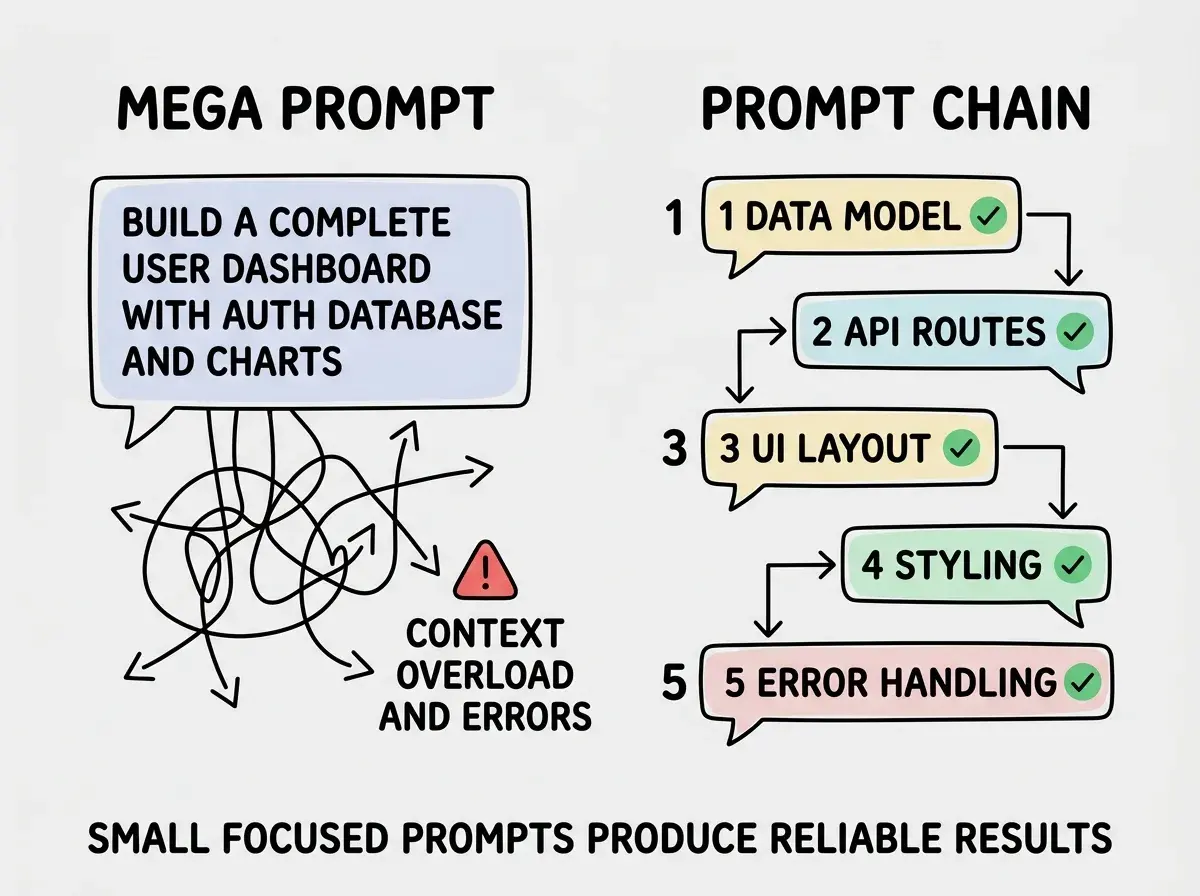
This is the mega-prompt trap, and it catches nearly everyone who moves past basic vibe coding into building real features. The solution is a technique called prompt chaining, and once you learn it, complex features stop being frustrating.
Why One Giant Prompt Falls Apart
AI coding tools are remarkably good at focused tasks. Ask for a Prisma schema with specific models and relationships, and you get clean, correct output. Ask for a React component with defined props and behaviors, and it delivers. But ask for an entire feature spanning multiple files, data layers, and interaction patterns in a single prompt, and the quality drops dramatically.
The reason is cognitive load. Not yours, the model's. When you pack fifteen requirements into one prompt, the AI has to hold all of them in working memory simultaneously while generating code. It is juggling, and the more balls you add, the more it drops.
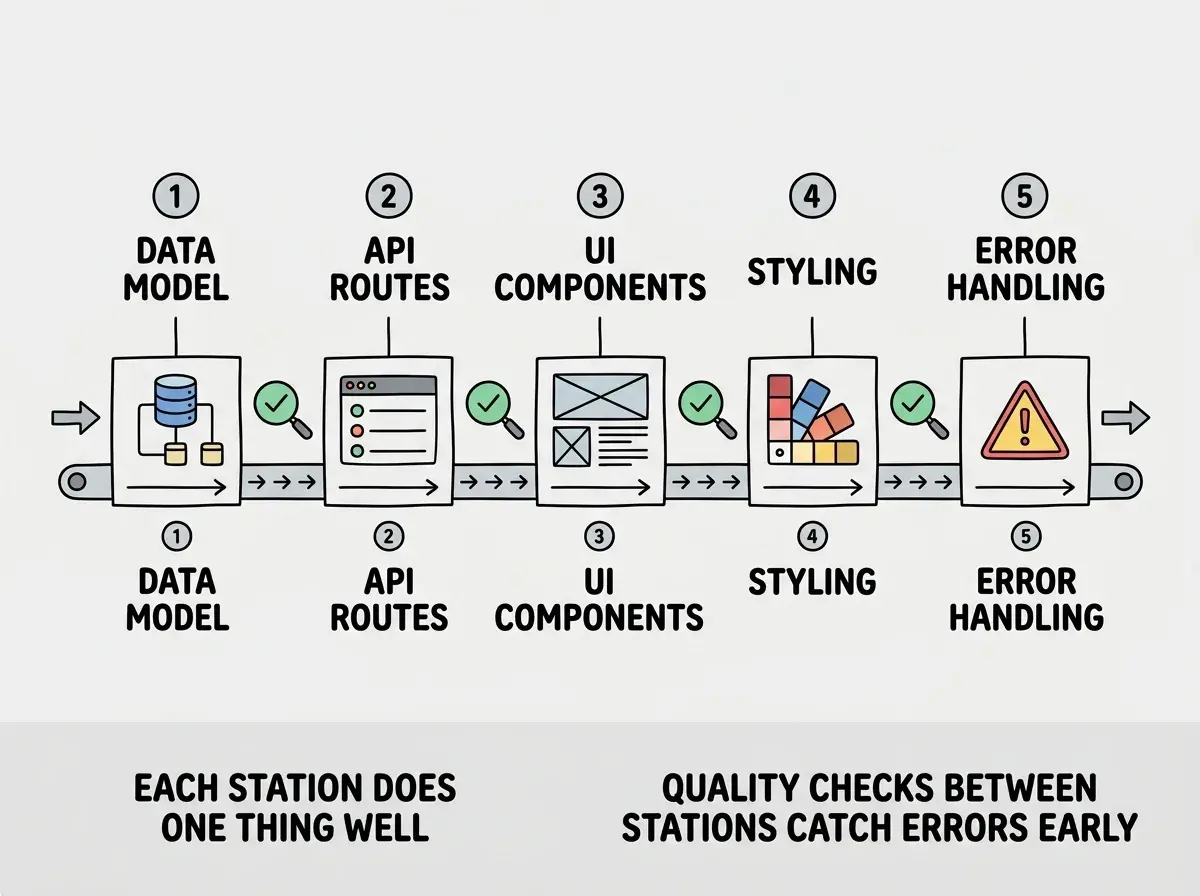
Think about how an assembly line works. A car factory does not have one station that welds the frame, installs the engine, paints the body, and mounts the tires all at once. Each station does one thing extremely well, and the output of one station becomes the input for the next. The result is far higher quality than any single station could achieve alone.
Prompt chaining is the assembly line for AI coding. You break a complex feature into a sequence of focused prompts, where each prompt builds on the output of the previous one. Each "station" produces clean, focused work. The chain produces a complete, coherent feature.
AI models produce dramatically better output when they focus on one concern at a time. A chain of five focused prompts will almost always outperform one prompt that tries to describe the same total scope. The quality difference is not marginal. It is the difference between code you can ship and code you have to rewrite.
The Chain Pattern in Practice
A good prompt chain follows a consistent structure. You break the feature into three to seven sequential prompts, ordered from the most foundational layer (data) to the most visible layer (UI and polish). Each prompt produces a complete, working piece. Each subsequent prompt references what was built before.
Here is the general shape:
Prompt 1: Data model. Define the schema, types, and relationships. This is the foundation everything else depends on.
Prompt 2: API or data access layer. Build the endpoints or functions that read and write the data. These reference the exact model from Prompt 1.
Prompt 3: Core UI components. Build the main interface elements that display and interact with the data. These use the exact API shape from Prompt 2.
Prompt 4: Styling and layout. Refine the visual design, spacing, and responsiveness. This works with the components already in place from Prompt 3.
Prompt 5: Error handling and edge cases. Add loading states, empty states, error messages, and validation. This layer wraps around everything built in Prompts 1 through 4.
The order matters. Data first, then access, then display, then polish. Each layer only depends on layers below it, so you never build on an unstable foundation.
Building a User Dashboard Step by Step
Let me walk through a real example. You want a user dashboard that shows account activity, recent transactions, and usage statistics. Here is exactly how to chain the prompts.
Prompt 1 (Data Model): "I am building a user dashboard for a SaaS application using Prisma and PostgreSQL. Create the schema for three models: UserActivity (id, userId, action, metadata as JSON, createdAt), Transaction (id, userId, amount, description, category, status enum of pending/completed/failed, createdAt), and UsageStats (id, userId, apiCalls as integer, storageUsed as float, bandwidth as float, period as string, updatedAt). Add appropriate indexes on userId and createdAt for each model."
You run this prompt, review the schema, confirm it looks right. Now you have a solid foundation.
Prompt 2 (API Layer): "Using this Prisma schema [paste or reference it], create a Next.js API route at /api/dashboard that returns the 10 most recent UserActivity records, the last 20 Transactions sorted by date, and current UsageStats for this month. Return the data as a typed DashboardData response. Include error handling for unauthenticated requests."
The AI builds an API that matches the exact schema from Prompt 1. No guessing about field names. No inventing types that do not exist.
Prompt 3 (Core UI): "Using this API response shape [paste the DashboardData type], create three React components: ActivityFeed that displays a timeline of recent actions, TransactionTable that shows transactions in a sortable table with status badges, and UsageOverview that shows API calls, storage, and bandwidth as progress bars with percentage labels. Each component receives its data as props."
Each component is built against the real data shape. The ActivityFeed knows exactly what fields exist on UserActivity. The TransactionTable knows about the status enum.
Prompt 4 (Styling): "Lay out the three dashboard components as a page. UsageOverview spans full width at the top as three side-by-side stat cards. Below it, ActivityFeed takes one-third width on the left, TransactionTable takes two-thirds on the right. Tailwind CSS with white card backgrounds, rounded-xl, subtle shadows, 24px gaps. Stack vertically on mobile."
Prompt 5 (Error Handling): "Add loading, empty, and error states to the dashboard. Show skeleton loaders while data fetches. If the API returns an error, show an error card with a retry button. If any section has no data, show a friendly empty state message specific to that section."
Five focused prompts, each producing clean output, resulting in a complete dashboard. Compare that to one mega-prompt that tries to describe all of this at once and inevitably produces tangled, inconsistent code.
When to Chain and When One Prompt Is Enough
Prompt chaining is not always the right approach. It adds overhead, and for simple tasks, that overhead is not worth it. Here is how to decide.
One prompt is enough when the task touches a single file, involves a single concern, and has a clear output. A utility function. A single component. A type definition. If you can describe what you want in two to four sentences and the AI produces it correctly, chaining would just slow you down.
Chaining pays off when the task spans multiple files, involves multiple concerns (data, logic, UI, styling), or has dependencies between parts. If your prompt grows past eight to ten sentences, that is usually a signal. You are describing multiple steps in one breath, and the AI will handle them better separately.
A practical heuristic: if the feature would take a senior developer more than an hour to build by hand, it benefits from chaining. If it would take fifteen minutes, one prompt is fine.
Over-chaining simple tasks into too many tiny prompts. If you find yourself writing a prompt chain for a single React component with no data dependencies, you have gone too far. Chaining adds overhead in the form of context management and prompt-writing time. Reserve it for features that genuinely involve multiple layers or files. The sweet spot is three to seven prompts for a substantial feature.
Making Your Chains More Effective
A few patterns make prompt chains work better in practice.
Carry context forward explicitly. At the start of each prompt, reference what was built previously. "Using the Prisma schema from above" or "The TransactionTable component from the previous prompt." Do not assume the AI remembers perfectly. Being explicit prevents drift.
Verify before proceeding. Review each prompt's output before moving to the next step. If the data model has a problem, fix it now. Building three layers on top of a flawed foundation means redoing all of them later.
Keep prompts in the three-to-seven range. Fewer than three and you are probably not breaking the work down enough. More than seven and you are micro-managing the AI, which creates unnecessary integration points. The goal is meaningful chunks, not individual lines of code.
Name things consistently. If Prompt 1 calls it "UserActivity," do not switch to "ActivityLog" in Prompt 3. Consistent naming across prompts prevents the AI from creating duplicate types or mismatched imports.
These patterns are habits, not theory. After two or three features built with chaining, the approach becomes second nature.
Master the prompt patterns that turn AI tools into reliable engineering partners.
Explore the Prompt PlaybookWhat This Means For You
Prompt chaining is the technique that unlocks building real features with AI instead of just simple components. The moment you stop trying to describe everything at once and start breaking work into focused sequential steps, the quality of your AI output changes dramatically.
- If you are a founder building a product: Your next complex feature is the perfect time to try chaining. Pick something that spans data, API, and UI. Write three to five focused prompts instead of one mega-prompt and compare the results. You will find the total time is shorter, the code is cleaner, and you spend less time fixing integration issues.
- If you are a senior developer using AI tools: You already think in layers: data access, business logic, presentation. Prompt chaining maps directly to that mental model. Instead of implementing each layer yourself, you direct the AI through each layer with the precision of a code review. Your architectural instincts become the chain structure.
- If you are an indie hacker shipping fast: Chaining takes five minutes of planning upfront and saves thirty minutes of debugging tangled output later. For a solo builder, that math is everything. Five minutes of structure buys you an afternoon of clean, shippable code instead of an afternoon of frustrating patches.
Start with the fundamentals that make every prompt more effective.
Start learning