Context preservation for AI long projects works through four patterns that compress important information into AI accessible form: living CLAUDE.md files documenting current state, focused conversations per feature, decision logs documenting why, and architecture diagrams refreshed monthly. Combined they let AI productivity persist across weeks and months despite individual conversation context limits. Without preservation, AI loses track of project state and produces increasingly mismatched code.
This piece walks through the four context preservation patterns, why each matters, how to implement them, and the four mistakes builders make on long projects.
Why Context Preservation Matters For Long Projects
Context preservation matters specifically for long projects because individual AI conversations have context limits. Long projects exceed single conversation capacity; preservation enables continuity across conversations.
The 2026 reality is that long project velocity depends on context preservation. Projects without preservation slow as they grow; preserved projects maintain velocity.
A 2025 productivity study of 200 long vibe coded projects found that projects with explicit context preservation completed in 47 percent fewer total hours than projects relying on AI to rediscover context each conversation. Preservation produces multiplicative time savings.
The pattern to copy is the way long running scientific experiments use lab notebooks. Notebooks preserve context across sessions, contributors, and years. Scientists do not rely on memory; notebooks compound knowledge. AI long projects work the same way; preservation compounds productivity.
The Four Context Preservation Patterns
Four patterns preserve AI context across long projects.
Pattern 1, living CLAUDE.md documenting current state. File describes project current state, conventions, decisions. AI reads at conversation start.
Pattern 2, focused conversations per feature. Each conversation handles one feature; smaller scope fits context window better.
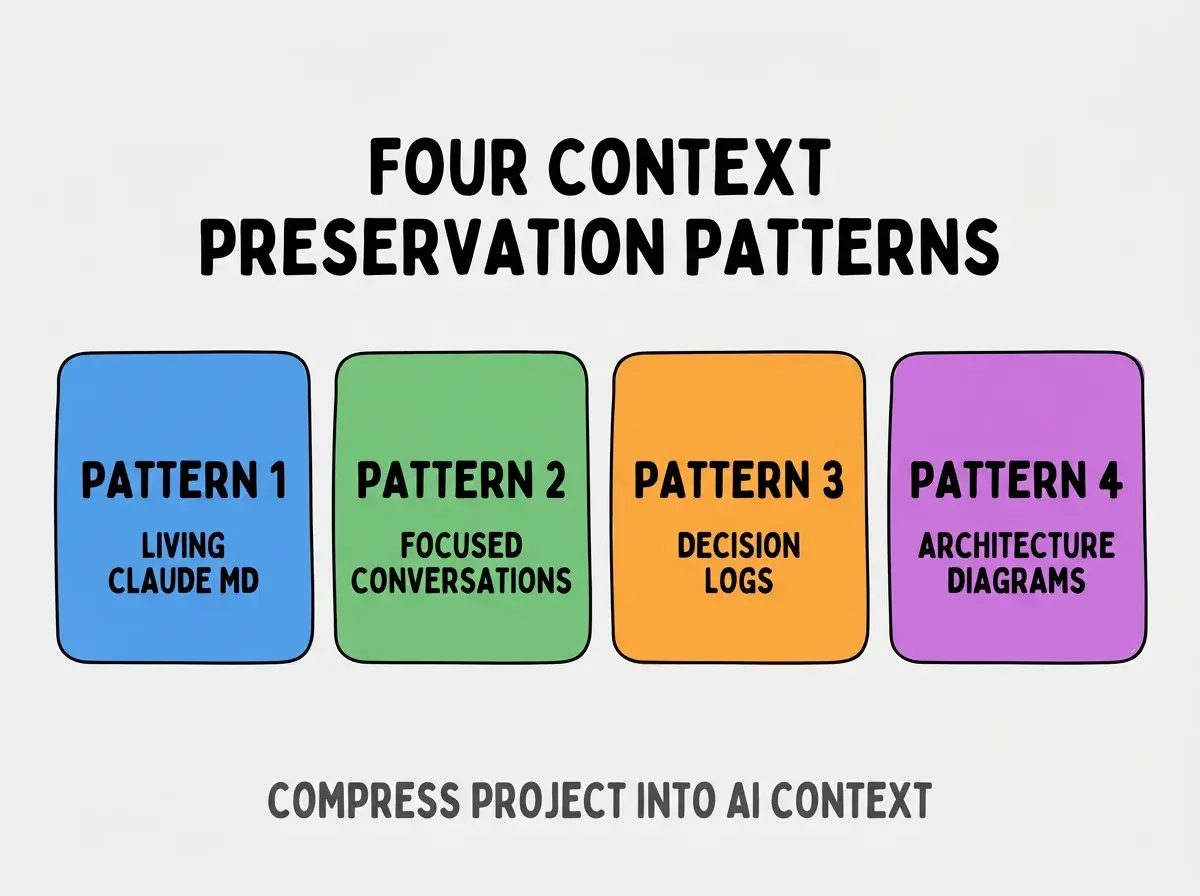
Pattern 3, decision logs documenting why. Log captures why decisions made; why is harder to re derive than what.
Pattern 4, architecture diagrams refreshed monthly. Visual architecture overview AI references; refreshed monthly stays current.
Why Each Pattern Matters
Four reasons explain pattern effectiveness.
Reason 1, CLAUDE.md provides project orientation. AI starts each conversation with project context; orientation prevents misaligned generation.
Browse more tools articles
Read more toolsReason 2, focused conversations stay within context limits. Smaller scope means more relevant code in context; relevance produces better generation.
Reason 3, decision logs prevent re deriving choices. Decisions captured persist; re deriving costs time without value.
Reason 4, architecture diagrams compress system state. Visual compression captures what text descriptions cannot.
How To Implement Each Pattern
Four implementation approaches make patterns practical.
Implementation 1, CLAUDE.md template. Sections for project goal, tech stack, conventions, current sprint focus, recent decisions.
Implementation 2, conversation per feature ticket. New conversation for each feature ticket; close conversation when feature ships.
Implementation 3, decision log in docs folder. docs/decisions.md with date, decision, reasoning. Append only log.
Implementation 4, monthly architecture review. Calendar event monthly; review and refresh architecture diagrams.
What Makes Context Preservation Sustainable
Three patterns separate sustainable preservation from one off documentation.
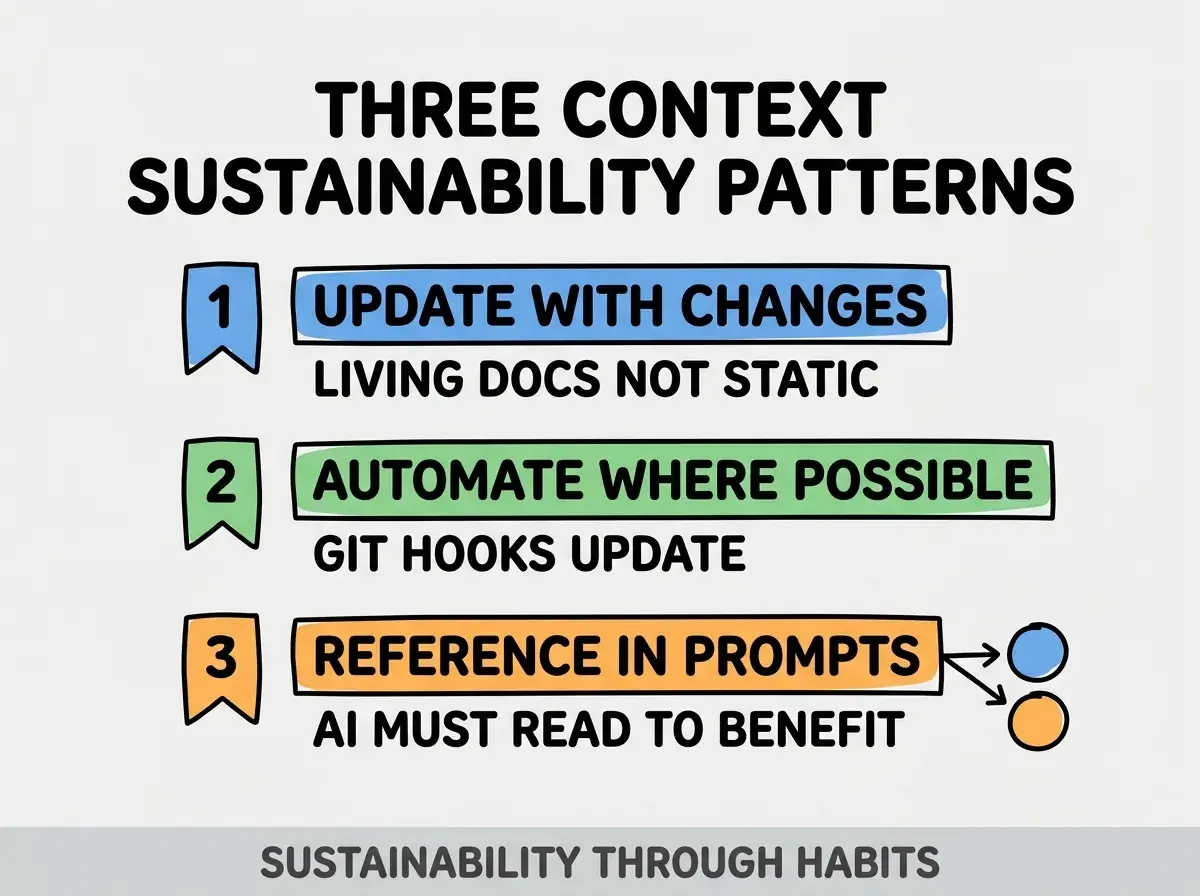
Pattern 1, update with changes. Living documents reflect current state; stale documents mislead AI.
Pattern 2, automate where possible. Git hooks update some context automatically; automation reduces maintenance burden.
Pattern 3, reference in prompts explicitly. "Following CLAUDE.md conventions, build..." prompts ensure AI reads context.
The combination produces sustainable preservation. Without these patterns, preservation decays.
How To Recover Context On Existing Projects
Three patterns help establish preservation on projects already in progress.
Pattern A, AI assisted CLAUDE.md generation. Ask AI to read codebase and generate first CLAUDE.md draft; human edits for accuracy.
Pattern B, retrospective decision documentation. Document past decisions you remember; stop point at unclear decisions.
Pattern C, sketch current architecture. One hour sketching current architecture produces documentation that helps months ahead.
Common Questions About Context Preservation
Context preservation raises questions worth addressing directly.
The first question is whether AI tools should generate documentation. AI generates first drafts; humans verify accuracy. AI plus human beats either alone.
The second question is whether to use multiple CLAUDE.md files. Yes for monorepos; one per project package. Single project usually one file.
The third question is whether decision logs need formal format. Date plus decision plus reasoning suffices; over structuring prevents adoption.
The fourth question is how often to refresh architecture diagrams. Monthly minimum; more often during active architecture changes.
How Preservation Affects Long Project Outcomes
Context preservation affects long project outcomes in compounding ways. Outcome effects compound across project months.
The first compounding effect is velocity preservation. Projects with preservation maintain velocity; projects without slow over time.
The second compounding effect is contributor onboarding. Documented context speeds new contributor productivity; unfortunate hires excluded.
The third compounding effect is decision consistency. Documented decisions guide future decisions; consistency compounds quality.
The combination produces long project outcomes shaped by preservation. Without preservation, long projects often stall.
How To Use Preservation In Team Settings
Three patterns extend preservation to team contexts.
Pattern A, shared CLAUDE.md in repository. All team members read same context; consistency across contributors.
Pattern B, decision log requires team review. Significant decisions reviewed before logging; review catches issues.
Pattern C, architecture changes require diagram update. PR template includes "architecture diagram updated"; change requires documentation.
The combination produces team scale context preservation. Without team patterns, individual preservation suffices for solo work but fails for teams.
The most damaging context preservation mistake is treating it as overhead rather than productivity multiplier. Documentation feels slow; documented projects move faster overall because re deriving context is slower than reading documentation. The fix is to invest in preservation early; preservation pays back exponentially as project grows. Builders who preserve produce sustained long project velocity; builders who skip preservation watch velocity decay over months.
The other mistake is documenting too much. Documentation overhead costs time; minimal effective documentation beats comprehensive documentation that becomes stale.
A third mistake is missing the explicit reference. Documentation AI does not read does not help; reference in prompts matters.
A fourth mistake is treating CLAUDE.md as static. CLAUDE.md must evolve with project; updates compound value.
What This Means For You
Context preservation for long AI projects produces sustained productivity that matches short project velocity. The four patterns, implementation approaches, and team usage produce preservation that compounds across project lifetime.
- If you're a senior dev: Create CLAUDE.md for current project today; investment compounds over remaining project life.
- If you're an indie hacker: Add decision log to your project; decisions matter for sustained development.
Browse more tools articles
Read more tools