The architecture first workflow inverts the default vibe coding pattern by spending 20 minutes on design decisions before the first prompt. Four design phases (data model, component boundaries, integration points, error handling) produce architectural clarity that guides every subsequent prompt. The workflow takes longer at start and finishes faster overall because rework is eliminated. Senior developers using architecture first report 2-3x faster project completion than dive in and prompt approaches.
This piece walks through the four design phases, what each produces, how to integrate the workflow with AI tools, and the four mistakes builders make when trying to add architecture upfront.
Why Architecture First Beats Dive In And Prompt
Architecture first beats dive in and prompt because rework is the dominant cost in AI assisted development. AI generates code fast; rework cycles burn the time savings. Upfront architecture eliminates rework by giving AI clear targets.
The 2026 reality is that the dive in pattern dominates new vibe coder workflow. Pattern persistence is not a sign of optimality; it is a sign of habit. Better workflows exist; adoption requires deliberate change.
A 2025 senior developer productivity study of 200 vibe coders found that architecture first developers completed projects 2.4x faster than dive in developers, despite spending 18 percent more time before first prompt. Upfront design saves multiplicatively more downstream.
The pattern to copy is the way carpenters measure twice and cut once. The measure costs little; the wrong cut costs entire boards. AI coding follows the same math; design costs little, wrong code costs entire features.
The Four Design Phases
Four phases form the architecture first workflow.
Phase 1, data model design. What entities exist; what fields each entity has; what relationships exist between entities. Output is a simple ER diagram or table list.
Phase 2, component boundary design. What components exist in the UI; what data each component owns; how components communicate. Output is a component tree diagram.
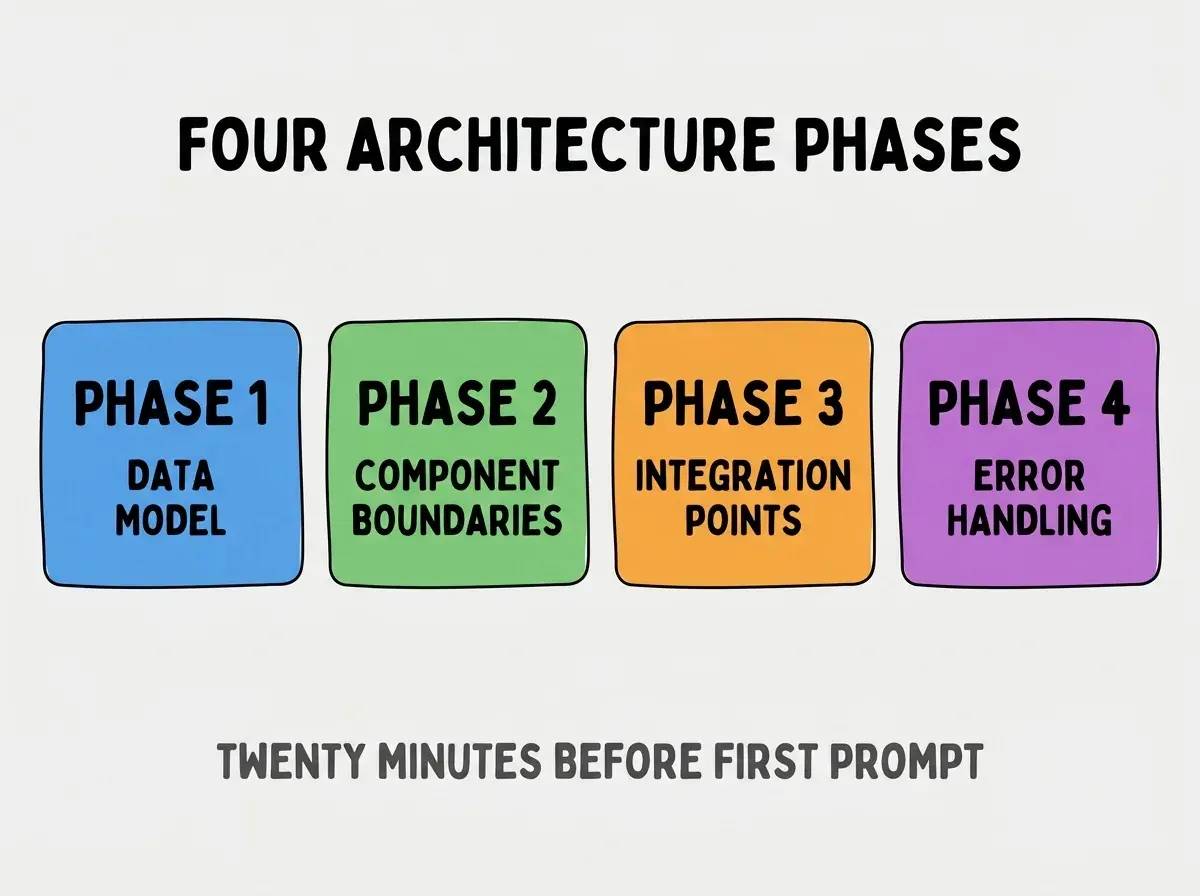
Phase 3, integration point design. What external services your app uses; what data crosses the boundary; what happens when external services fail.
Phase 4, error handling design. What can go wrong; what users see when it does; what gets logged for debugging.
What Each Phase Produces
The four phases produce small artifacts that guide AI generation.
Phase 1 produces a data model document that AI references for every database query, schema change, and data flow. Single source of truth prevents schema drift.
Browse more tools articles
Read more toolsPhase 2 produces a component tree that AI uses to place new code in the right component. Boundary clarity prevents code in wrong places.
Phase 3 produces integration documentation that AI references for external API calls. Documentation prevents duplicated integration code.
Phase 4 produces error handling patterns that AI applies consistently. Consistency reduces user facing bug variety.
How To Integrate With AI Tools
Three integration patterns make architecture first work smoothly with AI tools.
Pattern 1, store artifacts in CLAUDE.md or .cursorrules. AI tools read these files automatically; architecture artifacts there guide every prompt.
Pattern 2, reference artifacts in prompts explicitly. "Following the data model in docs/data-model.md, create a query that..." prompts produce architecture aligned code.
Pattern 3, update artifacts when architecture evolves. Architecture changes during development; artifacts must update with changes. Stale artifacts mislead AI.
What Makes Architecture First Sustainable
Three patterns separate sustainable architecture first from one project experiments.
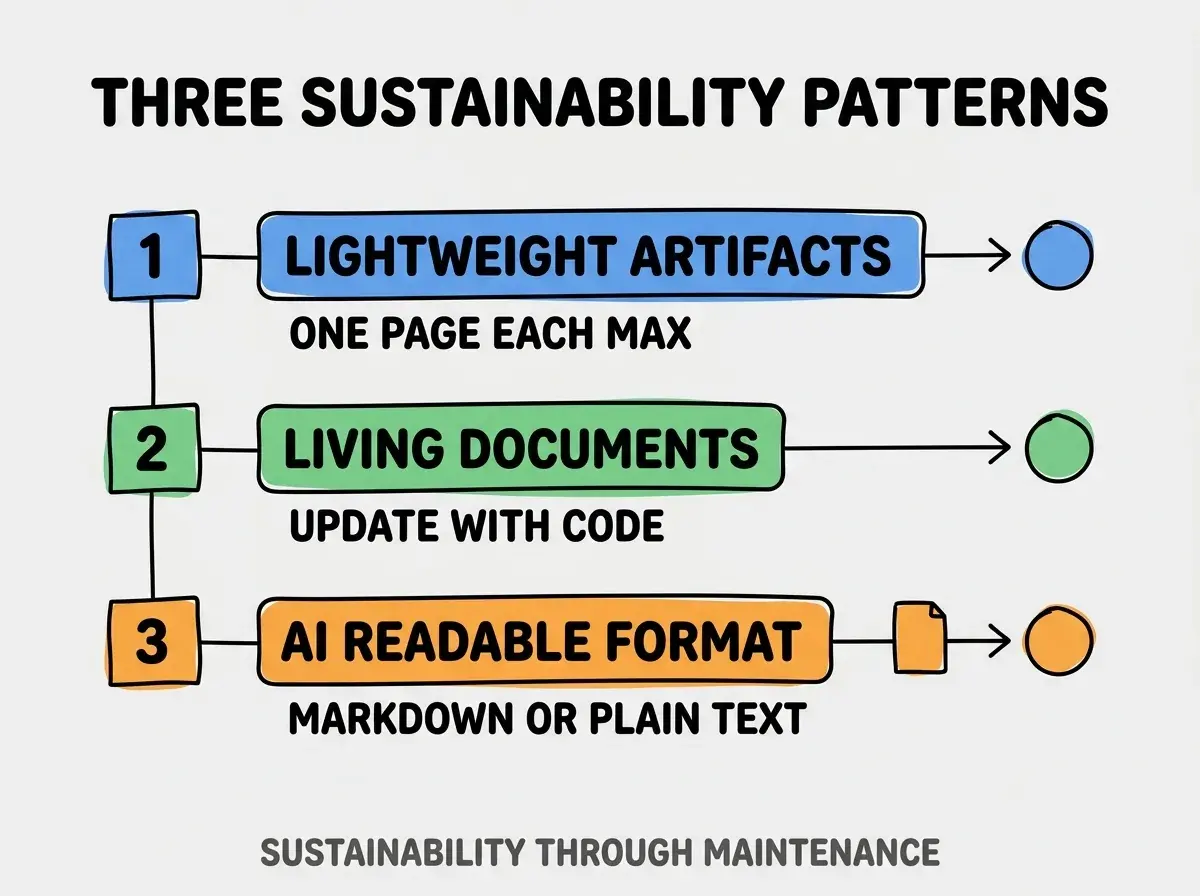
Pattern 1, lightweight artifacts. One page per phase max; longer artifacts get skipped. Lightweight matches reality of AI assisted work.
Pattern 2, living documents. Artifacts update when architecture changes; stale artifacts produce wrong AI guidance.
Pattern 3, AI readable format. Markdown or plain text; AI reads these natively. Diagram only artifacts produce friction.
The combination produces architecture first as default workflow. Without these patterns, architecture first becomes ceremony.
How To Adopt Architecture First Progressively
Three adoption patterns help shift from dive in to architecture first.
Pattern A, start with one phase. Begin with data model only; add component boundaries on next project; add integration on third project. Progressive adoption beats wholesale change.
Pattern B, time box the design. 20 minutes total across all four phases; longer time creates excuse to skip. Time box forces ruthless prioritization.
Pattern C, measure project completion time. Compare architecture first project completion to dive in completion; data shifts behavior more than principles.
The combination produces sustainable workflow change. Without progression, change attempts fail and revert to dive in.
Common Questions About Architecture First
Architecture first workflow raises questions worth addressing directly.
The first question is whether architecture first works for small projects. Yes; the time investment scales with project size. Small projects need 5 minute architecture; large projects need 20 minutes.
The second question is whether AI tools could automate the architecture phase. Partially; AI can generate first drafts of architecture artifacts; humans validate and edit. AI plus human beats AI alone.
The third question is whether architecture first kills creative exploration. No; architecture frames exploration. Exploration without frame produces lost work; framed exploration produces directed work.
The fourth question is how detailed the architecture should be. Detailed enough to guide AI; not detailed enough to lock implementation. Sweet spot varies by project.
How Architecture First Affects Code Quality
Architecture first affects code quality in compounding ways. Quality effects compound across project lifetime.
The first compounding effect is fewer architectural rewrites. Initial architecture matches actual needs; less rewrite needed.
The second compounding effect is faster onboarding. New collaborators (or future you) read artifacts and understand architecture; understanding speeds work.
The third compounding effect is better AI productivity. AI with architecture context produces better code; productivity compounds across prompts.
The combination produces code quality that improves over project lifetime. Without architecture first, quality degrades despite individual best efforts.
How To Recover From No Architecture Start
Three recovery patterns work when architecture is missed at project start.
Pattern A, retroactive architecture documentation. Document existing architecture; surfaces inconsistencies that should be fixed.
Pattern B, refactor to consistent patterns. Inconsistencies revealed by documentation become refactor targets.
Pattern C, lock architecture going forward. Past inconsistency cannot be fixed entirely; future code can follow architecture from now on.
The combination produces architecture clarity even when start was unstructured. Without recovery, projects accumulate architectural drift.
The most damaging architecture first mistake is over investing in initial architecture. Architecture documents that take 2 hours to create get skipped on next project; 20 minute documents get reused. The fix is to keep documents lightweight; aggressive minimalism produces sustainable adoption. Builders who minimize produce architecture first habit; builders who maximize produce architecture documents that never get updated.
The other mistake is treating architecture as immutable. Architecture evolves with project understanding; rigid architecture forces wrong decisions to fit wrong models.
A third mistake is creating architecture artifacts that AI cannot read. Diagrams that require visual interpretation fail with AI; markdown beats diagrams for AI consumption.
A fourth mistake is doing architecture without prompting AI to follow it. Architecture artifacts not referenced in prompts produce no benefit; AI does not read your mind.
What This Means For You
The architecture first workflow inverts the default vibe coding pattern with measurable productivity gains. The four phases, integration patterns, and adoption approaches produce sustainable workflow change.
- If you're a senior dev: Try architecture first on next project; measure completion time against past projects; let data inform habit.
- If you're changing careers: Architecture first is the workflow professional developers use; learning it transfers to traditional development jobs.
- If you're a student: Architecture first builds the design skills that compound across years; investment pays back across career.
Browse more tools articles
Read more tools