Automating repetitive development tasks with AI produces compound productivity gains as automation handles tasks you previously did manually. Four task categories deserve automation: code review and quality checks, test generation for new code, documentation generation from code, and changelog generation from commits. Each category takes hours of manual work; AI automation completes in minutes. The combination saves hours weekly that compound across project lifetime.
This tutorial walks through the four automation categories, the implementation patterns, what makes automation sustainable, and the four mistakes builders make automating with AI.
Why Automating Repetitive Tasks Matters
Automating repetitive tasks matters because manual handling of repetitive work is expensive cognitive load. Repetitive work crowds out creative work; automation creates space for higher value work.
The 2026 reality is that AI tools have matured to where automation of development tasks is practical and reliable. Maturation enables productivity gains that earlier AI could not deliver.
A 2025 developer productivity study of 200 senior developers found that developers using AI automation for repetitive tasks freed 8-12 hours per week for higher value work. Automation produces measurable time savings that compound.
The pattern to copy is the way professional cooks use specialized appliances for repetitive prep work. Food processors handle chopping; mixers handle whisking. Specialization frees cooks for creative work. Development automation works the same way.
The Four Task Categories Worth Automating
Four categories produce highest automation ROI.
Category 1, code review and quality checks. AI reviews PRs for common issues, security patterns, code conventions. Catches issues human review misses.
Category 2, test generation for new code. AI generates tests from new code; tests catch regressions; coverage improves.
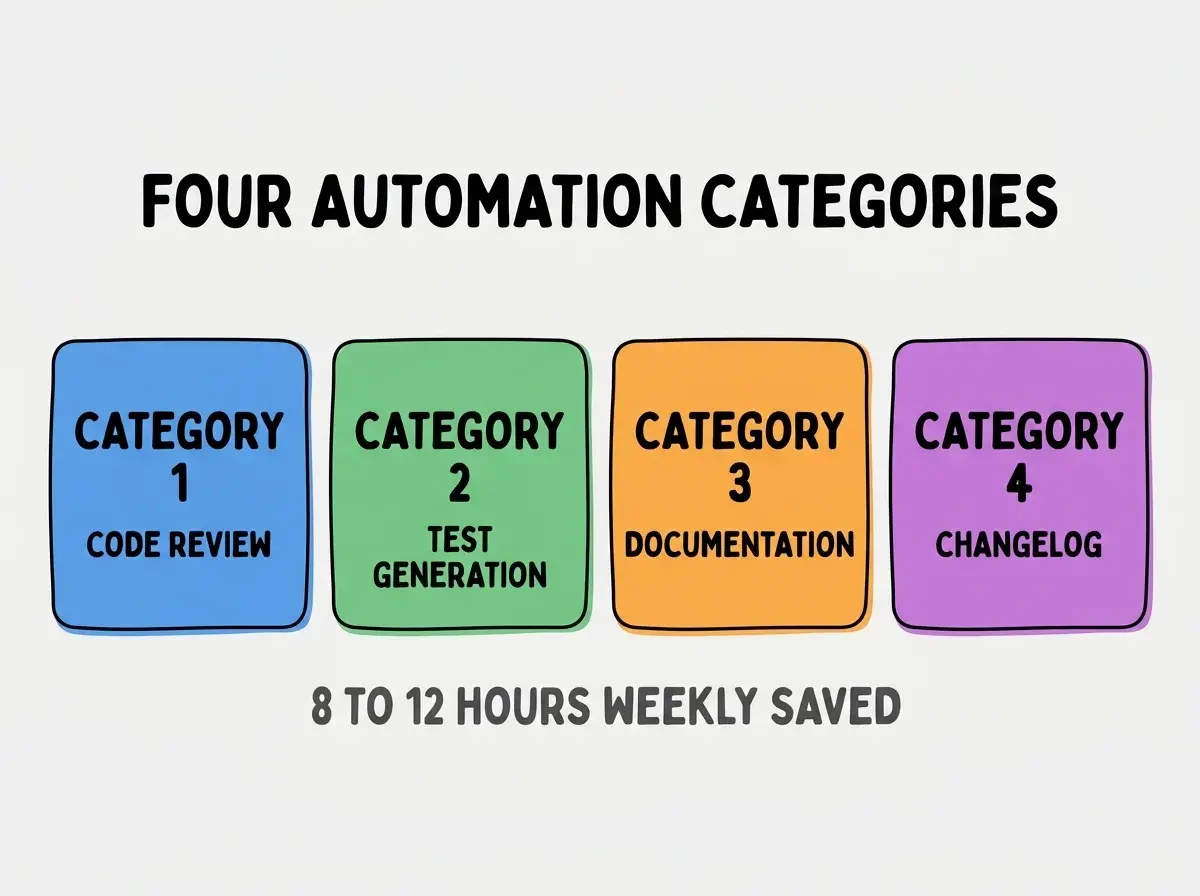
Category 3, documentation generation from code. AI generates documentation that matches code; docs stay current with changes.
Category 4, changelog generation from commits. AI summarizes commits into user friendly changelog; reduces release management work.
How To Implement Each Automation
Four implementation patterns address the four categories.
Implementation 1, AI code review in PR pipeline. GitHub Action triggers AI review on PR; AI comments suggest improvements.
Browse more tools articles
Read more toolsImplementation 2, AI test generation post commit. Pre commit or pre push hook generates tests; tests committed alongside code.
Implementation 3, AI documentation generation. Build step generates documentation from code; docs published with each release.
Implementation 4, AI changelog generation. Release script summarizes commits; changelog published with release.
What Makes Automation Sustainable
Three patterns separate sustainable automation from temporary scripts.
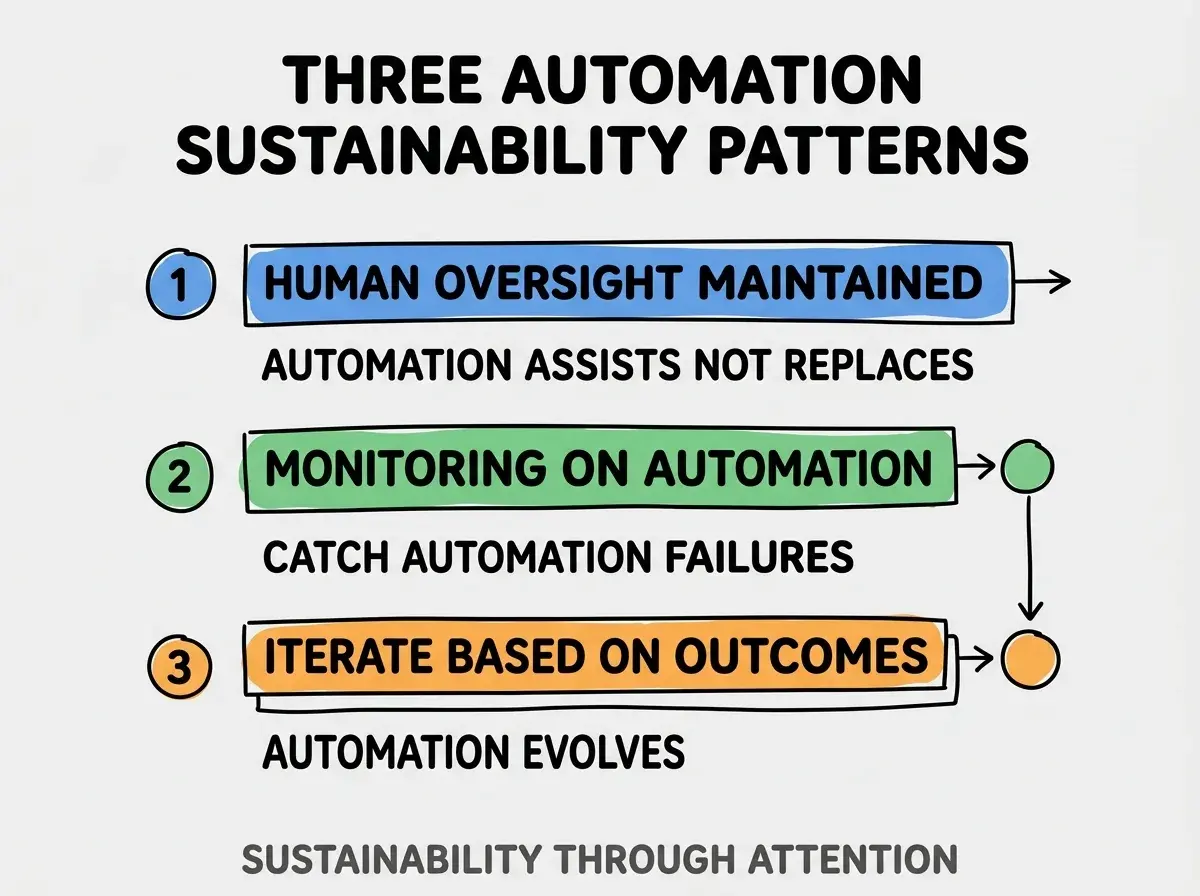
Pattern 1, human oversight maintained. Automation assists humans, not replaces. Oversight catches automation failures.
Pattern 2, monitoring on automation outputs. Automation can fail silently; monitoring catches failures.
Pattern 3, iterate based on outcomes. Automation evolves with team needs; iteration keeps automation valuable.
The combination produces sustainable automation. Without these patterns, automation becomes liability.
How To Identify Automation Opportunities
Three patterns identify high value automation candidates.
Pattern A, tasks done weekly or more often. Frequent tasks justify automation investment; rare tasks do not.
Pattern B, tasks with clear input output. Clear specification enables AI automation; ambiguous tasks resist automation.
Pattern C, tasks where errors are recoverable. Recoverable errors safe to automate; irreversible errors require human handling.
Common Questions About AI Automation
AI automation raises questions worth addressing directly.
The first question is whether to automate everything possible. No; automation has cost. Automate where ROI clear.
The second question is whether automated reviews replace human reviews. No; complement. Both serve different purposes.
The third question is how to handle automation failures. Monitor, alert, fall back to manual. Failures inevitable; preparation matters.
The fourth question is what tools to use for automation. GitHub Actions for CI; custom scripts for specific. Match tools to needs.
How Automation Affects Team Dynamics
Automation affects team dynamics in compounding ways. Dynamics effects compound across team interactions.
The first compounding effect is review consistency. AI review consistent; human review varies. Consistency produces fairness.
The second compounding effect is junior developer growth. Automated reviews teach patterns; teaching speeds skill development.
The third compounding effect is senior developer focus. Automation handles routine; seniors focus on architecture and judgment.
The combination produces team dynamics shaped by automation. Without automation, manual work consumes time that could compound team capability.
How To Adopt Automation Progressively
Three adoption patterns help teams add automation.
Pattern A, start with one category as pilot. Pilot reveals issues; revealed issues inform broader rollout.
Pattern B, measure automation ROI. Time saved vs time invested in automation; ROI justifies expansion.
Pattern C, gather team feedback regularly. Team reveals what works; feedback informs iteration.
The combination produces sustainable adoption. Without progression, comprehensive attempts overwhelm and fail.
The most damaging automation mistake is automating tasks without monitoring outputs. Silent automation failures produce silent issues; issues compound invisibly. The fix is to monitor every automation; output review prevents silent degradation. Teams monitoring automation maintain quality; teams without monitoring face surprise failures that exceed automation savings.
The other mistake is over automating before validating. Automation has cost; validation confirms ROI before investment.
A third mistake is missing the iteration opportunity. Automation evolves with needs; static automation becomes wrong.
A fourth mistake is treating automation as set and forget. Automation requires maintenance; maintenance preserves value.
What This Means For You
Automating repetitive development tasks with AI produces compound productivity gains that free time for higher value work. The four categories, implementation patterns, and sustainability approaches produce automation that compounds across project lifetime.
- If you're a senior dev: Identify one repetitive task to automate this week; one automation often produces immediate value.
- If you're an indie hacker: Automation matters more for solo builders; one person team needs leverage.
Browse more tools articles
Read more tools