You can build and publish a real website in thirty minutes using vibe coding, even if you have never written a line of code. Not a toy project that lives on your laptop. A real website with a real URL that you can text to your friends, put on your resume, or hand to a potential client. This tutorial walks you through every step, from blank screen to live on the internet.
Think of this as assembling furniture with a really smart assistant. You pick the design from the catalog, the assistant hands you the right pieces in the right order, and you both build it together. Except this assistant also handles the screwdriver.
Why a Personal Website Is the Perfect First Project
A personal website is the ideal first vibe coding project for three reasons. First, it is a single page with no complex logic. No databases, no user accounts, no payment processing. Just content and design. Second, you will actually use it. A personal website has real value for your career, your business, or your personal brand. Third, it is easy to share. When you finish, you can send the link to anyone and say "I built this."
Deployment (getting your project live on the internet) is the number one stumbling block for beginners. Most tutorials teach you to build something but skip the part where other people can actually see it. This tutorial includes deployment as a core step, not an afterthought, because a website that only lives on your computer is not really a website.
The goal is not a perfect website. The goal is a live website. You can always improve it later, and you will. But having something real and accessible on the internet within thirty minutes changes your relationship with building. It stops being theoretical and starts being something you actually do. Ship first, polish second.
We will use Lovable for this tutorial because it handles both building and deployment in one place. You will not need to switch between tools, copy files, or type commands into a terminal. If you prefer Bolt or Replit, the steps are similar, but the deployment step will differ slightly.
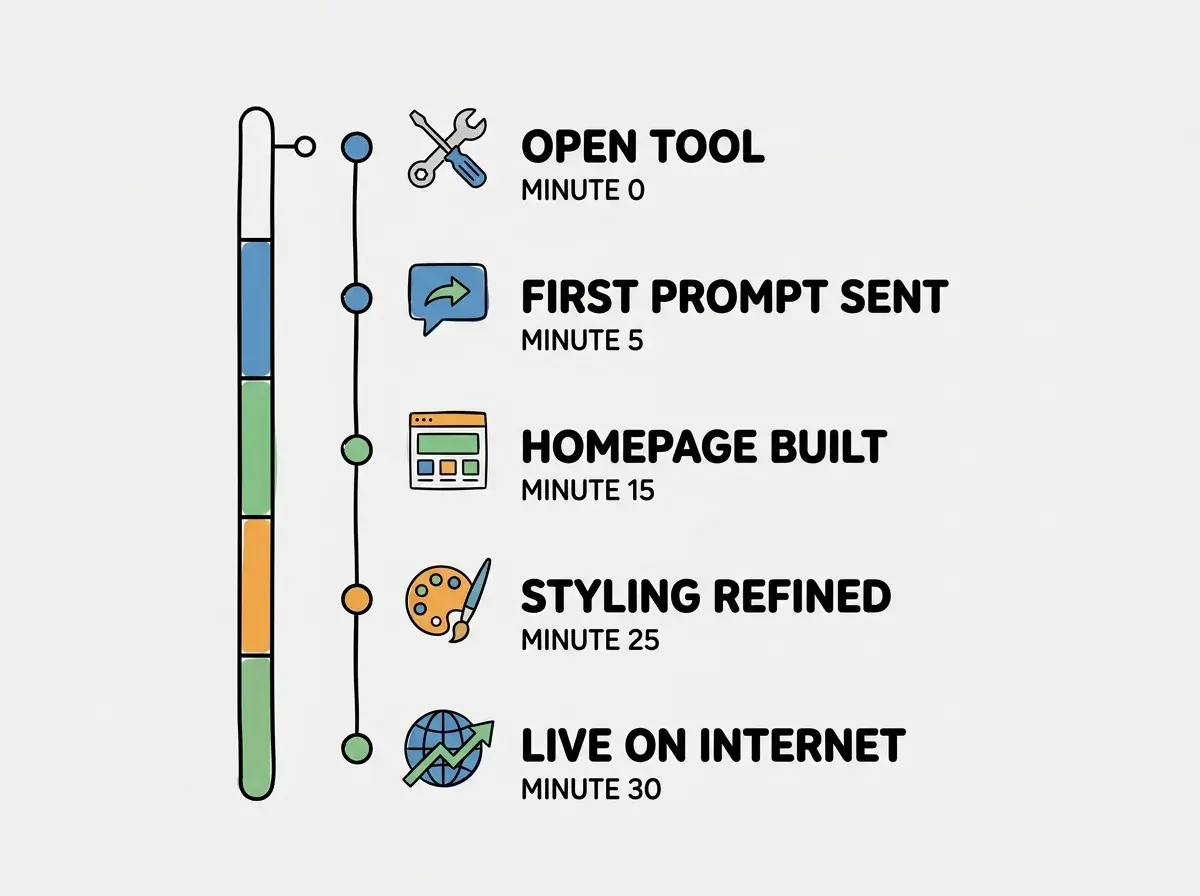
Minutes 1 Through 5, Set Up and Write Your First Prompt
Go to lovable.dev and create a free account. Once you are in, you will see a text input asking what you want to build. This is where your thirty minutes starts.
Type this prompt (or adapt it with your own details): "Build a personal website for a freelance marketing consultant named Alex Rivera. It should be a single-page site with these sections in order: a hero section with my name, title, and a one-sentence tagline; an About section with a short bio paragraph; a Services section with three service cards (Brand Strategy, Content Marketing, Social Media Management); and a Contact section with my email and a simple contact form. Use a modern, clean design with a white background, dark text, and one accent color of teal. Make it responsive for mobile."
Hit enter and wait about sixty to ninety seconds. The AI will generate your entire website. You will see a live preview appear on the right side of the screen.
Checkpoint: You should see a full personal website in the preview. It will have all the sections you asked for, styled with the colors you specified. It will not be perfect yet, but it will be a complete, functional page.
Minutes 5 Through 15, Refine the Design and Content
Now comes the fun part. Look at what the AI built and start making it yours. Work through these refinements one at a time, sending each as a separate message.
Refinement 1, the hero section: "Make the hero section taller with more breathing room. Center the text vertically. Make my name larger and bolder, and add a subtle gradient background from white to very light teal."
Refinement 2, the about section: Replace the placeholder text with your actual bio. "Change the About section text to: [paste your actual bio here, two to three sentences]."
Refinement 3, the service cards: "Make the three service cards have a slight shadow on hover and add a small teal icon above each card title. Use a briefcase icon for Brand Strategy, a pencil icon for Content Marketing, and a megaphone icon for Social Media Management."
Refinement 4, the contact form: "Style the contact form to match the rest of the site. Rounded corners on the inputs, teal Send button with white text. When submitted, show a message that says 'Thanks for reaching out!'"
Each refinement takes about thirty seconds to type and thirty seconds for the AI to implement. Review the result after each one before moving to the next. If something does not look right, tell the AI specifically what to change.
Checkpoint: By minute fifteen, your website should look like something you would actually be proud to share. The design should feel cohesive, the content should be personalized, and all sections should display correctly.
Minutes 15 Through 25, Polish the Details
The difference between a website that looks AI-generated and one that looks professional comes down to small details. Spend these ten minutes on polish.
Typography and spacing: "Increase the line height throughout the site for better readability. Add more vertical spacing between sections. Make paragraph text slightly larger, around 18px."
Mobile responsiveness: Click the mobile preview option in your tool (most have a phone icon in the preview toolbar). Check if everything looks good on a narrow screen. If the service cards are overlapping or the text is too small, tell the AI: "On mobile, stack the service cards vertically with full width, and increase the font size of the hero text."
Final content pass: Read through every piece of text on the page. Replace any remaining placeholder content with your real information. Update the email address in the contact section. Adjust the tagline until it sounds like you, not like a template.
Favicon and page title: "Add a browser tab title that says 'Alex Rivera | Marketing Consultant' and set a teal colored favicon."
Checkpoint: Preview the site on both desktop and mobile. Read all text from top to bottom. Click the contact form submit button. Everything should look intentional and work smoothly.
Learn the fundamentals that make vibe coding click.
Explore the basicsMinutes 25 Through 30, Deploy It to the Internet
This is the step most tutorials skip, and it is the most important one. A website on your screen is a prototype. A website on the internet is real.
In Lovable, click the "Publish" or "Deploy" button (it is usually in the top right corner of the interface). The tool will generate a URL for your site, something like yourproject.lovable.app. Within a minute or two, your website will be live at that URL. Open it in a new tab. Open it on your phone. Send it to a friend.
That is it. You built and deployed a website in thirty minutes.
If you want a custom domain (like alexrivera.com instead of the generated URL), that is a separate step you can do later. Most tools have a settings section where you can connect a custom domain. For now, the generated URL is perfectly fine for sharing.
Checkpoint: Open your published URL in a browser you were not using for building (or on your phone). Scroll through the entire page. Everything you see is live on the internet, accessible to anyone with the link.
What to Do Next With Your Website
Your website is live, but it is version one. Here are the highest-value improvements you can make in your next sessions.
Add real images. Tell the AI to add a professional headshot placeholder in the About section and background images for the service cards. Once you have actual photos, you can replace the placeholders.
Add a portfolio section. "Add a new section between Services and Contact called Portfolio. Include a grid of six project cards, each with an image placeholder, a project title, and a one-line description."
Connect the contact form to email. The current form shows a success message but does not actually send you an email. In a future session, you can connect it to a service like Formspree or EmailJS to receive actual messages.
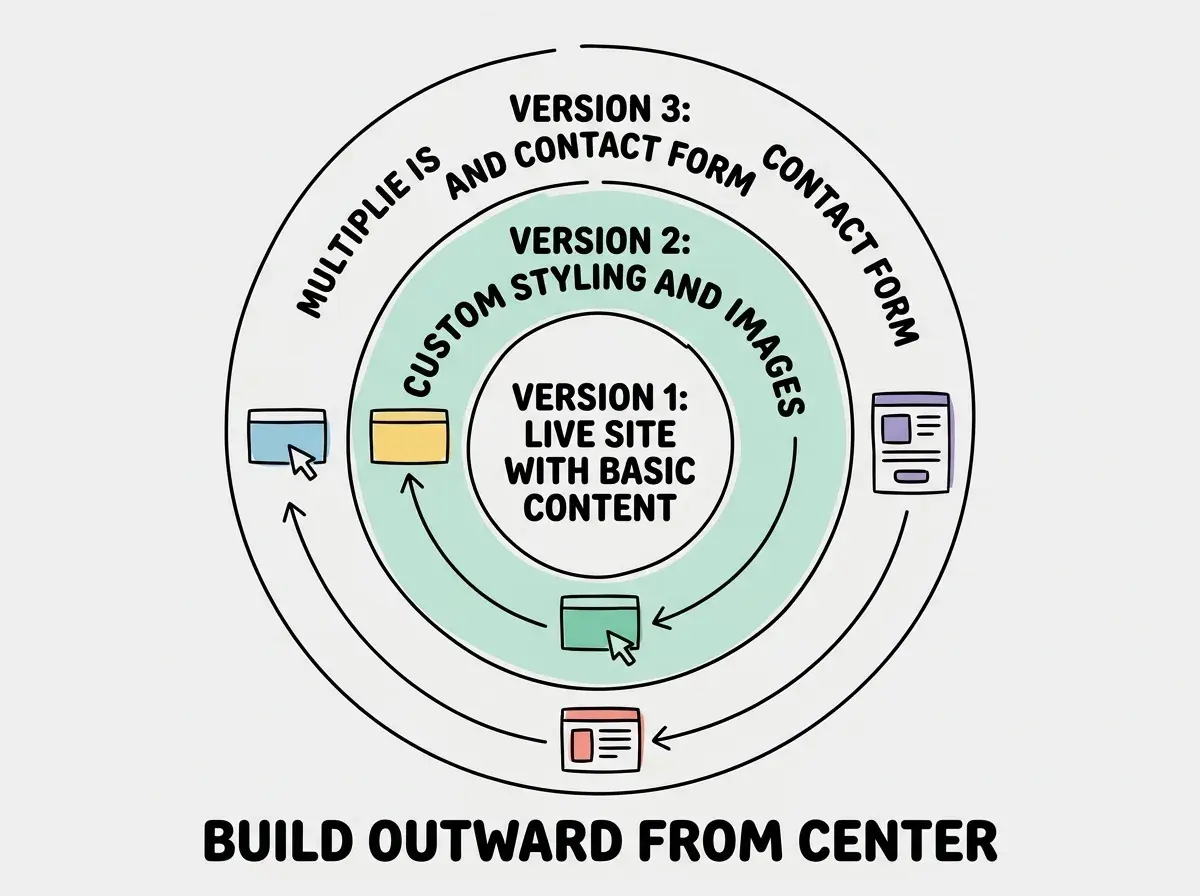
Each of these improvements is one vibe coding session. Twenty to thirty minutes, a few prompts, and your website gets meaningfully better. This incremental approach is how professional websites are built too, just with different tools.
Refusing to publish until the website is "done." Perfectionism kills more first websites than any technical problem. Your first version does not need a portfolio section, custom animations, or a blog. It needs to exist on the internet. 36.4% of vibe coders are founders, and founders especially tend to delay shipping because they want one more section, one more tweak, one more round of polish. Publish the version you have now. Improve it in your next session. A live imperfect website is infinitely more valuable than a perfect one that only exists on your screen.
The pattern you just learned (prompt, refine, polish, deploy) works for every web project, not just personal websites. Landing pages, event pages, portfolio sites, simple web apps. The scope changes, but the workflow is identical.
Dig deeper
A few hand-picked sources if you want to go further.
What This Means For You
You just built and published a real website in thirty minutes. That is not a gimmick or a shortcut. It is a new capability you have, and it only gets faster and more powerful with practice.
- If you are a founder building a product: You now know how to create landing pages for new ideas in under an hour. Before you invest weeks in development, you can build a page that explains your product, capture email signups, and test whether anyone is interested. This is the fastest path from idea to market validation. Build the landing page this afternoon; send it to ten potential customers tonight.
- If you are a career changer building a portfolio: You just created the most important piece of your professional presence: a personal website you control. Add a project to it every time you complete a vibe coding session. Within a month, you will have a portfolio that demonstrates your ability to build things with AI tools, which is exactly what hiring managers are starting to look for.
- If you are a marketer or creative who needs web presence: You no longer need to wait for a developer, negotiate a freelancer's timeline, or learn WordPress. You can build and update web pages yourself, on your schedule, as fast as you can describe what you want. Campaign landing pages, event sites, client presentations, anything that lives on the web is now thirty minutes away.
Keep the momentum going with your next vibe coding project.
Find your next project