To do vibe coding for kids ages 10 and up in 2026, start with a small project the kid actually cares about (a personal quiz, a simple game, a fan site for their favorite topic), use a kid-friendly AI tool (Cursor with simple prompts, Replit Agent, or Claude in browser), let the kid write the prompts themselves while a parent or older sibling helps with debugging, and ship the result to a real URL the kid can share. The whole flow takes one weekend, and the experience teaches both creativity and persistence in roughly equal measure.
This piece walks through the right starting projects, the AI tools that work best for kids, the parent's role that supports without smothering, and the four mistakes that turn first projects into frustrating ones.
Why 10 Is the Right Starting Age
Ten years old is roughly the age when kids can read instructions, write coherent prompts, and stay focused for the 30 to 60 minutes a small project requires. Younger kids can absolutely make things, but they benefit from more parental involvement. Older kids (12+) can largely work independently with occasional help.
The 2026 advantage is that AI tools handle the parts of programming that previously required years of training (syntax, debugging, library choices) while leaving the parts that kids are naturally great at (creativity, ideation, immediate feedback) front and center. The result is that a 10-year-old today can ship a real working app in a weekend, an outcome that was unrealistic for any age group just a few years ago.
A 2025 Code.org study of 5,000 kids ages 10-15 using AI coding tools found that 73 percent shipped a working project within their first weekend, compared to 23 percent for kids using traditional coding tutorials. The completion rate matters enormously because finishing builds confidence, and confident kids continue learning. AI tools removed the syntax barrier that previously caused most kids to quit before finishing their first project.
The pattern to copy is the way kids learn cooking. Modern kids do not start by learning chemistry; they start by making a simple dish (cookies, scrambled eggs) that produces something they want to eat. The motivation is the result, not the process. Vibe coding for kids works the same way: start with a project they want to use, let the AI handle the chemistry.
The Four Projects That Work Best
Not every project fits a kid's first weekend. Four projects work especially well.
Project 1, a personal quiz. A "what type of dragon are you" or "which Marvel character are you" style quiz with 5 questions and 6 outcomes. Kids design the questions and outcomes; AI builds the logic.
Project 2, a simple game. Tic-tac-toe, memory match, or rock-paper-scissors. Familiar games kids already understand. Simple enough to finish, fun enough to play repeatedly.
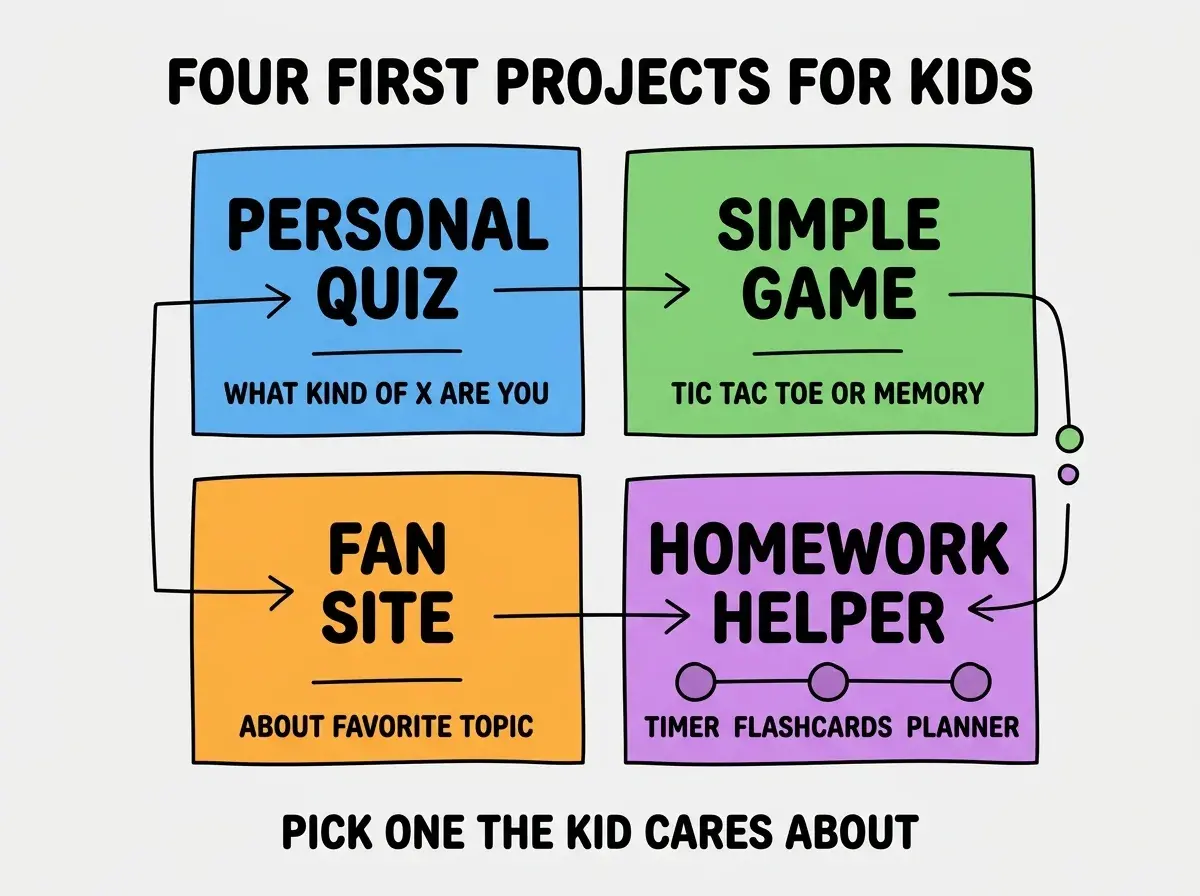
Project 3, a fan site. A simple website about the kid's favorite topic (Pokemon, Minecraft, Taylor Swift, dinosaurs). Lets the kid pour personality into the project.
Project 4, a homework helper. A timer for studying, flashcard app for vocabulary, or simple planner. Useful for the kid in their own life. Higher motivation because they will actually use it.
The AI Tools That Work for Kids
Not every AI coding tool is kid-friendly. Three tools work particularly well as of 2026.
Tool 1, Cursor with simple prompts. Free tier handles most kid projects. The chat interface is intuitive; the result appears in the editor. Parents can help with the editor parts.
Browse more beginner-friendly guides
Read more foundations articlesTool 2, Replit Agent. Browser-based, no installation. Designed for ease of use. Free tier is generous enough for first projects.
Tool 3, Claude in the browser. No code editor needed; the kid prompts Claude, and Claude generates code that can be copied to a single HTML file. Simplest possible setup.
Pick based on the kid's comfort with computers. Kids who already use code editors can handle Cursor; kids new to code will do better with Replit Agent or Claude.
The Parent's Role
The parent's role is the highest-leverage variable. Three patterns separate supportive parenting from project-killing parenting.
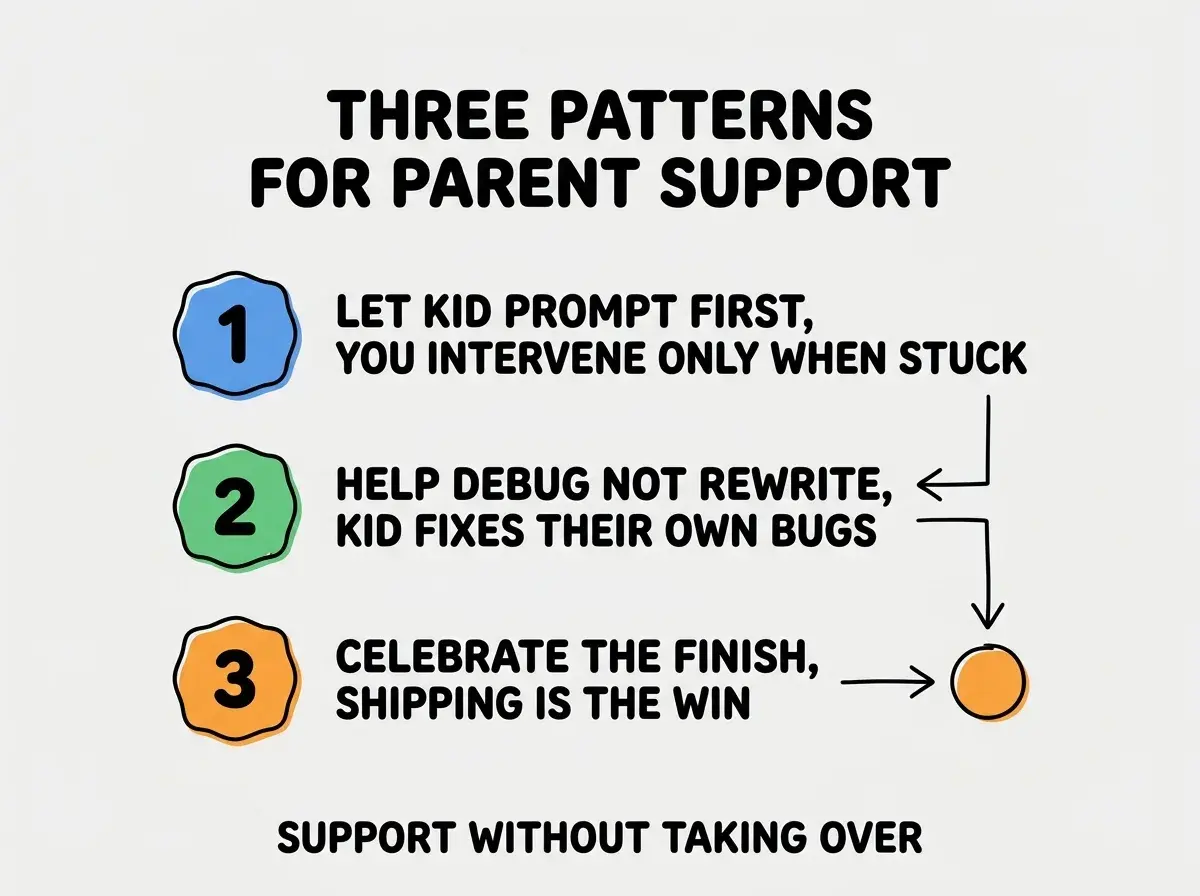
Pattern 1, let the kid prompt first. Kids should write their own prompts even if the prompts are awkward. The skill being learned is communication with AI, not perfect prompts.
Pattern 2, help debug not rewrite. When something breaks, ask the kid what they think is wrong. Help them figure it out. Resist the urge to take over the keyboard.
Pattern 3, celebrate the finish. Shipping the project (even an imperfect one) is the achievement. The exact polish level matters far less than the experience of completing something real.
What to Build After the First Project
The first project teaches the workflow. The next several projects teach depth. A few directions for what comes next.
Direction A, polish the first project. Add features the kid wants. Each addition teaches something new. Same project, deeper skill.
Direction B, build a second different project. Pick a different category from the four above. Cross-pollination teaches breadth.
Direction C, share with friends. Send the project URL to friends or family. Watch them use it. Note what confuses them. Iterate based on feedback.
Direction D, join a community. Replit and similar tools have kid-friendly communities where kids share projects. Showing work to peers (even small audiences) accelerates learning enormously.
The fastest growth comes from doing all four. Each adds a different dimension to the kid's developing identity as someone who builds things.
Setting Realistic Expectations
Parents often have unrealistic expectations of what a 10-year-old's first project should look like. Setting accurate expectations upfront prevents disappointment for everyone.
Expectation 1, the project will have bugs. First projects always do. A bug-free first project is a sign that the parent did too much. Bugs are normal and expected.
Expectation 2, the project will not look impressive to adults. It will look like what a 10-year-old made because that is what it is. The achievement is the kid finished something, not that the result is portfolio-grade.
Expectation 3, the kid will lose interest sometimes. Even kids who love coding will hit walls and lose motivation for a few days. This is normal. Pushing through frustration is part of the learning, but so is taking breaks.
Expectation 4, the timeline is not linear. Some weekends produce big leaps; others produce small ones. The cumulative trajectory matters more than any single weekend's output.
Parents who set these expectations explicitly with their kid produce healthier learning environments than parents who privately hope for prodigy outcomes. The kid hears "this is normal" and continues; the kid who senses parental disappointment quits.
The most damaging mistake parents make with kid coding projects is taking over when the kid struggles. Watching a 10-year-old wrestle with a bug for 20 minutes is hard, but the wrestling IS the learning. Parents who jump in to "help" by typing the solution rob the kid of the most important skill being developed: the persistence to debug their own work. The right response when the kid is stuck is to ask "what do you think the problem is" and "what could we try" and let them lead. The bug they fixed themselves teaches more than 10 bugs you fixed for them.
The other mistake is starting with a project the parent thinks is impressive instead of one the kid wants to build. Kids care about what they care about. A quiz about Pokemon or a fan site for their favorite YouTuber will hold their attention through the inevitable frustrations; an "educational" project the parent picked will get abandoned at the first bug.
Dig deeper
A few hand-picked sources if you want to go further.
What This Means For You
Vibe coding for kids ages 10 and up is the highest-leverage introduction to programming available in 2026. The skills transfer broadly, the experience builds confidence, and the projects become real things kids can show off.
- If you're a founder: Teach your kids vibe coding as soon as they can read instructions. The earlier they start, the deeper their advantage.
- If you're changing careers: Build alongside your kids if you have them. The learning curve is similar; the bonding is real.
- If you're a student: If you have younger siblings, teach them. Teaching is the fastest way to deepen your own understanding.
Browse more beginner guides
Read more foundations articles