Your first vibe coding session is a lot like your first time driving a car. You know what the destination looks like, you have a general sense of the controls, and you mostly need someone calm sitting next to you saying "you are doing fine, just turn here." This walkthrough is that calm passenger. By the end, you will have a working app on your screen that you built by talking to an AI.
No coding experience required. No setup headaches. Just your laptop, an internet connection, and about forty-five minutes.
Why Your First Session Matters More Than You Think
Most people who try vibe coding either fall in love with it or give up within the first twenty minutes. The difference almost never comes down to talent or technical ability. It comes down to whether that first session goes smoothly enough to build momentum.
Research shows that 63% of people using AI coding tools are not developers. They are founders, marketers, designers, and career changers who want to build things without spending years learning syntax. The tools are ready for them. But the tools do not come with a patient instructor who says "start here, do this next, ignore that error for now."
That is what this walkthrough provides. A guided first session that gets you from zero to a working result, with checkpoints along the way so you always know if you are on track.
The single biggest predictor of whether someone continues vibe coding is whether their first session produces a visible result. Do not aim for perfection. Aim for something that works, something you can see and click. That first win creates the momentum for everything that follows.
Your goal today is not to build something impressive. It is to build something real. A to-do list, a personal landing page, a simple calculator. Small, completable, and satisfying. We will use a browser-based tool so you do not need to install anything.
The Driving Lesson Analogy
Think of this session like learning to drive. You are not going to merge onto the highway on day one. You are going to drive around an empty parking lot, get comfortable with the steering wheel, and park the car.
In vibe coding terms, the "parking lot" is a browser-based tool like Lovable, Bolt, or Replit. These tools give you everything you need in one place: the AI assistant, the code editor, and a live preview of what you are building. No installation, no configuration, no command line. You type what you want, and the AI writes the code.
The "steering wheel" is your prompt. The words you type to tell the AI what to build. Good prompts produce good results. Vague prompts produce confusing results. We will practice writing clear prompts throughout this session.
And the "parking the car" moment is seeing your app work in the preview window. That moment when you click a button and something actually happens. It is small, but it changes everything about how you see yourself as a builder.
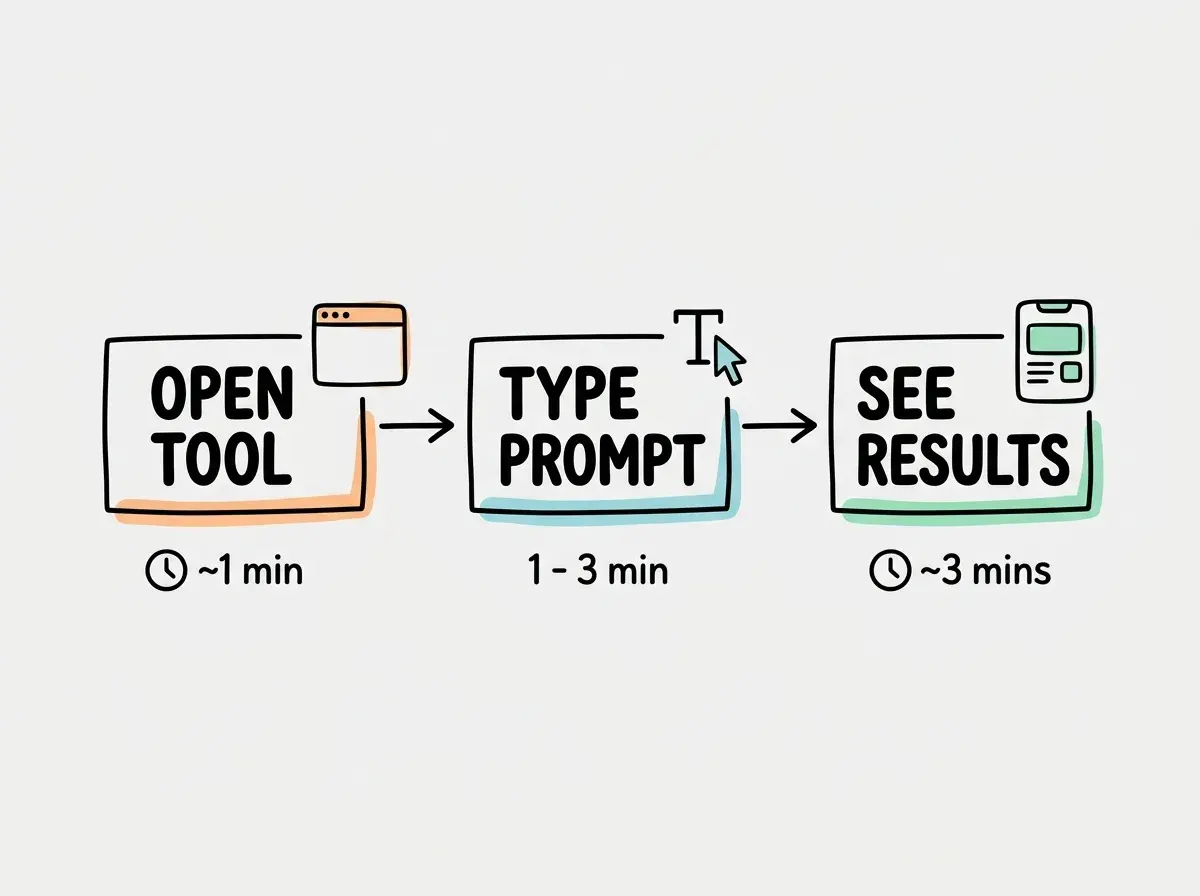
Step 1, Pick Your Tool and Open It
Open your browser and go to one of these tools. For your first session, I recommend Lovable (lovable.dev) or Bolt (bolt.new) because they require the least setup.
Create a free account. Both tools offer free tiers that are generous enough for your first project. You will land on a screen with a text input and an empty preview area. That text input is where you will type your prompts.
Checkpoint: You should see a blank canvas or preview area and a place to type. If you see that, you are exactly where you need to be.
Step 2, Write Your First Prompt
Here is where most beginners make their first mistake. They type something like "build me an app" and wonder why the result is a mess. Your first prompt needs three things: what it is, what it looks like, and what it does.
Try this exact prompt for your first project: "Build a personal to-do list app with a clean, minimal design. It should have a text input at the top to add new tasks, a list of tasks below that, and a way to mark tasks as complete by clicking on them. Use a white background with soft gray borders."
That prompt works because it is specific without being overwhelming. It tells the AI the purpose (to-do list), the appearance (clean, minimal, white with gray), and the behavior (add tasks, mark complete). Copy it exactly if you want. There is no shame in using a template for your first drive.
Hit enter and watch. The AI will start generating code. You will see files appearing, text scrolling, and within thirty seconds to two minutes, a preview of your app will appear.
Checkpoint: You should see a to-do list interface in the preview window. It might not be perfect yet, and that is completely fine.
Step 3, Talk to the AI Like a Collaborator
Here is where vibe coding becomes genuinely fun. Look at what the AI built. What do you like? What do you want to change? Now tell it.
Type something like: "The design looks good but I want the completed tasks to have a strikethrough effect and fade to a lighter gray color. Also add a delete button next to each task."
The AI will update the code, and you will see the changes in the preview. This back-and-forth conversation is the core of vibe coding. You describe, the AI builds, you refine, the AI adjusts. Each cycle takes less than a minute.
Try two or three more refinements. Maybe change the colors. Add a title at the top. Make the input field larger. Each small change builds your confidence and teaches you how to communicate with the AI effectively.
Checkpoint: Your to-do list should now have at least two or three customizations that you requested. It should feel like yours, not like a generic template.
Start with the fundamentals that make your first session successful.
Learn the basicsStep 4, Test It Like a User
Stop thinking like a builder for a moment and start thinking like a user. Click the input field. Type a task. Press enter. Does it add to the list? Click on a task. Does it mark as complete? Click the delete button. Does it remove the task?
If something does not work, tell the AI. "When I click the delete button nothing happens" or "the task text disappears when I mark it complete instead of getting a strikethrough." Be specific about what you expected and what actually happened. The AI is remarkably good at fixing bugs when you describe them clearly.
This test-and-fix cycle is not a sign that something went wrong. It is how the process works. Professional developers spend more time testing and fixing than writing new code. You are doing exactly the same thing, just with an AI partner handling the technical side.
Step 5, Celebrate and Save Your Work
You built a working app. Take a screenshot. Share it with someone. This is not a trivial accomplishment, even if the app is simple. You described something in plain English and a working application appeared on your screen. Six years ago, this would have required weeks of learning HTML, CSS, and JavaScript.
Most browser-based tools will save your project automatically. You can come back to it later, continue refining it, or start a completely new project using what you learned.
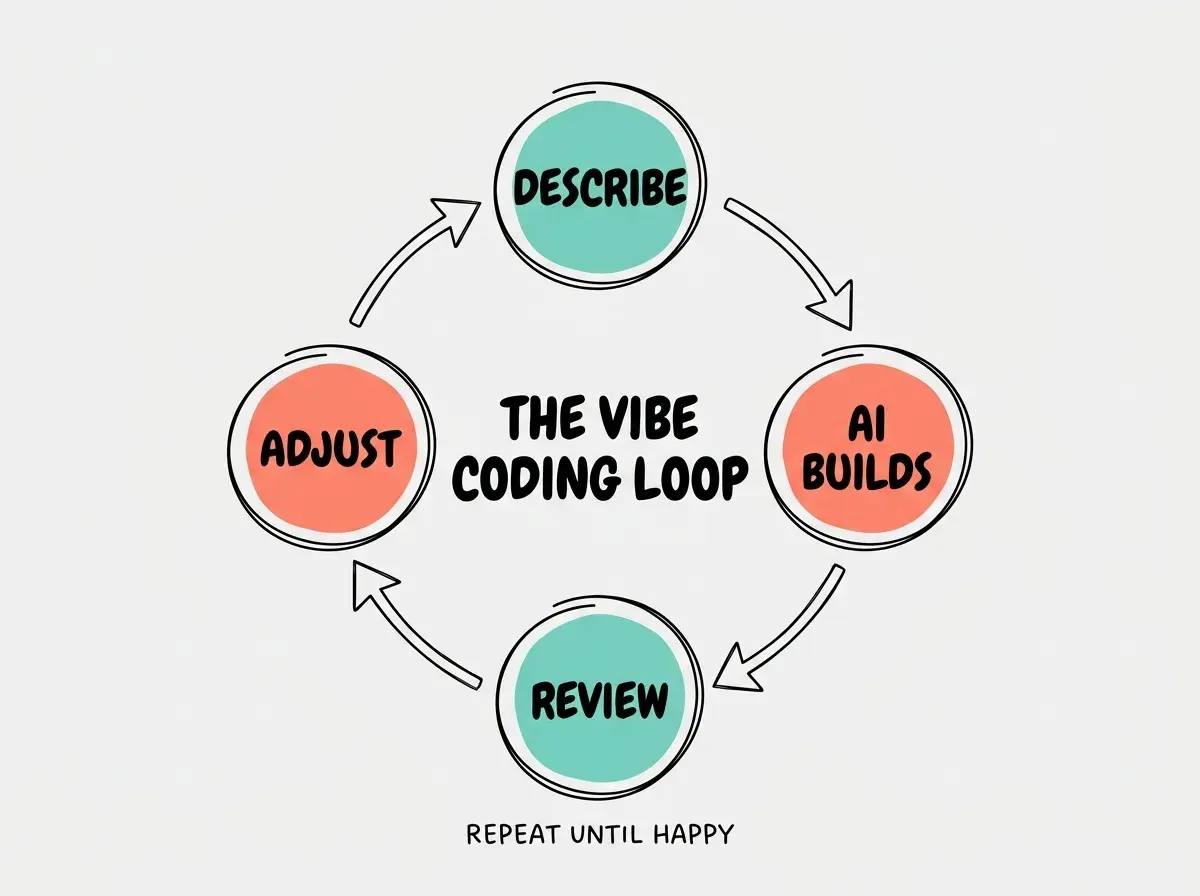
The skills you practiced today (writing clear prompts, reviewing output, describing changes, testing results) are the same skills you will use on every project going forward. The projects get bigger, but the loop stays the same.
Trying to build something too ambitious in your first session. Founders especially fall into this trap, jumping straight to "build me a complete SaaS with user accounts and payments." Start with a single-screen app that does one thing. A to-do list, a tip calculator, a color palette generator. Nail the basics first, then scale up your ambition in session two and three. The skills transfer; the confidence compounds.
Once you have completed your first session, the question shifts from "can I do this?" to "what do I want to build next?" That shift in thinking is the real milestone. The to-do list was practice. Your next project gets to be about something that matters to you.
Dig deeper
A few hand-picked sources if you want to go further.
What This Means For You
Your first vibe coding session is about proving to yourself that you can build things with AI. The specific app does not matter. The confidence and the basic workflow do.
- If you are a founder building a product: This first session is your proof of concept for a bigger idea. Once you can build a to-do list, you can build a simple MVP landing page. Once you can do that, you can build a prototype that actually demonstrates your vision to investors or customers. Each session builds on the last.
- If you are a career changer learning new skills: You just added "built a working application using AI tools" to your experience. That sentence belongs on your resume and in your portfolio. The specific technology matters less than demonstrating that you can use AI tools productively, which is rapidly becoming one of the most valuable skills in any industry.
- If you are a student exploring what is possible: You now have a superpower that most of your classmates do not have yet. Every class project, every student org, every side hustle now has a technical dimension you can contribute to. Start small, but start building things that solve real problems around you.
Build on the momentum from your first session with guided tutorials and project ideas.
Keep building