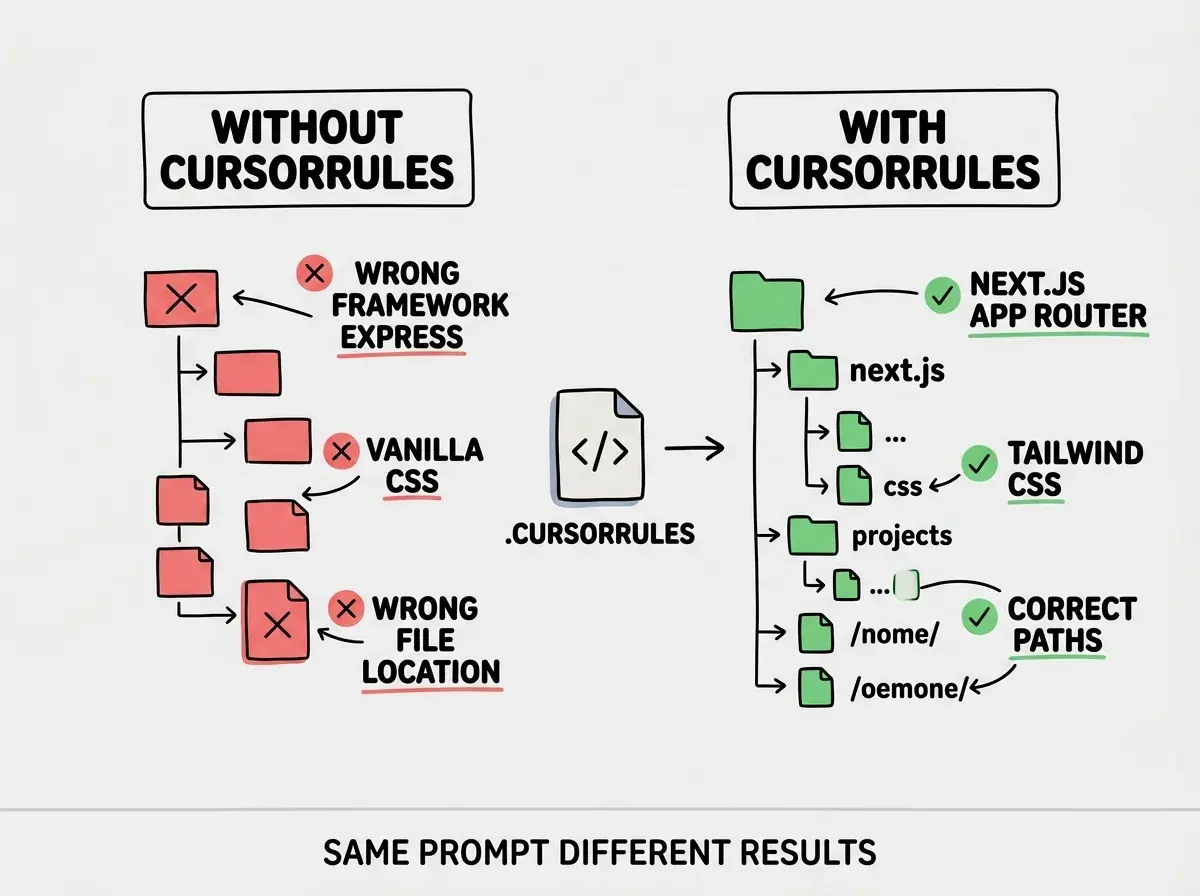
A cursorrules file is a plain text document in your project root that tells Cursor exactly how to write code for your codebase. Without one, Cursor defaults to whatever conventions are most common in its training data. With one, every AI interaction starts from your stack, your patterns, your opinions. The difference between the two is the difference between hiring a contractor who read your style guide and one who showed up and started improvising.
This tutorial goes deep on the cursorrules file itself. Not the broad concept of system prompts across tools, but the specific structure, patterns, and real examples that make .cursorrules effective in practice. By the end, you will have a concrete framework for writing one that measurably changes Cursor's output, plus patterns you can steal for Next.js, Python, and React Native projects.
Why Most .cursorrules Files Do Not Work
The most common cursorrules file is three lines long and says something like "You are an expert in React and TypeScript. Write clean, maintainable code." This changes nothing. Cursor already tries to write clean code. It already knows React and TypeScript. You have told it things it already assumes, and left out everything it actually needs to know about your project.
Effective cursorrules files are specific, opinionated, and grounded in the actual decisions you have made for your codebase. They describe your directory structure, your naming conventions, your preferred patterns, and (critically) the things you do not want. They read less like a motivational poster and more like the onboarding document you would hand a senior contractor on their first day.
Think about what happens when you bring on a new developer. You do not say "write good code." You say "we use the App Router, components live in components/ui/, we never use default exports, and our API routes always return { data, error, status }." That level of specificity is what makes a cursorrules file work. Anything less specific gets politely ignored by the model.
A cursorrules file should read like a condensed onboarding document for a senior contractor. If a rule is too vague for a human to follow without asking clarifying questions, it is too vague for Cursor. "Use TypeScript strict mode with no any types" is actionable. "Write clean TypeScript" is not.
The Five Sections That Matter
After testing dozens of cursorrules files across different stacks and project sizes, five sections consistently produce the biggest improvement in output quality. You do not need all five on day one, but you should aim for all five within a week of starting a project.
1. Identity and stack declaration. One or two lines telling Cursor what it is an expert in. This is not personality coaching. It is a factual statement of your tech stack that primes the model to draw from the right part of its knowledge. "You are an expert in TypeScript, Next.js 15 (App Router), Tailwind CSS v4, and Drizzle ORM." Short, specific, accurate.
2. Project structure. Describe where things live. Which directories contain which types of files. Where routes go, where components go, where utilities go. This prevents Cursor from creating files in the wrong place or guessing at your directory layout.
3. Code style and conventions. Your actual preferences, not aspirational ones. Import style, export style, async patterns, component size limits, type strictness. These are the rules that prevent stylistic drift across dozens of AI-generated files.
4. Naming conventions. How you name files, variables, components, routes, and database fields. Cursor will follow whatever casing and naming pattern you specify, but only if you specify it.
5. Negative constraints. The things you explicitly do not want. This section is the most underrated part of any cursorrules file, and the one that prevents the most rework. More on this below.
Real Cursorrules File Examples
Generic advice only goes so far. Here are three real cursorrules files for different stacks, each demonstrating the five sections in practice.
Next.js 15 with App Router and Tailwind:
You are an expert in TypeScript, Next.js 15 (App Router), React 19, Tailwind CSS v4, and Prisma.

## Project Structure
- app/ contains all routes using the App Router
- components/ui/ contains shared primitives (Button, Card, Modal)
- components/features/ contains feature-specific components
- lib/ contains utilities, API clients, and shared logic
- prisma/ contains schema and migrations

## Code Style
- TypeScript strict mode. No `any` types.
- Named exports only. No default exports.
- async/await everywhere. No .then() chains.
- Server components by default. Only add 'use client' for interactivity.
- Components under 150 lines. Extract when they grow past that.

## Naming
- Components: PascalCase (UserProfile.tsx)
- Utilities: camelCase (formatDate.ts)
- Routes: lowercase hyphens (app/api/user-profile/route.ts)

## Do NOT
- Use CSS modules, inline styles, or styled-components
- Use default exports
- Add console.log in production code
- Use barrel exports (index.ts re-exports)
- Import from @/ aliases (use relative paths)
Python FastAPI with SQLAlchemy:
You are an expert in Python 3.12, FastAPI, SQLAlchemy 2.0, Pydantic v2, and Alembic.

## Project Structure
- app/api/ contains route handlers by domain (users.py, orders.py)
- app/models/ contains SQLAlchemy ORM models
- app/schemas/ contains Pydantic request/response schemas
- app/services/ contains business logic (never in route handlers)
- app/core/ contains config, security, database setup

## Code Style
- Type hints on all function signatures and return types
- async def for all route handlers
- Dependency injection for DB sessions and auth
- Pydantic models for all request/response bodies, never raw dicts

## Naming
- Files: lowercase_underscores (user_service.py)
- Classes: PascalCase (UserService)
- Functions: snake_case (get_user_by_id)
- Constants: UPPER_SNAKE_CASE (MAX_RETRY_COUNT)

## Do NOT
- Put business logic in route handlers
- Call session.query() directly in routes (use repository pattern)
- Use print() for logging (use structlog)
- Return raw dicts from endpoints (always Pydantic models)
- Use synchronous database calls
React Native with Expo:
You are an expert in TypeScript, React Native, Expo SDK 52, and React Navigation.

## Project Structure
- app/ contains Expo Router screens
- components/ contains shared components
- hooks/ contains custom React hooks
- lib/ contains API clients and utilities
- stores/ contains Zustand state stores
- constants/ contains theme tokens and config

## Code Style
- TypeScript strict mode throughout
- Functional components with hooks only
- Zustand for global state, React state for local
- All API calls through lib/api.ts client
- StyleSheet.create for all styles, never inline

## Naming
- Screens: PascalCase (ProfileScreen.tsx)
- Components: PascalCase (AvatarCard.tsx)
- Hooks: camelCase with use prefix (useAuth.ts)
- Stores: camelCase with Store suffix (authStore.ts)

## Do NOT
- Use class components
- Use Redux or Context for state management
- Apply inline styles on components
- Make API calls directly in components (use hooks)
- Use platform-specific code without Platform.select()
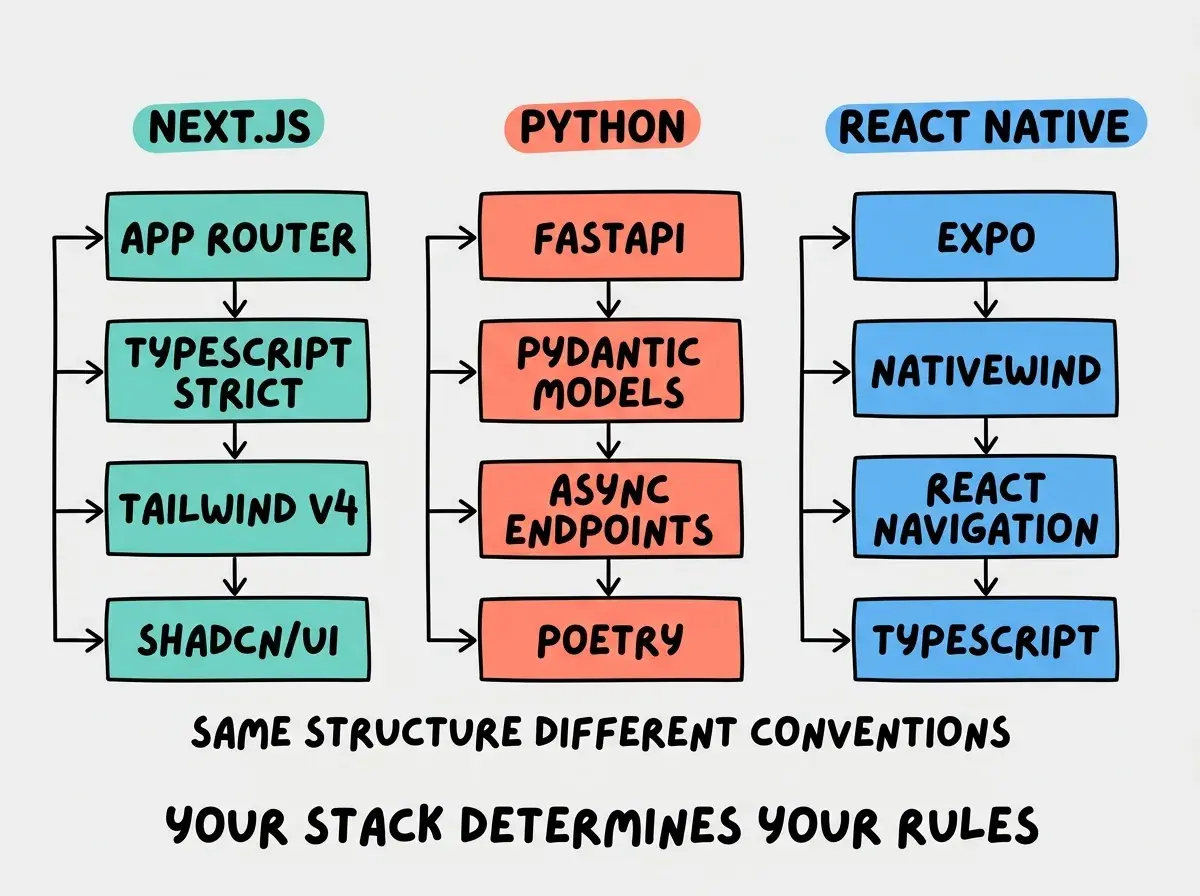
Notice the pattern across all three. Each file covers the same five areas, but the content is entirely specific to that stack. The Python file talks about dependency injection and structlog. The React Native file talks about Zustand stores and StyleSheet.create. The specificity is what makes them work.
The Negative Constraints Pattern
The "Do NOT" section deserves its own discussion because it is the section that prevents the most wasted time. Cursor's default behavior is to use whatever patterns are most statistically common in its training data. For JavaScript projects, that means default exports, console.log for debugging, any as a type escape hatch, and inline styles when a component needs "just a little" CSS.
If you only tell Cursor what you want, it will sometimes still reach for those defaults when it is uncertain. But if you explicitly say "do NOT use default exports," the model treats that as a hard constraint and avoids it consistently. Negative constraints are not about being pessimistic. They are about closing the gaps where the AI is most likely to deviate from your preferences.
Here are negative constraints that work well across most projects:
- "Do NOT use
anyas a TypeScript type. Useunknownand narrow it." - "Do NOT add
console.logstatements. Use the project's logger." - "Do NOT create new utility files. Add functions to existing files in
lib/." - "Do NOT modify test files unless specifically asked."
- "Do NOT use default exports. Named exports only."
- "Do NOT refactor code you were not asked to change."
That last one is particularly useful. Cursor sometimes gets enthusiastic and rewrites adjacent code to "improve" it while implementing your request. The constraint "do NOT refactor code you were not asked to change" keeps changes scoped to what you actually wanted.
Learn every feature, shortcut, and workflow in the most popular AI code editor.
Read the guideDirectory-Level Rules With .cursor/rules
Your project root cursorrules file applies globally, but different parts of your codebase often have different conventions. Your API routes follow different patterns than your UI components. Your tests have different rules than your source code. Cursor supports directory-level rules through .cursor/rules files that let you add context for specific areas of the codebase.
Create a .cursor/rules directory at your project root, and add rule files that specify which paths they apply to. When you are working in a file that matches a rule's glob pattern, Cursor loads that rule alongside your global cursorrules.
For example, you might have a rule file that applies to everything in app/api/ and specifies your API conventions: consistent error response format, authentication middleware patterns, input validation with Zod, and rate limiting requirements. A separate rule file for components/ might specify your component patterns: prop interface naming, ref forwarding, accessibility requirements, and test coverage expectations.
This layered approach keeps your global cursorrules concise (30-50 lines of universal conventions) while letting you add precision where it matters. A 50-line global file plus three 20-line directory rules is more effective than a single 200-line file where the AI has to figure out which rules apply to the current context.
Testing Whether Your Rules Actually Work
Writing a cursorrules file is only half the job. The other half is verifying that Cursor actually follows the rules. Here is a simple testing process that takes five minutes and tells you exactly which rules are working and which ones Cursor ignores.
Open Composer and give it a prompt that would normally trigger one of your rules. If your cursorrules says "use named exports only," ask Cursor to create a new utility function. Check whether the output uses a named export or a default export. If your file says "server components by default," ask Cursor to create a new page component. Check whether it includes 'use client' unnecessarily.
Test your negative constraints specifically. Ask Cursor to "create a quick debug helper" and see whether it reaches for console.log or your project's logger. Ask it to "add a type for this API response" and see whether it uses any anywhere. The negative constraints are the ones most likely to slip because they fight against the model's default patterns.
If a rule is not being followed, the fix is almost always making it more specific. "Prefer named exports" is weak. "Always use named exports. Never use default exports. Export functions and types individually, not through barrel files." That triple reinforcement (positive statement, negative constraint, example of scope) makes it extremely unlikely the model will deviate.
Keep a short list of prompts you use as a test suite. Run them after any significant edit to your cursorrules file. This takes less time than it sounds and catches drift before it spreads across your codebase.
Writing a cursorrules file once and assuming it works forever. Your project evolves, new libraries get added, conventions shift. A cursorrules file that still references your old state management library or your previous directory structure will actively mislead Cursor. Review it monthly, or whenever you notice Cursor generating code that does not match your current patterns.
Keeping Your Cursorrules File Maintainable
The best cursorrules files share three qualities. They are concise (30-80 lines), they are current (updated when the project changes), and they are verifiable (every rule can be tested with a single prompt).
Resist the urge to dump your entire project documentation into the file. Cursor does not need your product roadmap, your sprint goals, or your team's communication preferences. It needs the information that directly affects code generation. Every line of irrelevant context dilutes the lines that matter.
A practical maintenance habit: every time you correct Cursor's output, ask yourself whether a rule would have prevented the mistake. If it would have, add it. If a rule no longer applies because your project has changed, remove it. This feedback loop keeps the file tight and relevant without requiring dedicated maintenance sessions.
Some teams commit their cursorrules file to version control and treat changes to it like changes to a linting configuration. Pull requests that modify .cursorrules get reviewed because they affect every developer's AI experience. This is a good practice for any team larger than one.
Tips, shortcuts, and workflows that make Cursor dramatically more effective for daily development.
Explore more articlesWhat This Means For You
A cursorrules file is not a nice-to-have. It is the single highest-leverage configuration change you can make in Cursor. Fifteen minutes of setup eliminates hours of weekly corrections, and the file gets more valuable every time you refine it.
- If you are a senior developer, start by documenting the conventions you enforce most often in code review. Those are the rules that matter most. Pay special attention to negative constraints; the patterns you reject in reviews are the same patterns Cursor will produce without explicit guidance. A well-maintained cursorrules file means the AI's code passes your review standards on the first attempt more often than not.
- If you are an indie hacker, build a cursorrules template for your go-to stack and copy it into every new project. The examples in this article give you a starting point for Next.js, Python, and React Native. Spending ten minutes on configuration before you start building saves you from rewriting AI output all session. When you are shipping solo, every minute correcting the AI is a minute not spent on your product.