When your app stops working 3 months later, the cause is almost always one of five things, and you can diagnose them in order without reading code. Start with the hosting status, then check expired credentials, then verify domain and DNS, then inspect recent service changes, then ask AI to debug the specifics. This sequence catches 90 percent of the failures non-technical builders face.
This piece walks through the five diagnostic steps in order, what each catches, how to ask AI for help with the remaining 10 percent, and the four mistakes that make diagnosis harder than it needs to be.
Why The 3 Month Mark Is When Things Break
The 3 month mark is when things break because that is when free trials expire, certificates renew, dependencies update, and the things you set up in launch enthusiasm quietly start to fail. The first 90 days hide problems behind grace periods; after 90 days, problems become visible.
The 2026 reality is that 3 month failures follow predictable patterns. Vibe coded apps fail from infrastructure issues 80 percent of the time and from code issues 20 percent of the time. The diagnostic order should match the probability.
A 2025 indie hacker maintenance survey of 500 solo builders found that 78 percent of "app stopped working" incidents at the 3 month mark were caused by expired credentials, billing issues, or domain problems rather than code bugs. Most outages have non-code causes; checking infrastructure first saves hours.
The pattern to copy is the way doctors diagnose by ruling out common causes before rare ones. The right order matters more than the right tools; checking infrastructure before code matches the actual failure distribution.
The Five Step Diagnostic Sequence
Five steps in this order resolve most "app stopped working" incidents.
Step 1, hosting provider status page. Open the status page for Vercel, Cloudflare, Netlify, or wherever your app lives. If they are having an outage, you are not the cause and you cannot fix it; just wait.
Step 2, billing and account status. Open your hosting dashboard and check for billing alerts, account suspensions, or payment failures. Suspended accounts cause apps to stop responding; the dashboard usually shows this clearly.
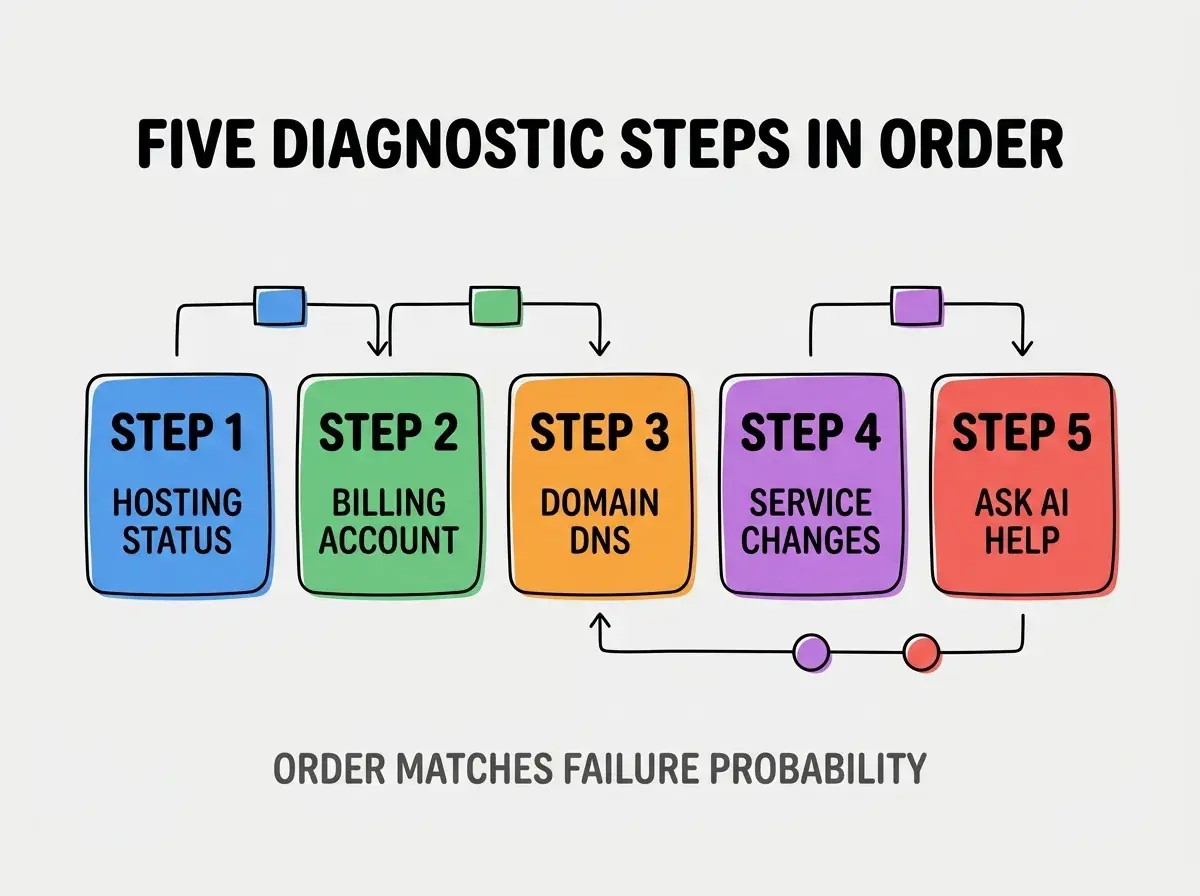
Step 3, domain and DNS. Type your domain name into a tool like dnschecker.org. If your domain is not resolving or showing wrong values, the issue is DNS or registrar related.
Step 4, third party service changes. Did your email provider, payment processor, or AI API change pricing, deprecate features, or expire your API key? Check for emails from each service in the last 30 days.
Step 5, ask AI to debug specifics. Only after the first four steps fail to find the cause, paste the error message and what you have already checked into your AI tool for diagnosis.
What Each Step Catches
The five steps catch different failure modes that produce the same symptom of an app that does not work.
Step 1 catches wide outages affecting your hosting provider. You cannot fix these; recognizing them prevents wasted debugging time on your side.
Browse more grow articles
Read more growStep 2 catches the most common silent failure mode for vibe coded apps. Suspended accounts from payment failures are responsible for a large share of 3 month outages.
Step 3 catches domain expiry, DNS misconfigurations, and SSL certificate issues. These cause apps to appear broken even when the code runs fine.
Step 4 catches integration failures from API key rotations, deprecated endpoints, and pricing tier changes. Third parties change without warning and break dependent apps.
Step 5 catches the residual issues from actual code bugs, dependency conflicts, and database problems that the first four steps cannot diagnose.
How To Ask AI For Help Effectively
When step 5 becomes necessary, the way you ask AI for help determines whether you get a fix or more confusion.
Pattern 1, describe the symptom precisely. "App is broken" is useless; "Signup form shows red error after entering email and clicking submit" is actionable.
Pattern 2, list what you already checked. "I already verified hosting status, billing, domain, and third party services" prevents AI from suggesting the things you already ruled out.
Pattern 3, paste error messages exactly. Screenshots of error messages plus the URL where they appear give AI the context to diagnose.
Pattern 4, describe what changed recently. "I have not deployed in 2 months but added a new payment plan in Stripe last week" gives AI the breadcrumb trail to follow.
The combination produces AI debugging sessions that resolve quickly. Without these patterns, AI debugging becomes generic suggestions that miss the actual cause.
What Makes 3 Month Failures Predictable
Three patterns explain why 3 month failures cluster around predictable causes.
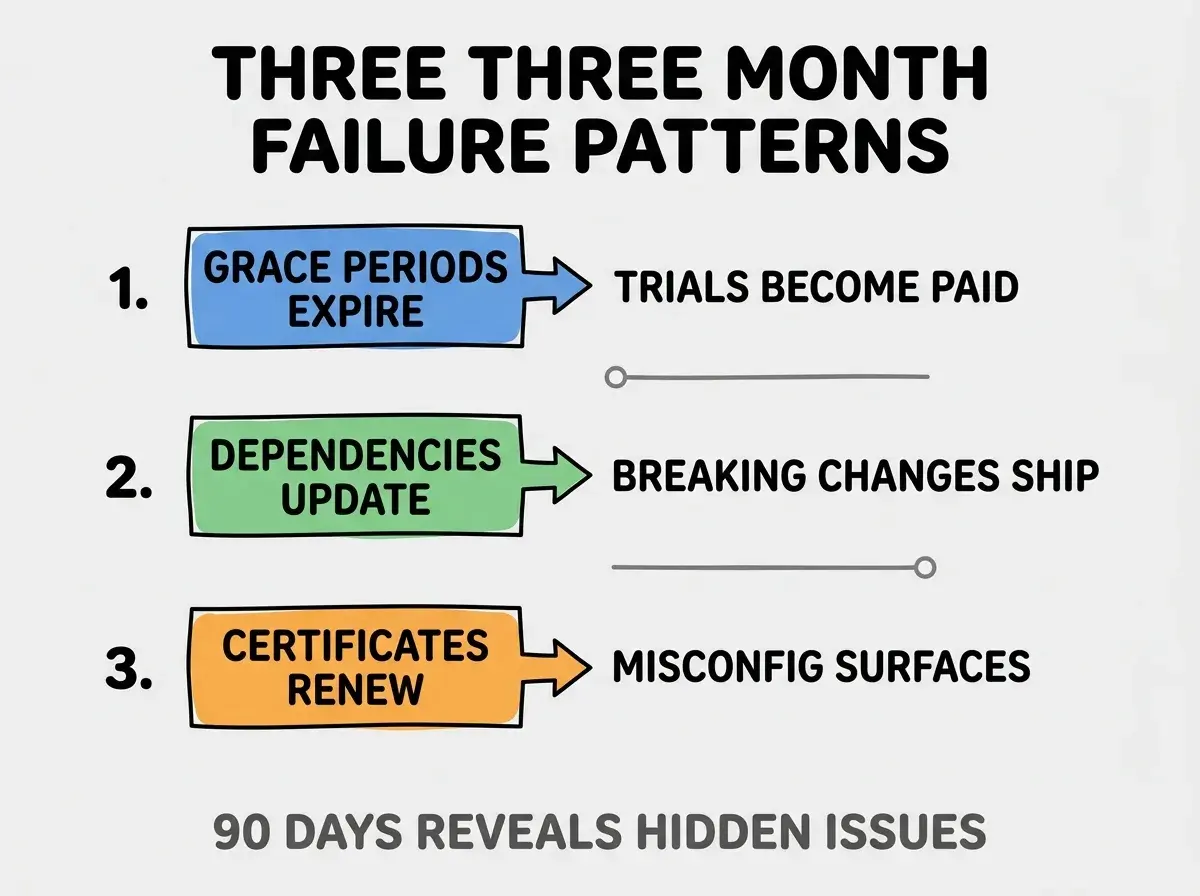
Pattern 1, grace periods expire. Free trials end, promotional credits run out, intro pricing converts to standard pricing. The 90 day mark catches many of these.
Pattern 2, dependencies update. Libraries your app depends on push breaking changes; auto updates apply them; things break.
Pattern 3, certificates and tokens renew. SSL certificates, API tokens, OAuth credentials all have expiration cycles measured in months. Misconfigurations surface at renewal time.
The combination explains the 3 month phenomenon. Predictability means preparation is possible.
How To Prepare For 3 Month Failures Before They Happen
Three preparation patterns reduce 3 month failure impact.
Pattern A, save credentials and config in a password manager. When something needs reentry, having the original handy speeds recovery.
Pattern B, document what services you use. A simple list in your notes of "domain registrar, hosting, database, email, payment, AI API" lets you check each in order.
Pattern C, set calendar reminders for major renewals. Domain renewal, SSL renewal, payment method update; calendar beats memory.
The combination produces preparation that turns 3 month failures into 30 minute fixes. Without preparation, the same failures take days to diagnose.
The most damaging diagnostic mistake is starting with code debugging when 80 percent of failures are infrastructure. Code debugging takes hours and requires technical skill; infrastructure checks take minutes and require only following the dashboard. The fix is to follow the diagnostic order; check infrastructure first regardless of how much you assume the issue is in code. Builders who follow the order resolve incidents in 30 minutes; builders who jump to code debugging spend hours on issues that have non-code causes.
The other mistake is panicking and making changes blindly. Random changes can turn a recoverable outage into a permanent one; diagnose before you change.
A third mistake is waiting too long to ask for help. After 30 minutes of unsuccessful diagnosis, ask AI or a friend with technical skills.
A fourth mistake is fixing the symptom without understanding the cause. The symptom returns or worse symptoms appear unless you find what actually broke.
How To Document The Fix For Next Time
Three documentation patterns turn current incidents into prevention for future ones.
Pattern A, write what broke and what fixed it. A 3 sentence note in your maintenance log: what symptom, what cause, what fix. Future you will thank current you.
Pattern B, add the prevention to your monthly checklist. If the cause was a missed renewal, add the renewal check to your monthly maintenance.
Pattern C, share the lesson if you have a community. Other builders likely face the same issue; sharing prevents their suffering and builds your reputation.
The combination produces compound learning across incidents. Without documentation, the same failures recur and waste the same time repeatedly.
Common Questions About 3 Month Failures
The 3 month failure phenomenon raises questions worth addressing directly.
The first question is whether your app is uniquely fragile if it breaks at 3 months. No; this is universal. Even apps from large companies experience the 3 month renewal cycles; they have teams to handle them.
The second question is whether you should rebuild after a 3 month failure. Almost never; the fix is usually small. Rebuild only if multiple deep issues compound and the app is not yet earning meaningful value.
The third question is whether AI tools have gotten better at diagnostics over time. Yes; modern AI tools are much better than 2024 era tools at infrastructure debugging. Use the latest tools.
The fourth question is how to prevent future 3 month failures entirely. Monthly maintenance checklists prevent most; you cannot prevent third party deprecations, but you can shorten response time.
How 3 Month Failures Affect Builder Confidence
Three month failures affect builder confidence beyond the immediate incident. Confidence effects compound for solo builders.
The first compounding effect is anxiety about deployment. Builders burned by 3 month failures often hesitate to ship updates; hesitation slows growth.
The second compounding effect is rebuild temptation. The fear of recurring failures tempts builders to rebuild on different stacks; rebuild rarely solves the actual problem.
The third compounding effect is help seeking. Builders who experienced 3 month failures and recovered develop willingness to ask for help; help seeking becomes a strength.
The combination produces builders who are more resilient over time. Without resilience building, single failures can end projects.
What This Means For You
When your app stops working 3 months later, the diagnostic sequence and AI help patterns produce fast recovery. The five steps, the asking patterns, and the documentation habits prevent the same failures from recurring.
- If you're a founder: Save the diagnostic sequence as a phone note for emergency access. Knowing the order under stress prevents panic decisions.
- If you're a career changer: Practice the diagnostic sequence on a non-emergency to build muscle memory. Practice beats theory when emergencies happen.
- If you're a creative: Pair with a technical friend who can help with step 5. Knowing help exists removes the fear that drives bad decisions.
Browse more grow articles
Read more grow