The monthly maintenance checklist for vibe coded apps takes 15 minutes and covers six checks that prevent the most common surprise failures. Run it the first weekend of every month, log the results in a notes app, and your AI built app stays healthy without you needing to read a single line of code.
This piece walks through the six monthly checks, what each catches, the simple actions when something looks wrong, and the four mistakes non-technical builders make with maintenance.
Why A Monthly Checklist Beats Reactive Maintenance
The monthly checklist beats reactive maintenance because most app failures give warning signs weeks before they break. Catching warning signs early means a 5 minute fix instead of a weekend of panic.
The 2026 reality is that vibe coded apps fail differently than traditional apps. They fail from forgotten dependencies, expired credentials, and quiet billing changes rather than from code bugs. A monthly checklist catches these failure modes before users notice.
A 2025 indie hacker survey of 600 solo builders found that builders who ran monthly maintenance checks experienced 73 percent fewer surprise outages than builders who did reactive maintenance only. Monthly cadence catches problems before they cascade into outages.
The pattern to copy is the way pilots use preflight checklists. Pilots do not skip checklists because they trust their plane; they run them because catching one problem saves the flight. Monthly app checklists work the same way; the small time investment prevents the rare but expensive failure.
The Six Monthly Checks
Six checks form the complete monthly maintenance pass.
Check 1, billing and usage. Open your hosting dashboard (Vercel, Cloudflare, Netlify) and check this month's usage versus your plan limits. If usage is over 70 percent of any limit, you are heading toward overage charges.
Check 2, app responds. Open your app in a private browser window. Sign in, click through the three most important features, sign out. If anything fails or feels slow, log it.
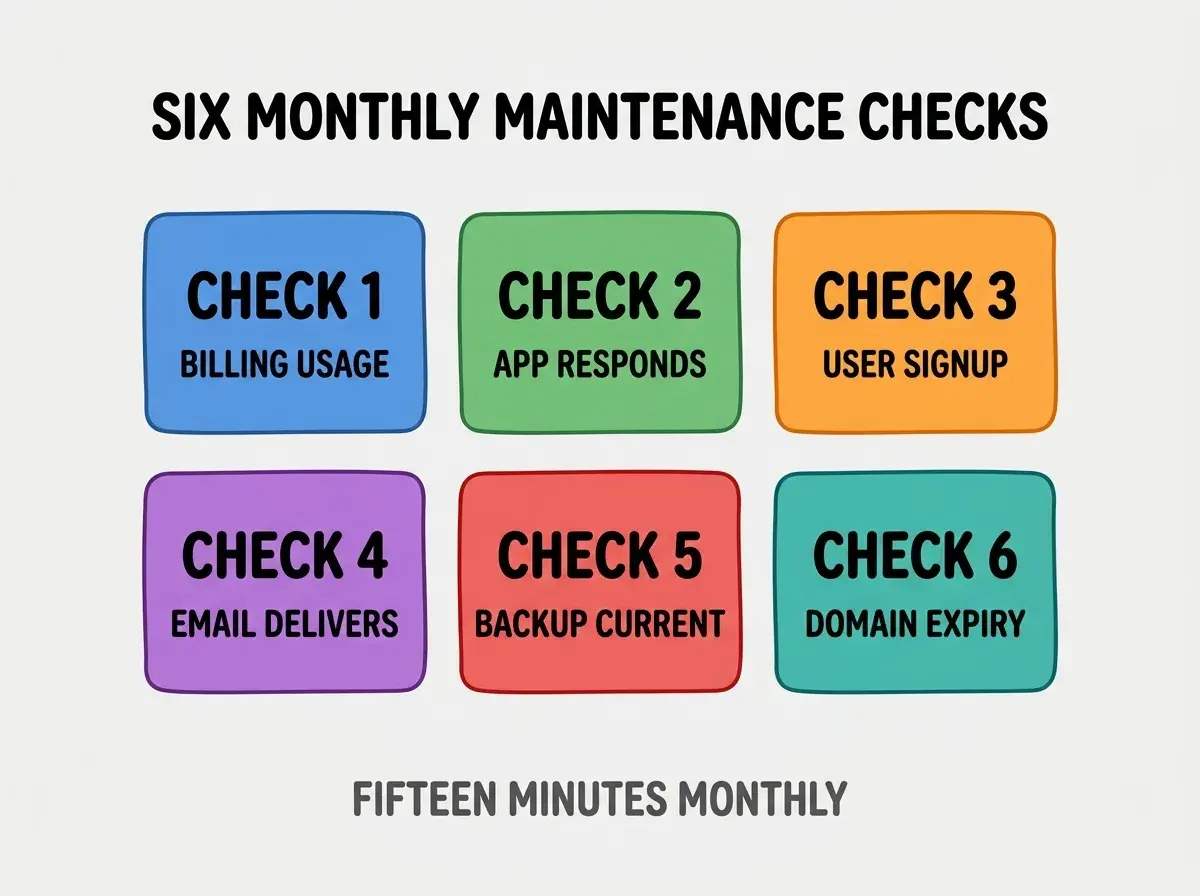
Check 3, user signup works. Create a test account using a personal email. If signup fails, your most important conversion is broken and you would not know.
Check 4, email delivers. Sign up triggered an email; did it arrive in inbox or spam? If it landed in spam or did not arrive, your email reputation needs attention.
Check 5, backup is current. Open your database admin (Supabase, Firebase) and verify the most recent backup timestamp is within 24 hours.
Check 6, domain expiry. Check your domain registrar; renewal more than 60 days away means safe, less means schedule renewal now.
What Each Check Catches
The checks catch different failure modes that share the same outcome of an angry user finding a broken app.
Billing and usage catches runaway costs from a viral moment, a bug causing infinite loops, or an AI feature consuming more API credits than expected.
Browse more grow articles
Read more growApp responds catches silent failures from expired API keys, deleted database records, or third party services changing their behavior.
User signup catches the most damaging failure mode; broken signup means zero new users and you would not know without the check.
Email delivers catches declining sender reputation that gradually pushes your transactional emails to spam, killing conversions.
Backup current catches misconfigured backups that stopped running months ago, which only matters when you need them.
Domain expiry catches the embarrassment of letting your domain lapse, which has happened to companies far larger than yours.
What To Do When Something Looks Wrong
The right action when a check fails depends on the severity, not your technical skill.
If billing is high: open the dashboard, identify which service is consuming, and ask AI in plain English to help reduce usage. If you cannot identify the cause, set a hard spending limit immediately and ask for help.
If the app does not respond: check the hosting provider's status page. If their service is up, ask AI to help debug; describe exactly what you clicked and what happened.
If signup fails: this is your highest priority fix. Take a screenshot of the error, paste it into your AI tool, and ask for diagnosis. Most signup failures are credential or quota related and resolve in minutes.
If email lands in spam: verify SPF, DKIM, and DMARC records exist on your domain. Your email provider (Resend, Postmark) has docs for this; AI can help configure if needed.
If backups are stale: reconfigure backups today. A stale backup is worse than no backup because it provides false confidence.
If domain is expiring: renew immediately and enable auto renewal. Domain registrars charge little for multiyear renewals.
What Makes Monthly Maintenance Sustainable
Three patterns separate sustainable monthly maintenance from abandoned routines.
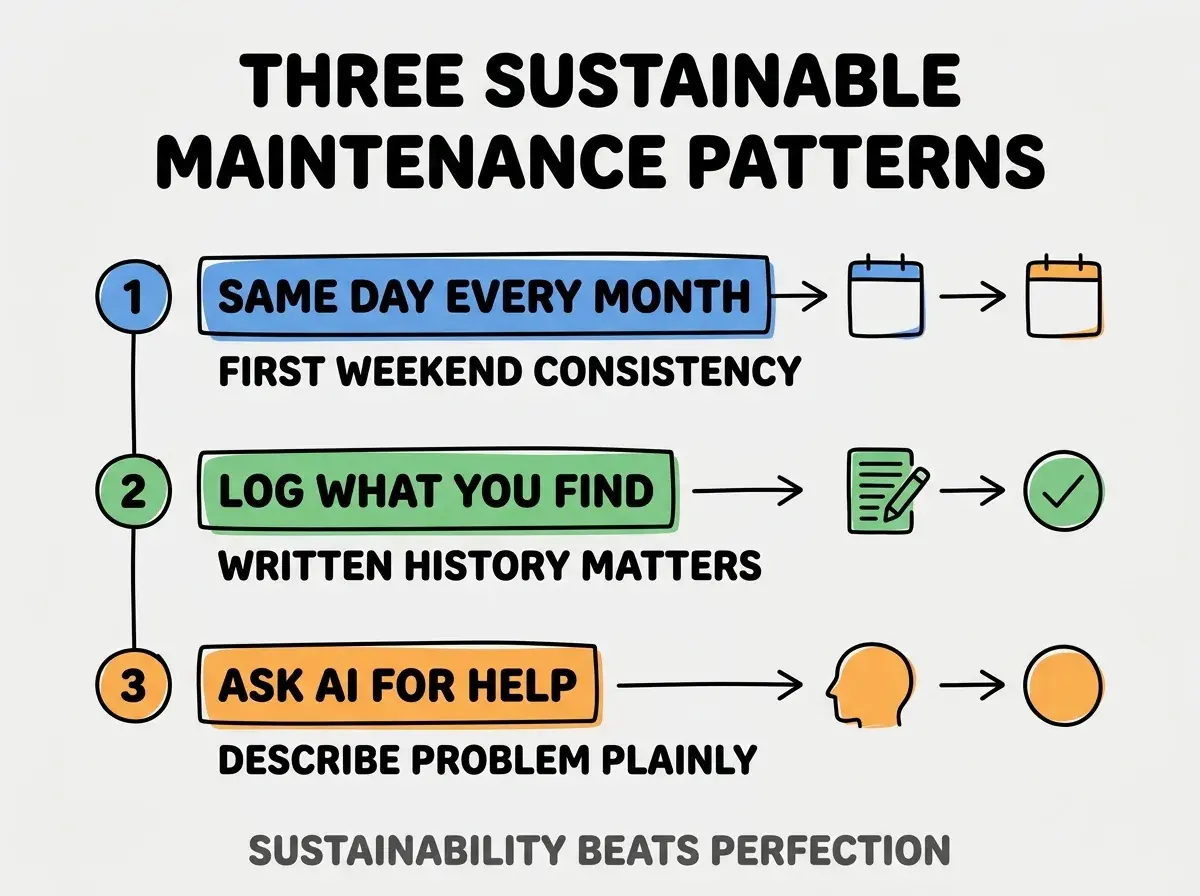
Pattern 1, same day every month. Pick the first weekend and treat it as a calendar event. Variable timing erodes the habit.
Pattern 2, log what you find. Write the date, what you checked, and what you fixed in a notes app. Patterns emerge over time that single checks miss.
Pattern 3, ask AI for help freely. AI tools handle most maintenance fixes when you describe the problem plainly. Skip the embarrassment about not knowing; describe what you see and what you tried.
The combination produces maintenance that lasts for years. Without these patterns, monthly checklists abandon within 3 months.
How To Run The Checklist Faster Over Time
Three optimization patterns reduce checklist time from 15 minutes to under 10.
Pattern A, browser bookmarks for each check. A folder of 6 bookmarks opens all the dashboards you need in one click. Setup once, save time forever.
Pattern B, password manager for fast signin. Each dashboard requires login; password manager makes this 1 second instead of 30.
Pattern C, template for the log entry. Notes app template with the 6 checks as bullets. Fill in results without retyping the structure.
The combination produces checklist time savings that compound monthly. Without optimization, checklist time stays high and motivation drops.
The most damaging monthly maintenance mistake is checking everything at once for the first time after a problem. The checks reveal nothing if you have no baseline; they reveal everything if you compare to last month's results. The fix is to start the checklist now even if your app is fine; the value comes from comparison over time. Builders who establish baseline catch problems early; builders who only check during crises lose the early warning advantage.
The other mistake is treating the checklist as optional during busy months. Busy months are exactly when neglected maintenance bites; the 15 minute investment matters most when time is tight.
A third mistake is checking only what feels urgent. The whole point of the checklist is to catch the non urgent things that become urgent later.
A fourth mistake is doing the checks without writing results down. Memory is unreliable; written logs reveal the slow degradation that single checks miss.
How To Add Custom Checks Over Time
Three patterns help expand the checklist as your app grows.
Pattern A, add a check after every incident. Whatever broke gets a permanent monthly check. Incidents teach you what to monitor.
Pattern B, add a check for each new integration. New API, new third party, new payment processor; each gets a check.
Pattern C, retire checks that never find problems. After 6 months of always passing, consider replacing with something more valuable.
The combination produces a checklist evolved to your specific app. Without evolution, checklists stay generic and miss app specific failure modes.
Common Questions About Monthly Maintenance
Monthly maintenance for non-technical builders raises questions worth addressing directly.
The first question is whether monthly is enough or you need weekly. Monthly works for most apps; weekly only matters for apps with heavy traffic or sensitive data. Start monthly; upgrade if you find too much each time.
The second question is whether you should automate the checks instead of doing them manually. Some checks (billing, uptime) benefit from automation; others (user experience, email delivery) need a human eye. Mix automated and manual.
The third question is whether the checklist replaces having a developer on call. No; the checklist catches common issues but complex bugs still need expertise. The checklist reduces how often you need expert help.
The fourth question is what to do if you find something broken and cannot fix it. Ask AI first; document what you tried; reach out to the service provider's support; consider hiring a freelancer for a one time fix.
How Maintenance Habits Affect App Longevity
Monthly maintenance affects app longevity in compounding ways.
The first compounding effect is reduced surprise costs. Caught early, every problem costs less to fix. Compounded across years, this saves substantial money.
The second compounding effect is improved user trust. Apps that work reliably build user trust; trust translates to retention and word of mouth growth.
The third compounding effect is builder confidence. Knowing your app is healthy lets you focus on growth instead of dread. Confidence enables ambitious work.
The combination produces long lived apps that grow steadily. Without maintenance habits, apps degrade and require periodic emergency rebuilds.
What This Means For You
Monthly maintenance for non-technical builders is achievable in 15 minutes with the six check pattern. The checks, the responses, and the sustainability patterns produce reliable maintenance that lasts.
- If you're a founder: Schedule the checklist for the first weekend of every month as a recurring calendar event. Calendar enforcement beats willpower.
- If you're a marketer: Pay extra attention to email delivery and signup checks. These directly affect your conversion metrics.
- If you're a creative: Pair the checklist with a creative session afterward as reward. Habit pairing makes the maintenance feel less like work.
Browse more grow articles
Read more grow