Asking AI to fix old code you forgot works when you describe what users see, point AI at the right files, and accept that you might need 3-5 iterations to land the fix. The key is shifting from "I need to remember what this code does" to "I need to describe what is broken so AI can find the cause." This shift makes 6 month old code as fixable as code you wrote yesterday.
This piece walks through the four prompting patterns for forgotten code, how to give AI the right context, when iteration becomes the right strategy, and the four mistakes builders make when asking AI to fix code they no longer understand.
Why Forgotten Code Is A Maintenance Reality
Forgotten code is a maintenance reality because vibe coded apps generate code faster than human memory retains it. After 3 months away from a project, even the original builder forgets implementation details. After 6 months, the code feels like a stranger wrote it.
The 2026 reality is that AI tools are now far better at understanding existing code than humans are at remembering it. The optimal strategy stopped being "remember what you built" and became "let AI re-understand it for you."
A 2025 vibe coder maintenance survey of 700 solo builders found that 84 percent could not explain their own code 6 months after writing it, but 67 percent successfully fixed bugs in that code by describing symptoms to AI and letting AI investigate. Memory is not required when description and AI collaboration replace it.
The pattern to copy is the way doctors describe patient symptoms to specialists they have not met. The doctor does not need to know the specialist's full medical knowledge; they need to describe what is observed clearly enough that the specialist can investigate. The same applies to forgotten code.
The Four Prompting Patterns For Forgotten Code
Four patterns help you ask AI to fix code you no longer remember.
Pattern 1, describe what users see. "When users click submit on the contact form, they see a red error message saying 'something went wrong'" describes the symptom from the user perspective. AI can investigate from there.
Pattern 2, point AI at the right area. "The bug is in the contact form; the related files probably include the form component and the API route that handles submission" gives AI a starting point without requiring you to know the full structure.
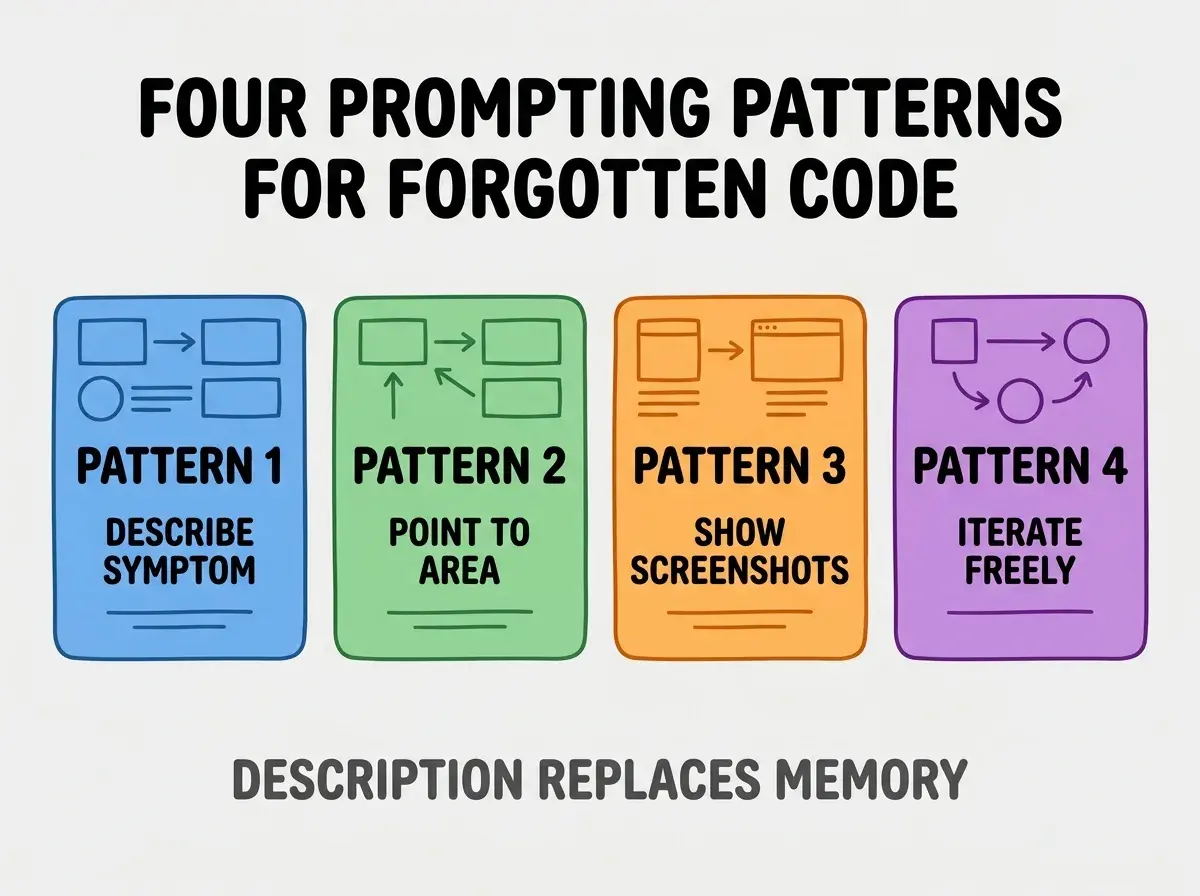
Pattern 3, show screenshots and error messages. Visual evidence beats verbal description. Screenshots of the broken UI plus copy pasted error messages give AI ground truth.
Pattern 4, iterate without shame. First fix attempt often misses the cause; report what changed and try again. 3-5 iterations is normal and effective.
How To Give AI The Right Context
The right context for forgotten code is different from the right context for new code.
Context 1, the symptom in user language. Not "the API returns 500" but "users get an error when they try to log in." User language guides AI to the relevant code paths.
Browse more grow articles
Read more growContext 2, when the symptom started. "It worked last month but broke sometime in the last week" narrows the search. Recent changes are likely culprits.
Context 3, what you tried already. "I restarted the server and that did not help" prevents AI from suggesting things you ruled out.
Context 4, what you know about the code's age. "This was built 6 months ago and I have not touched it since" tells AI to expect dependency drift, deprecated APIs, and outdated patterns.
When Iteration Becomes The Right Strategy
For forgotten code, single shot fixes rarely work. Iteration is the default strategy.
Iteration 1, AI reads code and proposes initial fix. Often this misses the actual cause. Apply the fix anyway and report back.
Iteration 2, AI sees the result and refines. With the first attempt's outcome as data, AI can narrow the problem.
Iteration 3, AI converges on the cause. By the third iteration, AI usually has the right hypothesis and the right fix.
Iterations 4-5, edge cases. Some fixes uncover related issues; iterations 4-5 clean those up.
The pattern is similar to debugging conversation between a developer and a teammate; each round adds information that the next round uses. Without iteration tolerance, builders give up too early.
What Makes Forgotten Code Fixing Sustainable
Three patterns separate sustainable forgotten code fixing from frustrating sessions.
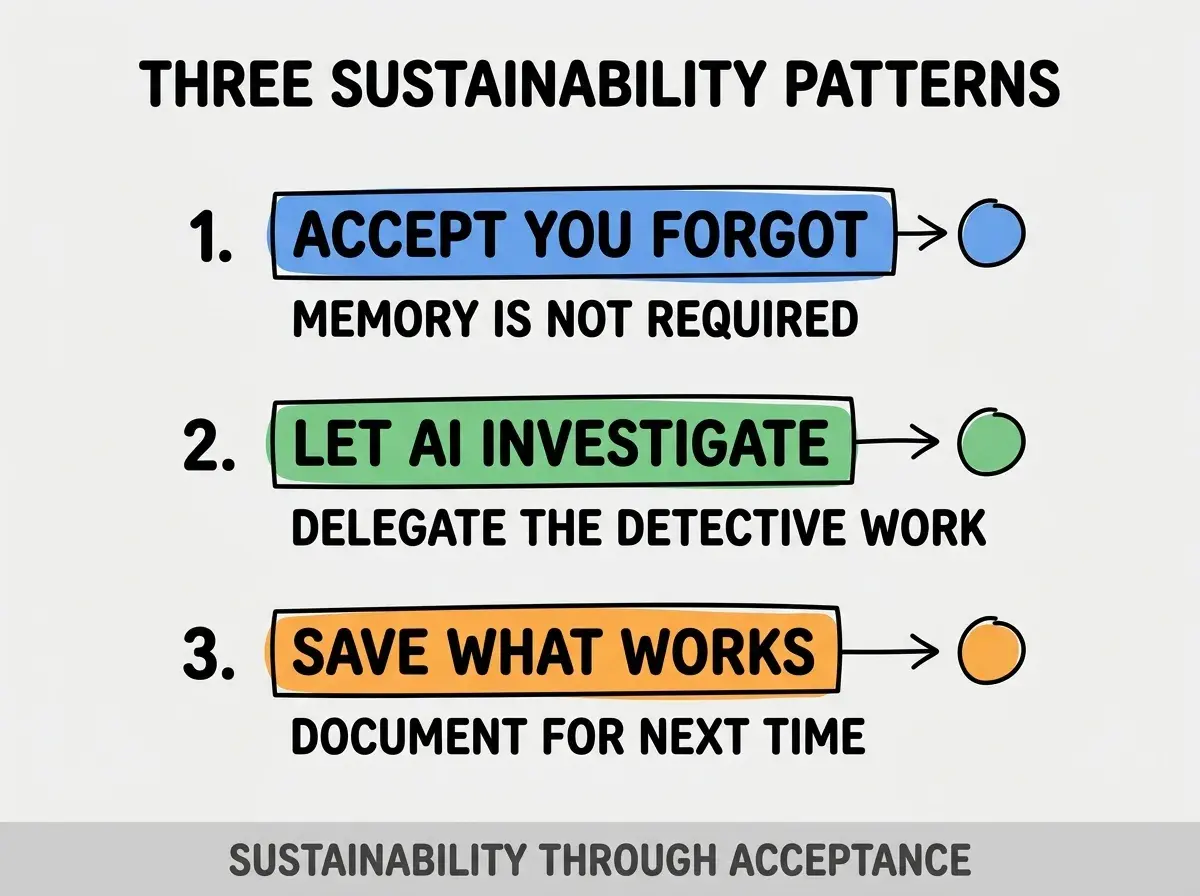
Pattern 1, accept that you forgot. Trying to remember slows the process. Embrace forgotten state and describe symptoms instead.
Pattern 2, let AI investigate. AI can read all your files faster than you can remember any of them. Let AI do the detective work.
Pattern 3, save what worked. When a fix succeeds, paste the conversation summary into a notes file. Future you will face similar issues.
The combination produces sustainable forgotten code maintenance. Without these patterns, builders feel inadequate and rebuild instead of fixing.
How To Help AI Help You
Three patterns improve AI's ability to fix code it has not seen before.
Pattern A, give AI access to all relevant files. Modern AI tools can read entire directories; let them. Restricting AI to single files often misses the cause.
Pattern B, run the tests if there are any. "I ran the existing tests and 3 of them fail with these messages" gives AI specific failure points to investigate.
Pattern C, use modern AI tools that can execute code. Tools that run the code, see errors, and self correct are dramatically more effective than chat only tools.
The combination produces AI sessions that resolve issues quickly. Without these patterns, AI works with incomplete information and produces less effective fixes.
The most damaging forgotten code mistake is trying to remember the original architecture before asking AI for help. Memory recall is slow, unreliable, and often wrong; AI investigation is fast, accurate, and complete. The fix is to skip the recall attempt entirely; describe symptoms and let AI read the code. Builders who skip recall produce faster fixes than builders who try to reconstruct mental models from memory.
The other mistake is feeling embarrassed about not understanding your own code. The original code was generated by AI; not remembering generated code is normal, not a personal failing.
A third mistake is rebuilding the feature instead of fixing it. Rebuild often introduces new bugs while losing functionality that worked. Fix what you have unless the fix becomes more work than rebuild.
A fourth mistake is iterating without reporting back. Each iteration's outcome is information AI needs; silent iteration wastes the AI's investigative process.
How To Build A Forgotten Code Toolkit
Three toolkit patterns help recurring forgotten code work.
Pattern A, prompt templates for common scenarios. "User reports broken X" template, "feature stopped working" template, "data looks wrong" template. Templates speed problem description.
Pattern B, screenshots tool always ready. Quick keyboard shortcut for screenshots removes friction from showing AI evidence.
Pattern C, simple notes file for fix patterns. Recurring fix types get documented; documentation speeds future fixes.
The combination produces a forgotten code toolkit that grows over time. Without toolkit building, each forgotten code session starts from scratch.
Common Questions About Forgotten Code
Forgotten code maintenance raises questions worth addressing directly.
The first question is whether you should add code comments to help future you remember. Comments help slightly but AI investigation matters more. Some comments worth adding; not the original assumption that more comments solve the problem.
The second question is whether you should rebuild apps you cannot maintain. Rarely; AI tools have made maintenance accessible without memory. Rebuild only if the architecture is fundamentally limiting growth.
The third question is whether forgotten code is unique to vibe coding. No; traditional developers also forget their code. Vibe coders just face it earlier and more often because of code volume.
The fourth question is how AI handles legacy code from very old AI tools. Modern AI handles old AI generated code well; the patterns are similar enough that investigation works.
How Forgotten Code Fixing Affects App Lifecycle
Forgotten code fixing affects app lifecycle in compounding ways.
The first compounding effect is app longevity. Apps that get fixed instead of rebuilt accumulate value over time. Longevity enables compound growth.
The second compounding effect is builder confidence. Successfully fixing forgotten code builds confidence to maintain rather than panic and rebuild. Confidence enables ambitious projects.
The third compounding effect is portfolio depth. Builders who can maintain old apps can run multiple apps simultaneously. Depth enables business diversification.
The combination produces builders with long lived app portfolios. Without forgotten code fixing skills, builders cycle through projects instead of growing them.
What This Means For You
Asking AI to fix old code you forgot produces fixes that match what experienced developers achieve. The four patterns, the iteration approach, and the toolkit building produce sustainable maintenance for forgotten code.
- If you're a founder: Build the prompt template library before you need it. Templates make crisis moments calmer.
- If you're a career changer: Practice forgotten code fixing on small features as skill building. Practice transfers to larger emergencies.
- If you're a creative: Pair forgotten code sessions with calming music and snacks. Treating it as routine work beats treating it as crisis.
Browse more grow articles
Read more grow