Documentation is writing down how your app works, why it works that way, and how to use it. That sounds simple because it is. The hard part is not understanding documentation. The hard part is convincing yourself to do it while everything still makes sense.
Because right now, while you are building, the code feels obvious. The structure makes sense. You remember why you chose Supabase over Firebase, why the pricing page redirects through a specific route, and why that one function has a weird name. Six months from now, you will remember none of it. And if AI wrote most of your code, you might not have understood all of it in the first place.
Trail Markers on a Hiking Path
Think of your codebase as a hiking trail through a forest. When you are actively walking the trail, the path seems clear. You can see which way to go, where the trail forks, and which landmarks to follow.
Now imagine coming back to that same trail six months later. Or sending a friend to hike it without you. The trees have grown, the path has faded, and without markers, every fork looks the same. Your friend calls you, and you try to give directions from memory. "I think you turn left at the big rock." Which big rock?
Documentation is the trail markers you leave along the path. Painted blazes on the trees. Signs at the trailheads. A map in the parking lot. They seem unnecessary when you are actively hiking, but they are the only thing that makes the trail usable for anyone else, including the future version of yourself who has forgotten the way.
The Trail Map (README Files)
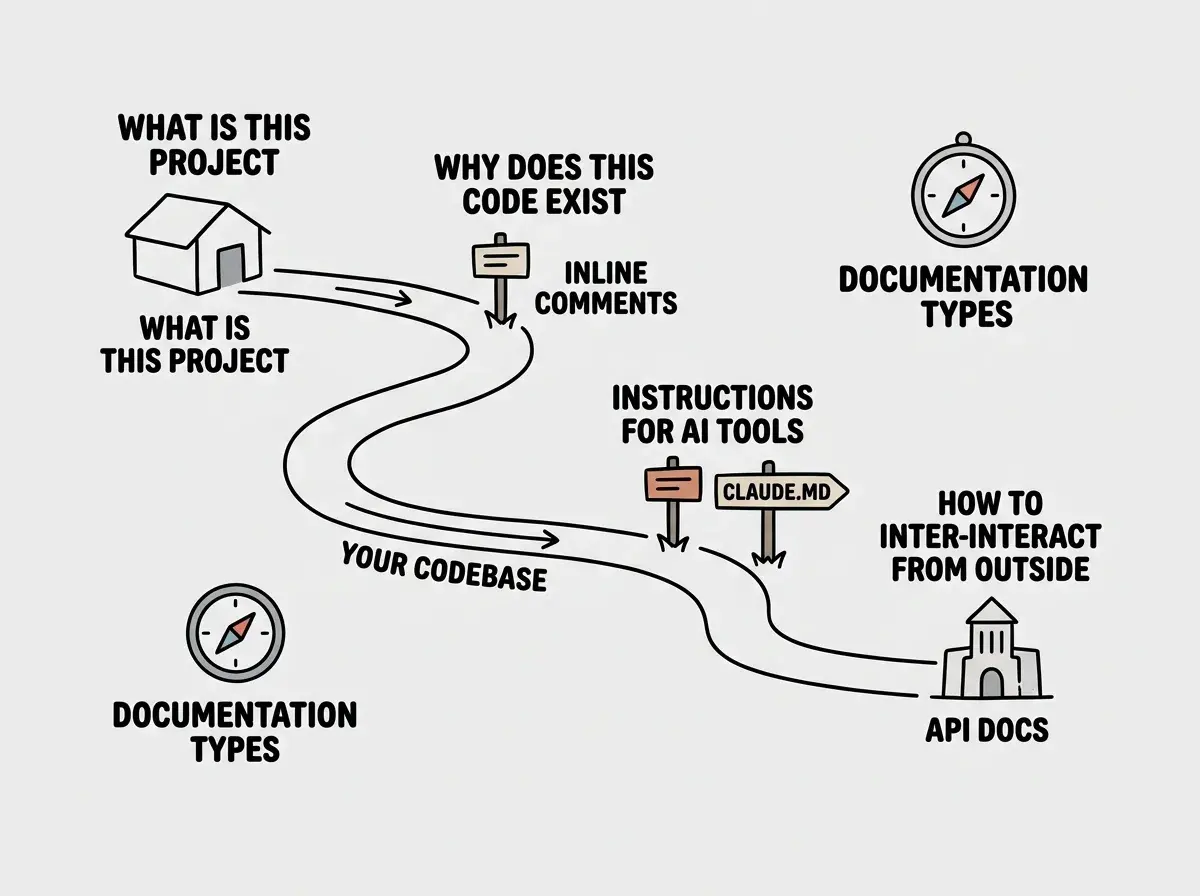
Every well-marked trail starts with a map at the trailhead. In your codebase, this is the README file. It sits at the root of your project and answers the most basic questions: What is this project? How do I run it? What do I need to set up first?
A good README covers four things. What the project does (in one or two sentences). How to install and run it locally. What environment variables or services it depends on. And any important context someone would need before diving into the code.
This confuses everyone at first because READMEs feel redundant. You already know what your project does. But the README is not for present-you. It is for the developer (or AI tool) you bring on in three months, for the technical co-founder who joins your team, or for yourself after a long break from the project.
Blazes on the Trees (Inline Comments)
Trail blazes are the small painted marks on trees that keep you on the right path between major landmarks. In code, these are inline comments, short notes placed directly next to the code they explain.
Good inline comments do not describe what the code does. The code itself shows what it does. Good comments explain why. Why does this function retry three times instead of once? Why is this calculation using a specific formula? Why is this feature disabled for users in a particular region?
The "why" matters because it captures decisions. Code shows the outcome, but not the reasoning that led there. When future-you (or future-AI) encounters that code, the comment prevents them from "fixing" something that was intentional.
You might think that clean, well-written code does not need comments. But actually, even the cleanest code cannot explain business decisions, workarounds for external service bugs, or the reason behind a counterintuitive approach. Those explanations live in comments or they live nowhere.
The Trail Guide for AI (CLAUDE.md and .cursorrules)
Here is where documentation gets specifically interesting for vibe coders. When you work with AI coding tools, those tools need context about your project, just like a new hiker needs a trail guide.
CLAUDE.md (for Claude Code) and .cursorrules (for Cursor) are special documentation files that give your AI tool instructions about your project. They describe the architecture, the conventions you follow, which libraries you use, and any constraints the AI should respect.
Without these files, the AI starts every conversation fresh. It does not know your project uses Tailwind v4 instead of v3. It does not know you chose Supabase for authentication. It does not know that certain files should never be modified. Every session becomes a repetitive exercise in re-explaining your project.
With these files, the AI starts with context. It knows the trail. It can navigate your codebase without you holding its hand through every step, and the code it generates fits your project instead of being generic boilerplate.
Documentation is not a nice-to-have. It is the difference between a codebase you can work with in six months and one you have to abandon. When AI generates your code, documentation is even more critical because you did not write the code yourself, so your memory of how it works fades faster. The trail markers you leave today determine whether your project has a future or becomes an overgrown path nobody can follow.
The Trailhead Signs (API Documentation)
If your app has an API (a way for other software to interact with it), API documentation is the trailhead sign that tells other hikers how to access your trail.
API docs answer: What endpoints exist? What data do they accept? What do they return? What happens when something goes wrong? This matters when you want to connect your app to other services, when other developers want to build on top of your work, or when your own frontend needs to communicate with your backend.
The good news is that AI tools are actually excellent at generating API documentation. You can paste your API route code and ask for documentation, and the result is usually solid. This is one area where AI genuinely saves time, so take advantage of it.
Documentation is one of the habits that separates successful builders from frustrated ones.
Learn the basicsWhy This Matters More When AI Writes Your Code
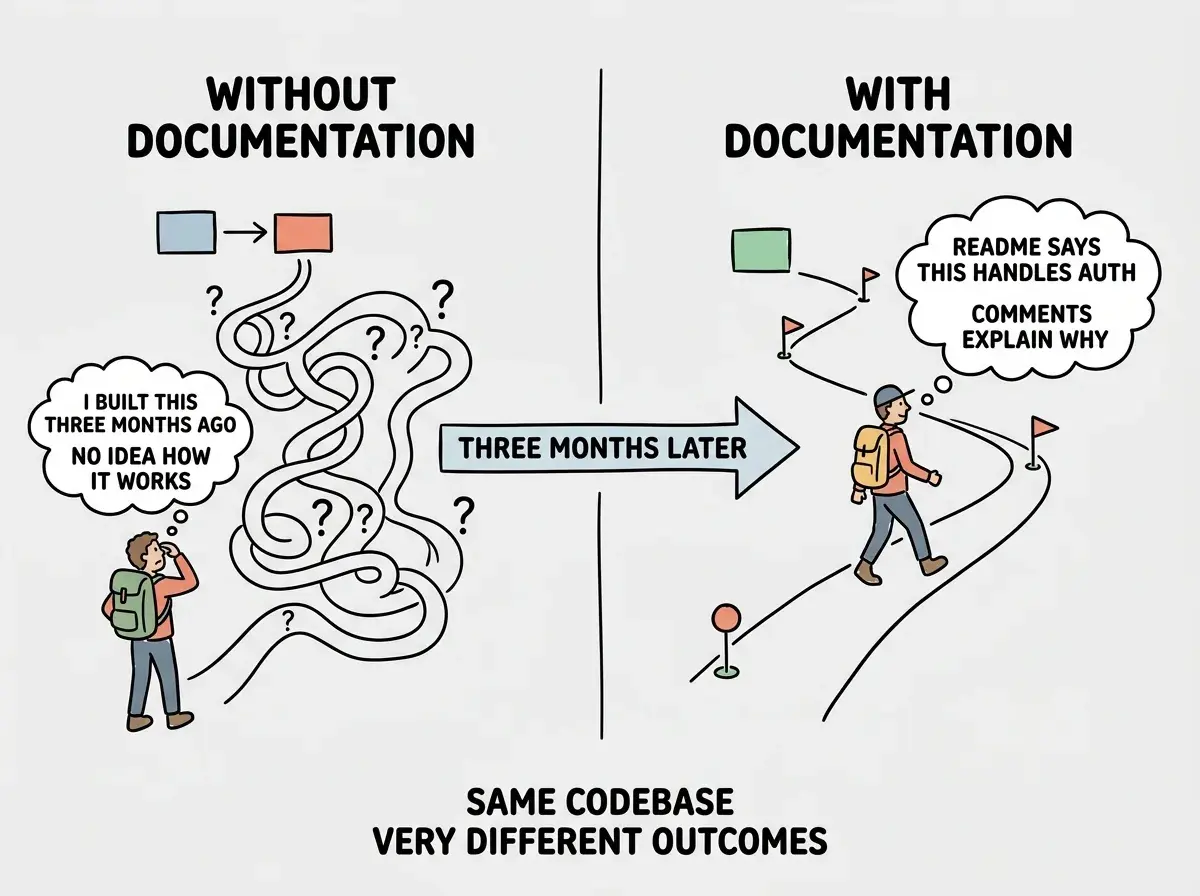
When you write code yourself, you build mental models as you go. You understand the structure because you created it, decision by decision. When AI writes your code, you skip that process. The code appears, it works, and you move on. But the understanding gap is real, and it grows with every feature.
Here is the specific problem. You ask AI to build a user authentication system. It works. Three months later, you need to add team accounts. You open the authentication code and realize you do not fully understand how the current system works, because you did not write it. Without documentation, you are reverse-engineering your own app.
This is not theoretical. As more people build with AI tools, the pattern repeats constantly. The app works, but nobody (including the person who prompted it into existence) can explain exactly how. Documentation is the only thing that bridges this gap.
The practical approach is to document as you build, not after. Every time AI generates a significant feature, add a brief comment block at the top of the file explaining what it does and why you asked for it. Every time you make an architectural decision (choosing one database over another, structuring files a certain way), write it down in your README or a decisions log.
What to Document First
If documentation feels overwhelming, start with these four things in order of impact.
A README with setup instructions. If someone (including future-you) cloned your project today, could they get it running? List the steps. List the environment variables. List the services they need accounts for.
A CLAUDE.md or .cursorrules file. If you use AI coding tools, this immediately improves the quality of AI-generated code. Describe your architecture, your conventions, and your constraints.
Inline comments on anything counterintuitive. If a piece of code would make you say "why does it do that?" in three months, explain it now.
API documentation for any endpoints. Ask your AI tool to generate this. Review it for accuracy and commit it to your project.
Waiting until the project is "done" to write documentation. The project is never done. And by the time you try to document it retroactively, you have already forgotten half the decisions you made. Document as you go, even if the notes are rough. Rough trail markers are infinitely better than no trail markers. Spend two minutes after each feature writing a quick note. That small habit prevents hours of confusion later.
What This Means For You
Documentation is trail markers for your codebase. A README is the map at the trailhead, inline comments are the blazes on the trees, AI instruction files are the guide for your AI hiking partner, and API docs are the signs that help others find their way in. Without markers, every trail eventually becomes impassable.
- If you are a founder building a product: Documentation protects your investment. When you hire a developer or bring on a technical co-founder, documented code can be understood and extended. Undocumented code often gets rewritten from scratch, wasting the time and money you spent building the original version. Ask anyone touching your codebase to leave trail markers.
- If you are a career changer learning to build: Building the documentation habit now will make you dramatically more effective as your projects grow. Start with a README and a CLAUDE.md file on every project. Future employers and collaborators will notice, because most people skip this step entirely, and the ones who do not stand out immediately.
- If you are a student exploring technology: Documentation is a communication skill disguised as a technical practice. The ability to explain complex systems clearly is valuable in every technical role. Practice writing README files for your projects, and you will build a skill that transfers to technical writing, product management, and engineering leadership.
Documentation is one of many fundamentals that compound over time. Learn the others.
Explore more