An API (Application Programming Interface) is a set of rules that lets one application request data or actions from another and get a response back. It is how your app connects to payments, login, AI, maps, and thousands of other services without building them yourself. Every vibe coder encounters APIs the moment their project needs to do something real.
That might sound abstract, so let's make it concrete. When you sign in to an app with your Google account, an API carries your login request from that app to Google's servers and brings back a yes-or-no answer. When you pay for something online, an API sends your payment details to Stripe and returns a confirmation. When you ask ChatGPT a question through an app, an API delivers your prompt to OpenAI's servers and returns the answer. None of these apps rebuilt Google, Stripe, or OpenAI. They just talked to them through an API.
Why Every Vibe Coder Needs to Understand APIs
If you are building anything beyond a static page, you will hit APIs within your first week. Want to accept payments? You need the Stripe API. Want users to log in with Google? That is an API call. Want your app to generate text with AI? You are calling the OpenAI API or Anthropic API. Want to show a map? Google Maps API.
APIs are not a niche topic for backend engineers. They are the connective tissue of modern software. When you vibe code with tools like Cursor or Claude, the AI generates code that calls these APIs on your behalf. But when something goes wrong, when a payment fails or a login breaks, understanding what an API is and how it works is the difference between fixing the problem in five minutes and staring at your screen for three hours.
APIs are how your app borrows the powers of other apps. You don't need to build a payment system, a login system, or an AI model. You just need to know how to ask for them through an API.
The builders who get stuck most often are the ones who skip this concept. They copy-paste code from AI, something breaks in the API layer, and they have no mental model for what went wrong. Understanding APIs gives you that mental model, and it is simpler than you think.
How an API Actually Works
The best analogy for an API is a waiter in a restaurant.
You (the customer) sit at your table with a menu. You know what you want, but you can't walk into the kitchen and make it yourself. So you tell the waiter your order. The waiter walks to the kitchen, hands your order to the chef, waits for the food to be prepared, and then brings it back to your table.
In this analogy:
- You are your app
- The menu is the API documentation (it tells you what you can order)
- Your order is the API request
- The waiter is the API itself
- The kitchen is the external service (Stripe, Google, OpenAI)
- The food is the API response (the data or confirmation you get back)
You never see the kitchen. You don't know how the chef prepares the food. You don't need to. All you need to know is what is on the menu and how to place your order. The waiter handles everything in between.
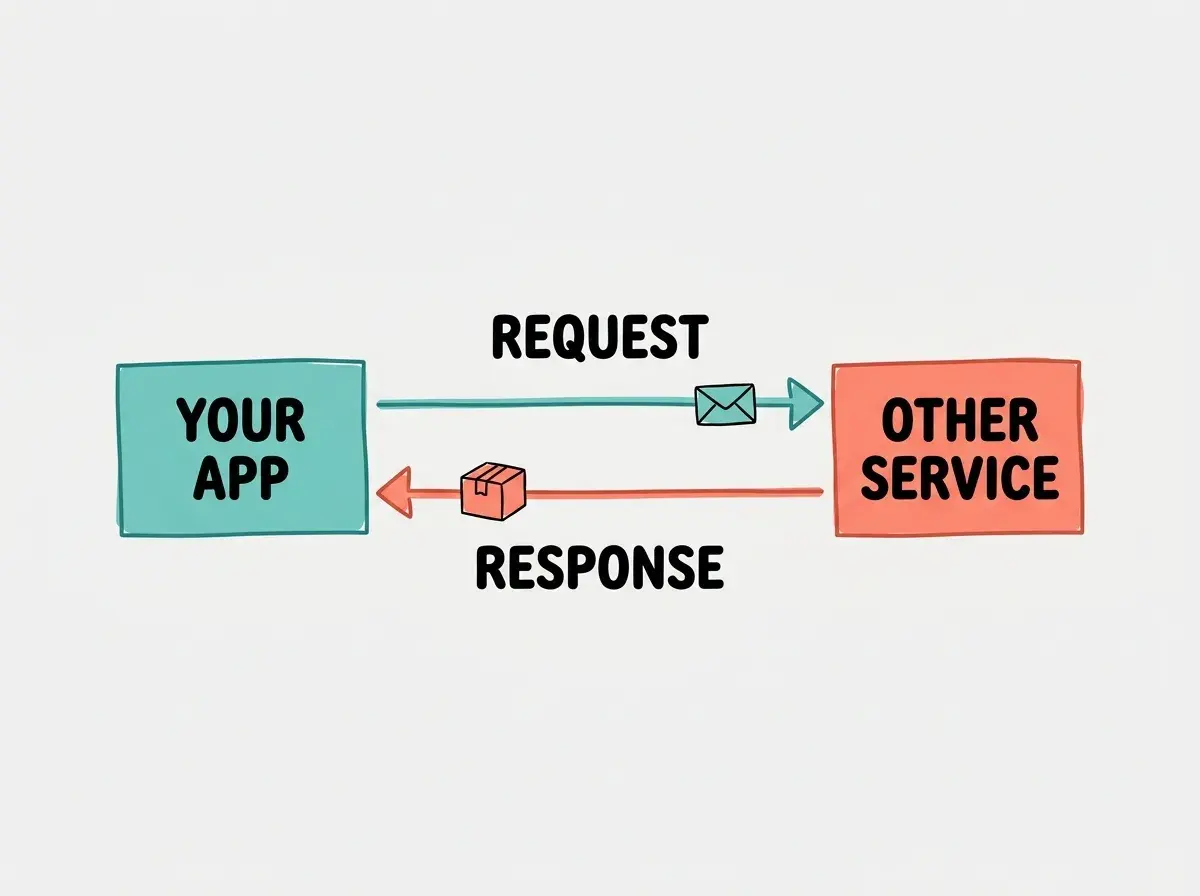
This analogy holds up remarkably well in practice. When your app calls the Stripe API to charge a customer, it sends a request (the order) with details like the amount and payment method. Stripe's servers (the kitchen) process the charge and send back a response (the food) confirming it worked or explaining why it failed. Your app never touches Stripe's internal systems directly.
And just like a restaurant, things can go wrong. The kitchen might be closed (the server is down). You might order something that is not on the menu (you called the wrong endpoint). You might forget to include your table number (missing authentication). These are the kinds of API errors vibe coders encounter, and once you have the waiter analogy in your head, they make intuitive sense.
Real Examples of APIs You Already Use
If you have ever used a smartphone, you have used dozens of APIs without knowing it. Here are the four that vibe coders encounter most often.
Stripe for payments. When you build an app that charges money, you don't build your own payment processor. You send a request to Stripe's API with the amount, currency, and payment method. Stripe handles the actual money movement and sends back a success or failure response. This is how almost every startup handles payments today.
Google for login. When an app shows "Sign in with Google," it is calling Google's OAuth API. Your app sends the user to Google's login page, Google verifies their identity, and then sends back a token that proves who they are. You never see or store the user's Google password.
OpenAI for AI features. When your app generates text, summarizes content, or answers questions using AI, it sends a prompt to OpenAI's API (or Anthropic's, or another provider). The API processes the prompt on powerful servers and returns the generated text. This is exactly how ChatGPT works under the hood.
Google Maps for location. When an app shows a map, calculates driving directions, or converts an address into coordinates, it calls the Google Maps API. Your app sends a location request, and the API sends back map tiles, route data, or geocoded addresses.
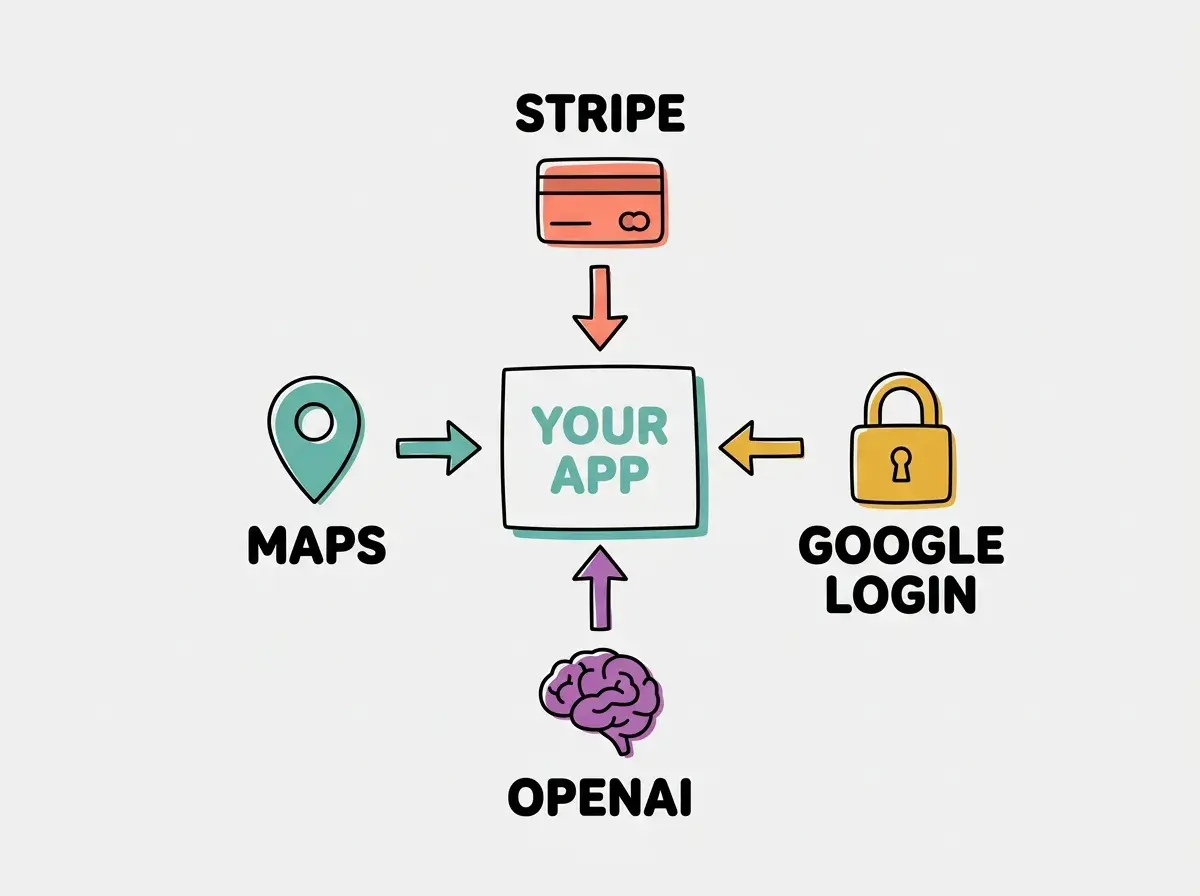
Notice the pattern. In every case, your app sends a request and gets a response. The external service does the hard work. Your app just needs to know how to ask.
Start with the fundamentals and build your first app this week.
Read the introWhat AI Gets Wrong About APIs
Here is something experienced developers know but vibe coders learn the hard way: AI sometimes invents APIs that do not exist.
When you ask Claude or ChatGPT to "add a feature that does X," the AI might generate code that calls an API endpoint, a function name, or a parameter that looks perfectly reasonable but is completely made up. The code will look clean. The variable names will make sense. The comments will sound confident. And then when you run it, nothing works.
This happens because AI models generate code based on patterns, not by checking real documentation. The model might have seen thousands of examples of API calls and learned the general shape of how they work. So it confidently produces something that follows the right pattern but points to an endpoint that does not exist, or passes parameters that the real API does not accept.
AI will sometimes generate API calls to endpoints that look real but don't exist. Always verify API endpoints against the official documentation. If the AI says to call /v2/payments/intent, check Stripe's docs to make sure that endpoint is actually there before debugging for an hour.
The fix is straightforward. Whenever AI generates code that calls an external API, check the official documentation for that service. Every major API (Stripe, Google, OpenAI, Twilio) publishes detailed docs listing every available endpoint, parameter, and response format. A two-minute check saves hours of confusion.
This is also why the waiter analogy matters. If you understand that an API call is just placing an order from a menu, you will naturally want to check the menu (the docs) before accepting what AI says you can order. You wouldn't trust a stranger who says the restaurant serves lobster without looking at the menu first.
What This Means For You
APIs are one of the first concepts that separates vibe coders who build real products from those who get stuck at the prototype stage. The concept itself is simple: your app sends a request, another service does the work, and your app gets a response. That is it. The waiter carries the order. The kitchen makes the food. You eat the meal.
- If you are a founder, understanding APIs helps you evaluate what your app can realistically do. Almost every feature you imagine, payments, email, AI, maps, notifications, is available through an API. You don't need to build it. You need to connect to it.
- If you are changing careers, APIs are the vocabulary of modern software. When job postings mention "API integrations" or "REST APIs," they are talking about the same waiter-and-kitchen pattern you just learned. You already understand the concept.
- If you are a student, you are learning this at the perfect time. The combination of AI tools that write code for you and an understanding of how APIs connect services gives you the ability to build things that would have taken professional teams months just a few years ago.
The next time AI generates code that calls an API, you will know exactly what is happening. Your app is placing an order. The API is carrying it to the kitchen. And the response is your food arriving at the table.
Understand the building blocks of modern apps with our free guides.
Explore more