A program is a complete set of instructions that a computer can run to accomplish a specific task. It could be as small as five lines that rename files on your desktop, or as large as millions of lines that power Instagram. When you vibe code, every prompt you give AI results in a program, whether that is a tiny script or a full-blown web application. Understanding the difference between these sizes helps you set realistic expectations for what you are building.
This matters because the gap between a small program and a production app is where most vibe coders get stuck. You ask AI to build something, it works beautifully as a demo, and then you discover that turning a working demo into a real product requires ten times more effort than you expected.
Why Understanding Programs Matters for Vibe Coders
When you tell AI to "build me a to-do app," it creates a program. But what kind of program? A quick prototype that stores tasks in memory and loses everything when you close the browser? Or a full application with user accounts, a database, and the ability to sync across devices?
Both are programs. Both might even look the same on screen. The difference is invisible until something goes wrong, and that is exactly why understanding what a program is (and what makes one more complex than another) gives you an enormous advantage.
Think of programs like buildings. A garden shed and a skyscraper are both structures. Both have walls, a roof, and a door. But nobody would confuse building a shed with building a skyscraper. The same logic applies to software: a small script and a full application are both programs, but they require very different levels of planning, structure, and care.
The Spectrum of Programs
Programs exist on a spectrum from simple to complex. Understanding where your project sits on that spectrum changes how you approach building it.
Scripts: The Smallest Programs
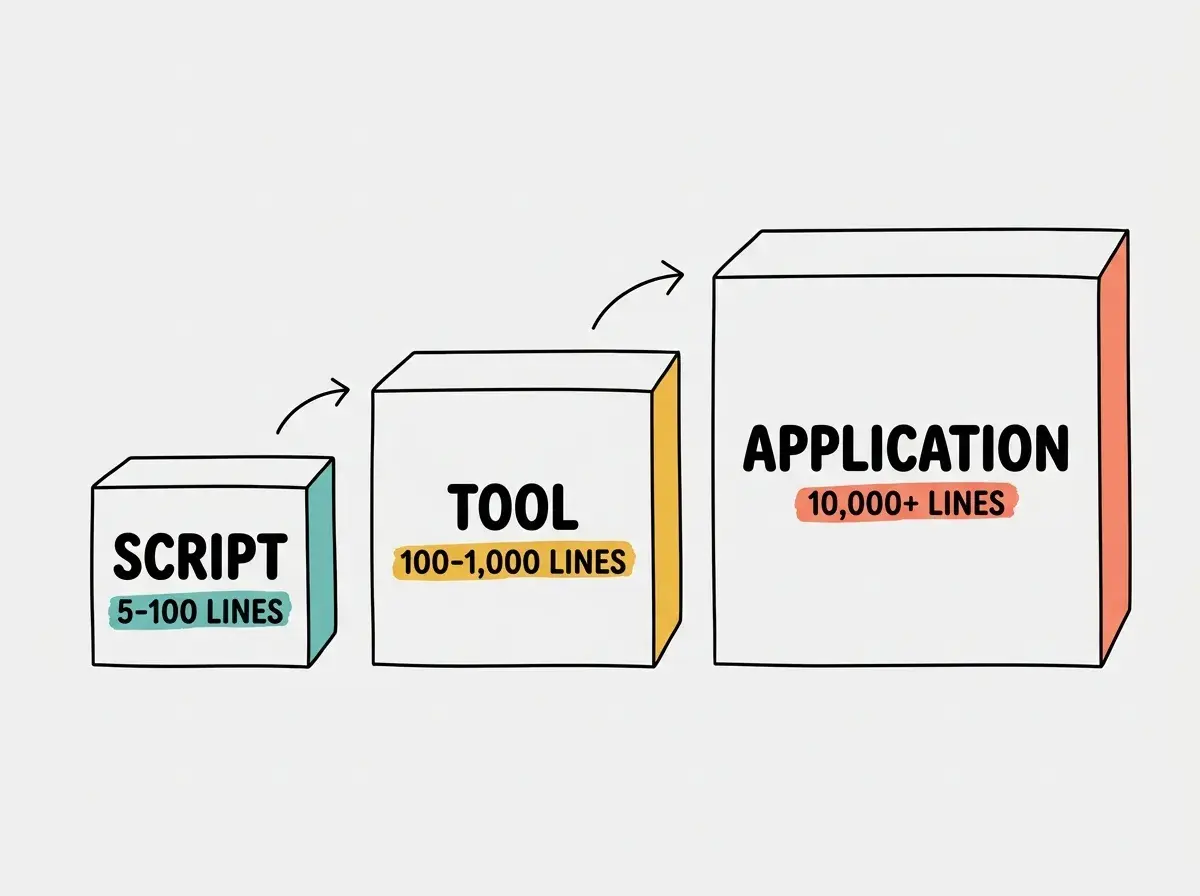
A script is a short program that automates a single task. Rename 500 files. Convert a spreadsheet to a different format. Send yourself an email reminder every morning. Scripts are usually under a hundred lines, run once, and finish.
When vibe coders ask AI to "write a script that sorts my photos by date," they are building at this level. Scripts are where AI shines brightest because the scope is small, the requirements are clear, and there is very little that can go wrong.
Tools: Programs That Solve One Problem Well
A step up from scripts, tools are small programs that you use repeatedly to solve a specific problem. A markdown-to-PDF converter. A color palette generator. A simple calculator for freelance invoices.
Tools might have a basic interface, perhaps a single page with a few inputs and a button. They are small enough that one person can build and maintain them with AI, and they deliver genuine value without much complexity.
Applications: Programs That Do Many Things
Applications are what most people think of when they hear "app." They handle multiple features, manage user data, and run continuously. A project management tool. A social media platform. An e-commerce store.
Applications have user accounts, databases, multiple pages, error handling, security measures, and often connections to external services like payment processors or email providers. This is where the complexity jumps dramatically, and where understanding the difference between a prototype and a production app becomes critical.
Systems: Programs That Run Other Programs
At the far end of the spectrum are systems: interconnected programs that work together. Netflix is not one program; it is hundreds of programs coordinating across servers worldwide. You probably won't build at this scale with vibe coding, but knowing it exists helps you calibrate your expectations.
Walk through the process step by step with our beginner guide.
Start hereHow AI Builds Programs Differently Than Humans
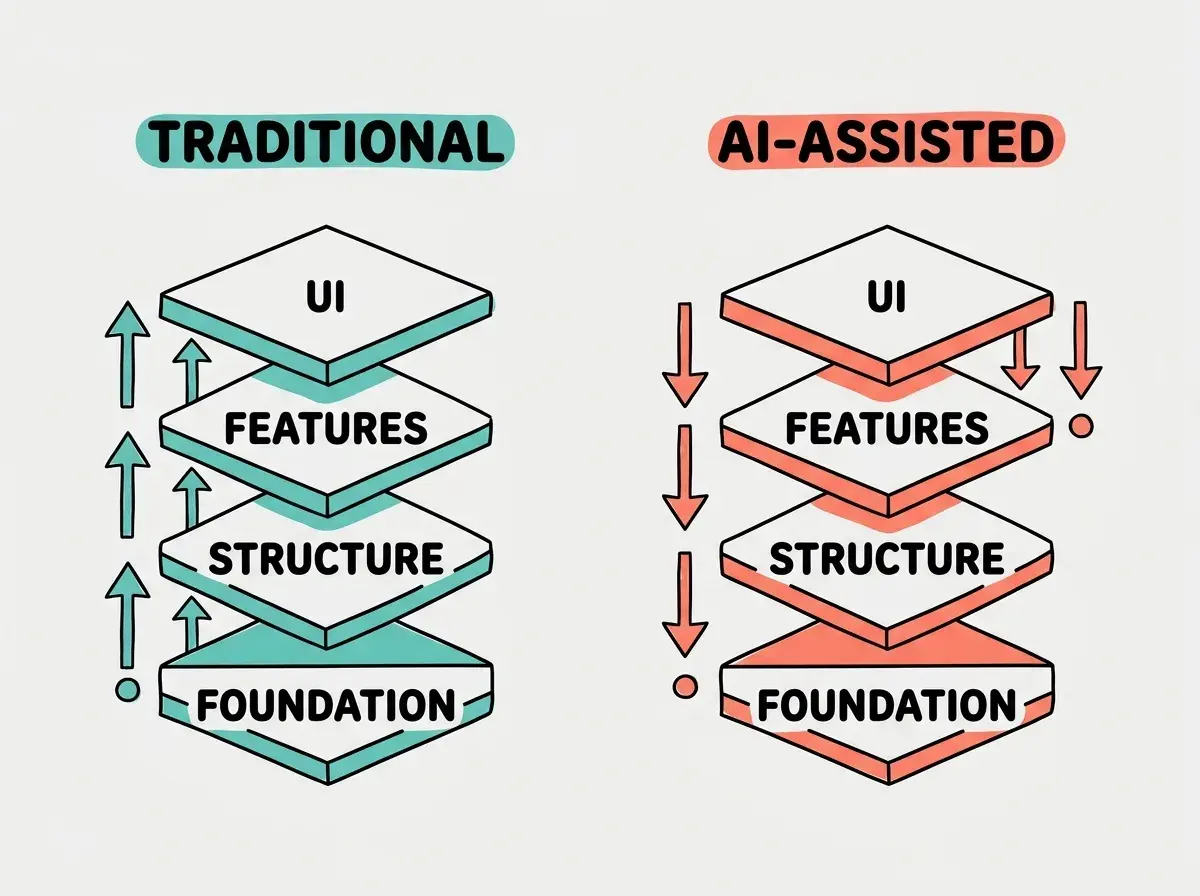
When a human developer builds a program, they usually start with architecture. They sketch out the pieces, decide how data flows between them, and build the foundation before adding features. It is like drawing blueprints before pouring concrete.
When AI builds a program from your prompts, it works more like an improv actor. It generates something that looks right based on what you described, often starting with the visible parts (the interface) and filling in the plumbing behind it. This approach produces impressive demos fast, but the underlying structure may not be designed for the long haul.
The METR study found that developers using AI tools believed they were 20% faster but were actually 19% slower on complex tasks. The perception gap comes from confusing a working demo with a finished program.
This is not a flaw in AI. It is a fundamental difference in approach. And once you understand it, you can work with it. Give AI clearer instructions about structure. Build in stages instead of all at once. Test each piece before adding the next.
What Defines a Good Program
Whether you are building a five-line script or a full application, good programs share a few qualities:
They do what they are supposed to do. This sounds obvious, but it is the part most people skip testing. Does your program actually handle the edge cases? What happens when someone enters a weird input or uses it in an unexpected way?
They handle errors gracefully. Good programs don't just crash when something goes wrong. They show helpful messages, save the user's work, and offer a path forward. AI often skips this unless you specifically ask for it.
They are organized. Code that is structured clearly is easier to change, debug, and extend. When AI generates a 500-line file with everything jumbled together, that is a sign to ask it to split things into smaller, organized pieces.
They protect user data. If your program handles any personal information, passwords, or payment details, security is not optional. This is where vibe coders need to be especially careful, because AI optimizes for "make it work," not "make it safe."
The most common mistake vibe coders make is treating a working prototype as a finished program. A demo that works on your computer is roughly 20% of the work. The remaining 80% is error handling, security, performance, and all the invisible things that make software reliable.
The Right Size Program for Vibe Coding
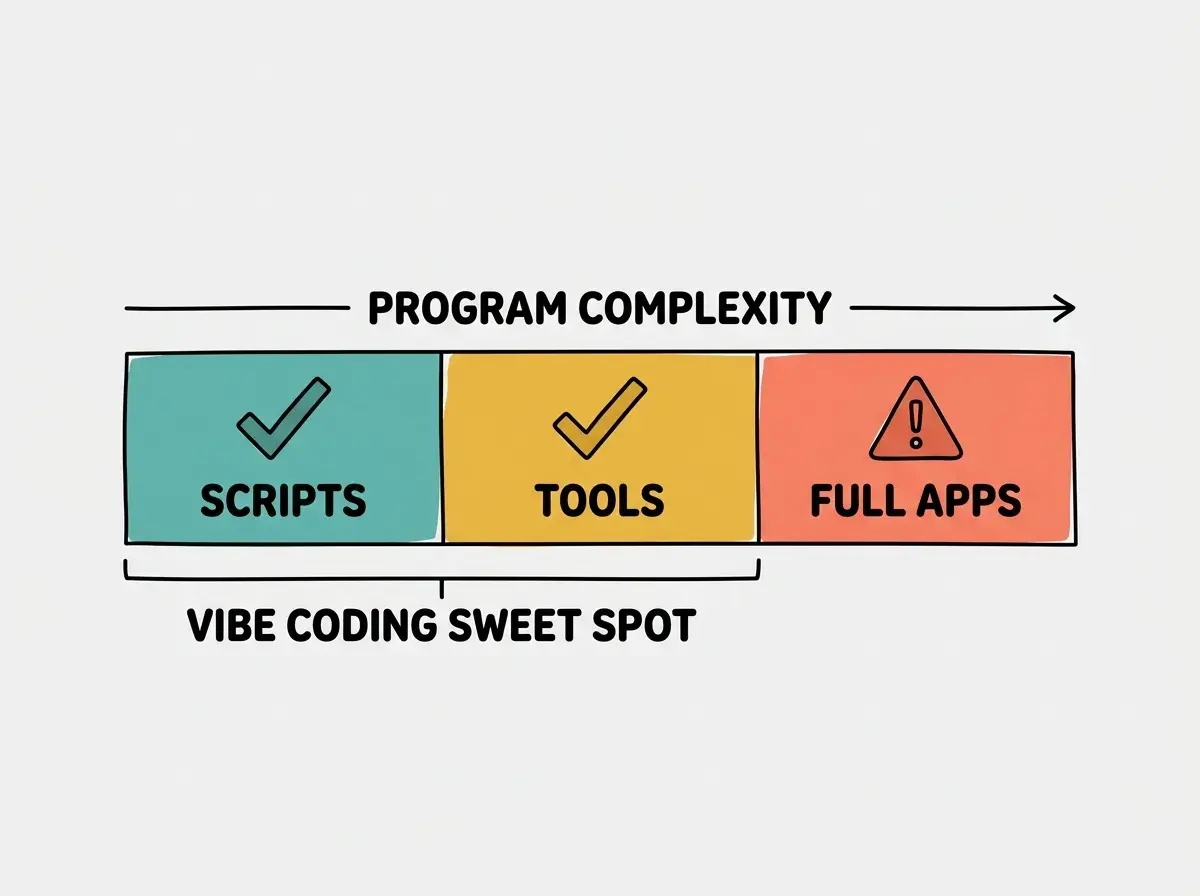
Here is the honest assessment. Vibe coding excels at building scripts and tools. It is good at prototyping applications. It struggles with building production-ready applications from scratch without human oversight.
That does not mean you cannot build larger programs. It means you should:
- Start with a script or tool. Get something working and useful quickly.
- Expand incrementally. Add one feature at a time, testing each before moving on.
- Know when to get help. If your program needs to handle payments, medical data, or thousands of users, bring in a developer to review the critical parts.
The sweet spot for vibe coding is building real, useful programs that solve specific problems for specific people. Not every program needs to be Instagram.
What This Means For You
A program is just a set of instructions a computer follows. The complexity varies enormously, from five-line scripts to million-line applications. Knowing where your project sits on that spectrum helps you plan better, prompt AI more effectively, and set realistic expectations for what you are building.
- If you're a founder: Start with the smallest program that validates your idea. A working script or tool that solves one problem for one user is worth more than a half-built application that tries to do everything. Understanding what code is is the first step.
- If you're changing careers: Programs come in all sizes, and your value as a builder grows with each one you ship. Start small, learn the patterns, and gradually take on more complex projects. Understanding what code is is the foundation everything else builds on.
- If you're a student: Building small programs is the fastest way to learn. Every script you create teaches you how computers think. The skills transfer directly to larger projects as you grow. Explore frontend vs backend to see how apps are structured.
Start with your first program and work your way up.
Build your first app