Vibe coding vocabulary is the collection of technical terms you will encounter in your first month of building with AI tools. You do not need to memorize every definition, but recognizing these words when they appear in error messages, documentation, and AI responses will save you hours of confusion.
Think of it like learning a language before visiting a new country. You do not need fluency. You need survival phrases. You need to know enough to read a menu, ask for directions, and understand when someone is warning you about something important. That is what this glossary gives you for the world of vibe coding.
Why the Words Matter More Than You Think
When you start vibe coding, the technical vocabulary is one of the first barriers. Not because the concepts are hard, but because the words are unfamiliar and nobody stops to explain them. AI tools throw around terms like "runtime," "dependencies," and "environment variables" as if you already know what they mean. Tutorials skip definitions. Error messages use jargon that assumes a computer science degree.
This creates a compounding problem. If you do not know what a "dependency" is, you cannot understand the error that says one is missing. If you cannot understand the error, you cannot write a good prompt to fix it. One unfamiliar word leads to a chain of confusion.
You do not need to become a programmer to vibe code successfully. But learning 30 key terms, the survival phrases of this new country, eliminates the most common source of confusion for beginners.
The terms below are grouped by theme rather than alphabetically. This is intentional. Understanding "frontend" and "backend" together makes both clearer. Understanding "production" and "staging" as a pair makes each definition stick. Read through them in order the first time, then bookmark this page for reference when you hit an unfamiliar term.
The Basics of How Apps Are Built
These are the foundational terms you will encounter in almost every project, regardless of what you are building.
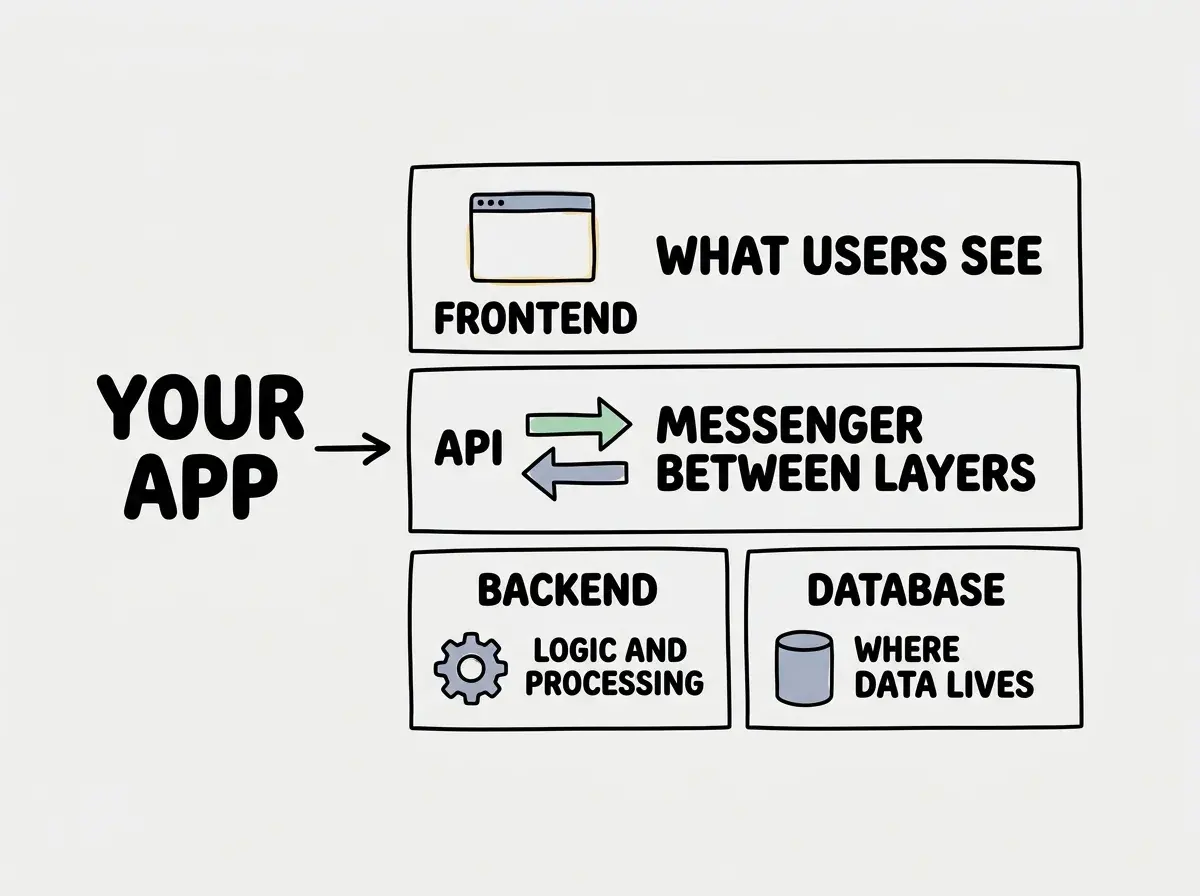
Frontend. The part of your app that users see and interact with. Buttons, text, images, forms, navigation menus, everything visible in the browser. When AI generates code for a "frontend component," it is building something the user will look at.
Backend. The part of your app that runs on a server, hidden from users. It handles logic like processing payments, storing data, checking passwords, and talking to other services. When someone says "the backend is down," they mean the invisible machinery behind the app stopped working.
API (Application Programming Interface). A set of rules that lets one application request data or actions from another. When your app calls the Stripe API, it is asking Stripe's servers to process a payment. The API carries the request and brings back the response. Think of it as a waiter carrying orders between your table and the kitchen.
Database. Where your app stores information permanently. User accounts, posts, orders, settings; all of it lives in a database. Common ones you will see mentioned include Supabase, PostgreSQL, and MongoDB.
Repository (Repo). A folder that contains all of your project's code, tracked by a version control system like Git. When someone says "push to the repo," they mean uploading their latest code changes to the shared project folder, usually on GitHub.
Framework. A pre-built structure that gives your app a starting point. Instead of building everything from scratch, a framework provides page routing, data fetching, and component organization. React, Next.js, and Vue are frameworks you will see constantly.
Component. A reusable piece of your user interface. A button is a component. A navigation bar is a component. Modern apps are built by assembling components together like building blocks.
Getting Your App Running
These terms relate to the tools and processes involved in running your code, both on your computer and on the internet.
Runtime. The environment where your code actually executes. When someone says "Node.js runtime," they mean the software that reads and runs your JavaScript code. Different runtimes have different capabilities, which is why code that works in one place might fail in another.
Localhost. Your own computer acting as a temporary server during development. When you see "localhost:3000" in your browser, you are viewing your app running on your machine. Nobody else can see it.
Dependencies. Other people's code that your project relies on. When you install a library like Tailwind CSS, it becomes a dependency tracked in package.json. When an error says "missing dependency," your project needs a library that has not been installed.
npm/yarn. Tools that install and manage your project's dependencies. Running npm install reads your package.json and downloads everything your project needs. yarn is an alternative with slightly different syntax.
Environment Variables. Secret values stored outside your code, like API keys and passwords. They live in a .env file and load into your app at runtime, keeping sensitive information out of your repository.
Learn the core concepts of vibe coding before diving into terminology.
Start hereTypeScript. A version of JavaScript that adds type checking, catching certain errors before your code runs. Most vibe coding tools generate TypeScript by default. Files ending in .ts or .tsx are TypeScript.
Tailwind CSS. A popular way to style your app using short class names directly in your HTML. Instead of writing separate CSS files, you add classes like bg-blue-500 and text-white to elements. AI tools generate Tailwind code very well.
Putting Your App on the Internet
These terms cover the process of making your app available to real users.
Deployment. Publishing your app to the internet so anyone can use it. When you "deploy to Vercel," you are uploading code to servers that run it at a public web address.
Production. The live version of your app that real users interact with. "It works in production" means the internet-facing version is functioning correctly.
Staging. A copy of your app used for testing before changes go live. It looks like production but is not visible to real users. Think of it as a dress rehearsal.
CI/CD (Continuous Integration / Continuous Deployment). An automated system that tests and deploys your code whenever you push changes. When you push to GitHub and your app updates minutes later, that is CI/CD.
Pull Request (PR). A proposal to merge code changes into the main project. You create a pull request asking others to review and approve changes before they become part of the main codebase.
Merge Conflict. What happens when two sets of changes edit the same lines and the system cannot decide which to keep. This confuses everyone at first. The fix is to manually choose which changes to keep.
Linting. Automated checking of your code for style issues and potential bugs. A linter is like a spell-checker for code. Squiggly red lines in your editor are often the linter flagging a problem.
AI-Specific Terms
These terms are specific to working with AI coding tools and will show up constantly as you vibe code.
Prompt Engineering. The skill of writing instructions that get AI to produce the output you want. A good prompt is specific, includes context, and states the expected format. This is the single most important skill in vibe coding.
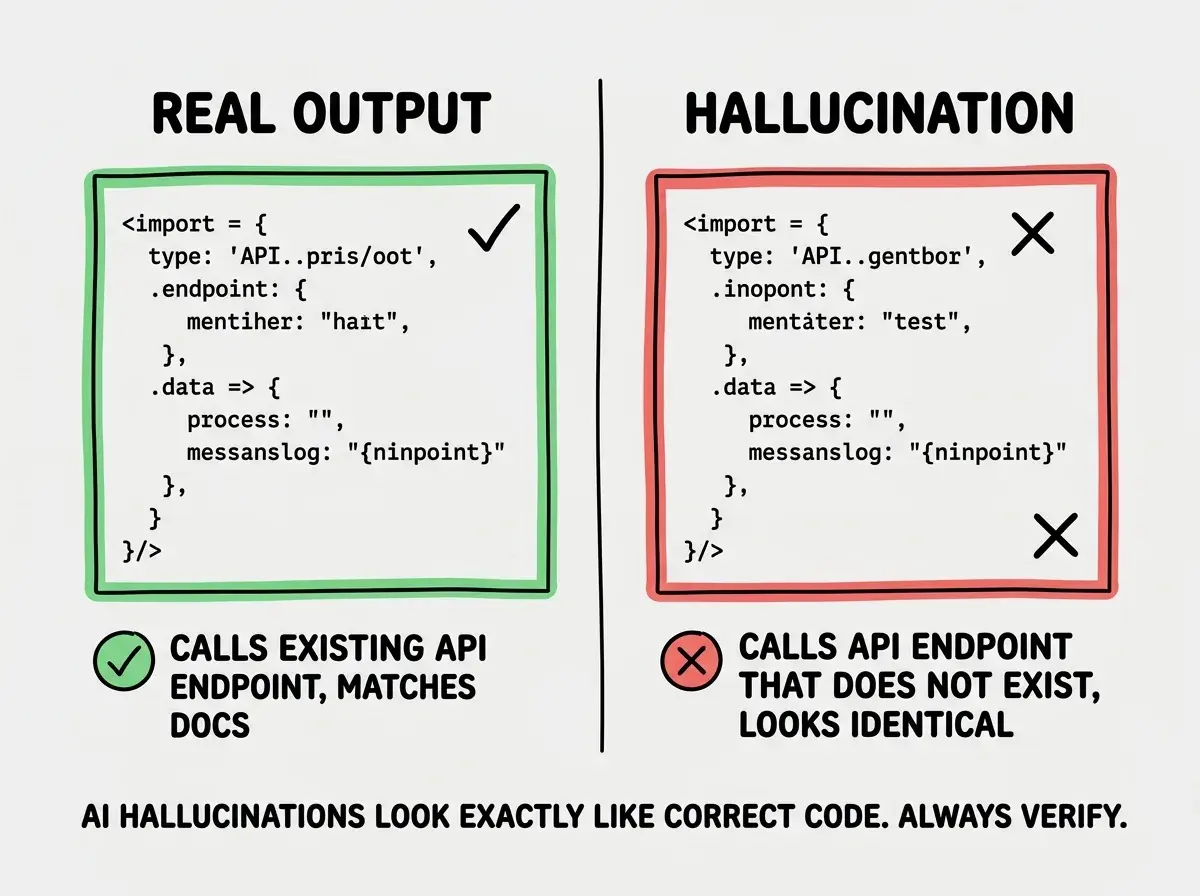
Hallucination. When AI confidently generates something incorrect or nonexistent. It might reference an API endpoint that was never built or a library that does not exist. The output looks plausible, which makes hallucinations dangerous.
Context Window. The total amount of text an AI can process in a single conversation. Every word you type and every word the AI generates counts toward this limit. When a conversation gets very long, the AI starts forgetting earlier parts, which is why code quality degrades in long sessions.
Token. The unit AI uses to measure text length. Roughly, one token equals about three-quarters of a word. When people say a model has a "128K context window," they mean it can process about 128,000 tokens (roughly 96,000 words) in a single conversation.
Model. The specific AI system generating your code. GPT-4, Claude Sonnet, and Gemini are all different models with different strengths. When a vibe coding tool lets you choose a model, you are choosing which AI brain processes your prompts.
Fine-tuning. Training an existing AI model on specific data to improve it at a particular task. You probably will not do this yourself, but the term appears when people discuss why certain tools excel at certain languages.
RAG (Retrieval-Augmented Generation). A technique where AI looks up relevant information from a knowledge base before generating a response. This is how some coding tools provide accurate answers about your specific codebase instead of relying only on training data.
Trying to memorize every term before starting to build. You will learn these words much faster by encountering them in context while working on a real project. Use this glossary as a reference you come back to, not a textbook you study before beginning.
These terms cover roughly 90% of the vocabulary you will encounter in your first month. The important thing is that you now have a reference point. When an error mentions "dependencies" or an AI response references "the runtime," you know where to look.
What This Means For You
Language is the first barrier and the easiest one to remove. You do not need to understand the deep mechanics behind every term. You need to recognize the words when they appear and have a rough sense of what they point to. That rough sense is enough to read error messages, understand AI explanations, and write prompts that produce better results.
- If you are a founder, this vocabulary lets you communicate more effectively with developers, AI tools, and technical documentation. You do not need to write code yourself, but knowing these terms means you can understand what your tools and collaborators are telling you.
- If you are changing careers, bookmark this page and refer back to it as you build. Each term will become more concrete as you encounter it in a real project. Within a month, most of these words will feel as natural as the jargon from your previous career.
- If you are a student, you are building a vocabulary that 85% of your peers are also learning right now. AI coding assistants are part of every computer science program today. Knowing these terms puts you ahead of classmates who jump into tools without understanding the language around them.
Build your vibe coding vocabulary by working through real projects.
Explore more