The stat that should worry every developer building with AI tools: 41% of AI-generated code gets reverted within two weeks. That is not a small percentage. That is nearly half of everything your AI coding assistant produces, undone by the person who asked for it in the first place.
The most common reason is not that the code looked wrong. It is that the code looked right and was wrong in ways nobody caught until it was in production. Unit testing AI-generated code is the practice that changes that outcome.
Here is the practical reality. AI coding tools are genuinely good at generating test suites. They can produce test files with 85 to 95 percent code coverage automatically. That sounds impressive until you realize coverage tells you how many lines ran during the test, not whether the lines do what they should do when real data shows up. The tests pass. The code ships. A user enters something unexpected and the whole thing falls over.
This guide is about the other 5 to 15 percent. The cases AI consistently misses, the patterns that make testing AI-generated code different from testing code you wrote yourself, and how to structure your testing workflow so you catch problems before your users do.
Why AI-Generated Code Needs a Different Testing Approach
When you write code by hand, you understand every decision in it. You know why you wrote the conditional that way, what edge case you were handling, and what assumptions you made about the input. When something breaks, you have context.
When AI writes the code, that context lives nowhere. The AI does not retain memory between sessions. You may not have read every line carefully. The person who reviews your pull request has even less context. Everyone is working from the outside in.
This creates a specific problem for unit testing. Normal testing strategy says: test the behavior you care about, skip the obvious cases, cover the edge cases you know about. But with AI-generated code, you do not know which edge cases were considered and which were not. So you have to test more systematically, starting from a different set of assumptions.
The good news is that AI generates predictable blind spots. Once you know what to look for, you can build a testing checklist that catches the most common failures in under an hour per feature.
What AI Actually Gets Wrong
Ninety-two percent of US developers use AI coding tools daily. That adoption has produced a clear pattern of where AI-generated code fails under testing.
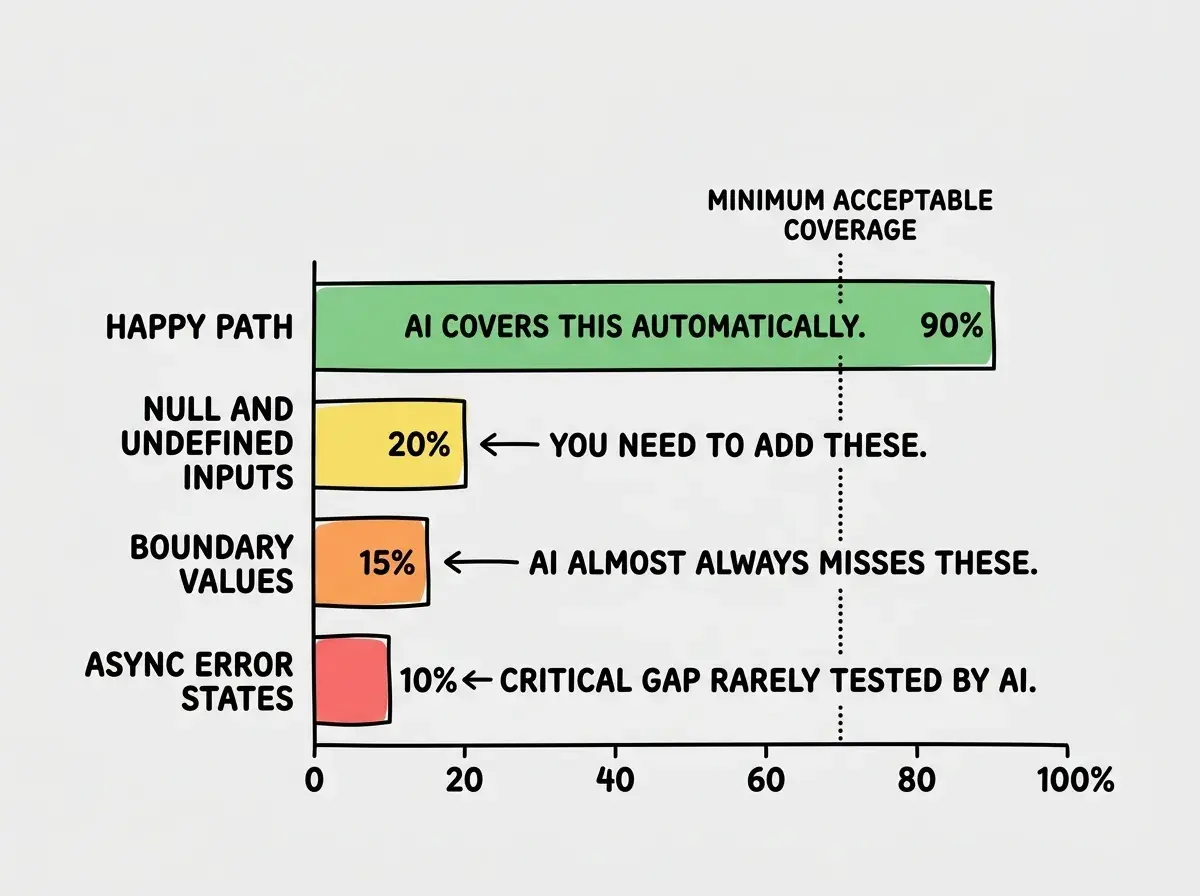
AI handles the happy path extremely well. Give it a valid input, it returns the correct output. The logic is usually sound, the naming is reasonable, and the structure is clean. Test coverage for happy paths runs high automatically.
The failures cluster in four areas.
Boundary values. AI tests the middle of the range, not the edges. A function that accepts age will be tested with 25. It will not be tested with 0, negative numbers, 150, or a string that looks like a number. Real users hit every one of those cases regularly.
Null and undefined inputs. AI assumes inputs arrive populated. Pass it null where it expected a string, undefined where it expected an object, or an empty array where it expected at least one item, and the function usually throws an error nobody wrote a test for.
Async error states. AI writes async functions that handle successful responses well. It rarely writes tests for network timeouts, API errors, or the state where a loading spinner should appear but the data never arrives.
Side effects and state mutations. Functions that modify shared state, update a database, or change something outside their own scope are tested for their return value but not for their side effects. The function returns the right thing and silently corrupts data somewhere else.
AI generates tests with high code coverage but consistently skips boundary values, null inputs, async error states, and side effects. Coverage percentage tells you how much ran. It does not tell you whether what ran is correct. Writing the tests AI skips is the single highest-value testing activity for AI-generated code.
Setting Up Vitest for Your Next.js or Vite Project
If you are working in a Next.js or Vite project, Vitest is the right tool. It runs in the same environment as your application, shares your TypeScript config, and runs significantly faster than Jest for most project sizes.
Install it in three commands.
npm install -D vitest @vitest/ui jsdom
npm install -D @testing-library/react @testing-library/jest-dom
Add a vitest.config.ts file at your project root.
import { defineConfig } from 'vitest/config'
import react from '@vitejs/plugin-react'

export default defineConfig({
  plugins: [react()],
  test: {
    environment: 'jsdom',
    globals: true,
    setupFiles: ['./src/test/setup.ts'],
  },
})
Create the setup file at src/test/setup.ts.
import '@testing-library/jest-dom'
Add two scripts to package.json.
{
  "scripts": {
    "test": "vitest",
    "test:ui": "vitest --ui"
  }
}
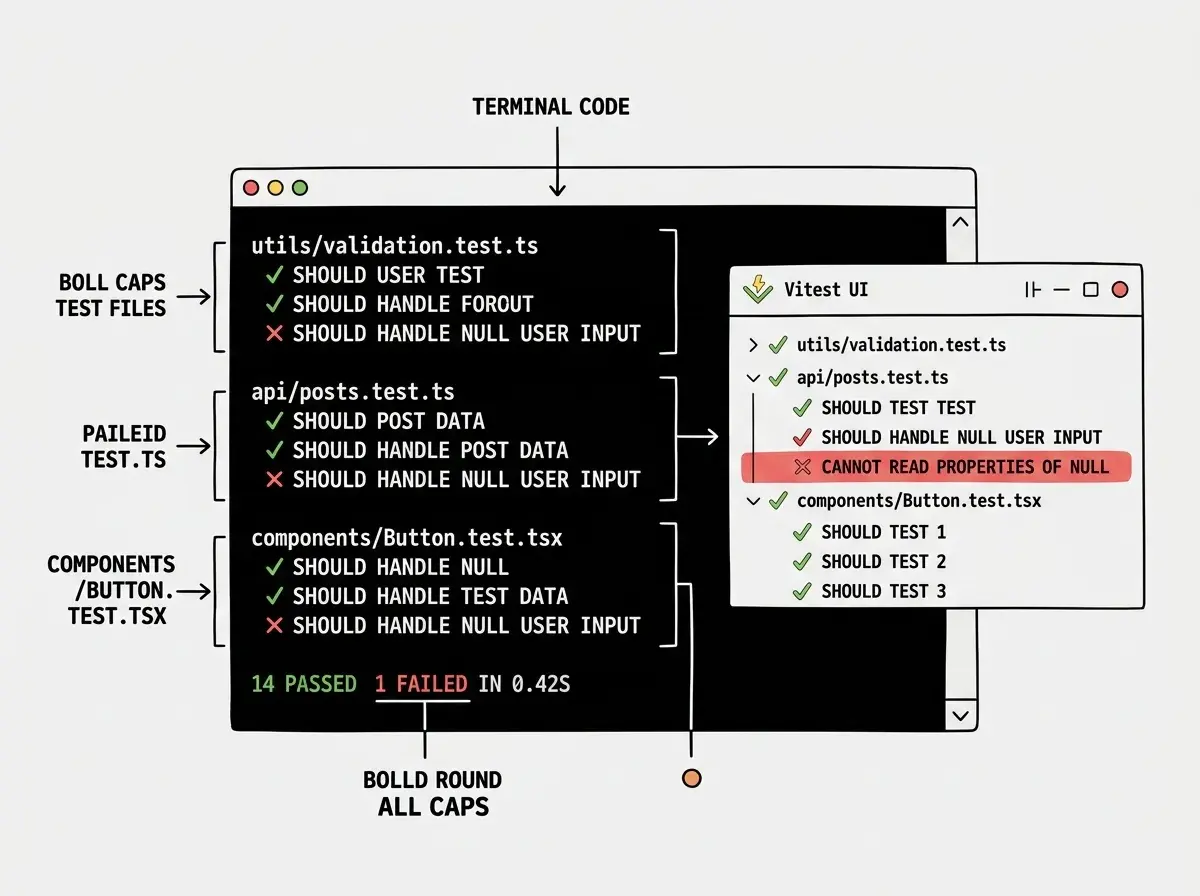
Run npm test and you are ready. The --ui flag opens a browser-based interface that shows test results visually, which is useful when you are building out a large test suite.
Writing Tests for the Cases AI Missed
The most efficient way to write tests for AI-generated code is to start with the function signature and work outward from the edge cases, not inward from normal usage.
Take a validation function. AI will generate it with tests like this.
// AI-generated test
it('validates a valid email', () => {
  expect(validateEmail('user@example.com')).toBe(true)
})

it('rejects an invalid email', () => {
  expect(validateEmail('notanemail')).toBe(false)
})
These pass. Here is what AI does not test.
// The cases you need to add
it('handles null input', () => {
  expect(validateEmail(null)).toBe(false)
})

it('handles undefined input', () => {
  expect(validateEmail(undefined)).toBe(false)
})

it('handles empty string', () => {
  expect(validateEmail('')).toBe(false)
})

it('handles string with only spaces', () => {
  expect(validateEmail('   ')).toBe(false)
})

it('handles email with consecutive dots', () => {
  expect(validateEmail('user..name@example.com')).toBe(false)
})

it('handles very long input', () => {
  expect(validateEmail('a'.repeat(300) + '@example.com')).toBe(false)
})
Run these against AI-generated validation code and at least two or three will fail. That is not a guess. That is the pattern across hundreds of AI-generated utility functions.
The same approach applies to any function that takes external input. For each parameter, ask: what is the minimum valid value, the maximum, the zero case, the null case, and the wrong type case. Write a test for each. Most of them will be one-liners.
Testing Async Functions and API Calls
Async code is where AI-generated tests have the widest gaps. Most AI-generated async tests look like this.
it('fetches user data', async () => {
  const user = await fetchUser(123)
  expect(user.name).toBe('Alice')
})
This test only works if the API is running and returns the expected data. It tests nothing about what happens when the API is down, slow, or returns unexpected data.
Use vi.mock in Vitest (or jest.mock in Jest) to control what async functions return during tests.
import { vi } from 'vitest'
import { fetchUser } from '../api/users'

vi.mock('../api/users')

it('handles API error gracefully', async () => {
  vi.mocked(fetchUser).mockRejectedValue(new Error('Network error'))

  const result = await getUserProfile(123)

  expect(result.error).toBe('Failed to load user')
  expect(result.data).toBeNull()
})

it('handles empty response', async () => {
  vi.mocked(fetchUser).mockResolvedValue(null)

  const result = await getUserProfile(123)

  expect(result.error).toBe('User not found')
})

it('handles malformed response', async () => {
  vi.mocked(fetchUser).mockResolvedValue({ id: 123 }) // missing name field

  const result = await getUserProfile(123)

  expect(result.data.name).toBe('') // should default gracefully
})
These three tests catch the most common async failures in AI-generated code. The function that handles success gracefully but throws on error, the function that crashes on null response, and the function that crashes when a required field is missing.
Testing async functions only against successful, fully populated responses. Real API behavior includes network errors, timeouts, empty responses, partially populated objects, and rate limit errors. AI-generated code handles successful responses well and handles every other case poorly. Your test suite should mirror how APIs actually behave in production, not how they behave when everything works.
The 80 Percent Rule for Testing AI Code
You cannot test everything, and you should not try. The goal is not 100 percent test coverage. The goal is high confidence that the parts of your codebase most likely to break are covered.
Apply a simple triage to your AI-generated functions before writing tests.
High priority for testing: functions that accept external input (form data, API responses, URL parameters), functions that modify state or data, functions that are called frequently, and functions with conditional logic. These are the functions most likely to fail in unexpected ways.
Lower priority: UI rendering functions with straightforward logic, configuration objects, and functions that are thin wrappers around well-tested library code.
For high-priority functions, follow this pattern. Write the happy path test that AI generated (or generate it yourself if AI did not). Add one test for each null or undefined input. Add one test for each boundary value. Add one test for each error state. For async functions, add mocked versions of network failure, empty response, and malformed response.
For a typical utility function, that is six to ten tests. For a complex data processing function, maybe fifteen. Running the full suite on a medium project should take under thirty seconds with Vitest.
Running Tests Before Every Commit
The highest-value habit change for catching AI-generated code failures is running your test suite before every commit. Not as an optional step, as a required one.
The fastest way to enforce this is a pre-commit hook. Install husky to manage git hooks.
npm install -D husky
npx husky init
Add your test command to .husky/pre-commit.
npm test -- --run
The --run flag runs Vitest once without watch mode and exits with a non-zero code if any tests fail, which blocks the commit. This means AI-generated code that breaks existing tests cannot be committed until the tests pass.
This matters specifically for AI-generated code because AI tools will confidently change a function in a way that breaks existing behavior and tell you the change is correct. The test suite is the safest check against that pattern.
Dig deeper
A few hand-picked sources if you want to go further.
What This Means For You
Unit testing AI-generated code is not about distrust. It is about building a safety net that lets you move faster with confidence. The 41 percent revert rate drops when teams have solid test coverage, because problems surface in the test run instead of after deployment.
The practical starting point: pick one AI-generated function from your current project, probably a utility function or a data transformation. Write tests for the null input cases, the boundary values, and any async error states. Run them. Fix whatever fails. Repeat for the next function.
Building the habit on one function is more valuable than planning a complete testing strategy you never execute. Start small, run the tests, and let the failing tests tell you where your AI-generated code needs attention.
The code AI wrote works well for the cases it was asked about. Your job is to make it work well for every case that shows up in production.
Level up your vibe coding workflow with hands-on tutorials.
Explore all guidesClosing Thoughts
AI coding tools have changed how fast code gets written. They have not changed what makes code reliable in production. Reliable code handles the cases nobody thought to describe in the prompt, the null inputs, the network failures, the user who submits a form twice.
Unit testing AI-generated code is the practice that closes the gap between "it works in the demo" and "it works for real users doing unexpected things." The tools are fast, the setup is minimal, and the return on time invested is immediate. A failing test before deployment is a bug caught. A passing test after deployment is a story you get to skip.
Testing is one piece. See how the full quality workflow fits together.
Read the full guide