Time management for AI-assisted development in 2026 is different from pre-AI time management because the constraint has shifted from typing speed to thinking speed. The four work blocks that produce the most output for AI-assisted developers are: deep planning (no AI, no code), AI-paired implementation (focused 90-minute sessions), review and refactoring (the high-leverage work), and break / context switch (deliberate, not accidental). A typical day with these four blocks ships 2 to 4x more useful work than a day of unstructured Cursor use, and the difference is mostly in the planning and review blocks rather than the implementation block.
This piece walks through each of the four blocks, the daily rhythm that combines them, the focus rules that protect deep work, and the four time management mistakes that show up in AI-assisted development specifically and quietly cost most engineers half their potential output.
Why AI Changes Time Management
Before AI, the bottleneck for most developers was typing. You had a clear idea but had to spend hours expressing it as code. Time management was about protecting long uninterrupted blocks for typing. Now AI types most of the code; the bottleneck has shifted upstream to thinking, planning, and reviewing. The day's structure has to follow.
Developers who keep their pre-AI time management often spend their day in long Cursor sessions that feel productive but produce mediocre output. Long unstructured AI sessions accumulate small mistakes, miss architectural decisions, and produce code that needs significant rework. The right structure protects time for the high-value work that AI cannot do for you.
A 2025 productivity study by Linear and the GitHub team measured developer output across 200 engineers using AI tools. Engineers who structured their day around explicit deep work, implementation, and review blocks shipped 3.2x more useful work per week than engineers who used AI tools in long unstructured sessions. The total time worked was identical; the difference was entirely in how the time was allocated. Structure beats hours.
The pattern to copy is the way professional kitchens organize a service. Prep is a focused block (mise en place), service is a different focused block (active cooking), and the day is structured around the transitions. A chef who tries to prep during service or cook during prep produces worse food and burns out faster. AI-assisted development needs the same kind of explicit block structure.
The Four Work Blocks
Each block has a specific job. Mixing them produces the worst version of each.
Block 1, deep planning (60 to 90 minutes, no AI). Sketch the system, decide architecture, write the plan in markdown. No code, no AI, no editor. This is where the highest-leverage thinking happens, and it gets crowded out if you do not protect it explicitly.
Block 2, AI-paired implementation (90-minute sessions, 2 to 3 per day). Focused work with Cursor or Claude Code on a specific task from the plan. Single project, single context, no notifications. Each session ships one meaningful chunk of work.
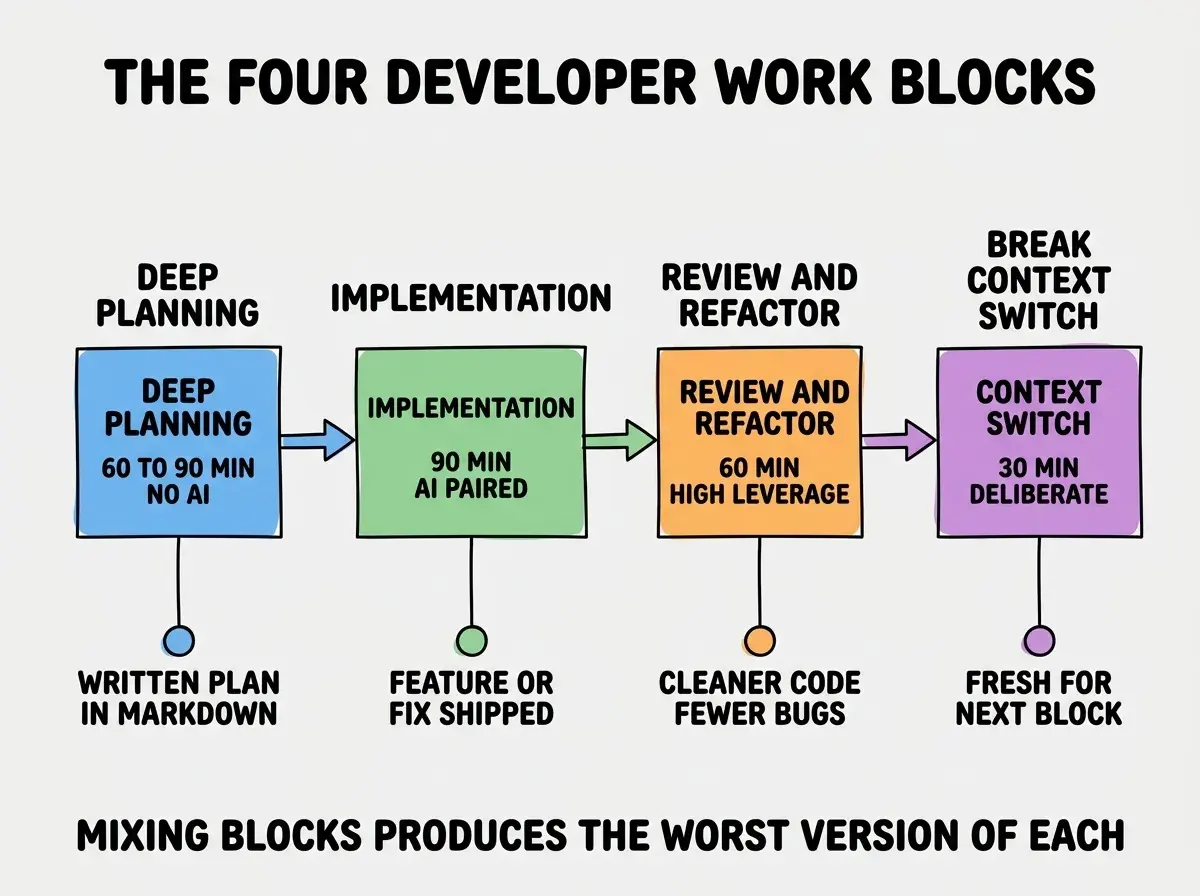
Block 3, review and refactoring (60 minutes, 1 per day). Read the day's diff, refactor what is messy, write tests for the critical paths, update documentation. This is the work that distinguishes professional output from prototype output, and it gets skipped when the day is unstructured.
Block 4, break / context switch (30 minutes between blocks). Walk, eat, talk to someone. Deliberate breaks reset attention and prevent burnout. Skipping breaks degrades the next block's quality measurably.
The Daily Rhythm That Combines Them
A productive day typically uses each block once and runs about 8 hours total. The exact ordering matters less than the consistency.
A common pattern: morning deep planning (90 min) → break (30 min) → first implementation (90 min) → lunch break (60 min) → second implementation (90 min) → break (30 min) → review and refactor (60 min) → wrap-up. Total: 7.5 hours of structured work, ships substantial output, sustainable indefinitely.
Browse more workflow and productivity guides
Read more tools articlesThis is in contrast to the unstructured pattern (8 hours of Cursor with random breaks), which produces about 30 to 40 percent of the output and burns out engineers faster. The structured day takes the same hours but produces dramatically more useful work.
The Focus Rules That Protect Deep Work
Knowing the blocks is half the battle; protecting them from interruptions is the other half. Three rules consistently protect deep work for AI-assisted developers.
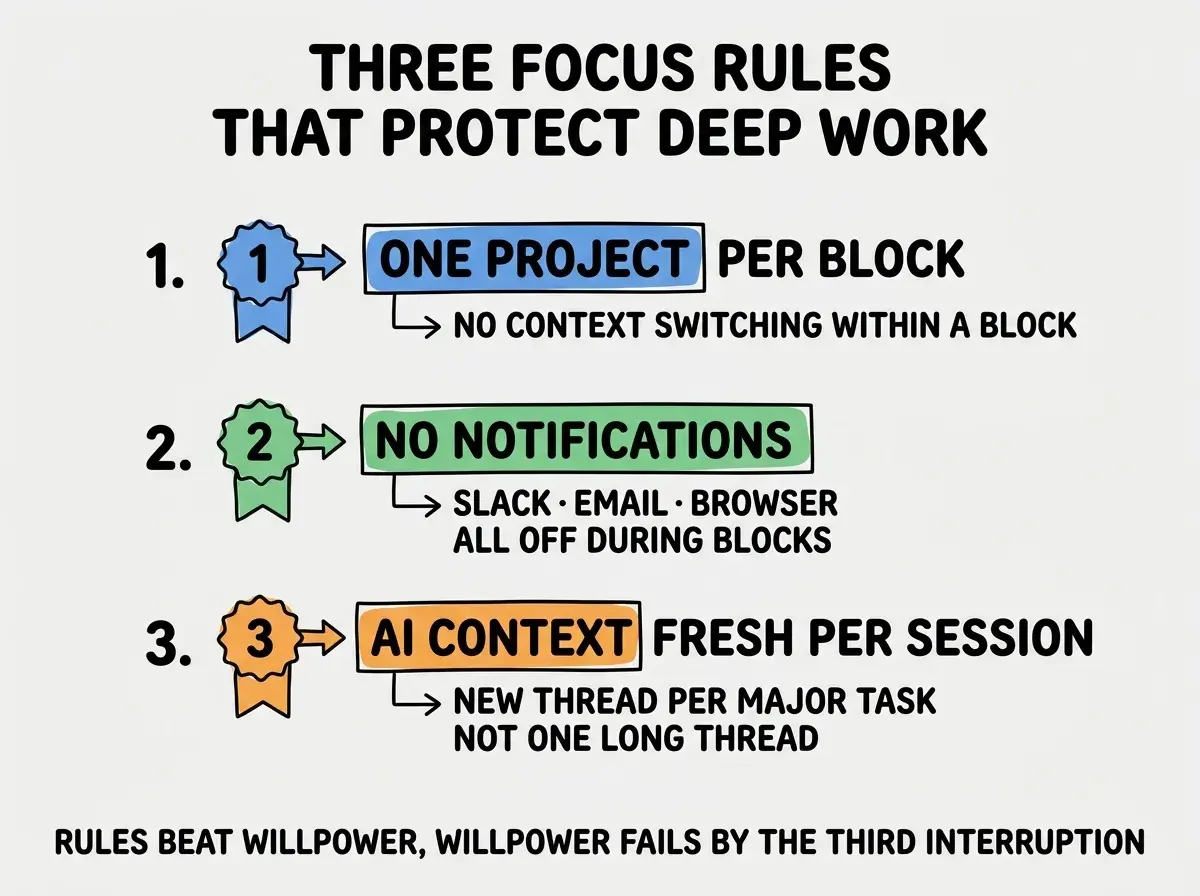
Rule 1, one project per block. Switching projects mid-block destroys context and forces re-loading the AI's context too. Stick with one project per block; if you have multiple projects, allocate different blocks to them.
Rule 2, no notifications during blocks. Slack, email, browser tabs all closed or muted. The 30 seconds of attention each notification takes turns into 5 to 15 minutes of recovery time. Notifications cost more than they appear to.
Rule 3, fresh AI context per major task. Long single AI threads accumulate context and degrade. Start a new thread per major task; the AI performs better with focused context than with sprawling history.
The most expensive time management mistake AI-assisted developers make is treating planning as overhead rather than as the highest-leverage work of the day. Planning is where you decide what to build, which means it is where the value of the entire day is determined. Skipping planning to "just start coding" with the AI typically produces a day's worth of code that solves the wrong problem or solves the right problem in the wrong way. Twenty minutes of planning saves four hours of rework. The math is consistently this lopsided.
The other mistake is treating breaks as wasted time. Break blocks are when your subconscious processes the work from the previous block. Skipping breaks does not produce more output; it produces lower-quality output and faster burnout. Treat breaks as part of the work, not as time off from the work.
A useful experiment is to track your output for a week using the four-block structure and a week without it, then compare the actual shipped work. Most engineers who try this report 2 to 3 times more meaningful output during the structured week, with the same hours worked. The data usually convinces even skeptics that the structure is worth the upfront awkwardness of changing habits.
A second small habit that pays off is to do the deep planning block in a different physical environment from the implementation blocks. A coffee shop, a notebook, or a different room signals to your brain that this is a different kind of work and helps prevent the urge to switch to coding before the planning is done. The environmental cue is worth the small inconvenience and compounds across many planning sessions over the year.
What This Means For You
Time management for AI-assisted development is a learnable skill that pays back faster than almost any other professional investment. Most developers are running pre-AI time structures with AI tools, capturing only a fraction of the available productivity gain.
- If you're a founder: Build the four-block structure into your team's expectations from day one. Ad-hoc Cursor use is a culture choice that compounds badly.
- If you're changing careers: Practice the four blocks on your portfolio projects. The discipline shows up in interviews when you can describe how you structure your work.
- If you're a student: Try one structured day per week and compare output to unstructured days. The gap is usually visible within a month.
Browse more workflow and productivity guides
Read more tools articles