Managing multiple projects with AI tools in 2026 means keeping 3 to 8 active projects coordinated without context confusion (where the AI uses Project A's conventions in Project B's code) or thrashing (where switching costs eat all the productivity gain). The pattern that works is a flat directory structure with one project per repository, per-project context documents loaded automatically by the AI, a daily rotation that limits same-day project switches to 2 or 3, and a weekly review that catches drift before it ships. Indie hackers running 3 to 8 small projects with this pattern produce more output than the same person running 1 or 2 projects without it, because the structure compounds rather than fights against the AI advantage.
This piece walks through the directory structure, the per-project context setup, the daily and weekly rituals, and the four common bugs that show up when context confusion goes unmanaged.
Why Multiple Projects Are Different From One Big Project
A single large project benefits from continuous context. The longer you work on it, the more the AI knows about it, the better the suggestions get. Multiple smaller projects do not work this way. Switching between them resets the AI's working context, and accidentally letting context leak between projects produces subtle bugs.
The mistake most multi-project developers make is to assume that AI tools will figure out which project they are working on from the file path. Sometimes they do, often they do not. The result is small bugs (Project A's color in Project B's UI, Project A's library in Project B's code) that accumulate until the codebase becomes confused. Explicit context management prevents this entirely.
A 2025 study by the Cursor team analyzed 10,000 multi-project developers and found that explicit per-project context documents reduced "wrong-project" code suggestions by 87 percent compared to no context document. Developers without context documents reported spending an average of 45 minutes per week debugging issues caused by AI confusing project conventions. Those with context documents spent under 5 minutes. The explicit setup pays back the time investment within the first week.
The pattern to copy is the way professional musicians manage multiple ensembles. A musician playing in three bands does not assume the bass parts from one band fit the other; they keep separate sheet music, separate rehearsal schedules, and explicit mental boundaries between the projects. Multi-project developers need the same kind of explicit separation.
The Directory Structure That Scales
The right structure is flat, predictable, and one project per repository. Avoid the temptation to nest projects or share code across them.
Flat top-level directory. A ~/projects/ directory with one subdirectory per project. No nested subgroups, no shared utility folder, no hidden hierarchy. Predictability matters more than organization.
One repository per project. Each project is a separate git repo with its own dependencies, its own deployment, and its own AI context. Resist sharing code across projects through symlinks or workspace setups; the cost of debugging context confusion exceeds the benefit of code sharing for most multi-project setups.
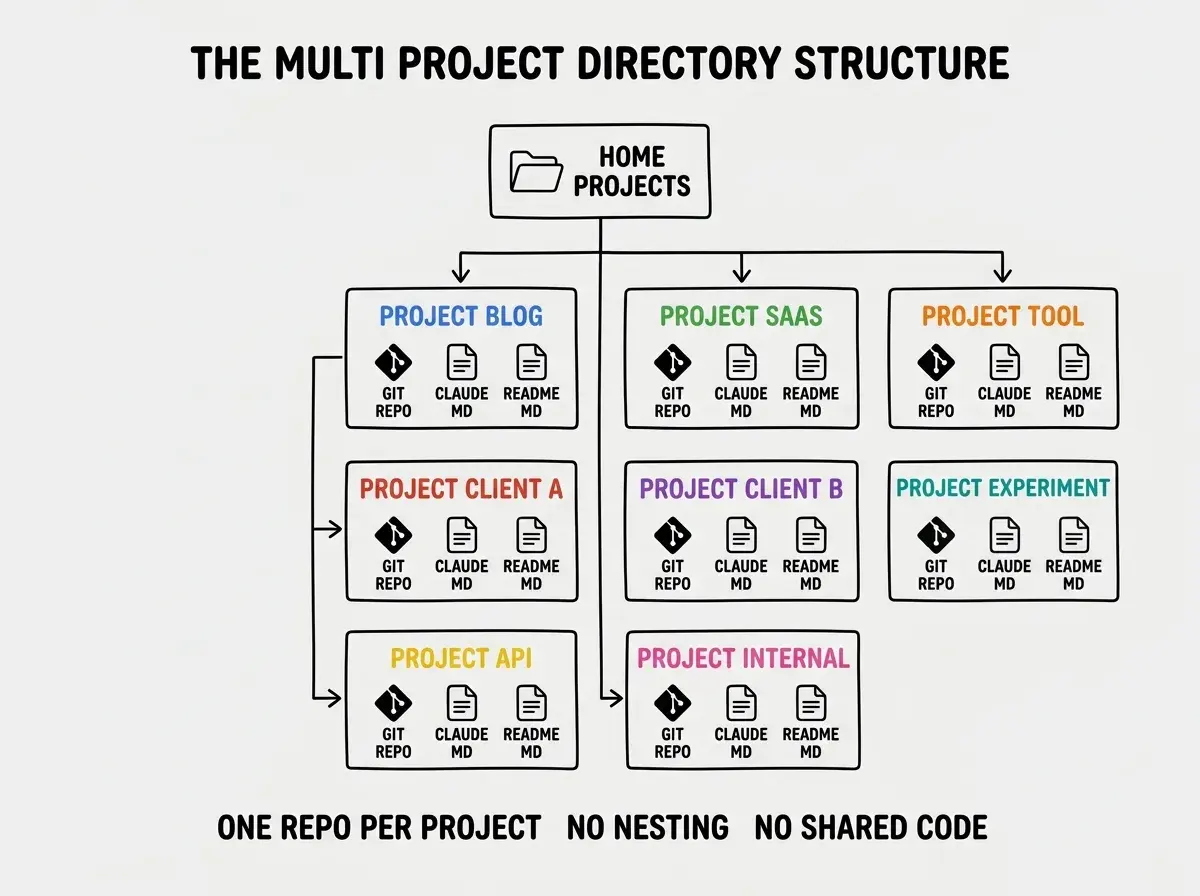
Per-project AI context document. Every project has a CLAUDE.md (or equivalent) at the root that captures the project's stack, conventions, key decisions, and current state. The AI loads this on every session, ensuring consistent context.
The Daily and Weekly Rituals
Even with structure in place, two rituals prevent the slow-motion failure modes that show up over weeks.
Daily rotation cap. No more than 2 to 3 active projects per day. Switching between more projects than that destroys context, even with explicit documents. Plan the day around 2 to 3 projects and accept that the others wait.
Browse more workflow and productivity guides
Read more tools articlesWeekly review. Once a week (Friday afternoon works for most), spend 30 minutes reviewing what shipped on each active project, updating the context documents, and identifying any drift. Most weeks find one or two corrections that prevent next week's confusion.
The Four Context Confusion Bugs
Each of these bugs is preventable with the structure above and shows up reliably without it.
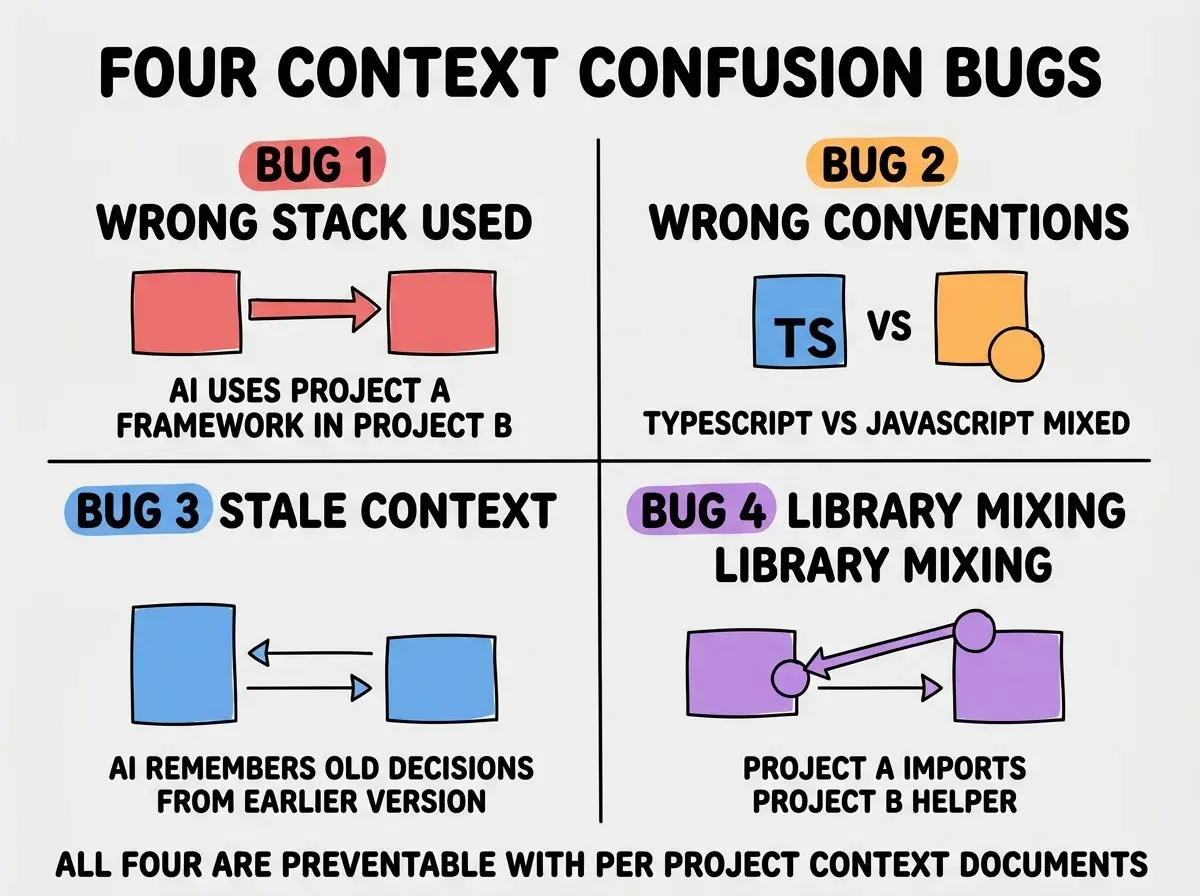
Bug 1, wrong stack used. The AI uses Next.js conventions in a Remix project, or Tailwind classes in a project that uses CSS modules. The fix is to lead the context document with the stack and remind the AI of it on session start.
Bug 2, wrong conventions. TypeScript code in a JavaScript project, or class components in a hooks project. The fix is to document conventions explicitly with examples, not just principles.
Bug 3, stale context. The AI uses last week's decisions even though they were superseded. The fix is to update the context document on every meaningful decision and to date the entries so the AI can prefer recent ones.
Bug 4, library mixing. Project A's helper imported into Project B because they had similar names. The fix is repository isolation; if the projects share code through a workspace, the boundary is permeable.
The single most damaging multi-project mistake is starting too many projects at once. The temptation with AI tools is to think "I can manage 10 projects now because AI is so fast." In practice, 3 to 5 active projects is the sustainable limit for one person, and 6 to 8 is the limit for very experienced multi-project operators. Going above that produces confusion, drift, and abandoned projects. Limit yourself to a clear active list and put the rest in maintenance mode (no new work, just monitoring).
The other mistake is skipping the weekly review when things feel busy. The review is what catches drift before it becomes a customer-visible bug. Skipping it for a few weeks usually produces an incident in week 4 or 5 that costs more than the cumulative review time would have. Treat the review as non-negotiable.
A useful artifact to keep alongside each project is a one-page status doc that you update at the end of every working session. Date, what shipped, what is next, and any open questions. This becomes the morning context refresh for the next session and lets future you (or a teammate) pick up the project quickly. After a few months, the status docs also become a useful record of how each project evolved, which often surfaces patterns that improve future project planning.
A second small habit is to color-code your editor window per project. Most modern editors support per-workspace color themes. Subtle visual differences (a slightly different background tint per project) prevent the kind of muscle-memory mistakes where you commit to the wrong repo because you thought you were in a different one. The cue is small but reliable, and the setup takes about 10 minutes per project.
A third habit is to keep your AI chat threads pinned and labeled per project so you can resume the right thread quickly. Most modern AI tools support persistent threads or workspaces. The friction of finding the right thread when switching projects is small individually but adds up across dozens of switches per week, so eliminating it through a clear naming convention is one of those tiny efficiency gains that compound over the year.
What This Means For You
Multi-project management is one of the underrated skills for indie hackers and senior developers in 2026. The leverage is real, but only with the right structure and rituals.
- If you're a founder: Cap your active project list and invest in the per-project context documents. Both decisions compound across years.
- If you're changing careers: Building the multi-project habit early gives you a real advantage. Most peers are still trying to do too many things at once.
- If you're a student: Try managing two small projects with explicit context documents and compare to managing them informally. The difference shows up within weeks.
Browse more workflow and productivity guides
Read more tools articles