Security headers are HTTP response headers that tell browsers how to behave when handling your site's content. They are the cheapest, fastest security upgrade you can make to any web app, and AI coding tools almost never add them. With 92% of developers using AI tools daily and 45% of AI-generated code containing vulnerabilities, security headers for your web app are the low-hanging fruit that most vibe coders never pick.
Visit securityheaders.com and scan your deployed application right now. If you built it with AI tools, you will almost certainly score a D or F. That is not because your app is broken. It is because your app is missing invisible instructions that browsers need to protect your users. The good news is that fixing this takes less than ten minutes.
What Security Headers Actually Do
Every time a browser loads your application, your server sends back HTTP headers alongside the page content. Most of these headers are functional, telling the browser about content type, caching, and encoding. Security headers are a specific subset that instruct the browser to restrict certain behaviors.
Without security headers, a browser follows its most permissive defaults. It will load scripts from anywhere, allow your site to be embedded in any iframe, send full referrer URLs to external sites, and let content be interpreted as any MIME type. Each of these defaults is a potential attack vector. Security headers close those vectors by telling the browser to enforce stricter rules.
Think of security headers like the locks and deadbolts on a house. The walls and roof keep the weather out (that is your application code), but the locks control who gets in through the doors. Without them, the house is technically functional, but anyone can walk in. Security headers are the locks you forgot to install.
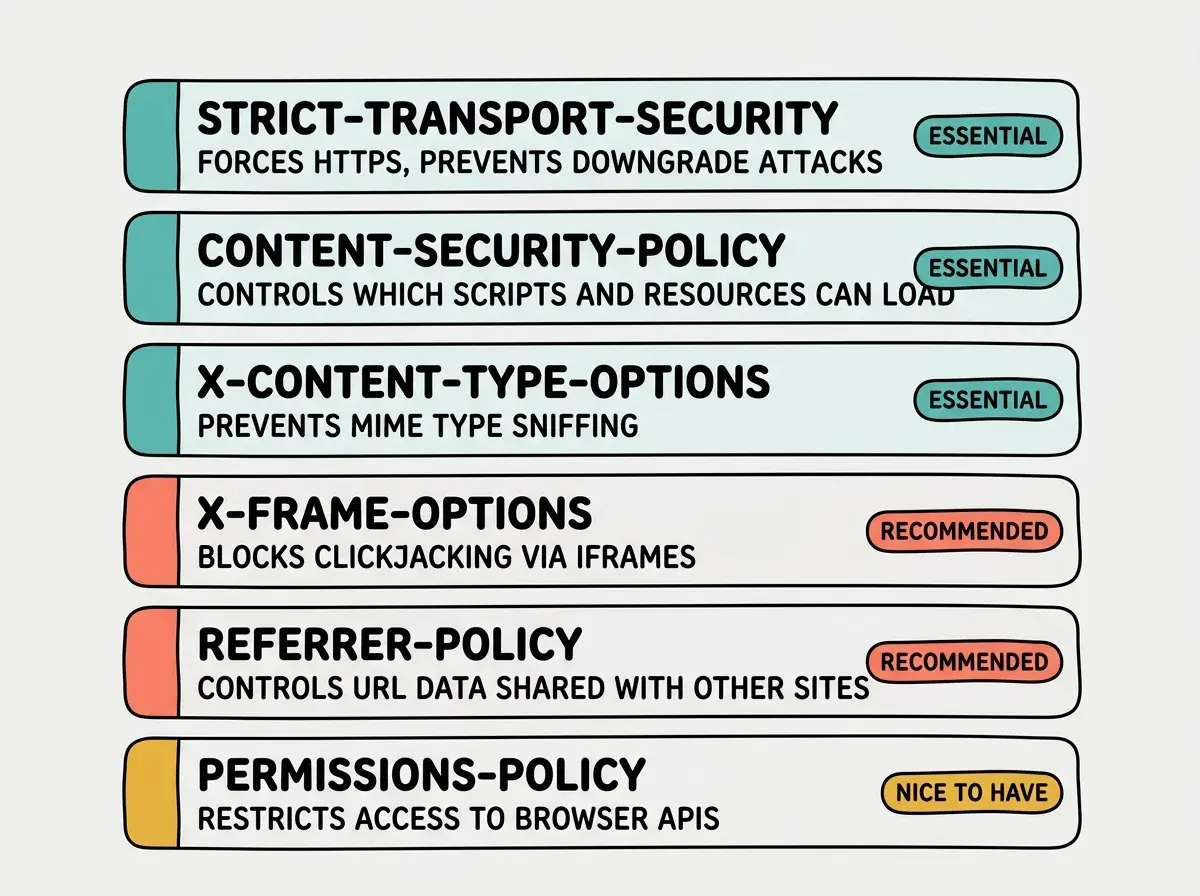
Strict-Transport-Security (HSTS)
Rating: Essential
This header tells browsers to only connect to your site over HTTPS, even if someone types http:// in the address bar. Without it, the first request to your site might happen over an unencrypted connection, giving attackers a window to intercept traffic.
Strict-Transport-Security: max-age=63072000; includeSubDomains; preload
The max-age value is in seconds. 63072000 is two years. includeSubDomains applies the rule to every subdomain. preload lets you submit your domain to the browser preload list, which means browsers will enforce HTTPS before even making the first request.
Set this header on every production application that uses HTTPS, which should be all of them.
Content-Security-Policy (CSP)
Rating: Essential
Content-Security-Policy is the most powerful and most complex security header. It tells the browser exactly which sources of content are allowed to load. A properly configured CSP blocks cross-site scripting (XSS) attacks by preventing unauthorized scripts from executing.
Content-Security-Policy: default-src 'self'; script-src 'self'; style-src 'self' 'unsafe-inline'; img-src 'self' data: https:; font-src 'self'; connect-src 'self'; frame-ancestors 'none'
This policy says: only load scripts from my own domain, allow inline styles (needed for most CSS-in-JS frameworks), allow images from my domain and HTTPS sources, and never allow my site to be embedded in a frame. Each directive controls a specific resource type.
Starting with a strict CSP like default-src 'none' and breaking your entire application. CSP is powerful but unforgiving. If you block a resource your app needs, the page breaks silently with errors only visible in the browser console. Start with Content-Security-Policy-Report-Only to log violations without blocking them, then tighten the policy once you know what your app actually loads.
CSP is the header that takes the most tuning. If you use third-party analytics, payment processors, or embedded widgets, you need to explicitly allow each domain. The report-only mode lets you deploy a policy without breaking anything while you figure out the full list.
X-Content-Type-Options
Rating: Essential
This is the simplest security header to understand and implement. It has exactly one valid value.
X-Content-Type-Options: nosniff
Without this header, browsers will try to "sniff" the content type of a response, potentially interpreting a text file as JavaScript and executing it. This is called MIME type sniffing, and it has been used in attacks where an attacker uploads a file that looks harmless but gets executed as code. The nosniff directive tells the browser to trust the Content-Type header and nothing else.
There is no reason not to set this on every application. It has no side effects and no configuration. Just add it.
X-Frame-Options
Rating: Recommended
This header controls whether your site can be embedded in an iframe on another site. Clickjacking attacks work by embedding your site in an invisible iframe and tricking users into clicking buttons they cannot see.
X-Frame-Options: DENY
DENY prevents all framing. SAMEORIGIN allows framing only from your own domain, which is useful if you have an admin panel that uses iframes internally. If you set frame-ancestors 'none' in your CSP (as in the example above), this header is technically redundant. Set it anyway for browsers that have incomplete CSP support.
Referrer-Policy
Rating: Recommended
When a user clicks a link from your site to an external site, the browser sends a Referer header (yes, the misspelling is part of the HTTP specification) containing the URL they came from. This can leak sensitive information if your URLs contain tokens, user IDs, or internal paths.
Referrer-Policy: strict-origin-when-cross-origin
This policy sends only the origin (your domain, not the full path) when navigating to external sites, but sends the full URL for same-origin requests. It is a good balance between privacy and functionality, since analytics tools on your own domain still get full referrer data.
Permissions-Policy
Rating: Nice to have
Permissions-Policy (formerly Feature-Policy) controls which browser APIs your site can access. If your application does not need the camera, microphone, geolocation, or payment API, you should explicitly disable them.
Permissions-Policy: camera=(), microphone=(), geolocation=(), payment=()
Empty parentheses mean "no origin is allowed to use this feature." This prevents any embedded content or injected scripts from accessing these APIs, even if an attacker manages to execute code on your page.
You do not need to understand every header perfectly before adding them. The essential three (HSTS, CSP, X-Content-Type-Options) protect against the most common attacks. Start with those, deploy, scan your site at securityheaders.com, and iterate. A partial set of security headers is infinitely better than none.
The Next.js Configuration
If you are running a Next.js application, add security headers in your next.config.ts file. This configuration covers all six headers discussed above.
// next.config.ts
import type { NextConfig } from "next";

const securityHeaders = [
  {
    key: "Strict-Transport-Security",
    value: "max-age=63072000; includeSubDomains; preload",
  },
  {
    key: "Content-Security-Policy",
    value:
      "default-src 'self'; script-src 'self'; style-src 'self' 'unsafe-inline'; img-src 'self' data: https:; font-src 'self'; connect-src 'self'; frame-ancestors 'none'",
  },
  {
    key: "X-Content-Type-Options",
    value: "nosniff",
  },
  {
    key: "X-Frame-Options",
    value: "DENY",
  },
  {
    key: "Referrer-Policy",
    value: "strict-origin-when-cross-origin",
  },
  {
    key: "Permissions-Policy",
    value: "camera=(), microphone=(), geolocation=(), payment=()",
  },
];

const nextConfig: NextConfig = {
  async headers() {
    return [
      {
        source: "/(.*)",
        headers: securityHeaders,
      },
    ];
  },
};

export default nextConfig;
The source: "/(.*)" pattern applies these headers to every route in your application. If you need different CSP rules for specific routes (like a page that embeds a third-party widget), you can add additional objects to the returned array with more specific source patterns.
The Vercel Configuration
If you deploy to Vercel and want headers configured at the edge (before your application code runs), use vercel.json. This approach works for any framework, not just Next.js.
{
  "headers": [
    {
      "source": "/(.*)",
      "headers": [
        {
          "key": "Strict-Transport-Security",
          "value": "max-age=63072000; includeSubDomains; preload"
        },
        {
          "key": "Content-Security-Policy",
          "value": "default-src 'self'; script-src 'self'; style-src 'self' 'unsafe-inline'; img-src 'self' data: https:; font-src 'self'; connect-src 'self'; frame-ancestors 'none'"
        },
        {
          "key": "X-Content-Type-Options",
          "value": "nosniff"
        },
        {
          "key": "X-Frame-Options",
          "value": "DENY"
        },
        {
          "key": "Referrer-Policy",
          "value": "strict-origin-when-cross-origin"
        },
        {
          "key": "Permissions-Policy",
          "value": "camera=(), microphone=(), geolocation=(), payment=()"
        }
      ]
    }
  ]
}
Security headers are one piece of the production puzzle. Get the full picture.
Start here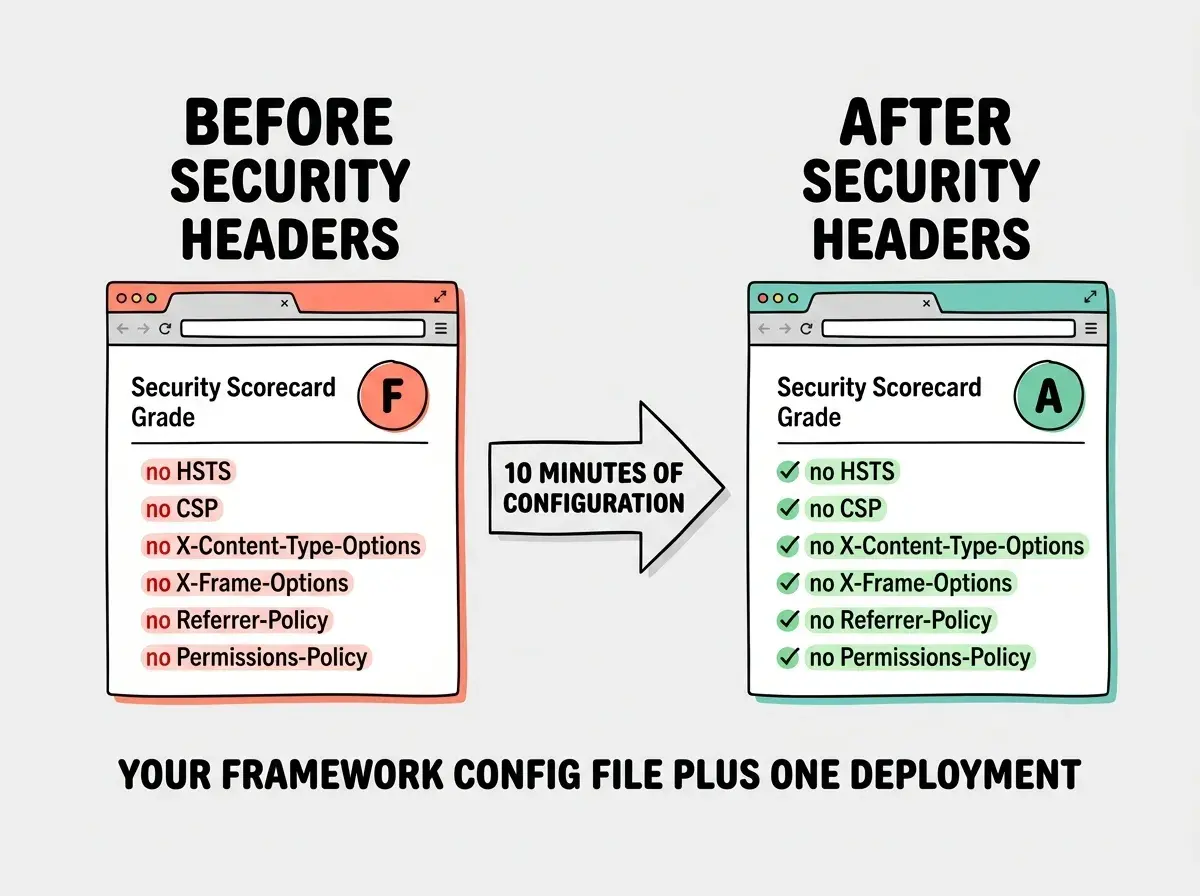
Tuning CSP for Real Applications
The CSP example above is deliberately strict. Most production applications need a looser policy because they load resources from third-party domains. Here is how to handle common cases.
Analytics (Google Analytics, Plausible, PostHog): Add the analytics domain to script-src and connect-src. For Google Analytics, that means script-src 'self' https://www.googletagmanager.com and connect-src 'self' https://www.google-analytics.com.
Payment processors (Stripe): Stripe needs script-src 'self' https://js.stripe.com and frame-src https://js.stripe.com because it loads its payment form in an iframe.
Fonts (Google Fonts): Add font-src 'self' https://fonts.gstatic.com and style-src 'self' 'unsafe-inline' https://fonts.googleapis.com.
Image CDNs: Add your CDN domain to img-src. For example, img-src 'self' data: https: https://images.your-cdn.com.
The key principle is to allow only what you actually use and nothing more. Every domain you add to your CSP is a domain that could potentially serve malicious content if compromised. Keep the allowlist tight.
Testing Your Headers
After deploying your headers, verify them using these methods.
Browser DevTools: Open the Network tab, click on any request, and inspect the response headers. Every header you configured should appear.
securityheaders.com: Enter your URL and get an instant grade with specific recommendations. Aim for an A. Getting to A+ requires HSTS preloading, which involves submitting your domain to hstspreload.org and waiting for inclusion in browser builds.
Mozilla Observatory: Run observatory.mozilla.org for a deeper analysis that checks headers alongside other security indicators like cookie flags and redirect chains.
If a header is missing, check that your configuration file is being read. In Next.js, headers defined in next.config.ts only apply in production builds, not in next dev. Deploy first, then test.
Security headers are step one. Learn what else your AI-generated code might be missing.
See the full checklistWhat This Means For You
- If you are a senior developer: You already know what these headers do. The value for you is the copy-paste configurations. Drop the Next.js or Vercel config into your project, tune the CSP for your specific third-party dependencies, and move on. Ten minutes for an A rating is a good trade.
- If you are an indie hacker: Security headers are the highest-impact, lowest-effort security improvement you can make. You do not need to understand the internals of MIME type sniffing or clickjacking to benefit from blocking them. Copy the configuration, deploy it, and check your score. If something breaks, it will almost certainly be CSP blocking a third-party script, and the browser console will tell you exactly which domain to add.