If you are a non-technical founder building with AI tools, you need a security checklist startup teams can run without an engineering degree. 92% of developers now use AI tools daily, and Veracode found that 45% of AI-generated code introduces security vulnerabilities. You are not the exception. These ten checks could save your company.
This is not a comprehensive security audit. It is the ten things that catch the vast majority of real-world breaches in AI-built applications. Lovable, where 60% of users are non-developers, had over 170 production apps exposed through a single missing configuration. And 63% of vibe coding users have no development background, meaning most people building with these tools have never been taught what to look for.
You do not need to understand the code. You need to verify ten things.
The Ten Checks That Actually Matter
Work through them in order. Each one includes what to look for, how to verify it, and what to do if it fails.
1. HTTPS Is Active on Your Live Site
What to look for. The padlock icon in your browser's address bar when you visit your live application URL. The URL should start with https://, not http://.
How to verify. Open your live site in a browser. Look at the address bar. Click on the padlock icon and confirm the certificate is valid and not expired. Try manually typing http:// before your domain and verify it automatically redirects to https://.
What to do if it fails. Most modern hosting platforms (Vercel, Netlify, Cloudflare Pages) provide HTTPS automatically. Check your hosting provider's SSL/TLS settings for a toggle to enable it. If you use a custom domain, verify your DNS settings are configured correctly for the certificate to activate.
2. No .env File in Your Repository
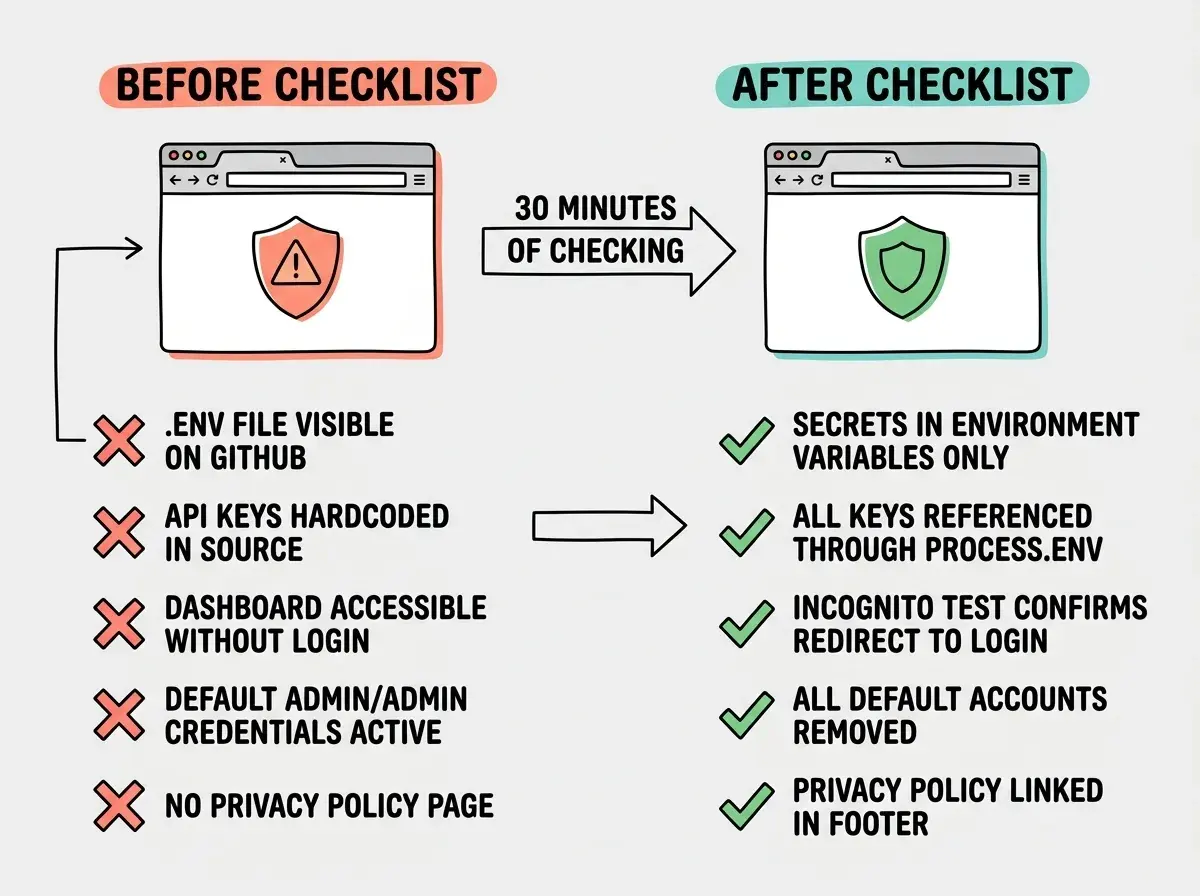
What to look for. Your .env file contains passwords, API keys, and database credentials. If this file is in your GitHub repository, every one of those secrets is public.
How to verify. Go to your GitHub repository. Use the search bar to search for .env within your repo. Look for any files named .env, .env.local, or .env.production. Check your .gitignore file and confirm it includes .env on its own line.
What to do if it fails. Two things, immediately. First, remove the file and add .env to your .gitignore. Second, change every password and API key that was in that file. Deleting it from your current code does not remove it from Git history. Treat every exposed secret as compromised and rotate it.
You do not need to read code to run this checklist. Every check can be verified through a browser, your hosting dashboard, or an incognito window. These ten items protect against the vulnerabilities behind the biggest real-world breaches in AI-built applications. Verify them before launch and you are ahead of 90% of non-technical founders.
3. API Keys Are Not Visible in Your Source Code
What to look for. API keys hardcoded directly into your application files instead of stored in environment variables. This is different from the .env check. Your .env might be properly hidden, but your AI tool may have copied key values directly into source code.
How to verify. In your GitHub repository, search for sk-, api_key, secret, password, token, and Bearer. If you see actual key values (long strings of random characters), those are exposed secrets.
What to do if it fails. Replace every hardcoded key with an environment variable reference (like process.env.API_KEY). Add the real key to your hosting platform's environment variables. Rotate the exposed key, because it exists in Git history forever.
4. Authentication Actually Works
What to look for. Your login and signup flows should work correctly, reject bad credentials, and properly create user sessions.
How to verify. Open an incognito browser window (no existing sessions). Try signing up, logging in, logging in with a wrong password, and logging in with a nonexistent email. Wrong passwords should be rejected. The error message should be generic ("Invalid credentials"), not revealing whether the email exists.
What to do if it fails. Tell your AI tool what is wrong. Ask it to reject invalid credentials and return generic error messages that do not reveal which accounts exist.
5. Protected Routes Actually Redirect
What to look for. Pages that should require login (dashboards, account settings, admin panels) should redirect to the login page when accessed without being logged in.
How to verify. In an incognito window, paste the direct URL of your dashboard or any page behind a login wall. If you can see the content without logging in, the route is not protected.
What to do if it fails. This is one of the most common failures in AI-generated code. The AI builds pages and the login flow but does not connect them. Ask your AI tool to add route protection that checks for a valid session and redirects to login if none exists.
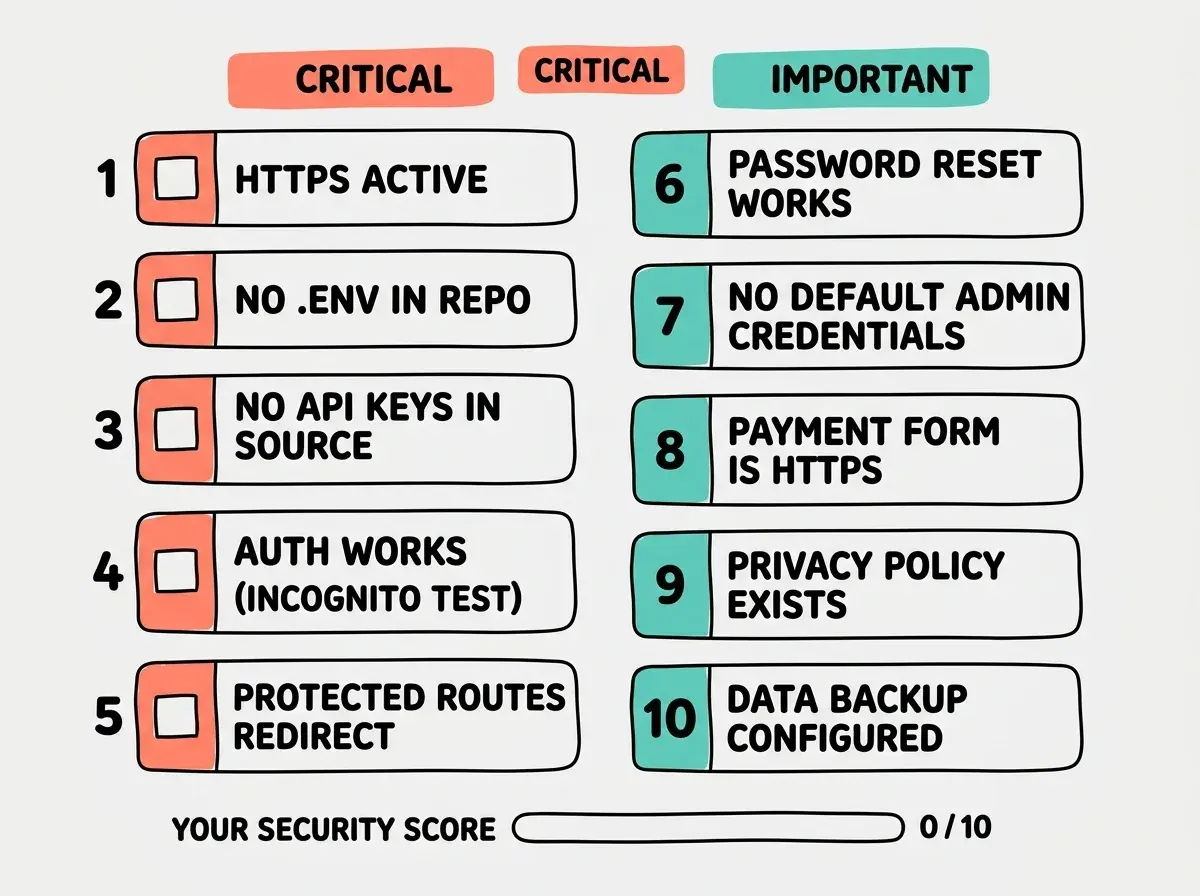
6. Password Reset Actually Works
What to look for. The password reset flow should send a real email with a working link that lets users set a new password.
How to verify. Click "Forgot Password" on your login page. Check that you receive a reset email. Click the link, set a new password, confirm you can log in with it. Then click the reset link again. It should no longer work. Reset links should expire after one use.
What to do if it fails. If no email arrives, your email service probably needs production API keys set in your hosting platform's environment variables. If the link works multiple times, ask your AI tool to add one-time-use token expiration to the reset flow.
7. No Default Admin Credentials Exist
What to look for. AI tools sometimes generate admin accounts with default passwords like "admin/admin" during development. If those still exist in production, anyone who guesses the default can access your admin panel.
How to verify. Try logging in with common defaults: admin/admin, admin/password, admin@example.com/password123. Check your database provider's dashboard for user accounts you did not create, especially any with admin roles.
What to do if it fails. Delete every test and default account from your production database. Change admin credentials to a strong, unique password. If the AI generated seed data that creates default accounts on startup, remove that seed data from production.
Skipping the incognito window test. If you test authentication while already logged in, your existing session makes everything look fine. The incognito window simulates what a new visitor or attacker sees. Nearly every founder I have talked to who launched with broken auth tested it while logged in. The vulnerability was invisible until someone else tried to access the app.
8. Your Payment Form Runs Over HTTPS
What to look for. If your app accepts payments, the payment page must be served over HTTPS. Credit card information over an unencrypted connection is both a security vulnerability and a PCI compliance violation.
How to verify. Navigate to your checkout page. Confirm the padlock icon is present. If you use Stripe, Paddle, or LemonSqueezy, confirm the payment form is their embedded widget, not a custom form your AI built. If your AI tool built a form that collects card numbers directly, that is a serious problem.
What to do if it fails. Switch to a third-party payment provider's embedded checkout. Stripe Checkout, Paddle, and LemonSqueezy handle PCI compliance for you. Never let an AI tool build a custom form that directly handles credit card numbers.
9. A Privacy Policy Exists and Is Accessible
What to look for. A privacy policy page describing what data you collect, how you use it, and how users can request deletion. This is legally required in the EU (GDPR), California (CCPA), and most jurisdictions if you collect any personal information.
How to verify. Look for a privacy policy link in your app's footer. Click it and confirm it loads real content that mentions the types of data your application actually collects.
What to do if it fails. Use a privacy policy generator (Termly, iubenda, or similar) to create a policy matching your data practices. Add the link to your footer and signup page. Do not ask your AI tool to write a privacy policy from scratch. Use a service designed for legal compliance.
10. Data Backup Is Configured
What to look for. If your app stores user data in a database, automated backups should be enabled so data loss from bugs, attacks, or accidental deletion can be recovered.
How to verify. Log into your database provider's dashboard (Supabase, PlanetScale, Neon, or whichever service your AI tool set up). Find the backup or recovery section. Confirm automated backups are enabled.
What to do if it fails. Enable automated backups in your provider's settings. This is usually a single toggle. If your provider does not offer them, switch to one that does before launch.
These ten checks take thirty minutes and could save you from the breaches that have hit hundreds of AI-built apps.
Start hereAfter the Checklist
Passing all ten checks does not mean your application is perfectly secure. It means you have closed the doors attackers walk through most. Make this a habit. Run through the list before every major update. If you want to go further, hire a security professional for a penetration test before you scale. But these ten checks, done consistently, put you ahead of most AI-built apps shipping today.
What This Means For You
- If you are a non-technical founder, run this checklist before every launch. These ten checks take thirty minutes and protect against the failures that have exposed hundreds of thousands of users. You do not need to understand the code. You need to verify the outcomes.
- If you are a solo builder, the incognito window is your best friend. It shows you what your users actually see, not what your logged-in session shows. Half these items need nothing more than an incognito window and your hosting dashboard.
- If you are managing a small team, make this checklist a gate in your deployment process. No feature goes live until someone who did not build it runs through these ten checks. Fresh eyes catch what the builder's brain filters out.
Learn why AI-generated code has structural security problems and what the industry is doing about it.
Read more