To assess the real cost of free AI coding tools in 2026, look beyond the $0 price tag and account for four hidden costs that most users underestimate (productivity loss from inferior model quality, time wasted on rate limits and queue waits, opportunity cost of not having advanced features, and maintenance burden of stitching together free tools), then compare against paid alternatives that often produce better unit economics despite higher monthly fees. Free is rarely free when you account for the full picture; serious users typically save money by paying for premium tools.
This piece walks through the four hidden costs, the comparison framework for free vs paid, the situations where free really is free, and the four mistakes builders make when choosing tooling based on monthly fees alone.
Why "Free" Is Almost Never Actually Free
Free tools have real costs that show up elsewhere in your workflow. Slower model output costs hours of waiting; lower-quality output requires more iteration; rate limits force context-switching; missing features push you toward workarounds. These costs add up but rarely appear on any invoice.
The 2026 reality is that AI coding tools have fragmented into clear tiers: free models that handle basic scaffolding, mid-tier models that produce production-ready code, premium models that handle complex architectural work. The price gap reflects real capability differences; choosing free when paid would produce dramatically better outcomes is false economy.
A 2025 GitClear productivity analysis of 5,000 developers using AI coding tools found that developers using free-tier models took 2.3x longer to complete equivalent tasks than developers using premium models, and produced code that required 1.8x more revision iterations. The implicit hourly cost dwarfed the $20-50 monthly difference for most users. The math says paid almost always wins for active builders; free tools serve casual exploration but underperform for serious work.
The pattern to copy is the way professional photographers think about gear costs. A free camera produces some photos but constrains output quality; the rental fee or purchase price of professional gear pays back through better work and faster delivery. AI coding tools follow the same logic; the tool cost is small compared to the time and quality difference.
The Four Hidden Costs of Free AI Tools
Four costs consistently appear with free tools but are easy to miss in headline price comparisons.
Cost 1, productivity loss from inferior models. Free tier models produce more bugs, less coherent code, more iterations needed. The hours spent fixing AI mistakes often exceed the cost of the better model.
Cost 2, rate limits and queue waits. Free tiers throttle aggressively. A 10-minute coding session that becomes 40 minutes because of waits has cost you 30 minutes worth of paid hours.
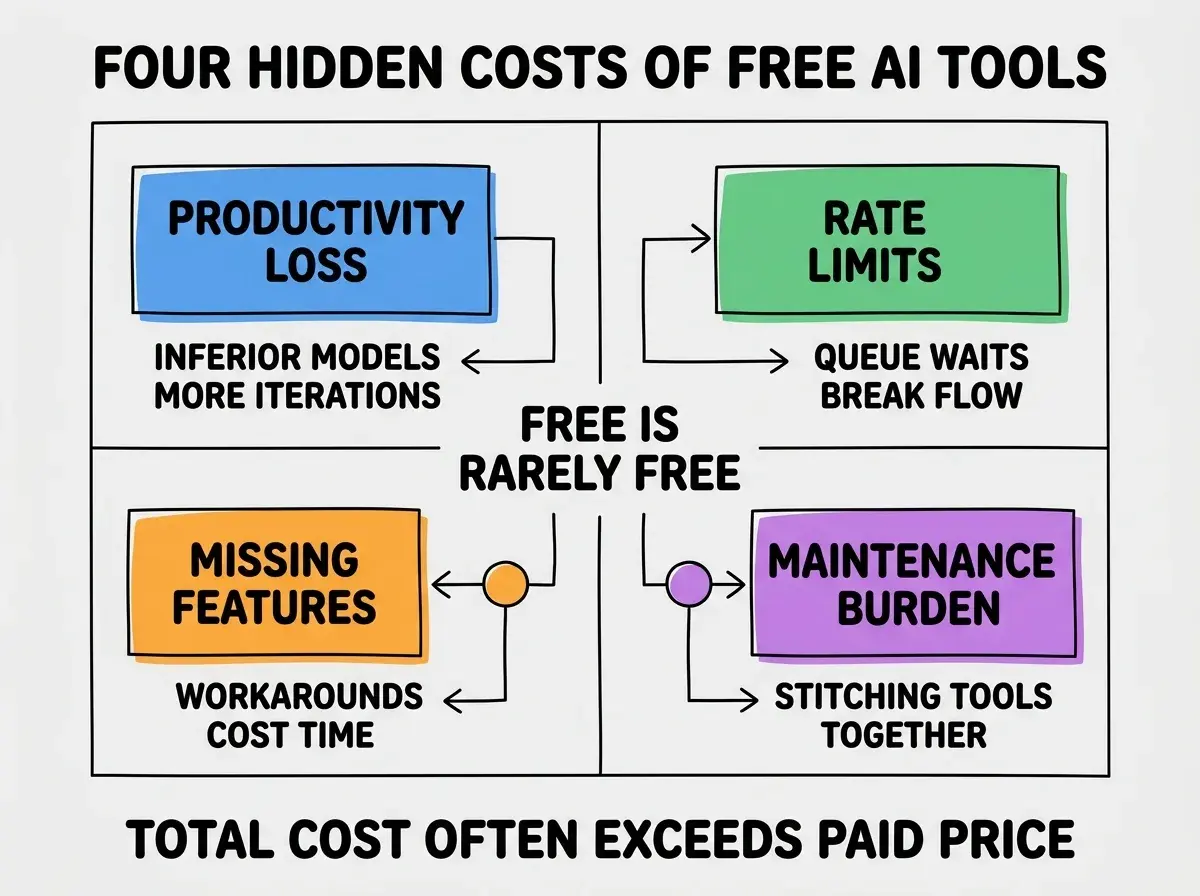
Cost 3, missing features force workarounds. Premium features (extended context, better tool use, file system access) compress workflows substantially. Without them, builders work around limitations in ways that consume hours weekly.
Cost 4, maintenance burden of stitching free tools. When one tool falls short, builders combine multiple free tools. The combination requires maintenance: managing accounts, keeping configurations in sync, debugging when one tool changes. The cumulative overhead is substantial.
How to Calculate Your Real Cost
Three patterns help calculate the actual cost of a free vs paid tool decision.
Pattern 1, estimate hours per week using the tool. If you use AI coding tools 10 hours per week, every percentage point of productivity matters. A 20 percent productivity improvement on 10 weekly hours is 2 hours saved.
Browse more cost analysis guides
Read more foundations articlesPattern 2, value your time at a realistic rate. Even at $50/hour (well below most developer rates), 2 hours saved per week equals $400/month. A $20/month tool that produces 20 percent productivity gain has 20x ROI.
Pattern 3, factor the quality-of-output difference. Lower quality means more debugging time and more user-facing bugs. The downstream costs of bad code often exceed the upstream cost of better tools.
The Situations Where Free Is Actually Free
Three situations exist where free really is free. Recognizing them helps avoid overspending on tools you would not use heavily.
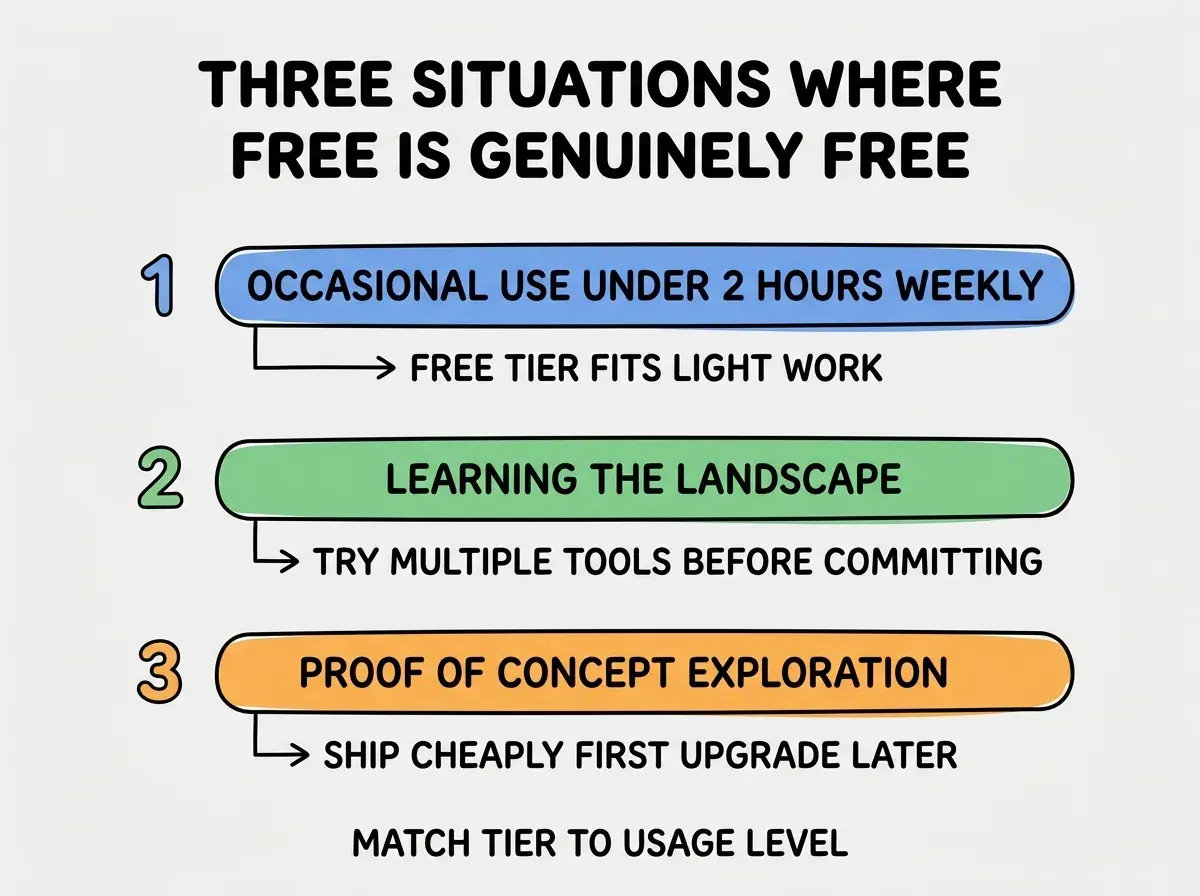
Situation 1, occasional use under 2 hours weekly. Light users do not benefit enough from premium features to justify subscription cost. Free tier is genuinely free for casual exploration.
Situation 2, learning the landscape. Trying multiple tools before committing to one. Free tiers let you evaluate without committing budget; the comparison is the value, not the production work.
Situation 3, proof of concept exploration. Building throwaway demos to test ideas. The output is not maintained or shipped; quality matters less than zero cost.
How Tool Tier Affects Different Workflows
Three workflow patterns illustrate how tier choice produces dramatically different outcomes.
Workflow 1, building a production app. Premium tier dramatically wins. Better code quality reduces bugs, faster iteration accelerates shipping, advanced features compress workflows. The $50/month tool saves thousands in time costs.
Workflow 2, learning a new framework. Mixed tier choice. Free works for tutorials and experimentation; paid helps when you start building real projects in the framework. Upgrade as your usage intensifies.
Workflow 3, occasional script writing. Free tier wins. Light usage does not benefit from premium features; the subscription overhead exceeds the value for genuinely occasional users.
The combination shows that tier choice is workflow-dependent rather than universal. Heavy users benefit dramatically from paid; light users do not.
How to Decide Between Free and Paid
Three decision criteria help pick the right tier for your situation.
Criterion 1, hours per week of active use. Below 2 hours, free tier is fine. Above 5 hours, paid is almost always better. The 2-5 hour range deserves more analysis.
Criterion 2, output destination. Code that ships to production warrants premium tools. Throwaway code can use free tools. The destination of the work determines the value of the tools.
Criterion 3, your hourly cost or value. The higher your time value, the smaller the productivity improvement needed to justify paid tools. A founder with $500K business riding on velocity should not pinch pennies on $50 monthly tools.
The combination produces clear decisions for most users. Without explicit criteria, decisions default to "free if possible" which often produces worse economics than the user realizes.
The most damaging tool-cost mistake is comparing tools by sticker price rather than total cost of ownership. A free tool that takes 50 percent longer than a $50/month paid tool costs the user thousands of dollars per month in lost productivity time, even though the spreadsheet shows $0. The fix is to estimate hours of use per month and value those hours at your real time cost; the paid tool is almost always cheaper for active users. Founders who run this calculation honestly upgrade dramatically more often than founders who default to free.
The other mistake is over-paying for premium tools you do not use. Some founders subscribe to every premium AI tool, then use 20 percent of any of them. The fix is to commit to one or two primary tools and use them deeply rather than spreading across many shallow subscriptions. Tool consolidation produces better outcomes than tool collection; depth of use beats breadth of access.
What This Means For You
Tool selection is consequential decision in 2026 that deserves more thought than most builders give it. The four hidden costs and three free-is-free situations help calibrate decisions appropriately.
- If you're a founder: Calculate your real total cost honestly. The paid tools that look expensive often produce dramatically better unit economics than the free tools that look cheap.
- If you're changing careers into development: Invest in premium AI tools as part of skill-building. The accelerated learning compounds across your entire career.
- If you're a student: Use free tiers while learning fundamentals, but understand that professional developers use premium tools. The transition is part of becoming professional.
Browse more tool selection guides
Read more foundations articles