A security audit checklist is not something most solo builders think about until something breaks. But the numbers make the case. 92% of developers now use AI tools daily, and Veracode's 2025 research found that 45% of AI-generated code contains security vulnerabilities. If you are shipping vibe-coded applications, a quarterly security review is the minimum responsible practice.
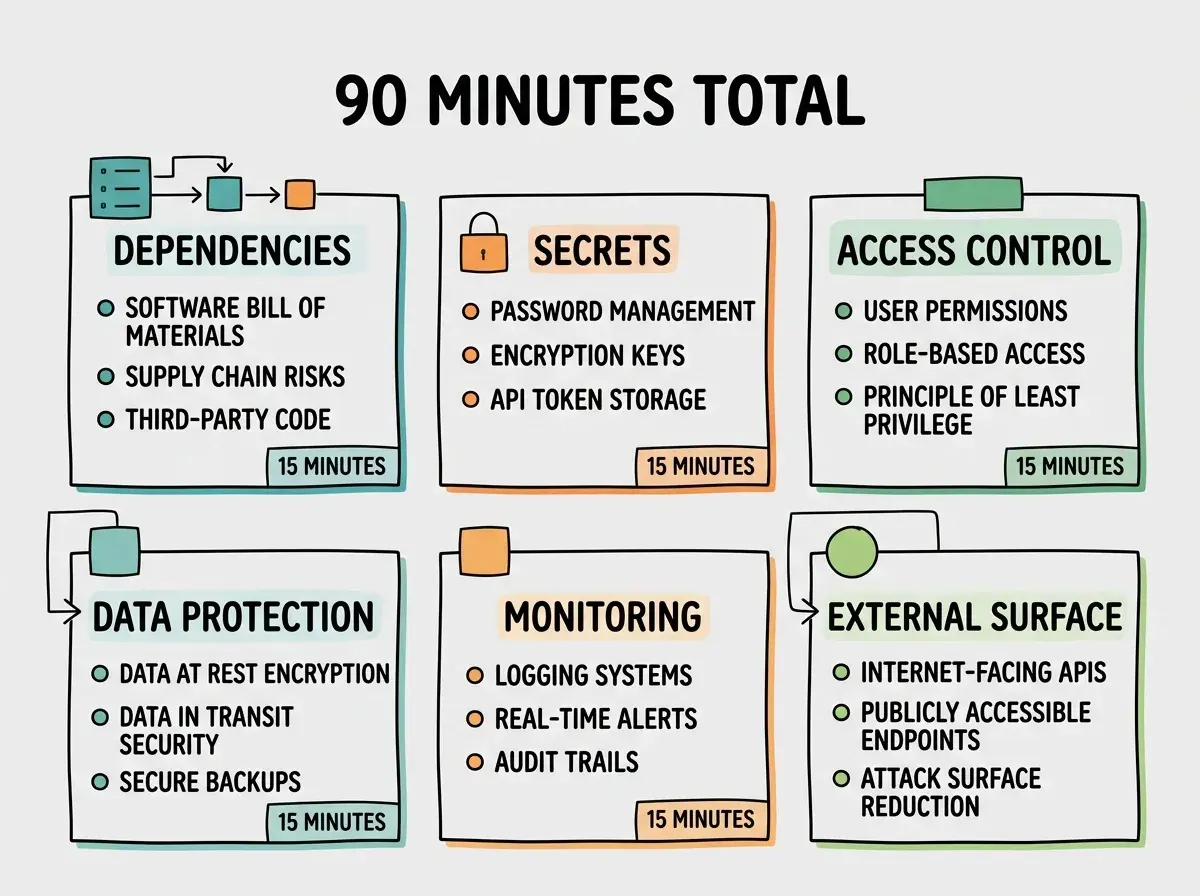
This checklist breaks into six categories, each designed to take roughly 15 minutes. Block 90 minutes once per quarter, work through them in order, and you will catch the vulnerabilities that automated scanners miss and attackers actively hunt for.
Dependencies and Supply Chain
Your dependencies are the largest attack surface you are not thinking about. Every package you install brings its own dependencies, and any one of them can introduce vulnerabilities silently between the quarterly reviews.
Run npm audit and actually read the output. Not just the summary. Read the specific vulnerabilities, their severity, and which packages they affect. AI tools install packages aggressively, often pulling in libraries you never asked for. A typical run after three months surfaces 5-15 new vulnerabilities.
Check for outdated packages. Run npm outdated and review every package that has fallen more than one major version behind. Outdated packages are not just missing features. They are missing security patches. Prioritize anything in your authentication stack, your HTTP layer, and your database drivers. Those are the packages attackers target first.
Verify your lockfile is committed and unchanged. Your package-lock.json or yarn.lock should be in version control and should match what is deployed. If the lockfile has been deleted and regenerated, your dependency tree may have shifted underneath you. Any unexpected changes deserve investigation.
Remove unused dependencies. Run npx depcheck to find packages in your package.json that nothing in your codebase actually imports. Every unused dependency is attack surface with zero benefit. AI tools are particularly bad about leaving behind packages from abandoned approaches that were never cleaned up.
Secrets and Credentials
Exposed secrets are the fastest path from "everything is fine" to "someone has full access to your infrastructure." This section takes 15 minutes and prevents the kind of breach that takes weeks to recover from.
Search your codebase and Git history for exposed keys. Run gitleaks detect across your repository. Check for API keys, database credentials, JWT secrets, and third-party tokens that were committed at any point. A secret removed in the latest commit still exists in every previous commit. If you find an exposed secret, rotate it immediately. Not tomorrow. Now.
Review your secret rotation schedule. Make a list of every secret your application uses. When was each one last rotated? If the answer is "never" or "I do not remember," that secret is overdue. Rotate critical secrets (database passwords, API keys with write access, JWT signing keys) at least once per quarter.
Audit your .env files across all environments. Compare your local .env, staging .env, and production environment variables. Look for development secrets that accidentally made it to production, production secrets that leaked into development, and any secrets that are shared across environments when they should be unique.
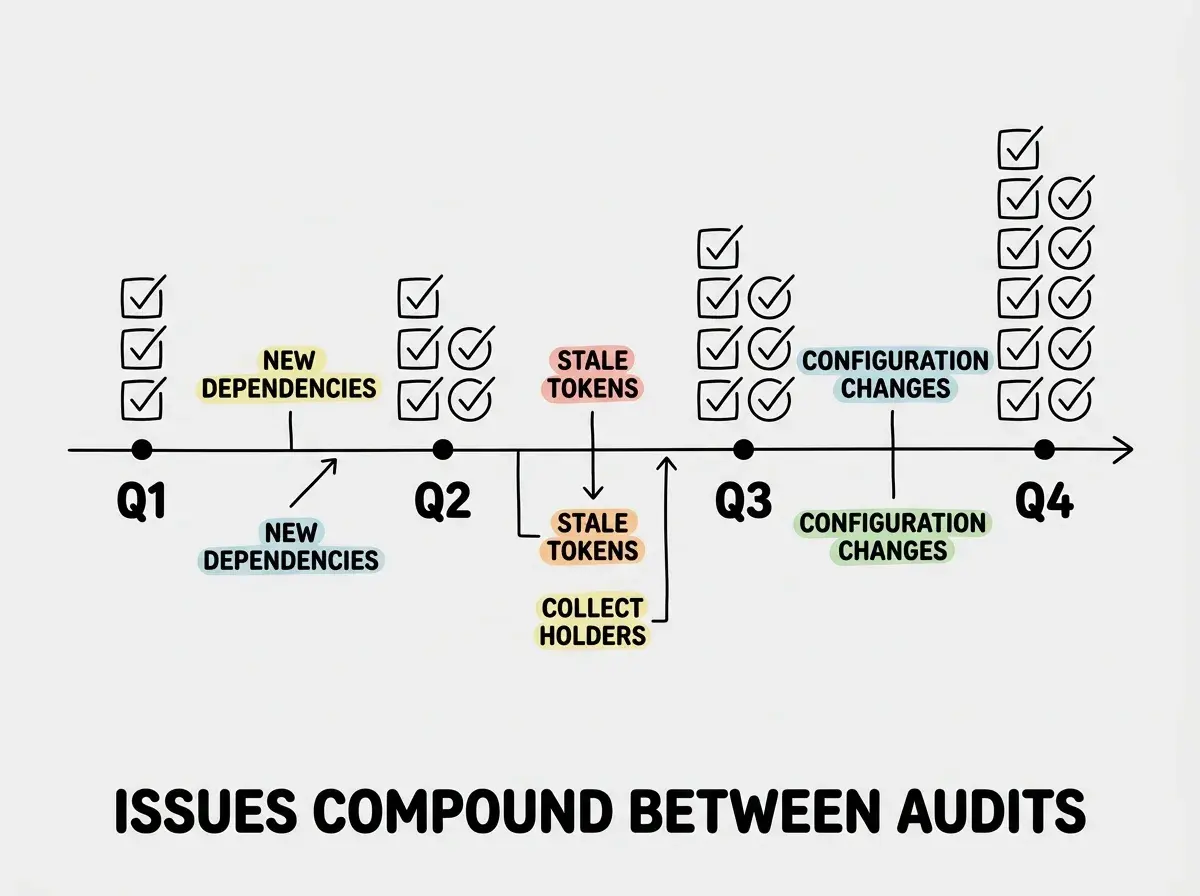
The goal of a quarterly security audit is not to achieve perfect security. It is to catch the vulnerabilities that accumulate silently between reviews. Dependencies drift, secrets age, unused accounts pile up, and monitoring configurations rot. Ninety minutes of structured review every quarter catches problems that would otherwise only surface during an active breach.
Access Control
Access control problems are invisible until they are catastrophic. This section reviews who and what has access to your systems, and whether that access is still appropriate.
Identify and remove unused accounts. Check every service your application depends on: hosting platform, database provider, third-party APIs, DNS registrar, domain provider. Look for team members who no longer need access, test accounts that were never deleted, and service accounts from integrations you stopped using. Every unused account is a door that nobody is watching.
Review token and API key permissions. Pull up every API key and access token your application uses. Check their permission scopes. AI tools frequently request broad permissions during setup ("admin access" or "full read/write") when the application only needs narrow access. Downgrade every token to the minimum permissions required. A database token that only reads user profiles should not have permission to drop tables.
Verify MFA on critical accounts. Your hosting platform, your GitHub account, your DNS registrar, and your database provider should all have multi-factor authentication enabled. If any of these accounts are protected only by a password, fix that before continuing the audit.
Data Protection
Data protection is about proving your safety nets actually work, not just assuming they exist.
Test your backups by actually restoring one. Having automated backups configured is not enough. Download your most recent backup and restore it to a test environment. If the backup is corrupted, incomplete, or you cannot figure out how to restore it, the backup does not exist in any meaningful sense. Do this every quarter without exception.
Verify encryption at rest and in transit. Check that your database encrypts stored data. Confirm that all connections between your application and external services use TLS. Run curl -I against your own API endpoints and verify the response includes Strict-Transport-Security headers. AI-generated code sometimes connects to databases or APIs over unencrypted connections because the development environment did not require it.
Review your data retention policy. Are you keeping user data longer than necessary? Check for log files, analytics data, session records, and temporary uploads that accumulate without any cleanup. Every piece of stored data is data that can be breached. If you do not need it, delete it.
Assuming backups work because the backup service shows a green checkmark. Managed database providers show successful backup status even when the backup is incomplete or the restore process requires steps you have never tested. The only way to verify a backup is to restore it. Schedule a test restore as part of every quarterly audit, and do not mark the data protection section complete until you have seen your data come back from a backup successfully.
Monitoring and Alerting
Monitoring is the difference between catching a breach in hours and discovering it in weeks. This section verifies that your detection systems are actually working.
Review your error logs for the past quarter. Open your error tracking tool and look at the trends. Are error rates climbing? Are there new error types you have not investigated? Pay special attention to authentication failures, 403/401 responses, and any errors in your payment or data access layers. A spike in authentication failures is often the first visible signal of a credential stuffing attack.
Check your alert configurations. When did you last receive an alert? If the answer is "never," your alerts might not be working. Trigger a test alert deliberately. Confirm it arrives through the expected channel (email, Slack, SMS) within the expected timeframe. An alerting system that has never fired is an alerting system you have never tested.
Verify your uptime monitoring covers all critical paths. Your uptime monitor probably checks your homepage. Does it also check your API endpoints, your authentication flow, and your payment processing? A site that returns a 200 on the homepage while the login endpoint is down is "up" according to your monitor and broken according to your users.
External Surface
Your external surface is everything visible to the public internet. Attackers enumerate this surface automatically, so you should too.
Run a port scan against your production server. Use nmap or an online scanner like Shodan to see what ports are open on your production infrastructure. You should see 80 (HTTP), 443 (HTTPS), and nothing else unless you have a specific reason. Open database ports (3306, 5432, 27017) on a production server mean your database is directly accessible from the internet. This is an emergency, not a finding.
Audit your exposed API endpoints. List every API route your application exposes. For each one, verify it requires authentication, validate that it handles malformed input without crashing, and confirm it returns appropriate error codes. AI-generated API routes frequently lack input validation entirely, and an endpoint that passes raw input directly to a database query is an invitation for injection attacks.
Review your DNS records. Log into your DNS provider and review every record. Look for records pointing to infrastructure you no longer use (old servers, decommissioned services, expired trials). Dangling DNS records can be hijacked by attackers to serve malicious content on your domain. Remove any record that does not point to active infrastructure.
Get the deployment fundamentals right before you start worrying about quarterly audits.
Learn the basicsRunning the Audit
Set a recurring calendar event for the first week of every quarter. Block 90 minutes. Work through the six sections in order. Keep a simple document tracking what you found and what you fixed. After your first audit, the subsequent ones go faster because you have already fixed the structural problems. The recurring issues become predictable, and the new ones become the focus.
The worst time to learn how to do a security audit is during an active incident. The best time is a quiet Tuesday morning when nothing is on fire.
This audit assumes your app was built with basic security practices. Make sure yours was.
Read the security guideWhat This Means For You
- If you are an indie hacker: You are probably the only person standing between your users' data and an attacker. That is not a criticism. It is a reality. Ninety minutes per quarter is a small investment compared to the cost of a breach that destroys the trust you have built with your early users. Put the audit on your calendar today, not after the next feature ships.
- If you are a senior developer: You already do most of this instinctively for code you wrote yourself. The quarterly cadence matters because AI-generated code drifts differently than human-written code. Dependencies pile up faster, permissions are broader by default, and the attack surface grows in ways your intuition does not predict. The structured review catches the gaps that experience alone misses.