With 92% of builders now using AI tools daily, there is one task where AI consistently delivers value that nobody talks about enough. Documentation. Good AI documentation prompts turn the part of building that everyone skips into something that takes minutes instead of hours, and the results are often better than what you would write on your own.
Documentation is the thing you always promise to write later and never do. Then three months pass, you open a project, and you have no idea what anything does. You do not remember why you chose that library, what environment variables are required, or how the API endpoints actually work. The code still runs, but it might as well be written by a stranger.
AI tools are remarkable at generating documentation because they can read your entire codebase and explain it without the curse of knowledge. You know too much about your own project to write beginner-friendly docs. The AI does not have that problem.
README Generation That Actually Helps
The default README prompt most people try is something like "write a README for this project." The result is a generic template with placeholder text that you will need to rewrite anyway. That defeats the entire purpose.
Instead, give the AI your project context and tell it what a new person needs to know. Here is a prompt pattern that produces READMEs people actually read.
Look at this project's codebase and write a README that answers these questions:

1. What does this project do, in one paragraph a non-technical person would understand?
2. What do I need installed before I can run it? (exact versions if they matter)
3. What are the step-by-step commands to get it running locally?
4. What environment variables are required, and where do I get each one?
5. What does the folder structure look like, and what lives where?

Keep it under 200 lines. Skip badges and contribution guidelines.
That last line matters. Without it, the AI will generate a bloated README with badges, license sections, contribution guidelines, and a table of contents for a document that does not need one. You want the README that helps someone get started in five minutes, not the one that looks impressive on GitHub but nobody reads.
For environment variables specifically, a great follow-up prompt is: "List every environment variable this project uses, what service it connects to, whether it is required or optional, and what happens if it is missing." This produces a reference table that saves hours of debugging when someone forgets to set a variable.
The best documentation prompt is not "write docs for this." It is a list of specific questions that a new person would ask. Frame your prompts as questions, and the AI will produce documentation that answers real needs instead of filling templates.
When to Comment Code and What to Say
Here is where most people get documentation wrong with AI. They ask the AI to "add comments to this code" and end up with something like this:
// Set the user's name
const userName = user.name;

// Check if the user is an admin
if (user.role === "admin") {
  // Show the admin panel
  showAdminPanel();
}
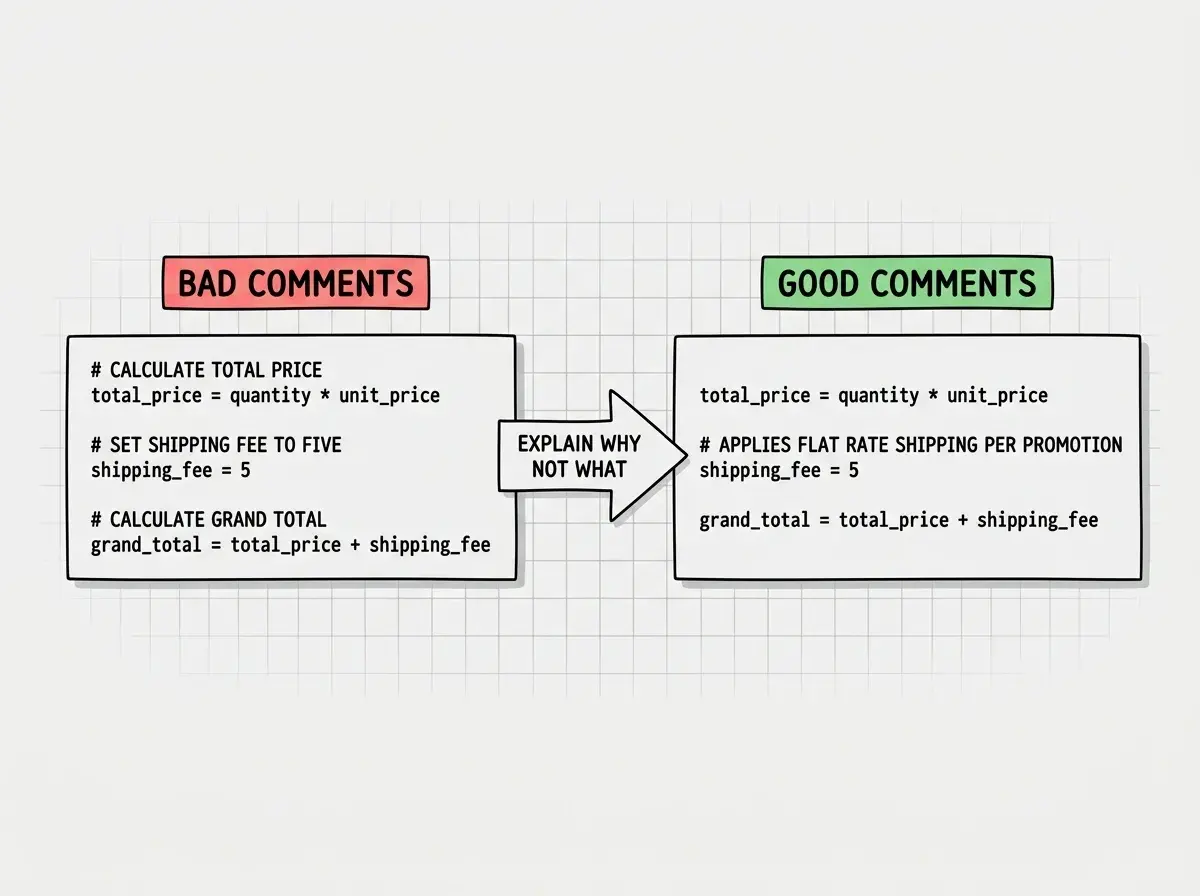
Every single comment restates what the code already says. This is documentation bloat. It makes the file harder to read, not easier. The code was already clear. The comments added noise, not signal.
The rule is simple: comments should explain why, not what. The code tells you what is happening. Comments should tell you why it is happening that way.
Here is a prompt that produces useful comments:
Review this code and add comments only where the WHY is not obvious.
Explain business logic decisions, workarounds, and non-obvious choices.
Do NOT comment on what the code does if the code is self-explanatory.
If a section needs no comment, leave it alone.
The result looks more like this:
const userName = user.name;

// Admin check happens before data fetch because admin users
// see a different dataset and we avoid loading regular data
// only to discard it
if (user.role === "admin") {
  showAdminPanel();
}
One comment that explains a real decision is worth more than twenty that restate the obvious. When you prompt AI for comments, always emphasize the why-not-what rule, or you will spend more time deleting useless comments than you saved generating them.
API Documentation With Real Examples
If your project has API endpoints, AI can generate documentation that includes the request format, response format, error cases, and authentication requirements. But again, the default prompt produces generic results. You need to be specific about what good API docs look like.
Document this API endpoint with the following structure:
- URL and HTTP method
- What it does in one sentence
- Required headers (especially authentication)
- Request body with a real example using realistic data
- Success response with a real example
- Error responses (at least 2 common ones) with examples
- Any rate limits or special behavior

Use realistic data in examples, not placeholder values like "string" or "123".
The "realistic data" instruction is important. API docs with placeholder values like "name": "string" are useless when you are trying to understand the shape of the data. Docs with "name": "Sarah Chen" and "email": "sarah@example.com" immediately communicate the expected format.
For projects with multiple endpoints, prompt the AI to organize them by resource. "Group all user-related endpoints together, then all payment endpoints, then all notification endpoints." This produces documentation that follows the mental model of someone trying to integrate with your API, not just a flat list of every route in alphabetical order.
The "Explain This to a New Developer" Prompt
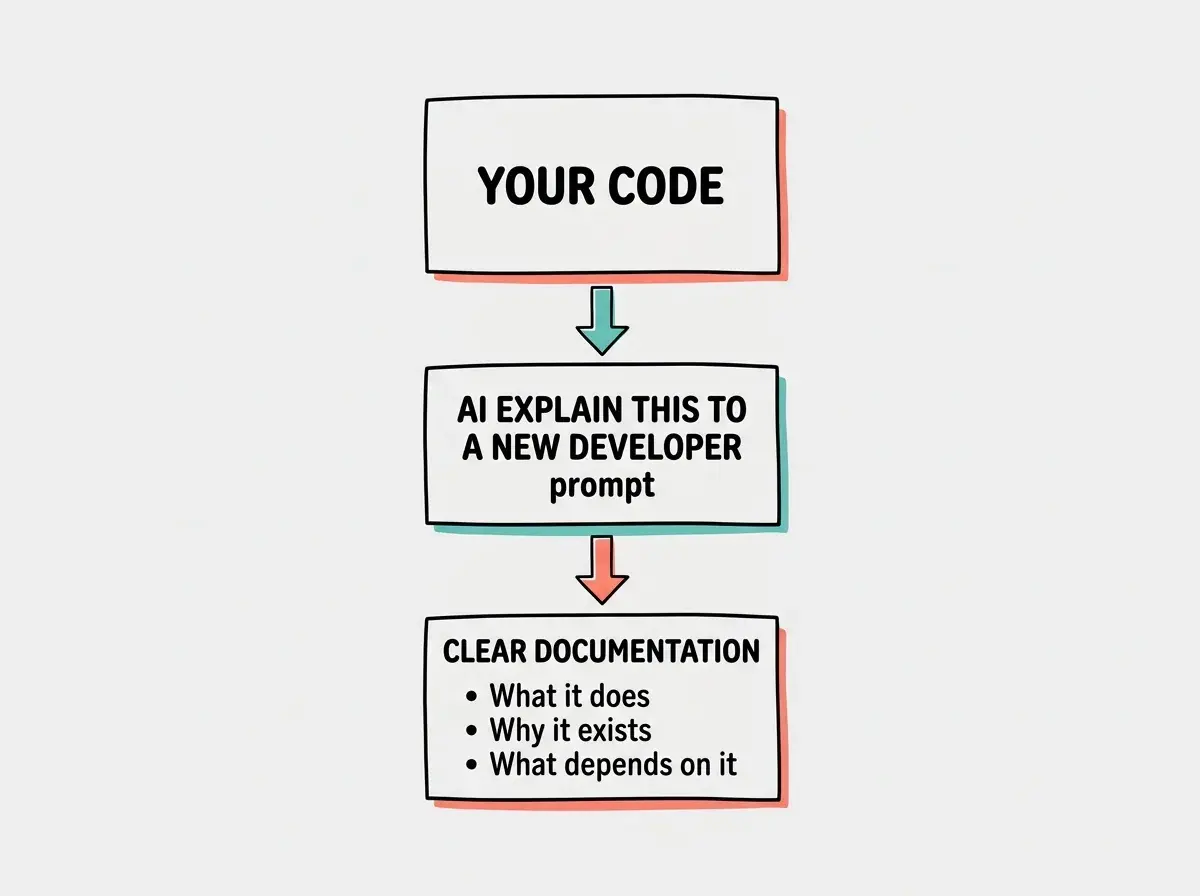
This is the single most useful documentation prompt you will ever learn. When you have a file, function, or system that is hard to understand, use this:
Explain this code as if you are onboarding a new developer who has
never seen this project. Cover what it does, why it exists, what
calls it, and what would break if someone changed it carelessly.
This prompt works because it forces the AI to consider context, dependencies, and consequences. Instead of a surface-level description, you get an explanation that covers the things a new person would actually need to know before touching the code.
You can use this prompt to generate onboarding documents for your entire project. Point the AI at your most important files one by one, use this prompt, and compile the results into a single document. You will have an onboarding guide that would have taken days to write manually, produced in under an hour.
This also works brilliantly for code you did not write. Open source libraries, inherited codebases, that file your cofounder wrote at 2 AM. Paste it in, use the prompt, and get an explanation that actually makes sense.
Avoiding Documentation Bloat
The biggest risk with AI-generated documentation is producing too much of it. AI tools will happily generate pages of documentation for a ten-line function if you let them. More is not better. More documentation means more maintenance, more things that go stale, and more noise for someone trying to find the one thing they need.
Here are prompt patterns that keep documentation lean:
For READMEs: "Keep this under 200 lines. Only include what someone needs to get started."
For code comments: "Only comment where the intent is not obvious from the code itself. If a section is self-explanatory, skip it."
For API docs: "One example per endpoint. Skip the edge cases unless they are genuinely surprising."
For architecture docs: "Describe the system in under 500 words. Use a bullet list for the major components and how they connect."
The goal is documentation that is short enough that people actually read it and accurate enough that they can trust it. A 50-line README that covers the essentials is infinitely more valuable than a 500-line README that nobody finishes.
Asking AI to "add thorough documentation everywhere" produces walls of text that become outdated within weeks. Always constrain the length and scope in your prompt. Documentation you do not maintain becomes documentation that lies to you.
One more thing worth knowing: AI-generated documentation goes stale just like human-written documentation. The difference is that regenerating it takes two minutes instead of two hours. Build a habit of re-running your documentation prompts after major changes. Keep a text file with your favorite documentation prompts so you can reuse them. The prompts are the asset, not just the output.
What This Means For You
Documentation is no longer the tax you pay after building. It is something you generate alongside the code, in minutes, using prompts that produce genuinely useful results. The four prompt patterns in this tutorial (README generation, why-not-what comments, example-driven API docs, and the explain-to-a-new-developer prompt) cover the vast majority of what any project needs.
Start with whatever you are building right now. Open your project, paste in the README prompt from this article, and see what the AI produces. Then use the comment prompt on your most confusing file. You will immediately see the difference between generic AI output and documentation that was prompted with intention. Future you, three months from now, will be genuinely grateful.