AI prompt debugging is the skill that separates people who abandon projects from people who ship them. With 92% of builders using AI tools daily, the most common frustration is getting stuck in a loop where the AI keeps producing wrong output no matter how you rephrase. This checklist gives you ten diagnostic steps to break out of that loop.
When your prompts keep failing, the instinct is to get frustrated or blame the tool. But prompt failures are almost always diagnosable. They follow patterns. Once you know what to look for, you can fix most problems in under two minutes. Think of this like a mechanic's diagnostic sequence. You do not replace the engine when the car will not start. You check the battery first.
How to Use This Checklist
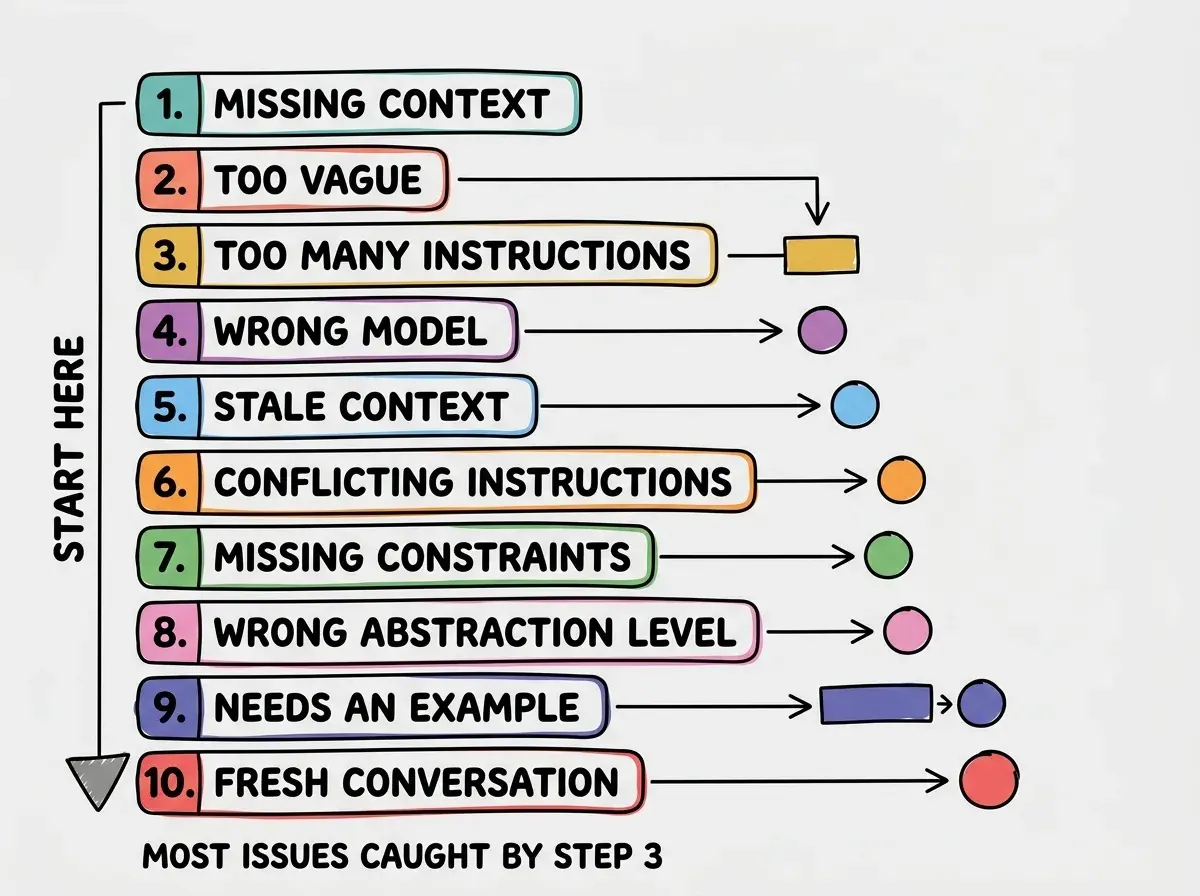
Work through these ten steps in order. Most prompt failures are caught in the first three. Each step includes a quick test so you know immediately whether that step is the problem.
Step 1. Is Context Missing
The single most common reason AI produces wrong code is that it does not have the information it needs. You know your project uses React and Tailwind. You know the API returns data in a specific format. You know the button should go in the header. The AI knows none of this unless you tell it.
Quick test. Read your prompt as if you know nothing about the project. Could a smart stranger produce the right output from your words alone? If the answer is no, you found the problem.
The fix. Add the missing context at the top of your prompt. Tell the AI what framework you are using, what the current code looks like, what the data structure is. Be specific. "I have a React app" is ten times more useful than just "make a component."
Step 2. Is the Prompt Too Vague
"Make the page look better" is not a prompt. It is a wish. AI tools interpret vague instructions by making their best guess, and their best guess is frequently not your best guess. Vague prompts produce vague results.
Quick test. Count the specific, measurable details in your prompt. Fewer than three concrete details? Too vague.
The fix. Replace subjective words with specific ones. Instead of "make it look better," try "add 24px padding, change the background to white, and use Inter at 16px." Instead of "fix the layout," try "make the sidebar 280px wide and stick it to the left side."
Step 3. Too Many Instructions at Once
When you give the AI a prompt with fifteen different tasks, it will attempt all of them and do most of them poorly. AI tools handle focused, sequential prompts far better than massive, everything-at-once prompts. This is not a limitation of intelligence. It is a limitation of attention.
Quick test. Count the distinct tasks in your prompt. If you can identify more than three separate things you are asking for, break it up.
The fix. Split your mega-prompt into smaller prompts. Build the layout first. Then add styling. Then wire up the data. Then handle edge cases. Each prompt builds on the confirmed output of the previous one.
Most prompt failures come from the first three steps on this list. Missing context, vague instructions, and overloaded prompts account for roughly 80% of wrong AI output. Before you dig into the deeper diagnostic steps, make sure you have given the AI clear, specific, focused instructions with all the context it needs.
Step 4. Wrong Model for the Task
Different AI models have different strengths. A model great at UI components might struggle with complex database queries. A fast, lightweight model might cut corners on architecture. If you are using the wrong model for the work, no amount of prompt improvement will fix the output.
Quick test. Is your task complex, multi-file, or architectural? You likely need a more capable model. Simple UI tweak? A faster model is fine.
The fix. Match the model to the task. Use Claude Sonnet or GPT-4o for complex logic and multi-step reasoning. Use faster models for simple edits and styling changes.
Step 5. Stale Context Window
AI tools have a context window, essentially their working memory. In long conversations, earlier instructions get pushed back and the AI starts "forgetting" what you established. If the AI was producing great output earlier and suddenly starts making mistakes, context staleness is likely the culprit.
Quick test. Has this conversation been going for more than 20-30 messages? Did output quality gradually degrade? If yes, this is your problem.
The fix. Summarize the current state of your project in a fresh message. Paste in the relevant code, restate your requirements, and continue. Think of it as refreshing the AI's memory.
Step 6. Conflicting Instructions
This one is sneaky. Somewhere in your prompt (or earlier in the conversation) you told the AI one thing, and now you are telling it something different. The AI tries to satisfy both and produces something that satisfies neither.
Quick test. Read through your recent messages and look for contradictions. Did you say "keep it simple" and then "add error handling for every edge case"? Did you approve a design and then ask for something that contradicts it?
The fix. When you change direction, say so explicitly. "Ignore my earlier instruction about keeping the form on one page. I now want a multi-step wizard." Clear overrides prevent the AI from trying to merge incompatible requirements.
Learn the fundamentals of writing prompts that produce working code on the first try.
Start with prompting basicsStep 7. Missing Constraints
Sometimes the AI produces output that is technically correct but completely wrong for your situation. It uses a library you do not have installed, creates a server-side function when you need client-side code, or builds a feature that breaks your existing navigation. The AI did what you asked, just without the boundaries you forgot to mention.
Quick test. Is the wrong output a reasonable interpretation of your prompt, just in the wrong context? If a stranger produced the same output, would you blame them?
The fix. Add constraints. "Use only libraries already in my package.json." "This needs to work as a client component." "Do not modify existing files, only create new ones." Constraints are the guardrails that keep correct-but-wrong solutions from appearing.
Step 8. Wrong Abstraction Level
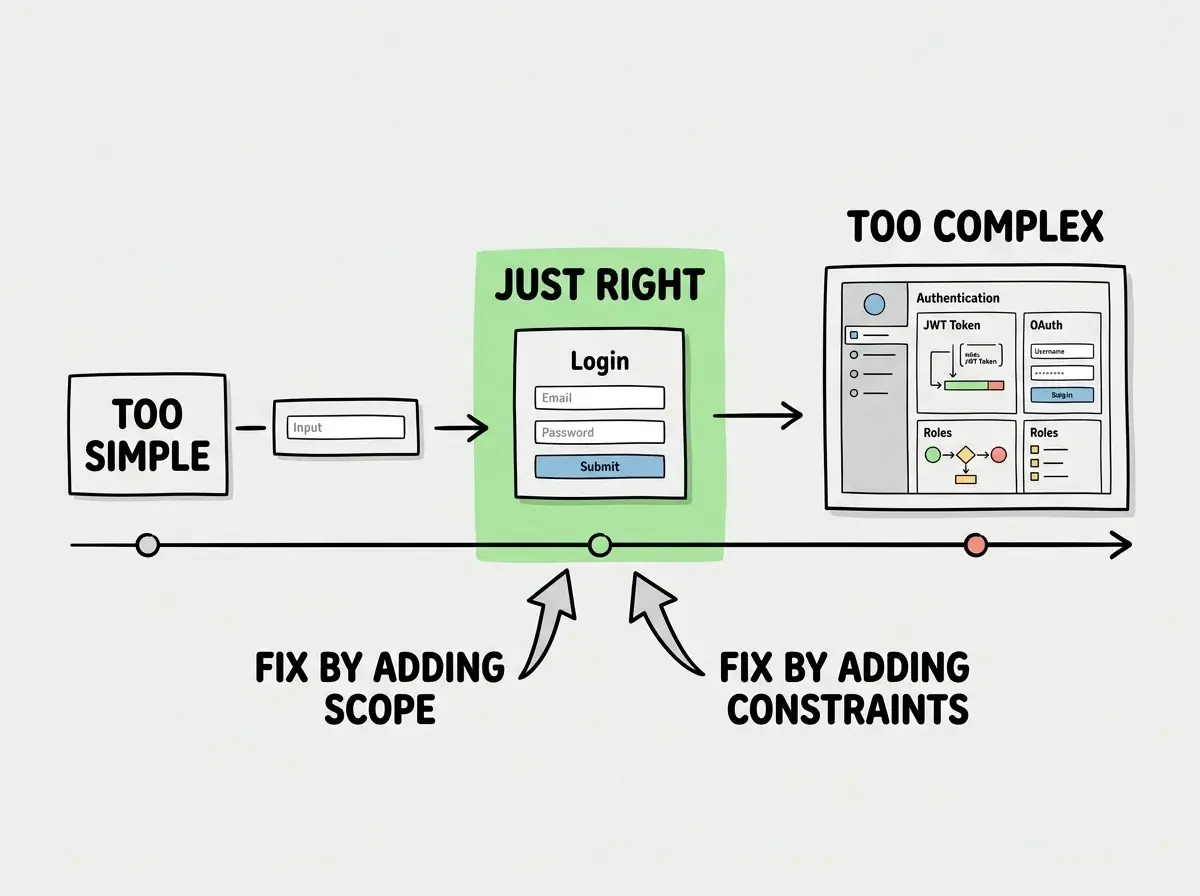
You asked for a login page and the AI gave you a complete authentication system with JWT tokens, refresh logic, and role-based access control. Or you asked for a user management system and got a single form with two input fields. The output is not wrong. It is at the wrong level of detail.
Quick test. Is the AI's output way more complex or way simpler than what you needed? If you are surprised by the scope of the response (in either direction), this is your issue.
The fix. Be explicit about complexity. "Build a simple login form with email and password fields that posts to /api/login. No JWT, no session management, just the form." Or the other direction, "Build a complete auth flow including signup, login, password reset, and session management." Tell the AI exactly how deep to go.
Step 9. Need an Example
Some things are genuinely hard to describe in words. If you have tried steps one through eight and the AI still is not producing what you want, it is time to show rather than tell. Examples short-circuit the interpretation problem entirely.
Quick test. Have you been rephrasing the same request multiple times and still getting wrong output? An example would resolve this faster than another rewrite.
The fix. Paste in an example. A code snippet from another part of your project, a screenshot, a URL, or even pseudocode. "Make the card look like this: [paste existing card code] but change the background to blue and add a subtitle field." Examples eliminate ambiguity in ways that descriptions cannot.
Step 10. Time to Start a New Conversation
If you have worked through all nine steps and the AI is still producing wrong output, the conversation itself might be the problem. Long conversations accumulate conflicting instructions and abandoned approaches. Sometimes the cleanest fix is a fresh start.
Quick test. Has this conversation gone beyond 30-40 messages? Have you changed direction multiple times? Is the AI referencing outdated decisions? If yes to any of these, a fresh start will likely solve the problem immediately.
The fix. Open a new conversation. Paste in your current code (the actual files, not a description). State your requirements clearly in a single, well-structured prompt. You will be amazed at how much better the AI performs without the baggage of a long, winding conversation.
Continuing to rephrase the same prompt in a conversation that has gone off the rails. Every additional message adds more noise. Starting fresh with a clear, complete prompt is not giving up. It is the most efficient debugging move you can make, and experienced builders do it constantly.
Building Your Debugging Instinct
The more you use this checklist, the faster you will diagnose problems without it. After a few dozen runs, you will recognize patterns instantly. "Missing constraints problem" or "stale context" will become second nature.
The best prompt debuggers recognize what went wrong in under thirty seconds and know exactly how to fix it. That instinct is built through practice, and this checklist gives you the framework.
Master the art of communicating with AI coding tools and build faster than ever.
Explore the prompting guidesWhat This Means For You
- If you are a founder building with AI tools, this checklist saves the hours you spend stuck in prompt loops. Keep it nearby and run through it the moment your AI starts producing wrong output. Ten minutes of diagnosing saves hours of trial and error.
- If you are a career changer learning to build, prompt debugging is the skill gap between your first week and your first month. Everyone struggles with AI output quality at the start. This checklist turns that struggle into a systematic process instead of a guessing game. You are not bad at prompting. You just need a diagnostic framework.