With 92% of developers now using AI coding prompt templates daily, the difference between a productive session and a frustrating one comes down to the prompts you start with. Good templates remove the guessing. They give the AI exactly enough context to produce code you can actually use, every single time. This checklist gives you eight fill-in-the-blank templates covering the most common coding tasks you will face.
Each template follows the same three-section format. Context tells the AI about your project. Task describes exactly what you want built. Constraints set the boundaries so the output fits your codebase without extra iteration. Fill in the blanks, paste the prompt, and get working code.
How to Use These Templates
Every template below has bracketed placeholders like [your framework] and [your styling library]. Replace each bracket with your specific details before pasting into your AI tool. The more specific you are in the brackets, the better your output will be.
A quick tip before you start. Keep a document with your project basics filled in (framework, styling, database, existing patterns) so you can populate templates in seconds instead of retyping every time.
These templates work because they eliminate the three most common causes of bad AI output: missing project context, vague task descriptions, and zero constraints. Each section targets one of those failure modes. Skip a section and you reintroduce guessing.
1. New Feature Template
Use this when you need to add a completely new capability to your application.
CONTEXT:
I'm building a [type of app] using [framework] with [styling library].
The app currently has [list existing relevant features/pages].
[Paste any relevant existing code patterns or component examples.]

TASK:
Build a [feature name] that [describe what it does in one sentence].
It should include:
- [Specific element 1]
- [Specific element 2]
- [Specific element 3]
The user flow is: [describe step by step what the user does].

CONSTRAINTS:
- Use only [libraries already in the project]
- Match the existing style of [reference existing component]
- Do not add any new dependencies
- Keep each component under [number] lines
- [Any other project-specific rules]
Example filled in: "I'm building a project management SaaS using Next.js 14 with Tailwind CSS. Build a task board feature that lets users drag tasks between To Do, In Progress, and Done columns. Keep each component under 80 lines. Use only existing dependencies."
2. Bug Fix Template
Use this when something is broken and you need the AI to diagnose and fix it.
CONTEXT:
I'm working in [framework/language] and the issue is in [file or component name].
Here is the relevant code:
[Paste the broken code]

TASK:
The expected behavior is: [what should happen].
The actual behavior is: [what is happening instead].
This started happening after [recent change, if known].
Error message (if any): [paste exact error]

CONSTRAINTS:
- Fix the issue without changing the component's public API
- Do not refactor unrelated code
- Explain what caused the bug in a comment above the fix
- Keep the fix minimal
Example filled in: "I'm working in React and the issue is in UserProfile.tsx. The expected behavior is that clicking Save updates the user's name. The actual behavior is the page refreshes and the old name reappears. This started after I switched from client-side state to a server action."
3. Authentication Template
Use this when you need to add login, signup, or session management.
CONTEXT:
My app uses [framework] with [database/ORM].
Current user model has these fields: [list fields].
I [do/do not] have an auth library installed.
The app currently handles sessions via [describe current approach or "none"].

TASK:
Add [auth type: email/password, social, magic link] authentication.
Create these pages/routes:
- [Login page path]
- [Register page path]
- [Password reset path, if needed]
After login, redirect to [path]. After logout, redirect to [path].

CONSTRAINTS:
- Use [specific auth library] with [specific provider/adapter]
- Hash passwords with [bcrypt/argon2]
- Session strategy: [JWT/database sessions]
- Do not add social login providers
- Style auth pages as [describe layout: centered card, full-page, etc.]
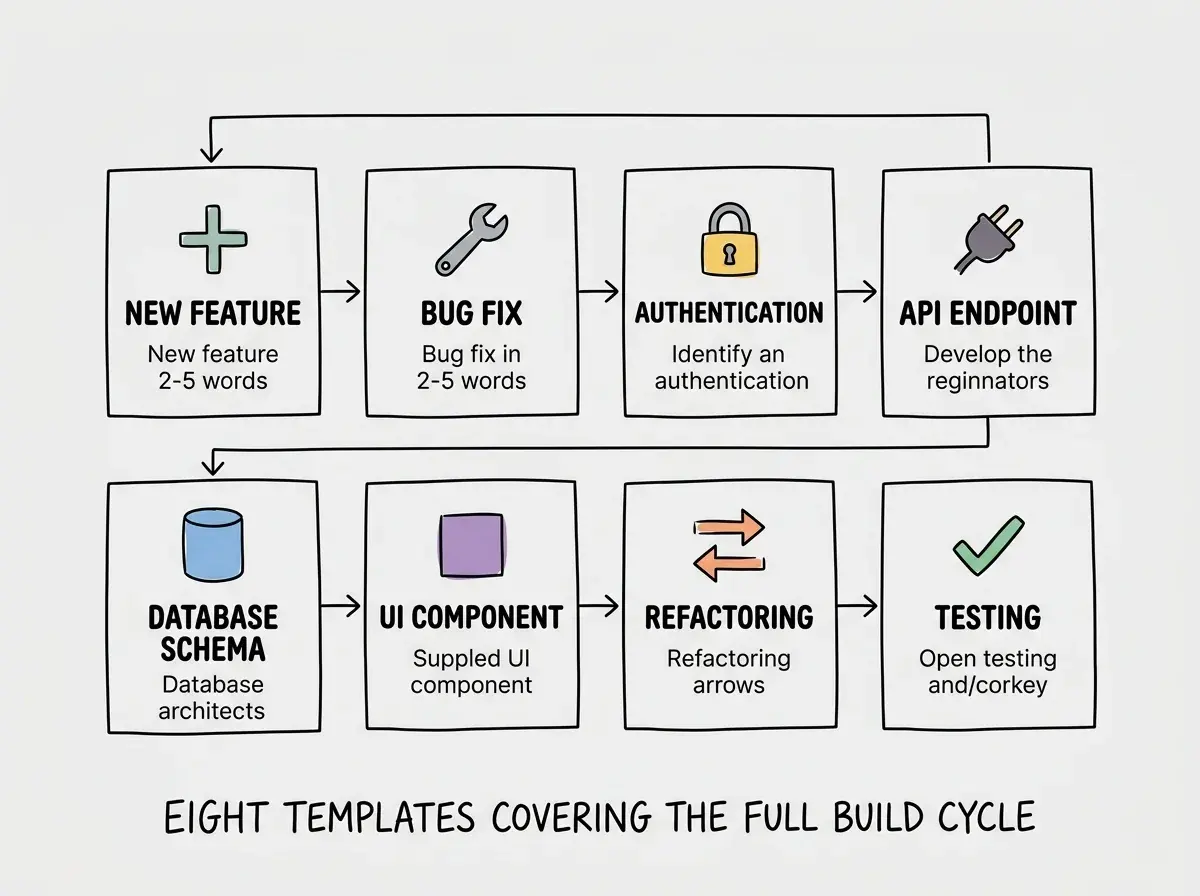
4. API Endpoint Template
Use this when you need to create a new backend route.
CONTEXT:
My backend uses [framework: Next.js API routes, Express, FastAPI, etc.].
Authentication is handled via [auth method].
Existing API patterns: [describe how other endpoints are structured].
Database: [database and ORM/query method].

TASK:
Create a [HTTP method] endpoint at [route path] that [describe what it does].
Request body/params: [list expected inputs with types].
Response format: [describe the JSON shape].
Include these cases:
- Success: [what gets returned]
- Not found: [what happens]
- Unauthorized: [what happens]
- Validation error: [what happens]

CONSTRAINTS:
- Validate all inputs before processing
- Return appropriate HTTP status codes
- Follow the same pattern as [existing endpoint reference]
- Do not install new middleware
- Include TypeScript types for request and response
5. Database Schema Template
Use this when you need to design or modify your data model.
CONTEXT:
I'm using [database] with [ORM: Prisma, Drizzle, TypeORM, etc.].
Existing models: [list relevant existing models and their key fields].
Here is my current schema for reference:
[Paste relevant schema sections]

TASK:
Create a [model name] model that represents [what it stores].
Fields needed:
- [field name]: [type] - [description]
- [field name]: [type] - [description]
- [field name]: [type] - [description]
Relationships:
- [describe how this model connects to existing models]

CONSTRAINTS:
- Include created_at and updated_at timestamps
- Add appropriate indexes for [common query patterns]
- Use [soft delete / hard delete]
- Follow the naming convention used in existing models
- Include a migration file
6. UI Component Template
Use this when you need to build a reusable interface element.
CONTEXT:
My app uses [framework] with [styling: Tailwind, CSS Modules, styled-components].
Design tokens: [primary color, border radius, spacing scale].
Existing similar components: [reference component for style matching].

TASK:
Create a reusable [component name] component.
Props:
- [prop name]: [type] - [description]
- [prop name]: [type] - [description]
- [prop name]: [type] - [description]
States to handle: [default, hover, active, disabled, loading, error].
The component should [describe behavior and interaction].

CONSTRAINTS:
- Fully typed with TypeScript
- Accessible (appropriate ARIA attributes, keyboard navigation)
- Responsive from mobile to desktop
- No external UI library dependencies
- Export from [file path]
- Keep under [number] lines
Filling in templates with vague placeholders like "some styling" or "a few fields" defeats the entire purpose. The power of these templates comes from forcing you to make specific decisions before the AI starts generating. Every bracket you leave vague is a choice the AI makes for you, and it will rarely match what you actually want.
7. Refactoring Template
Use this when your code works but needs to be cleaner, faster, or more maintainable.
CONTEXT:
Here is the current code that needs refactoring:
[Paste the code]
This code is in [file path] and it [describe what it does].
It currently works but the problem is [describe the issue: too long, duplicated logic, hard to test, slow, etc.].

TASK:
Refactor this code to [specific goal: extract reusable functions, reduce duplication, improve readability, optimize performance].
The refactored version should:
- [Specific improvement 1]
- [Specific improvement 2]
- [Specific improvement 3]

CONSTRAINTS:
- Do not change the external behavior or API
- Keep the same function/component names
- Do not add new dependencies
- Add brief comments explaining non-obvious changes
- Preserve all existing error handling
8. Testing Template
Use this when you need to add tests to existing or new code. With 46% of code now AI-generated, testing is more important than ever to catch issues the AI might introduce.
CONTEXT:
Testing framework: [Jest, Vitest, Playwright, etc.].
The code to test is in [file path]:
[Paste the code or describe the function/component]
This code [describe what it does and its inputs/outputs].

TASK:
Write [unit/integration/e2e] tests covering:
- Happy path: [describe the expected success case]
- Edge cases: [list specific edge cases]
- Error cases: [list expected failure scenarios]
- [Any specific scenarios unique to this code]

CONSTRAINTS:
- Use [testing library] with [assertion style]
- Mock [specific external dependencies]
- Do not test implementation details, test behavior
- Each test should have a descriptive name
- Group tests logically with describe blocks
- Keep each test under 15 lines
Templates get you started. Understanding why they work makes you unstoppable.
Learn prompt engineering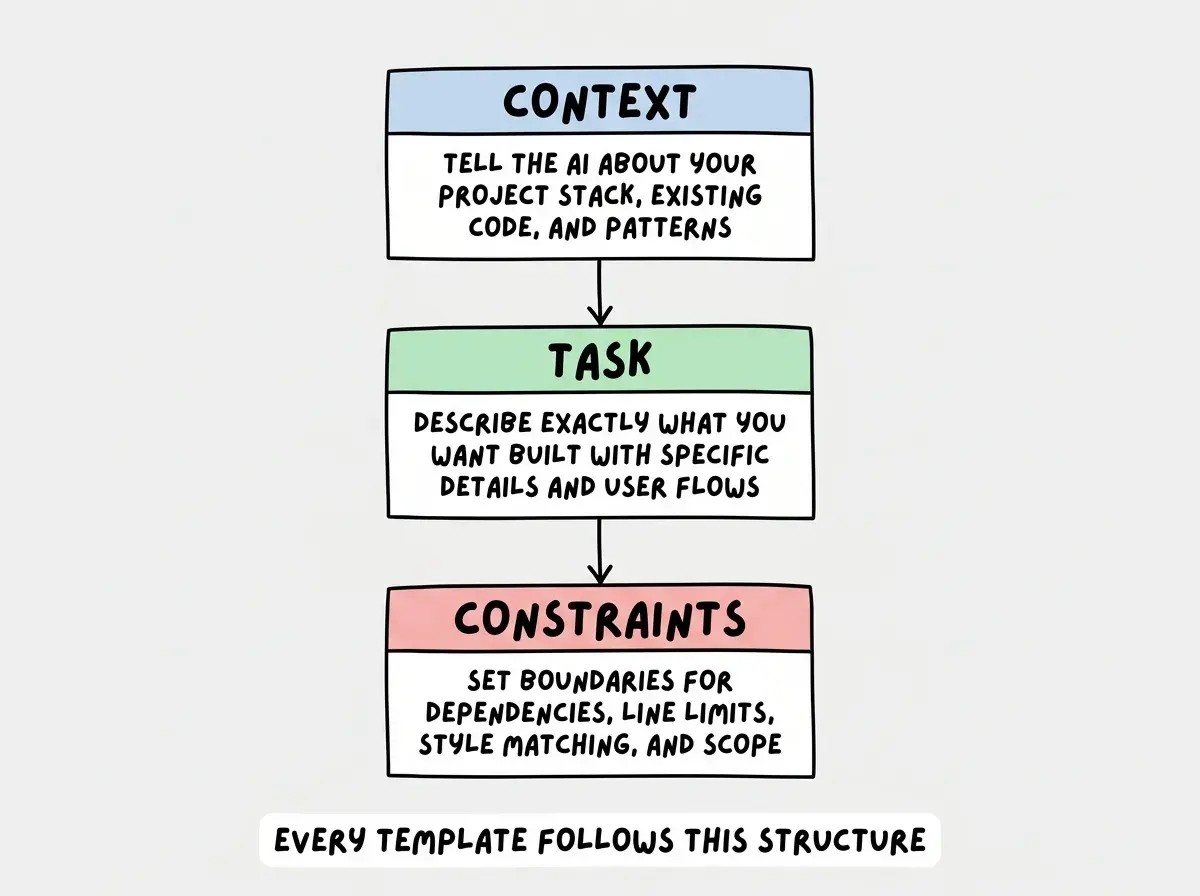
Building Your Personal Template Library
These eight templates cover the most common tasks, but they become even more powerful when you customize them for your specific project. Here is how to build that habit.
Start by filling in the Context section once for your current project and saving it as a snippet. Your framework, styling approach, database, and auth setup rarely change between prompts. Having that context ready means you only need to fill in the Task and Constraints sections for each new prompt.
After each successful generation, save the prompt that worked. Over a few weeks you will have a personal library of proven prompts tailored to your exact tech stack. That library becomes your most valuable development tool.
What This Means For You
These templates are a starting point, not a ceiling. The real skill is learning to fill them in with enough specificity that the AI has only one reasonable interpretation of what you want.
- If you are a founder building a product: Save these eight templates in a document next to your project. Fill in the Context section once for your entire app. Every time you need a new feature, grab the template, fill in the Task and Constraints, and paste. You will cut your iteration time by half or more.
- If you are a career changer: Use these templates as training wheels. After filling them in twenty or thirty times, you will internalize the structure and write effective prompts from scratch. The templates teach you what information matters.
Watch how filling in the right details transforms AI output from generic to production-ready.
Read more