To build a time tracking tool with vibe coding, follow the four phase approach (define what tracking patterns you actually need, build the data model that supports those patterns, design the entry interface that produces tracking discipline, and ship with the report views that make tracked time useful), recognize what separates time trackers people use from time trackers people abandon, and apply the patterns that produce sustained tracking. The time tracking tool becomes valuable only when the data gets entered consistently; entry consistency depends on entry friction and reporting value.
This piece walks through the four phases, the entry interface patterns, the specific tooling, and the four mistakes that produce time trackers users abandon within weeks.
Why Time Tracking Tools Matter
Time tracking tools answer questions about how time gets spent. The questions matter for billing, for productivity awareness, for project profitability. Without tracking, the answers stay murky; with tracking, they become specific.
The 2026 reality is that AI tools make time tracker building dramatically faster while AI assistance during entry can categorize automatically. The combination means entry friction drops dramatically; lower friction produces higher adoption.
A 2025 freelancer survey of 1,200 independent professionals found that consistent time tracking correlated with 23 percent higher hourly rates than inconsistent tracking. The tracking discipline produces both better billing and clearer productivity awareness; the awareness improves negotiation and project pricing.
The pattern to copy is the way runners use GPS watches. The watches track automatically with minimal user effort; the data becomes valuable through visualization that turns numbers into insights. Time trackers that require constant manual effort produce abandoned tracking; trackers that minimize effort produce sustained use.
The Four Phase Approach
Four phases produce time tracking tools that get sustained use.
Phase 1, define what tracking patterns you actually need. Per project tracking, per client tracking, per task type tracking. The needed patterns determine the design; building unneeded patterns adds complexity without value.
Phase 2, build the data model that supports those patterns. Time entries, projects, clients, tags. AI tools generate the schema effectively given clear specifications.
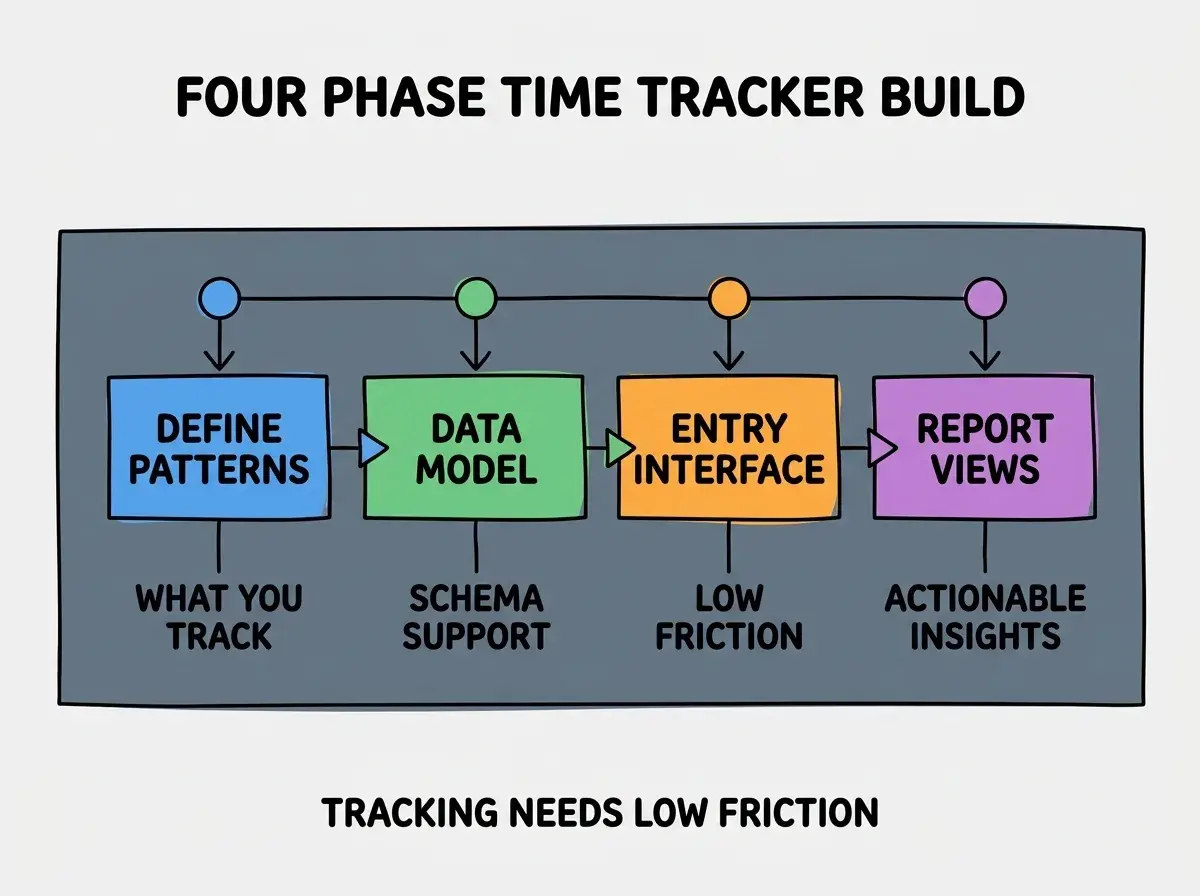
Phase 3, design the entry interface that produces tracking discipline. Quick start, quick stop, easy categorization. Entry friction determines tracking compliance; high friction produces abandoned tracking.
Phase 4, ship with report views that make tracked time useful. Per project totals, per week summaries, per client invoicing. Reports turn data into value; trackers without good reports become data graveyards.
The Entry Interface Patterns That Work
Three patterns produce entry interfaces that produce sustained tracking.
Pattern 1, single keyboard shortcut to start tracking. No multi click flows; one keystroke starts a timer. Friction reduction at entry produces use; entry effort barriers produce abandonment.
Browse more productivity tool tutorials
Read more build tutorialsPattern 2, AI categorization based on browser activity. Auto detect what you are working on; suggest project and tag. Reduces entry effort dramatically; manual categorization produces missed tracking.
Pattern 3, quick fix interface for missed tracking. Easy backfill of forgotten time. Tracking always misses some time; easy backfill prevents the missed time from compounding into abandoned tracking.
The Specific Tooling That Worked
Three tool categories combine effectively for time tracker building.
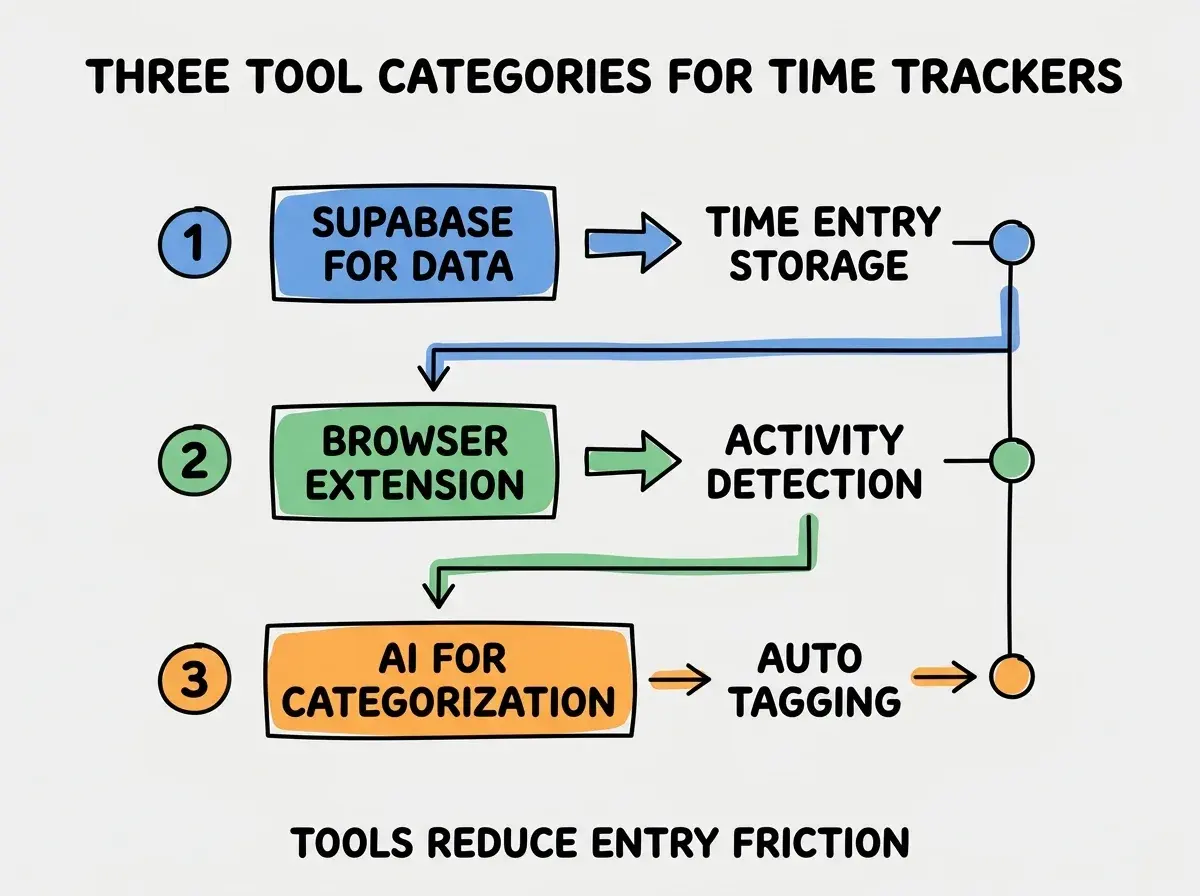
Tool 1, Supabase for time entry storage. Postgres backed, real time updates, simple queries. Time tracking data fits relational model naturally.
Tool 2, browser extension for activity detection. Chrome or Firefox extension watches active tabs. Provides context for AI categorization; manual context input adds friction.
Tool 3, AI for automatic categorization. Claude or GPT classifies activity into projects and tags. The classification reduces manual effort; correct classification reduces it most.
What Makes Time Trackers Sustained
Three patterns separate sustained trackers from abandoned ones.
Pattern 1, low entry friction is the dominant factor. Trackers requiring 30 seconds per entry get abandoned; trackers requiring 2 seconds per entry get sustained. Friction reduction matters more than feature completeness.
Pattern 2, weekly review produces entry discipline. Reviewing tracked time weekly produces awareness that produces entry consistency. Without review, entry consistency drifts.
Pattern 3, billing or accountability use cases produce stronger discipline than productivity awareness alone. Trackers connected to invoicing get used; trackers used only for self knowledge often fade. The external accountability produces discipline.
The combination produces trackers users sustain for years. Without these patterns, trackers often produce 2-4 weeks of use then abandonment.
How to Build Your First Time Tracker
Three implementation patterns help first time trackers succeed.
Pattern A, build the simplest possible interface first. Start, stop, list view. Fancier features can come later; the simple interface validates the core use case.
Pattern B, dogfood for 4 weeks before adding features. Use your own tracker for 4 weeks; the use will reveal what features you actually need versus features you imagined needing. Build based on observed need.
Pattern C, ship to one external user before broad release. External user feedback differs from self use; one external user validates assumptions or surfaces gaps. Broad release after the validation produces fewer surprises.
The combination produces first trackers that establish credibility for productivity tooling. Without these patterns, first trackers often produce features no one uses while missing features users would use.
The most damaging time tracker mistake is requiring categorization at entry rather than later. Users skip tracking when categorization friction is high. The fix is to allow quick uncategorized entries with categorization happening in batch later or automatically by AI; uncategorized tracking beats no tracking, and lazy categorization preserves the data. Trackers that require complete information at entry produce abandoned tracking.
The other mistake is showing too many metrics in the default view. Cognitive overload produces abandonment. The fix is to show one or two key metrics by default with deeper analysis available on click; simplicity at default produces sustained engagement.
A third mistake is failing to make tracked time directly useful. Time data without invoicing or reporting use produces no value beyond awareness. The fix is to connect tracking to a use case immediately; connected use produces sustained tracking, while abstract awareness fades.
A fourth mistake is requiring accurate tracking from day one. Tracking accuracy improves over time as the user develops habits. The fix is to accept rough tracking initially; perfect tracking from day one is unrealistic, and accepting roughness preserves the habit while it forms.
A fifth mistake is treating the tracker as static rather than evolving with use patterns. Real use reveals features that would help and features that distract. The fix is monthly review of what is helping and what is not; deliberate evolution keeps the tracker aligned with how it actually gets used.
What This Means For You
The time tracking tool built with vibe coding becomes valuable through low entry friction and useful reports. The four phases, entry patterns, and tool combinations produce trackers users sustain.
- If you're an indie hacker: Time tracking enables better project pricing and productivity awareness. Build a custom one if existing tools do not match your workflow; the custom build often takes less time than expected.
- If you're a founder: Team time tracking produces project profitability awareness. Build it when project margins matter; below that bar, ad hoc estimation may suffice.
- If you're a senior dev: AI tools handle time tracker implementation effectively. The bottleneck is interface design and friction reduction, not implementation; invest in interface more than features.
Browse more productivity tool tutorials
Read more build tutorials