AI prompt templates eliminate the blank-chat problem that slows down every vibe coding session. Instead of crafting each request from scratch, you grab a tested structure, fill in the blanks, and get working code faster. This library contains 50 prompt patterns organized by task type, covering UI, APIs, databases, debugging, testing, and refactoring.
Most people treat prompting like improv comedy. Every session starts fresh, every request is a one-off experiment, and the quality swings wildly depending on mood and memory. But the best vibe coders do not improvise. They work from a library of proven patterns, the same way a chef works from recipes. The chef still has creative freedom, but they are not reinventing bechamel sauce every Tuesday night.
Why Templates Beat Starting From Scratch
The numbers make the case. According to GitHub's 2025 developer survey, 92% of developers now use AI tools daily, and Copilot data shows that 46% of committed code is AI-generated. Nearly half the code shipping to production was shaped by prompts. Yet most people have never written the same prompt the same way twice.
Think about what happens when you start from scratch every time. You forget to mention the tech stack. You skip the error handling instructions. You describe the look but not the behavior. The AI fills in the gaps with its own assumptions, and you spend ten minutes fixing things that a single template sentence would have prevented.
Templates encode lessons you have already learned. Every time you discover that adding "use TypeScript strict mode" produces better results, that discovery gets baked into your template. Over weeks, your templates become a compounding knowledge base.
A prompt template is not a rigid script. It is a starting structure that ensures you never forget the details that matter most, like specifying the tech stack, error handling, and interaction behavior. The best vibe coders build personal prompt libraries the way chefs build recipe collections, and both groups outperform people who improvise every time.
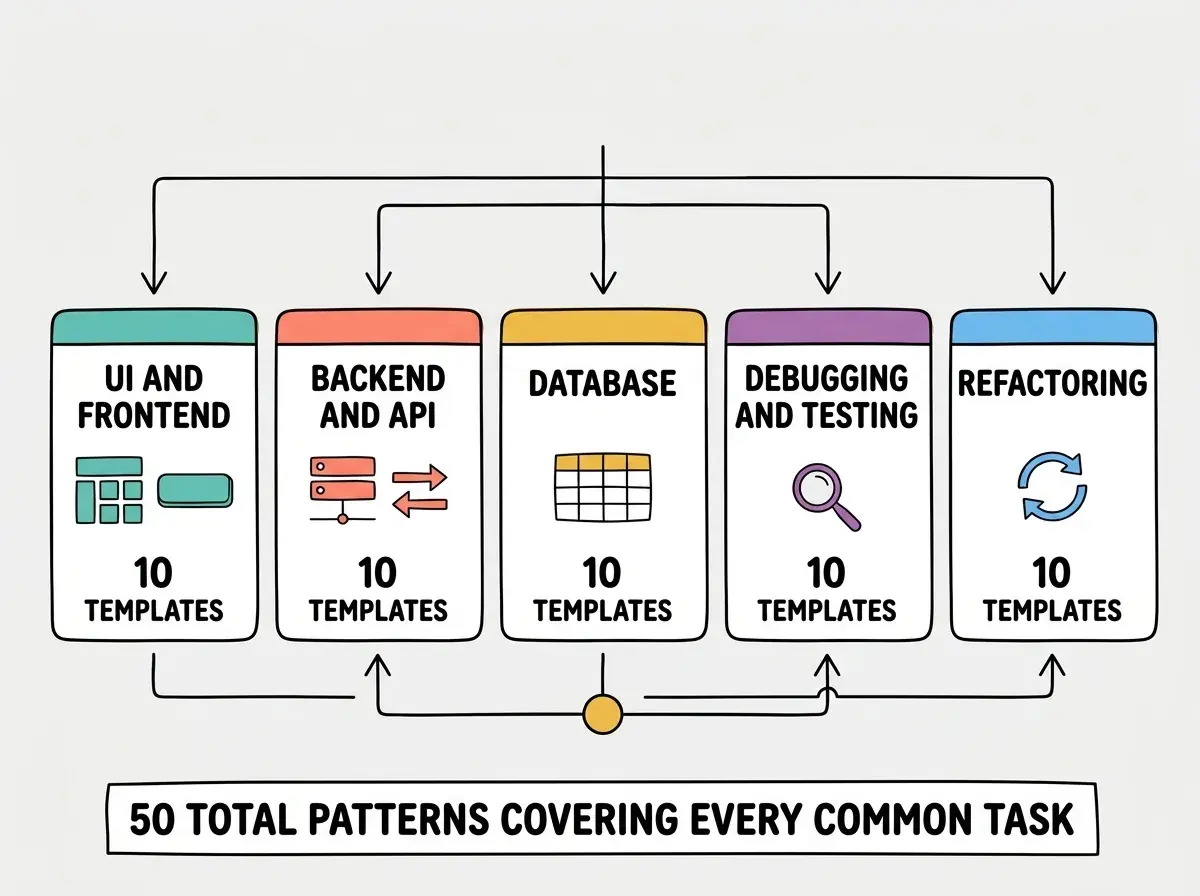
The templates in this library are organized into five categories: UI and frontend, backend and APIs, databases, debugging and testing, and refactoring. Each pattern is a fill-in-the-blank structure you can copy directly into any AI coding tool.
How These Templates Work
Think of each template like a recipe card in a cookbook. The recipe does not tell you which dish to make. It gives you a reliable structure so that once you decide, you do not have to figure out the process from memory.
Every template follows the same four-part structure: context (what you are building), specifics (what this piece should do), behavior (how it responds to interaction), and constraints (what to avoid or follow). Not every prompt needs all four parts, but the templates include placeholders for each so you can decide which to fill in and which to skip.
The placeholders use square brackets like [your app type] or [your framework]. Replace them with your actual details and leave the surrounding structure intact. That structure is what produces consistent results across different AI tools and projects.
![EXPLAINER DIAGRAM: A single prompt template card shown as a rounded rectangle with four labeled sections stacked vertically. Top section labeled CONTEXT in teal contains placeholder text: I am building [app type] for [audience]. Second section labeled SPECIFICS in coral contains: Create a [component] with [list of elements]. Third section labeled BEHAVIOR in golden yellow contains: When [user action], [expected result]. Bottom section labeled CONSTRAINTS in purple contains: Use [framework/library], avoid [anti-pattern]. A callout arrow points to the bracket placeholders with the label REPLACE THESE WITH YOUR DETAILS. Light background with subtle grid lines.](/_next/image?url=https%3A%2F%2Fblog-images.vibecoder.me%2Fprompt-library-50-templates-common-patterns%2Fa1a20dab-5dca-43af-9df8-1a9db984cf76.webp&w=3840&q=75)
The templates are deliberately short. Most are two to four sentences, enough to eliminate ambiguity without overwhelming the AI with unnecessary detail.
UI and Frontend Templates
These ten patterns cover the most common frontend tasks. Each one targets a specific deliverable so the AI knows exactly what to build.
1. New page layout "I am building [app type] for [audience]. Create a [page name] page with [list main sections]. Use [framework/CSS approach] and make it responsive for mobile, tablet, and desktop."
2. Component with interaction "Build a [component name] component that displays [data/content]. When a user [interaction], [expected result]. When [second interaction], [second result]. Use [styling approach]."
3. Form with validation "Create a [form purpose] form with fields for [list fields with types]. Validate that [validation rules]. On submit, [success behavior]. On error, [error behavior]. Style with [approach]."
4. Navigation and routing "Add [navigation type] navigation to [app name]. Include links to [list pages]. Highlight the current page. On mobile, [mobile behavior]. Use [framework routing approach]."
5. Dashboard with data display "Build a dashboard page showing [list metrics]. Display [metric 1] as a [chart type], [metric 2] as a [display type]. When a user clicks [element], [drill-down behavior]. Use [styling]."
6. Card grid or list view "Create a [content type] grid that shows [list visible fields] for each item. Support [sorting/filtering options]. When clicked, [navigation behavior]. Use [responsive columns]."
7. Modal or dialog "Add a [purpose] modal that opens when [trigger]. It should contain [contents]. Include a close button and close on backdrop click. On confirm, [action]. Animate with [approach]."
8. Loading and empty states "Add loading, empty, and error states to [component name]. Loading should show [skeleton/spinner]. Empty should show [message and CTA]. Error should show [message and retry option]."
9. Theme and dark mode "Add dark mode support to [app/page]. Toggle via [control location]. Persist preference in [storage]. Light theme uses [colors]. Dark theme uses [colors]. Transition smoothly."
10. Responsive image gallery "Build an image gallery for [content type]. Display as [grid/masonry/carousel]. On click, [lightbox behavior]. Lazy load images. Support [number] columns on desktop, [number] on mobile."
Grab these templates and start shipping features faster today.
Explore the blogThese ten patterns cover roughly 80% of the frontend prompts you will write in a typical project. The rest are project-specific variations you can build by combining two or more templates.
Backend, API, and Database Templates
These patterns handle the server side. Specificity matters most here, because backend mistakes are harder to spot than frontend ones.
11. REST API endpoint "Create a [HTTP method] endpoint at [route] that [action]. Accept [request body/params]. Validate [rules]. Return [response shape] on success and [error format] on failure. Use [framework]."
12. Database schema "Design a database schema for [feature]. Include tables for [list entities] with fields [list key fields per entity]. Add [relationships]. Include timestamps, soft delete, and [indexes]. Use [database]."
13. Authentication flow "Implement [auth type] authentication using [provider/library]. After login, redirect to [page]. Store session in [storage method]. Protect [list routes] from unauthenticated access. Handle token refresh."
14. CRUD operations "Build complete CRUD operations for [resource]. Create accepts [fields]. Read supports [filtering/pagination]. Update allows changing [fields]. Delete uses [soft/hard delete]. Return consistent error responses."
15. File upload "Add file upload to [feature]. Accept [file types] up to [size limit]. Validate file type and size on both client and server. Store in [storage service]. Return [URL/metadata]. Show upload progress."
16. Search and filtering "Implement search for [resource]. Support full-text search on [fields], filtering by [filter fields], and sorting by [sort fields]. Paginate results with [page size]. Return total count for pagination UI."
17. Webhook handler "Create a webhook endpoint at [route] for [service]. Verify the signature using [method]. Parse the [event types] events. For [event 1], [action]. For [event 2], [action]. Log all events. Return 200 immediately."
18. Background job "Create a background job that [task description]. Trigger it [on schedule/on event]. If it fails, retry [number] times with [backoff strategy]. Log progress to [destination]. Notify [channel] on failure."
19. Third-party API integration "Integrate [service name] API to [purpose]. Use [authentication method]. Handle rate limits by [strategy]. Cache responses for [duration]. Map the response to [your data shape]."
20. Database migration "Write a migration that [change description]. Add [new columns/tables]. Migrate existing data by [transformation]. This migration must be reversible. Use [migration tool]."
The backend templates are intentionally specific about error handling because that is where AI tools cut corners most aggressively. If you do not mention error handling, the AI will often skip it entirely.
Using a template without replacing all the placeholders. In practice, people often paste a template, fill in the first two brackets, and fire it off with [validation rules] still sitting in the prompt. The AI will either ignore the placeholder or invent validation rules you did not want. Take ten extra seconds to fill every bracket. If a section does not apply, delete it rather than leaving the placeholder.
The key to backend templates is specificity about the response shape. Saying "return the user data" is vague. Saying "return { id, email, name, createdAt } as JSON with a 200 status" gives the AI exactly enough information to produce clean, predictable code.
Debugging, Testing, and Refactoring Templates
These patterns cover the work after the initial build. Debugging prompts are where beginners struggle most, because describing a problem is harder than describing a feature.
21. Bug diagnosis "On [page/feature], when I [action], I expect [expected result] but instead [actual result]. The error message says [error]. I am using [framework, version]. Here is the relevant code: [paste code]."
22. Error message interpretation "I am getting this error: [paste full error]. It happens when [trigger]. My stack is [list technologies]. Explain what this error means in simple terms and suggest the most likely fix."
23. Unit test generation "Write unit tests for [function/component name]. Test [list scenarios including edge cases]. Use [testing framework]. Mock [external dependencies]. Each test should have a clear description of what it verifies."
24. Performance diagnosis "[Page/feature] is slow. It takes [duration] to [action]. My stack is [technologies]. Identify the likely bottlenecks and suggest specific optimizations. Prioritize fixes by impact."
25. Refactor for readability "Refactor [file/function] to improve readability without changing behavior. Break up functions longer than [line limit]. Extract repeated logic into named helpers. Add TypeScript types where missing."
The remaining twenty-five templates follow the same structure, covering integration tests, code reviews, dependency updates, accessibility audits, CI/CD configuration, caching strategies, monitoring setup, and deployment configuration.
Dig deeper
A few hand-picked sources if you want to go further.
What This Means For You
- If you are a founder building a product, these templates cut your prompting time in half. Instead of crafting each prompt from scratch, you spend thirty seconds filling in a template. Over a hundred prompts per week, that is hours saved, and each result is more consistent because the structure encodes your past lessons.
- If you are a career changer learning to build, start with the UI templates. Build five small projects using only those ten patterns. By the time you move to backend templates, the four-part structure will feel like second nature.
- If you are a student exploring AI tools, treat this library as a study guide. Each template category maps to a fundamental area of software development. Working through all fifty patterns teaches you the vocabulary and mental models of professional builders.
We publish actionable vibe coding content every week.
See all guides