Project planning templates for vibe-coded projects in 2026 should be lightweight enough that a solo builder uses them every project, structured enough to surface decisions worth making upfront, and flexible enough to adapt to project size. The four templates that cover most vibe-coded projects are the one-page brief (for small features), the kickoff doc (for medium projects), the architecture decision record (for technical commits), and the post-mortem (for retrospectives). Each takes 15 to 60 minutes to fill out, and the cumulative impact on project quality is substantial.
This piece walks through each of the four templates, when to use each one, the discipline that prevents planning from becoming overhead, and the four mistakes that turn planning into theater.
Why Lightweight Planning Beats Heavy Planning
The traditional enterprise PM playbook (PRDs, full Gantt charts, formal change control) was designed for projects with 10+ engineers and quarterly release cycles. Vibe-coded projects with 1 to 3 builders shipping continuously do not need that overhead. But they also need more planning than the no-plan default that most solo builders use.
The sweet spot is lightweight templates: enough structure to force a few key decisions upfront, but small enough that filling them out feels worth the time. The four templates below cover most vibe-coded projects without imposing enterprise-style overhead.
A 2025 Linear study of 800 small product teams found that teams using lightweight planning templates shipped 2.3x more features per quarter than teams with no planning OR teams with heavy planning. The U-curve was clear: too little planning produces rework; too much planning produces overhead. Lightweight is the right amount for most small teams.
The pattern to copy is the way professional cooks plan a meal. They write down the dishes and the timing on a single page (mise en place), but they do not write a formal project plan. The lightweight planning is enough to coordinate without becoming the work itself. Vibe-coded projects need the same calibration.
The Four Templates
Each template fits a specific project size and stage. Most builders end up using all four at different times.
Template 1, one-page brief. For small features (a single screen, a fix, a small enhancement). Fields: what we are building, why, who it is for, definition of done. 15 minutes to fill out.
Template 2, kickoff doc. For medium projects (a major feature, a new product area, a multi-week effort). Fields: goals, non-goals, user flows, data model sketch, risks, timeline. 45 to 60 minutes.
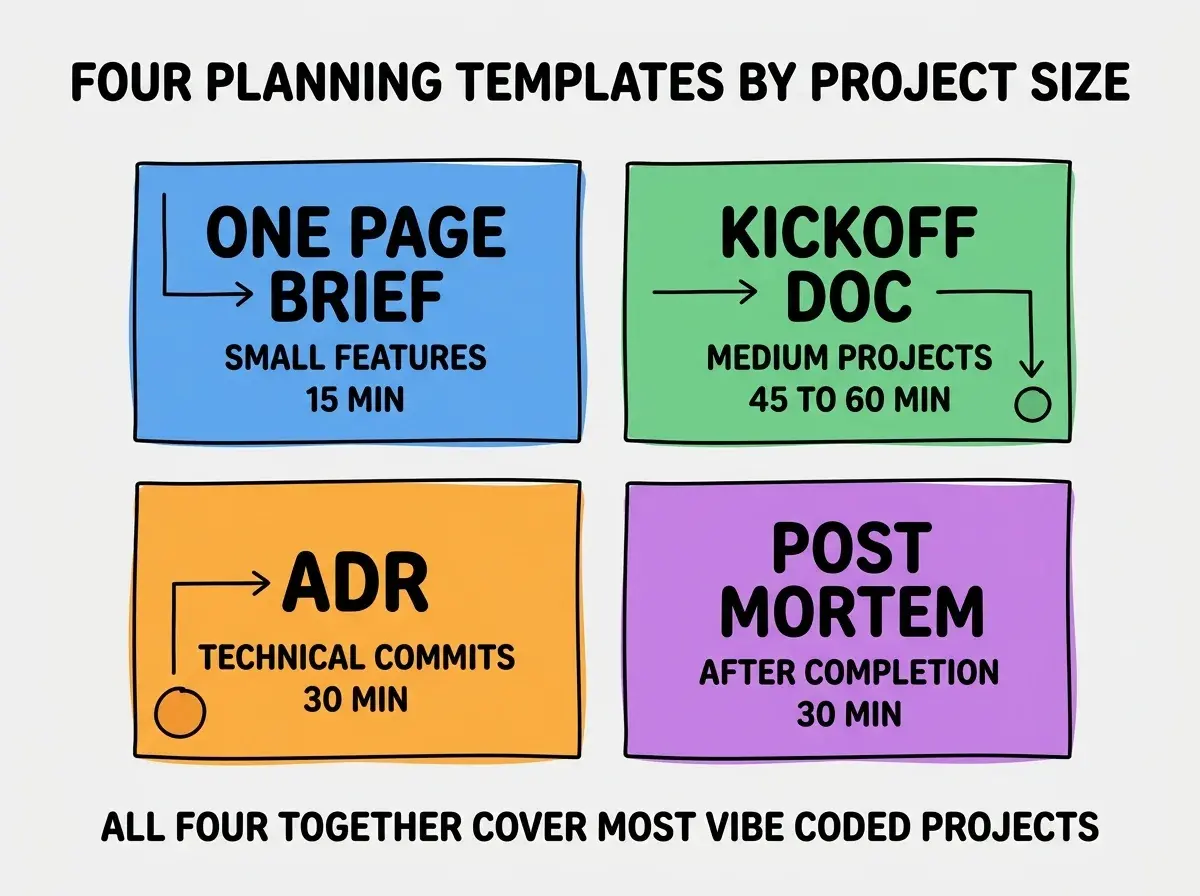
Template 3, architecture decision record (ADR). For technical commits (database choice, framework selection, major refactor). Fields: decision, alternatives considered, trade-offs, expected outcome. 30 minutes.
Template 4, post-mortem. After completing any non-trivial project. Fields: what we shipped, what worked, what did not, what we learned, what to do differently. 30 minutes.
When to Use Each Template
Picking the right template prevents both overhead (using kickoff doc for a small fix) and underplanning (using one-page brief for a complex project).
Use one-page brief when: the work is bounded, well-understood, and ships in under a week. Most fixes and small enhancements fit here.
Browse more workflow and planning guides
Read more tools articlesUse kickoff doc when: the work involves multiple components, takes more than a week, or has significant ambiguity. Most major features fit here.
Use ADR when: you are committing to something hard to reverse later. Database choices, architecture patterns, framework decisions. The discipline of writing down alternatives prevents future regret.
Use post-mortem when: any project completes that took more than a week. Even successful projects benefit from the discipline.
The Discipline That Prevents Planning Theater
Lightweight planning works only if the templates are actually used as decision-making tools, not as artifacts to file away. Three patterns keep planning useful.
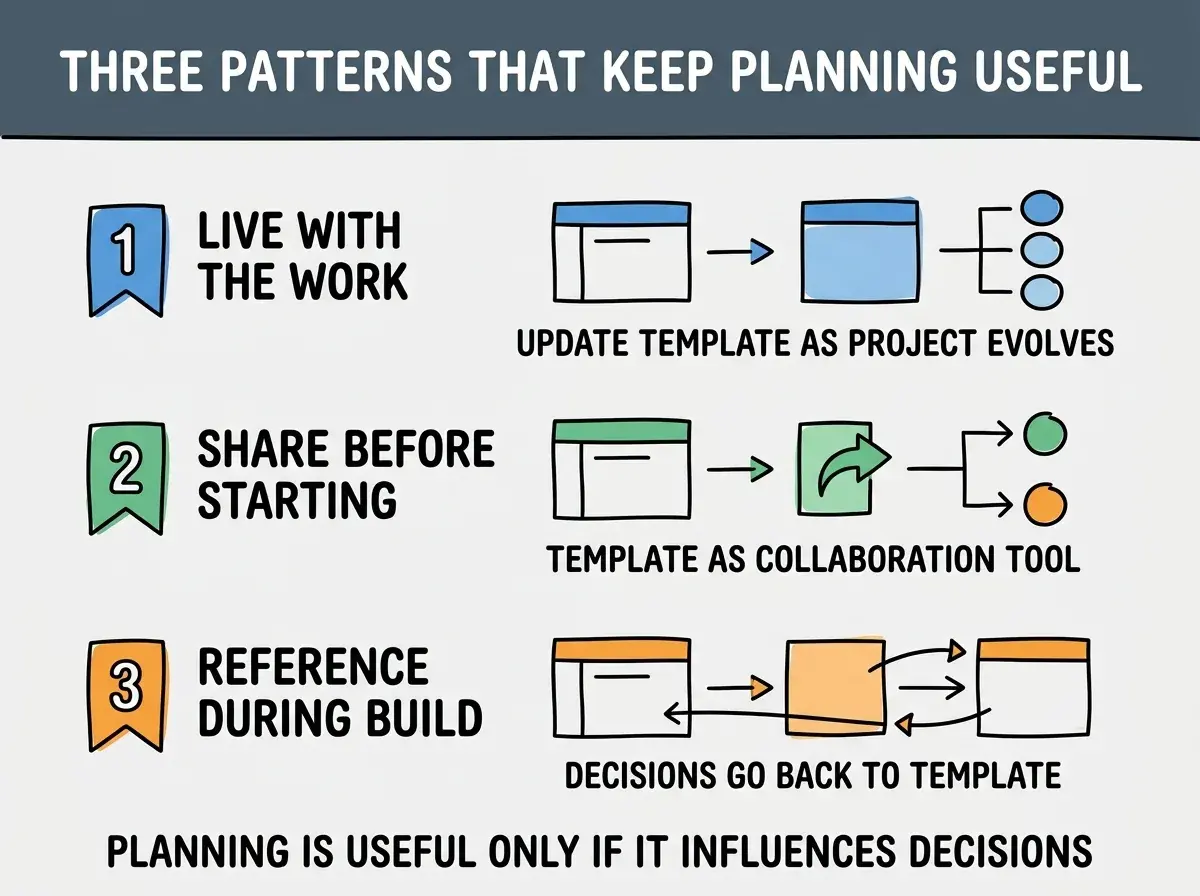
Pattern 1, live with the work. Update the template as the project evolves. A planning doc that does not change is not being used.
Pattern 2, share before starting. The template is a collaboration tool, not a private artifact. Share with stakeholders for input before committing.
Pattern 3, reference during build. When questions come up during build, go back to the template. If the answer is not there, update the template.
The "live with the work" pattern is the highest-leverage of the three because it determines whether the template stays useful past day one. A template that gets filled out and filed away is bureaucracy; a template that gets updated as the project evolves is a working document. The discipline of editing the template when reality diverges from the original plan is what separates professional planning from theater. PMs who do this well end up with a template that doubles as a project history when the project completes.
The "share before starting" pattern matters because templates written in isolation miss perspectives that catch problems early. The kickoff doc shared with engineering before the project starts surfaces technical concerns that PMs would not catch alone. The ADR shared with the team surfaces alternatives the author did not consider. The cost of sharing is low (a 30-minute review meeting); the value of catching problems early is enormous.
How to Adapt the Templates
The templates above are starting points. Most teams adapt them based on their specific needs.
Adaptation 1, add team-specific sections. A team that ships to mobile might add an app store review section to the kickoff doc. A team with strict compliance might add a compliance review section to the ADR. The base template stays small; team-specific sections fit the team's reality.
Adaptation 2, simplify for solo work. A solo builder does not need a "stakeholders" section or a "team" section. Strip the templates down to just the decision-forcing fields. The result is even lighter than the base templates.
Adaptation 3, expand for cross-team work. When the project spans multiple teams, the kickoff doc benefits from a "dependencies" section that names what each team owes the others. The discipline of writing dependencies down upfront prevents the most common cross-team coordination failures.
Adaptation 4, add a "decisions log" to the kickoff doc. As the project progresses, decisions get made that change the plan. A decisions log embedded in the kickoff doc captures these in context, which makes the doc a useful project history rather than an outdated artifact.
The right adaptation is the minimum that fits your team's actual needs. Resist the urge to add fields just because they sound thorough; every field is overhead and every overhead reduces the chance the templates get used.
The most damaging planning mistake is treating templates as bureaucratic obligations rather than as decision-making tools. PMs who fill out templates because the process requires it produce documents that nobody reads and nobody acts on. PMs who fill out templates because the templates force useful decisions produce documents that drive better outcomes. The intent matters more than the form; if the templates feel like overhead, they are being used wrong.
The other mistake is using the wrong template for the project. A 30-minute fix does not need a kickoff doc; a 3-month project does not survive on a one-page brief. Match the template to the project size to avoid both overhead and underplanning.
What This Means For You
Lightweight project planning templates are one of the underrated workflow improvements for any small team in 2026. The investment is small per project; the cumulative impact on quality and velocity is substantial.
- If you're a founder: Adopt the four templates as your default. They take less time than you fear and produce dramatically better outcomes than no planning.
- If you're changing careers: Practice using the templates on your portfolio projects. The discipline shows up positively in interviews.
- If you're a student: Try the post-mortem template after every project, even small ones. The reflection compounds across your career.
Browse more workflow guides
Read more tools articles