AI code failure in production rarely announces itself with a bang. More often, the system runs perfectly for days or weeks, passes every test, handles real traffic without complaint, and then dies at a threshold that nobody tested for. The number 65,535 is one of those thresholds. It is 2^16 minus 1, the maximum value of a 16-bit unsigned integer, and it has been quietly destroying production systems since the dawn of computing.
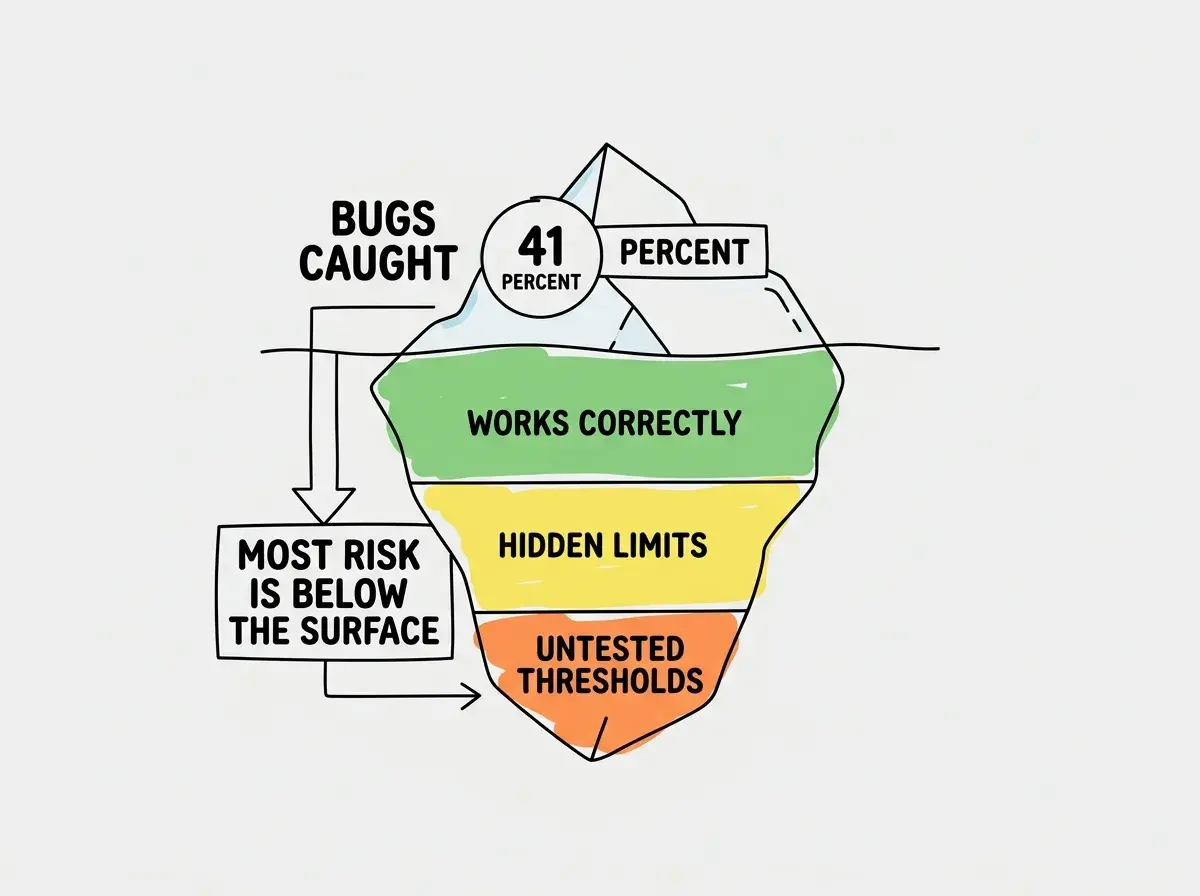
A Stack Overflow developer survey found that 41% of AI-generated code gets reverted. But the dangerous code is not the code that gets reverted. It is the code that passes review, ships to production, and works flawlessly until it doesn't.
The Request That Broke Everything
The scenario follows a pattern that repeats across the industry. A developer uses an AI coding tool to build a request-handling service. The AI generates clean, well-structured code with an auto-incrementing request counter. The counter tracks each incoming request for logging, rate limiting, or session management. The code looks professional. It passes code review. It handles thousands of requests during testing without a single error.
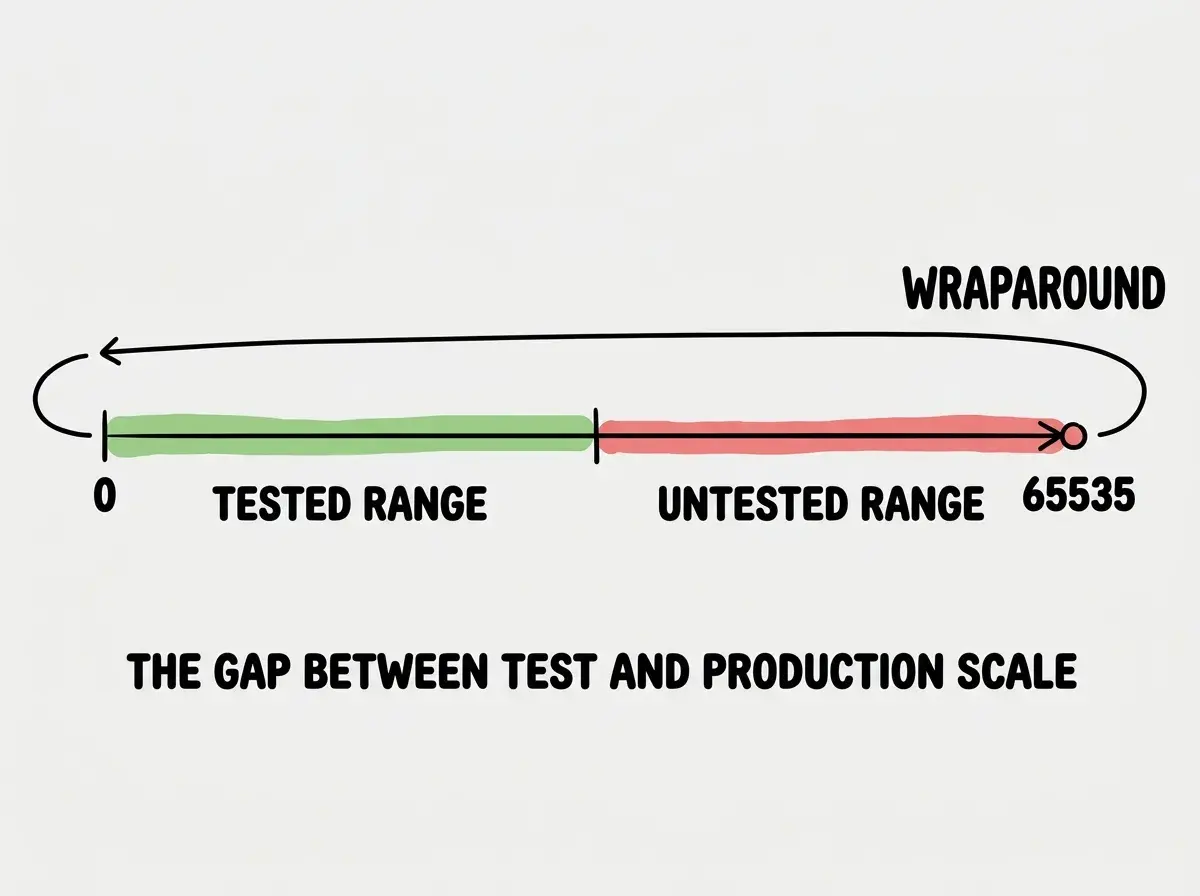
Then, on day twelve in production, the counter reaches 65,535. The next increment wraps it to zero or triggers an overflow error, depending on the language and runtime. Suddenly, request IDs collide. Rate limiting breaks because the system thinks every user is the same user. Session tracking corrupts. Logs become unreliable. The application does not gracefully degrade. It falls apart in ways that are difficult to diagnose because the root cause, a counter that overflowed, has no obvious connection to the symptoms.
Here is a simplified version of the kind of code an AI tool might generate:
let requestCounter: number = 0;
const MAX_ID = 65535; // 16-bit limit

function handleRequest(req: Request): Response {
  requestCounter = (requestCounter + 1) % (MAX_ID + 1);
  const requestId = requestCounter;

  // Log, rate-limit, and track using requestId
  logRequest(requestId, req);
  return processRequest(requestId, req);
}
The modulo operation means the counter silently wraps to zero after 65,535. No error is thrown. No alert fires. The system keeps running, but now request 65,536 has the same ID as request 0. If that ID is used as a cache key, a rate limit bucket, or a session identifier, the collision creates cascading failures.
Why AI Generates This Pattern
The 65,535 overflow is not a random mistake. It reflects how AI coding tools learn and what they optimize for.
Training data is full of example code that uses 16-bit integers for counters. Tutorials use small data types because they are simple to explain. Open-source projects from embedded systems, network protocols, and legacy applications use 16-bit fields because they were designed for constrained environments. The AI learns these patterns and reproduces them, even when the deployment target has no such constraints.
More importantly, the AI optimizes for functional correctness at the scale of a prompt. When you ask for a request handler, the AI builds one that works for the requests it can conceptualize, meaning dozens or hundreds. It does not reason about what happens at request 65,536 because that scenario is not part of the conversation. The AI has no mental model of your production traffic. It has a mental model of making code that looks right and runs without errors in the moment.
This is the same structural issue behind every category of AI code failure in production. The model generates code that satisfies the immediate constraint (handle a request, store a value, increment a counter) without reasoning about boundary conditions that only emerge at scale.
The number 65,535 is just one instance of a broader pattern. AI-generated code tends to use data types and structures that work at testing scale but fail at production scale. Any auto-incrementing value, any bounded buffer, any fixed-size data structure is a potential time bomb. The question is not whether your AI code has a scaling limit. It is whether you know where that limit is.
The Family of Hidden Limits
Integer overflow at 65,535 is the most recognizable member of a larger family. Every one of these bugs shares the same trait: invisible during development, catastrophic in production.
Memory leaks that surface after hours. AI-generated code frequently creates objects or opens connections without properly cleaning them up. The application runs perfectly for thirty minutes of testing. After eight hours of production traffic, memory consumption climbs to the point where the process gets killed by the operating system. The AI wrote code that worked. It just did not write code that worked continuously.
Connection pool exhaustion. AI tools generate database connection code that opens new connections without releasing them, or that sets pool limits too low for production concurrency. At ten concurrent users, the pool has plenty of capacity. At two hundred, every connection is consumed and new requests hang indefinitely. The application does not crash. It just stops responding, which is worse because monitoring tools may not flag a hang the way they flag a crash.
Rate limit misconfiguration. AI-generated rate limiting code often uses in-memory storage, which resets every time the server restarts. In production behind a load balancer with multiple instances, each instance maintains its own counter. A user hitting three different servers gets three times the intended rate limit.
Sequence ID collisions in distributed systems. AI-generated code that uses sequential IDs works on a single server. Deploy it across multiple instances and two servers generate the same ID at the same time. The resulting data corruption can take days to notice.
The common thread is that AI coding tools generate code that passes single-machine, short-duration, low-traffic testing. Production is multi-machine, long-running, and high-traffic. Every assumption that holds in the first environment eventually breaks in the second.
Assuming that passing integration tests means code is production-ready. Integration tests run for minutes with synthetic data at low volume. Production runs for months with real data at unpredictable volume. The bugs that matter most are the ones that only appear in the gap between those two environments. Test duration and test scale are just as important as test coverage.
How to Find These Bugs Before They Find You
The good news is that scaling bugs follow predictable patterns, and predictable patterns can be caught with disciplined review.
Audit every counter, ID, and sequence. Search the codebase for any auto-incrementing value. Check its data type. If it is a 16-bit integer, ask why. If it is a 32-bit integer, calculate how long it takes to overflow at your expected request rate. A 32-bit counter at 1,000 requests per second overflows in about 50 days. At 10,000 requests per second, it overflows in 5 days.
Run extended soak tests. Do not just test whether the code works. Test whether it works for a sustained period under realistic load. A four-hour soak test at production-level traffic will surface memory leaks, connection pool exhaustion, and counter overflows that a five-minute integration test never reveals.
Review resource lifecycle management. For every resource the code opens (database connections, file handles, HTTP clients, WebSocket connections), verify that it is closed. AI-generated code is particularly bad at resource cleanup because training examples rarely show teardown logic. The tutorial teaches you to open the connection. It does not teach you to close it.
Check distributed behavior. If the code will run on multiple instances, verify that any shared state (counters, caches, rate limits) uses distributed storage rather than in-memory storage. AI tools default to in-memory because it is simpler and works in single-instance development.
Stress test boundary values. Feed the system values near known integer boundaries: 255 (2^8-1), 65,535 (2^16-1), 2,147,483,647 (2^31-1), 4,294,967,295 (2^32-1). If the code handles these correctly, you have reasonable confidence in its arithmetic safety. If anything wraps, truncates, or throws an unexpected error, you have found a time bomb.
The bugs that matter most are the ones that only appear at scale. Know what to look for.
Read moreThe 41% Revert Rate Misses the Point
The Stack Overflow finding that 41% of AI-generated code gets reverted sounds alarming. But the truly dangerous code is in the other 59%. That code shipped. It passed review. It is running in production right now. Some of it contains a counter that has not hit 65,535 yet. Some of it has a memory leak that has not consumed enough RAM to trigger an OOM kill. Some of it has a connection pool that has not been saturated because traffic has not peaked.
The revert rate measures bugs you caught. The production failure rate measures the ones you didn't.
This is not an argument against using AI coding tools. It is an argument for treating AI-generated code the way you would treat code from a junior developer who writes clean, functional code but has never operated a system at scale. The code looks right. It passes the obvious tests. What it lacks is the scar tissue that comes from debugging a production incident at 3 AM when a counter wrapped.
The tools are powerful. The output needs verification. Learn the patterns that separate demo code from production code.
Explore moreWhat This Means For You
The 65,535 failure is a story about AI code, but the lesson is older than AI. Every system has limits. The question is whether you discover those limits during testing or during an outage.
-
If you are a senior developer, add boundary-value analysis to your review process for AI-generated code. Check every integer type, every counter, every pool size. Calculate time-to-overflow at production traffic rates. The five minutes this takes will save you the 3 AM incident.
-
If you are an indie hacker, run a soak test before launch. Set up a load generator, point it at your staging environment, and let it run for a few hours at your expected peak traffic. If nothing breaks, you have real confidence. If something does break, you found it before your users did.
-
If you are shipping AI-generated code in any capacity, internalize this principle: AI tools generate code that works at the scale of a demo. Production operates at a different scale entirely. The gap between those two scales is where the 65,535 bugs live. Your job is to close that gap before your users discover it for you.