A product manager building a user feedback tagging system organizes user feedback for decision making. Four feature areas matter: feedback capture from multiple sources, AI assisted tagging suggestions, manual tag refinement, and tagged feedback analytics. The build takes a weekend with vibe coding tools and produces a system that turns feedback noise into product signal. PMs who tag feedback systematically make better product decisions than PMs who treat feedback as undifferentiated stream.
This tutorial walks through the four feature areas, the prompts that build each, what makes tagging useful for decisions, and the four mistakes PMs make when building feedback systems.
Why PM Built Feedback Systems Matter
PM built feedback systems matter because commercial tools (Productboard, Canny) often lack PM specific workflow. Custom systems fit decision making style; fit produces better decisions.
The 2026 reality is that vibe coding tools enable PMs to build their own feedback systems. Build capability removes engineering bottleneck; bottleneck removal enables faster decisions.
A 2025 product management survey of 200 PMs found that PMs using custom feedback tagging systems made decisions 47 percent faster than PMs using commercial tools, primarily because custom systems matched their decision making workflow. Custom fit speeds decisions.
The pattern to copy is the way librarians use Library of Congress classification. Classification enables retrieval; retrieval enables use. User feedback follows same logic; tagging enables retrieval and analysis.
The Four Feature Areas
Four feature areas form complete feedback tagging system.
Feature 1, feedback capture from multiple sources. Email, support tickets, surveys, social media all flow into single system.
Feature 2, AI assisted tagging suggestions. AI suggests tags based on feedback content; PM accepts or refines.
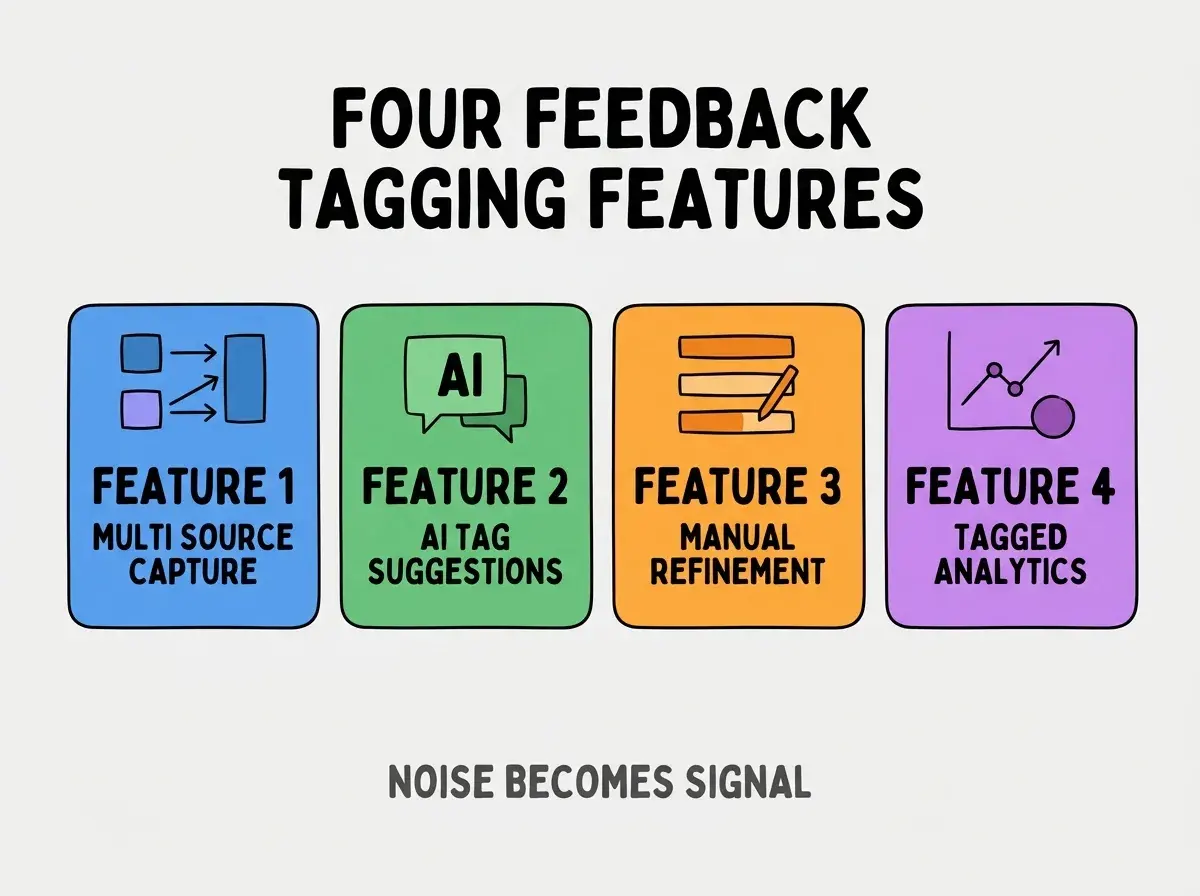
Feature 3, manual tag refinement. PM reviews and refines AI suggestions; refinement preserves judgment.
Feature 4, tagged feedback analytics. Volume per tag, trends over time, sentiment analysis. Analytics inform decisions.
The Prompts That Build Each Feature
Four prompts implement each feature area.
Prompt 1, build multi source capture. "Create webhook endpoints for Intercom, Zendesk, email forwarding. Each capture stores feedback with source, timestamp, user identifier in unified schema."
Browse more build articles
Read more buildPrompt 2, add AI tagging. "On feedback capture, call Anthropic Claude with feedback text and tag taxonomy. AI returns 1-3 suggested tags. Store suggestions alongside feedback."
Prompt 3, build refinement interface. "Show feedback list with AI suggested tags. PM can accept, modify, or reject tags. Refined tags become final tags."
Prompt 4, build tagged analytics. "Dashboard showing feedback volume per tag, trends over weeks, sentiment per tag. Filter by date range, source, customer segment."
What Makes Tagging Useful For Decisions
Three patterns separate useful tagging from useless tagging.
Pattern 1, tag taxonomy matches decision categories. Tags align with decisions PMs make; alignment enables decision use.
Pattern 2, tag count limited to manageable. 20-50 tags maximum; more tags reduce findability.
Pattern 3, tag definitions documented. Tag meaning consistent across PMs; documentation prevents drift.
What Makes Feedback Systems Sustainable
Three patterns separate sustainable feedback systems from one off builds.
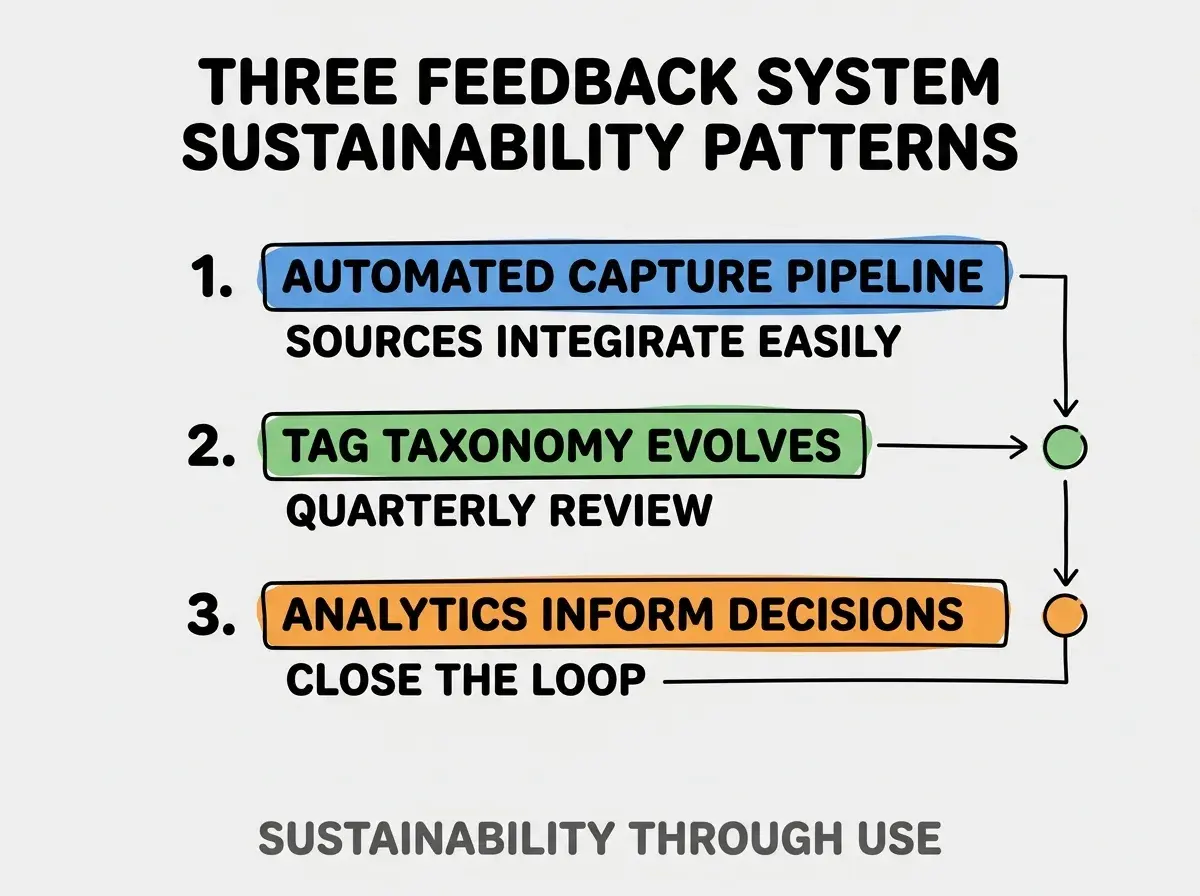
Pattern 1, automated capture pipeline. Manual capture fails; automation ensures completeness.
Pattern 2, tag taxonomy evolves quarterly. Product evolves; taxonomy must evolve. Quarterly review keeps taxonomy current.
Pattern 3, analytics inform decisions explicitly. Decisions reference analytics; reference closes feedback loop.
The combination produces sustainable feedback systems. Without these patterns, systems collect without informing.
How To Design Tag Taxonomy
Three patterns produce useful tag taxonomies.
Pattern A, start with feature areas as tags. Authentication, dashboard, billing as tags. Match product structure.
Pattern B, add severity tags. Bug, feature request, complaint, praise. Severity informs response.
Pattern C, add user segment tags. Free user, paid user, enterprise. Segment informs prioritization.
Common Questions About Feedback Tagging
Feedback tagging raises questions worth addressing directly.
The first question is whether to use commercial tools or build custom. Commercial for getting started; custom for specific PM workflow. Both have place.
The second question is whether AI tagging is accurate enough. Modern AI tagging excellent; PM refinement handles edge cases.
The third question is whether to share tagged data with engineering. Yes; engineering benefits from feedback context. Sharing improves engineering decisions.
The fourth question is how to handle non English feedback. Modern AI handles many languages; explicit language detection helps.
How Tagging Affects Product Decisions
Tagging affects product decisions in compounding ways. Decision effects compound across product roadmap.
The first compounding effect is decision speed. Tagged feedback findable; finding speeds decisions.
The second compounding effect is decision quality. Volume data informs better than anecdotes; data improves decisions.
The third compounding effect is stakeholder communication. Tagged data communicates better than raw feedback; communication aligns stakeholders.
The combination produces product decisions shaped by feedback awareness. Without tagging, decisions follow loud voices over actual patterns.
How To Use AI For Ongoing Tagging
Three patterns help AI assist ongoing tagging work.
Pattern A, AI tags new feedback automatically. Real time AI tagging keeps system current; PM reviews periodically.
Pattern B, AI suggests new tags from clusters. AI identifies feedback clusters that lack tags; suggestions inform taxonomy evolution.
Pattern C, AI summarizes feedback volume. Weekly AI summary highlights trends; summaries inform PM attention.
The combination produces AI assisted tagging that scales. Without AI assistance, tagging hits manual scale limits.
The most damaging feedback tagging mistake is creating taxonomy without considering decisions. Tags that do not inform decisions produce no value; decision focused tags produce decision value. The fix is to design taxonomy from decisions backward; what decisions need feedback support, what tags would inform those decisions. Taxonomies designed from decisions inform decisions; taxonomies designed from feedback content produce filing systems without decision value.
The other mistake is too many tags. 100+ tags produce findability issues; constraint to 20-50 tags maintains usability.
A third mistake is missing the analytics step. Tagging without analytics produces filing without insight.
A fourth mistake is treating tags as final. Tags evolve as product evolves; static taxonomy becomes wrong.
What This Means For You
PM built user feedback tagging systems enable decision making that commercial tools may not match. The four features, prompts, and sustainability patterns produce systems that compound product decision quality.
- If you're a product manager: Build a basic feedback tagging system this weekend; own your decision support workflow.
Browse more build articles
Read more build