To build a customer feedback collection tool in a focused weekend in 2026, vibe code four feature areas that cover most product feedback needs (an in-app feedback widget that captures input at the moment of use, a public roadmap that shows what is being built, an upvoting mechanism that prioritizes by user demand, and admin views that let you triage and respond to feedback), use proven libraries for the heavy lifting (Next.js for the app, Supabase for the database, Shadcn for components), and ship in 48 hours with deliberate scope. The tool replaces dedicated feedback platforms like Canny for many use cases at fraction of the ongoing cost.
This piece walks through the four feature areas, the architecture choices that compress build time, the launch sequence, and the four mistakes builders make when shipping feedback tools.
Why Build Feedback Collection Yourself
Dedicated feedback platforms cost $50-300 monthly and may not match your specific workflow. A custom tool lets you integrate feedback into your existing product, control the data, and customize the workflow. The build is genuinely achievable in a weekend with modern AI tools.
The 2026 reality is that vibe coding makes building these utilities economically rational. Save the platform fees, integrate deeply with your product, build exactly what you need; the upfront cost is one focused weekend.
A 2025 IndieHackers tools survey of 800 builders found that 41 percent who built custom feedback tools reported the tool meeting their needs better than the previous SaaS solution they replaced. The custom build was substantially cheaper over 3 years and integrated better with the rest of their product. The build-vs-buy decision favors building when the tool is high-leverage and your specific needs differ from off-the-shelf solutions.
The pattern to copy is the way restaurants build their own POS-integrated loyalty programs rather than buying generic ones. The custom version integrates with everything else and produces better customer experience. Software products work the same way; integrated custom tools often outperform best-in-class standalone tools for specific contexts.
The Four Feature Areas
Four feature areas cover what most product feedback tools need. Build all four for a complete tool.
Area 1, in-app feedback widget. Floating button that opens a feedback form. Captures input at the moment of use; the contextual capture is more valuable than emailed feedback.
Area 2, public roadmap. Shows planned, in-progress, and shipped features. Reduces "is anyone going to fix X" support tickets and builds confidence.
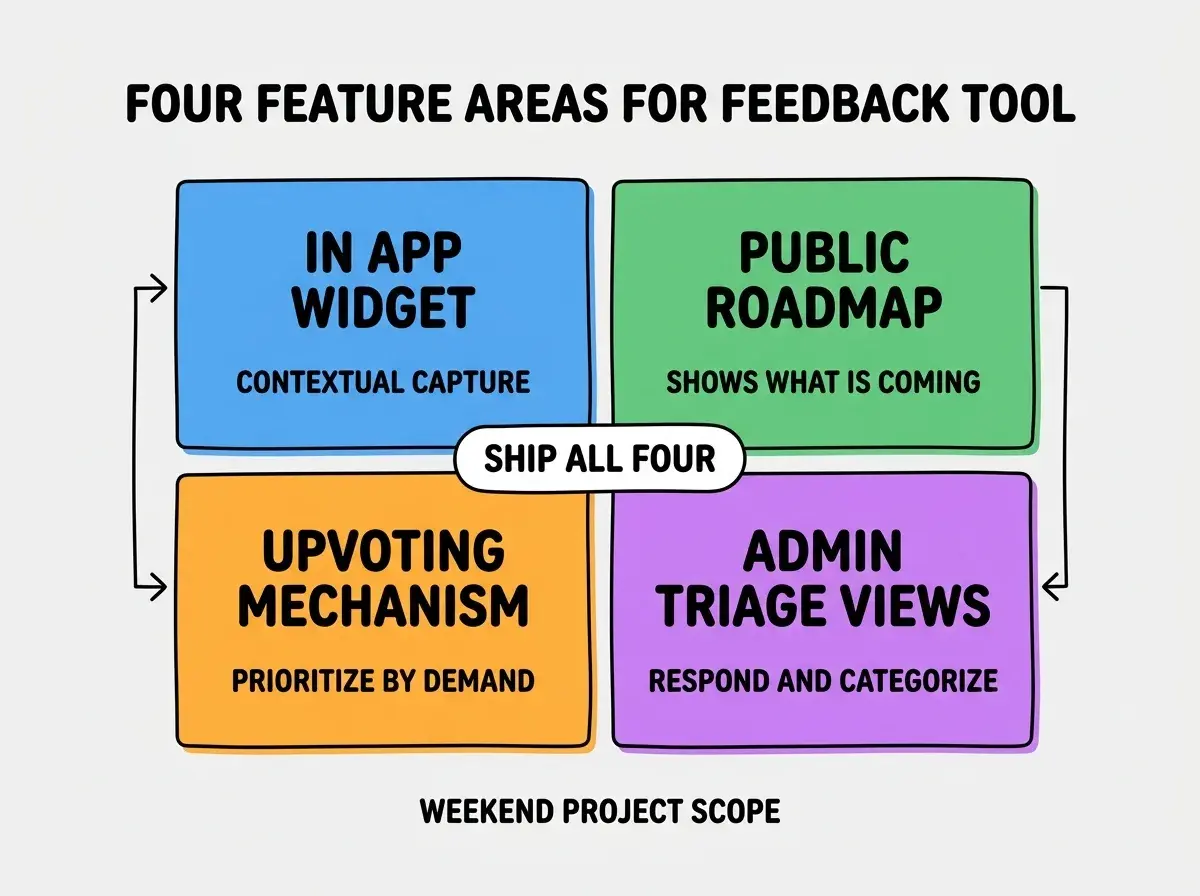
Area 3, upvoting mechanism. Users vote on others' feedback. Surfaces what matters to most users; prevents loudest-voice problems where one user shapes roadmap.
Area 4, admin triage views. Internal interface for categorizing, responding, and updating status. The admin work is where the tool produces value over time.
The Architecture Choices
Three architecture choices keep the build manageable in a weekend.
Choice 1, Next.js with App Router. Single framework handles both the public-facing roadmap and the admin interface. Build velocity benefits from one codebase rather than two.
Browse more product tool tutorials
Read more build articlesChoice 2, Supabase for database and auth. Postgres database, auth, and storage in one service. Reduces integration complexity dramatically; the free tier covers most early-stage needs.
Choice 3, Shadcn/ui for components. Pre-built accessible components. Skip the custom design work; ship working UI quickly with Tailwind under the hood.
The 48-Hour Build Sequence
Three time blocks structure the weekend so it ends in shipping.
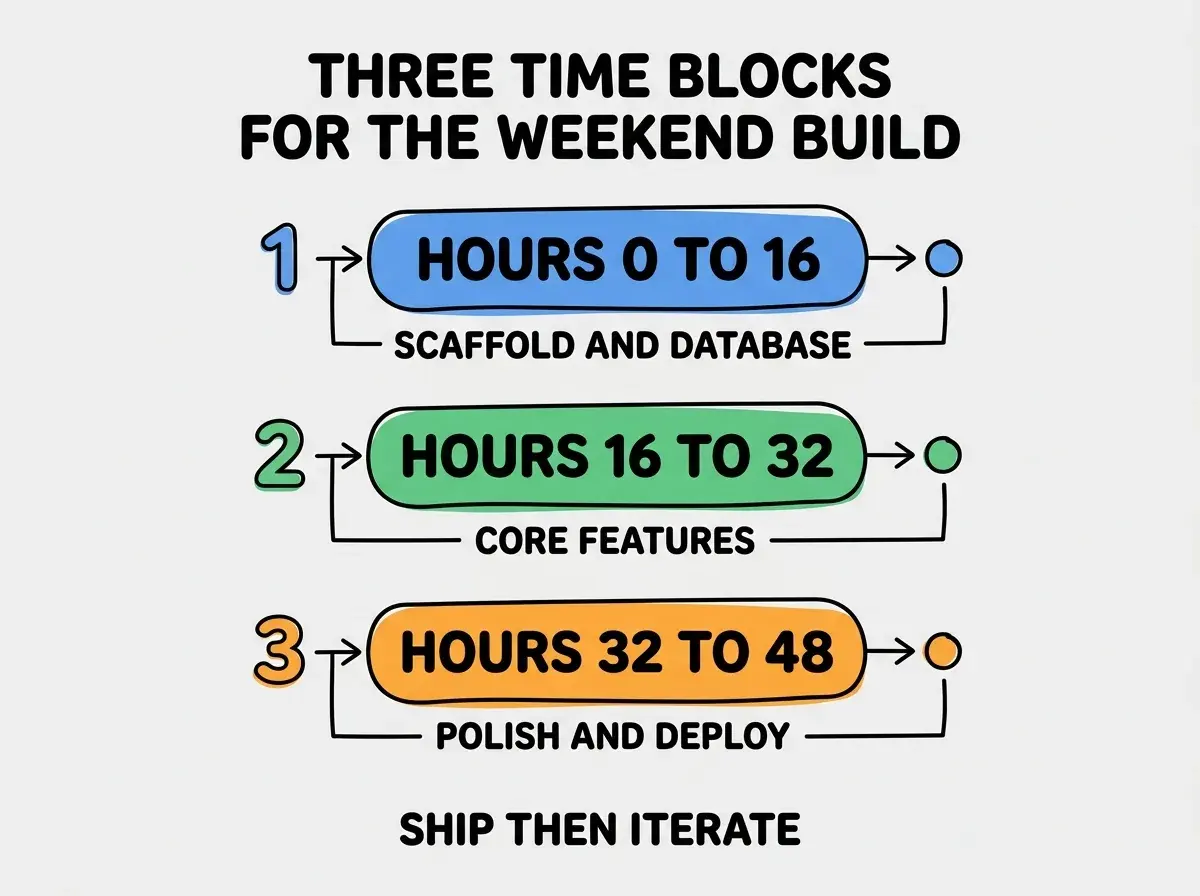
Block 1, hours 0-16, scaffold and database. Friday night plus Saturday morning. Set up Next.js project, configure Supabase, create database schema for feedback items, votes, and statuses.
Block 2, hours 16-32, core features. Saturday afternoon through Sunday morning. Build the in-app widget, public roadmap page, voting logic, and admin triage interface.
Block 3, hours 32-48, polish and deploy. Sunday afternoon and evening. Fix obvious issues, configure custom domain, deploy to Vercel, set up basic monitoring. The polish is what separates "demo" from "live."
The Database Schema That Works
Three table designs cover what most feedback tools need.
Table 1, feedback_items. id, title, description, category, status, votes_count, created_at. The core entity; everything else relates to this.
Table 2, feedback_votes. id, feedback_item_id, user_id, created_at. Track who voted on what; prevent duplicate voting.
Table 3, feedback_status_history. id, feedback_item_id, old_status, new_status, changed_at, changed_by. Audit trail showing how items moved through workflow.
The combination produces queryable feedback data that scales as your feedback volume grows. Without proper schema design, feedback tools often hit query performance issues at moderate scale.
How to Launch It Effectively
Three launch patterns help the tool find users immediately.
Pattern A, embed in your existing product on day one. The widget should be live in your product immediately. The contextual feedback collection produces volume that drives the tool's value.
Pattern B, link from email signatures and support replies. Make the public roadmap discoverable. Customers who see it once tend to return; visibility builds the feedback culture.
Pattern C, follow up on submitted feedback within 48 hours. Even a brief acknowledgment ("we see this; here's what we are thinking") builds trust dramatically. The discipline of response is what makes feedback tools produce engagement over time.
The combination produces tool that grows in value with use. Without these patterns, the tool exists but goes unused; usage discipline is what produces feedback culture.
The most damaging feedback tool mistake is building it but never responding to feedback. The tool collects input; nobody acts on it; users notice and stop submitting. The fix is to commit to response discipline before launching the tool; if you cannot commit to weekly response, do not launch the tool because the silence damages trust. Feedback tools work only when paired with response habits; the tool alone is not enough.
The other mistake is over-engineering features that nobody uses. Email notifications, complex tagging, advanced search, integration with everything. Most users want simple submission and to see status updates. The fix is to ship the four core features only and add others based on actual usage data, not hypothesized needs.
A third mistake is failing to set expectations on response time. If users submit feedback expecting a response within 24 hours and you respond in 2 weeks, you damage the relationship. The fix is to be explicit about response cadence; "we read all feedback weekly and respond when we make changes" sets honest expectations.
A fourth mistake is letting closed feedback items disappear from the public view. Users want to see what was actually fixed; hiding closed items removes the proof that the tool produces results. The fix is to keep closed items visible with clear status; the visible track record builds future engagement.
What This Means For You
Building a custom feedback collection tool is achievable weekend project in 2026. The four features, architecture, and launch patterns produce a working tool that replaces SaaS alternatives.
- If you're a founder: Build this if your team has clear feedback workflow needs that off-the-shelf tools do not match. Otherwise, buy and move on.
- If you're changing careers into development: This makes a great portfolio project. Real product, full-stack, deployable, demonstrably useful.
- If you're a student: Use this as a class project that ships to real users. Real-world deployment teaches more than localhost-only assignments.
Browse more product tool tutorials
Read more build articles