To build a sprint planning dashboard with AI tools, follow the four phase approach (define what sprint patterns and team workflows the dashboard should support, build the data model that handles stories, capacity, and velocity, design the planning interface that makes sprint planning faster, and ship with the AI suggestion patterns that improve planning quality), recognize what separates sprint dashboards PMs use weekly from dashboards PMs ignore for spreadsheets, and apply the patterns that produce sustained planning quality. The sprint planning dashboard becomes valuable when it makes planning faster while improving plan quality; without both, established tools win.
This piece walks through the four phases, the AI suggestion patterns, the specific tooling, and the four mistakes that produce sprint dashboards PMs abandon.
Why Sprint Planning Dashboards Matter
Sprint planning dashboards turn fragmented sprint preparation into structured workflows. The transformation matters; without dashboards, PMs prepare sprints through Jira workarounds and spreadsheets that miss capacity reality. Dashboards produce structure that ad hoc preparation cannot match.
The 2026 reality is that AI tools dramatically accelerate sprint dashboard building while AI integration during planning can suggest story sequencing, detect over capacity sprints, and surface dependencies faster than manual review. The combination means small teams can build sprint dashboards matching what enterprise PM tools previously required.
A 2025 product team survey of 600 mid sized teams found that teams using purpose built sprint dashboards saved an average of 3 hours per week on sprint planning compared to spreadsheet plus Jira workflows. The time savings allow PMs to focus on stakeholder work rather than planning logistics.
The pattern to copy is the way Linear transformed engineering ticket management. Linear replaced Jira complexity with focused workflows that produced engineering team adoption. Sprint planning dashboards play similar role for sprint planning specifically; focused tools produce adoption that comprehensive PM platforms struggle to achieve.
The Four Phase Approach
Four phases produce sprint planning dashboards PMs use weekly.
Phase 1, define what sprint patterns and team workflows the dashboard should support. 1 week sprints, 2 week sprints, varying patterns. Different patterns need different support.
Phase 2, build the data model that handles stories, capacity, and velocity. Stories, sprints, capacity, velocity, dependencies. AI tools generate the schema effectively given clear specifications.
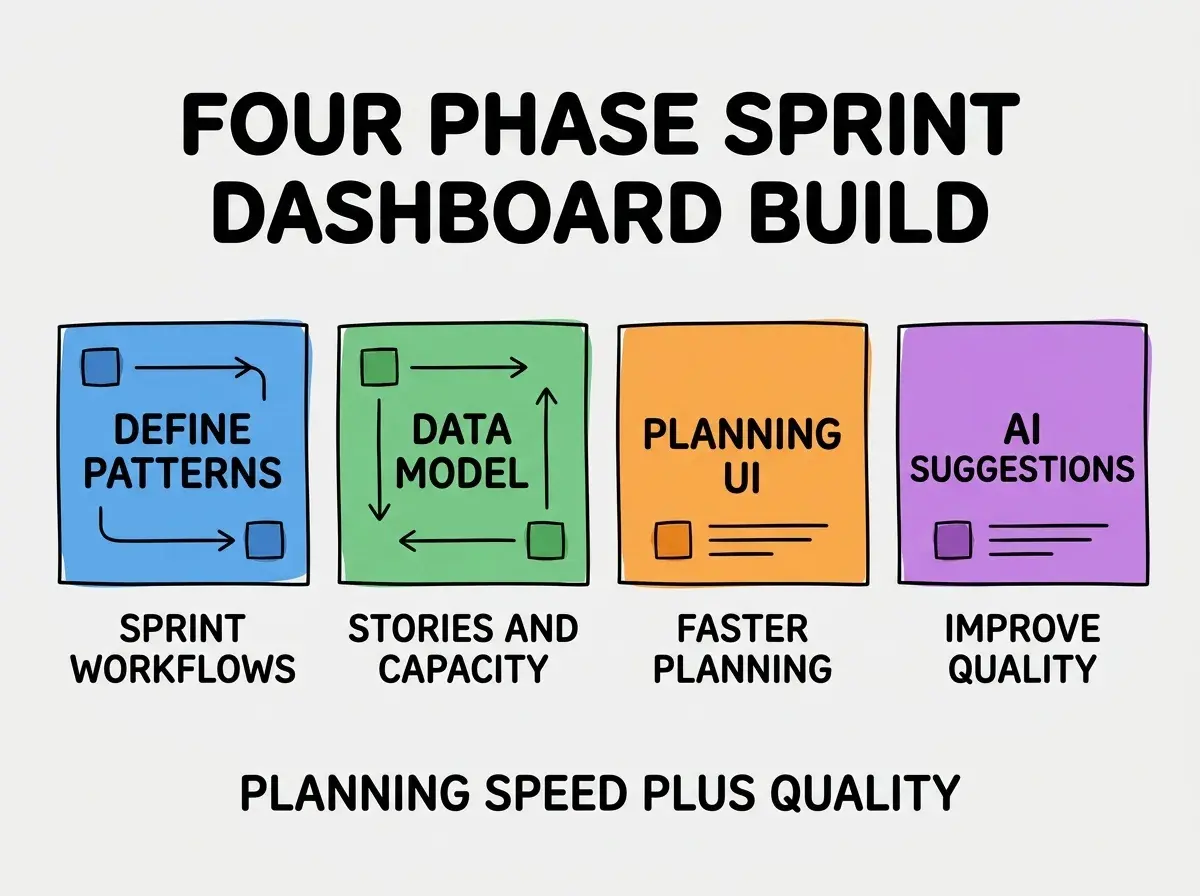
Phase 3, design the planning interface that makes sprint planning faster. Drag and drop story placement, capacity visualization, velocity history. Planning UI determines weekly use.
Phase 4, ship with AI suggestion patterns that improve planning quality. Story sequencing, dependency detection, capacity warnings. AI suggestions improve plan quality beyond pure planner judgment.
The AI Suggestion Patterns That Improve Planning
Three patterns produce AI suggestions that PMs value.
Pattern 1, capacity warnings before sprint commitment. AI flags sprints that exceed historical velocity. Warnings prevent commitment overload that destroys team trust.
Browse more PM tutorials
Read more build tutorialsPattern 2, story dependency detection from descriptions. AI reads story descriptions and surfaces likely dependencies. Dependency detection catches issues that planning meetings miss.
Pattern 3, optimal story sequencing within sprint. AI suggests order that respects dependencies while balancing risk. Sequence suggestions improve sprint execution.
The Specific Tooling That Worked
Three tool categories combine effectively for sprint dashboard building.
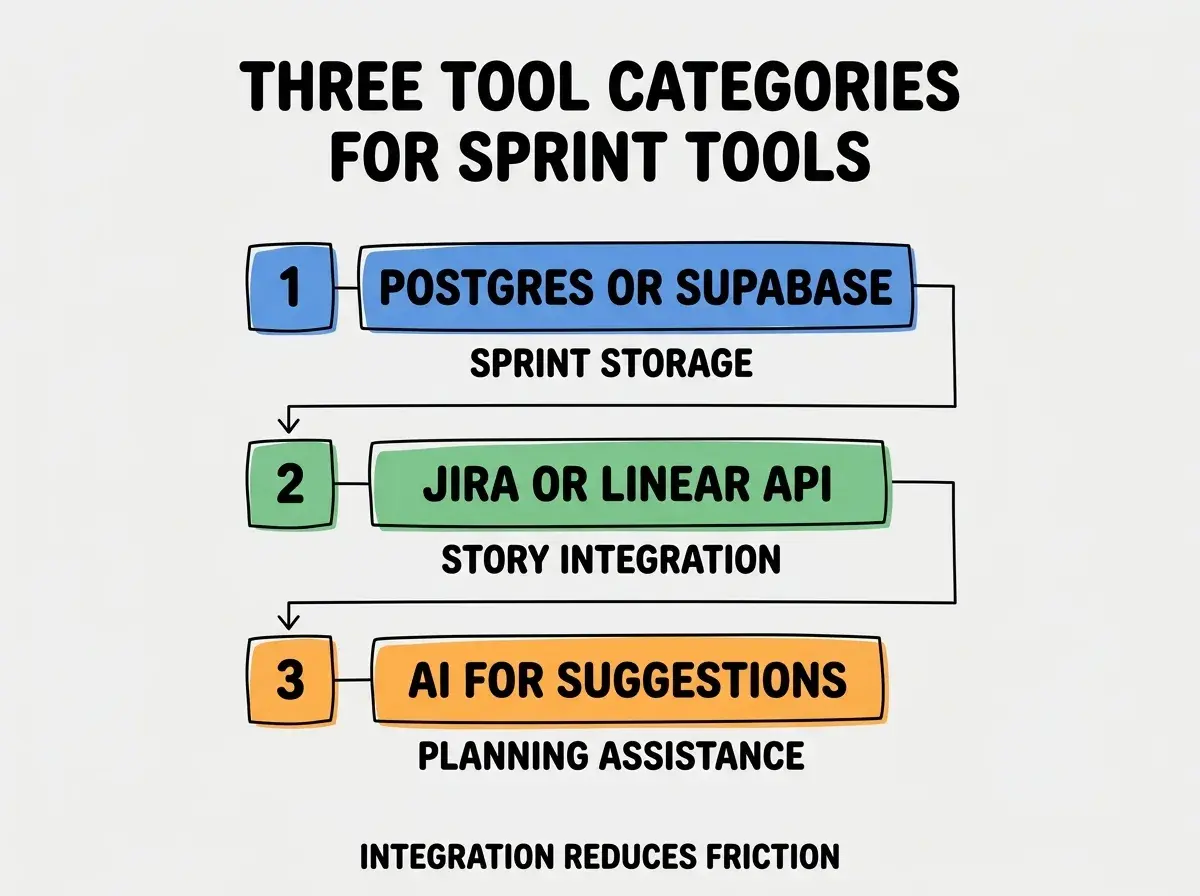
Tool 1, Postgres or Supabase for sprint data. Sprints, stories, capacity, velocity. Relational data fits naturally.
Tool 2, Jira or Linear API for story integration. Sync stories from existing PM tools. Without integration, dashboard requires duplicate entry.
Tool 3, AI for planning suggestions. Claude or GPT analyzes stories and capacity to suggest planning patterns. AI suggestions improve plan quality beyond pure manual planning.
What Makes Sprint Dashboards Get Sustained PM Use
Three patterns separate sustained PM use from quick abandonment.
Pattern 1, faster than spreadsheets for sprint planning. Tool must beat spreadsheet speed. Speed matters dramatically for weekly planning meetings.
Pattern 2, accurate capacity calculation based on team availability. PTO, holidays, partial allocations. Without accurate capacity, planning produces unrealistic commitments.
Pattern 3, retrospective integration for continuous improvement. Sprint outcomes inform future planning. Without retrospective integration, planning quality plateaus.
The combination produces dashboards PMs use weekly. Without these patterns, dashboards get tried then abandoned for spreadsheets and Jira workarounds.
How to Build Your First Sprint Dashboard
Three implementation patterns help first sprint dashboards succeed.
Pattern A, start with one team before scaling. Single team validates patterns. Multi team from day one often produces incomplete fits.
Pattern B, dogfood with friendly PM team for 3 sprints. Real sprint cycles reveal usability issues.
Pattern C, instrument planning meeting completion time. Are planning meetings faster with dashboard? Without instrumentation, value claims stay anecdotal.
The combination produces first dashboards that establish PM use patterns. Without these patterns, first dashboards often launch with workflows that do not match real PM patterns.
The most damaging sprint dashboard mistake is requiring PMs to manually maintain story data when integration with existing PM tools is possible. Manual maintenance produces stale data that destroys dashboard value. The fix is to integrate with existing PM tools from start; sync stories from Jira or Linear automatically. Dashboard value comes from analysis and planning features, not from being primary story store.
The other mistake is treating sprint dashboard as engineering tool rather than PM tool. PMs and engineers have different needs; one tool serving both poorly often loses to specialized tools. The fix is to build for PM workflows specifically.
A third mistake is failing to handle distributed team time zones. Distributed teams have different working hours; capacity calculation must account for this.
A fourth mistake is missing the cross sprint analysis dimension. Single sprint focus misses patterns across sprints. The fix is to provide multi sprint analysis features.
A fifth mistake is requiring desktop only access. PMs increasingly work mobile during commutes and meetings; desktop only access limits use windows and produces friction.
How Sprint Dashboards Generate Sustained PM Value
Sustained value comes from planning quality compounding over sprint cycles. Each well planned sprint builds team trust and execution velocity that subsequent sprints inherit.
The first compounding effect is velocity accuracy improvement. Historical velocity data informs future capacity planning; better capacity planning produces more accurate commitments. Accurate commitments build team and stakeholder trust over time.
The second compounding effect is dependency pattern recognition. Recurring dependencies surface across sprints; recognizing patterns enables proactive dependency management. Without pattern recognition, teams hit the same dependencies repeatedly.
The third compounding effect is retrospective insight accumulation. Sprint outcomes documented in dashboard provide pattern data for retrospectives. The accumulated data reveals systemic issues that single sprint retrospectives miss.
The combination produces sprint planning quality improvement over time as data accumulates. First quarter improvements are modest; second year improvements are substantial as patterns emerge from accumulated data.
Common Questions About Building Sprint Dashboards
Building sprint dashboards raises questions worth addressing explicitly. Two questions come up most often.
The first question is whether to extend Jira or Linear versus building separate dashboard. Extension keeps data unified but limits UI flexibility; separate dashboard with sync produces UI freedom while maintaining data unity. Most teams benefit from separate dashboard with deep sync rather than extension constraints.
The second question is AI suggestion accuracy reality. AI suggestions are helpful but not authoritative; treating them as suggestions rather than commands preserves PM judgment. Teams that defer to AI suggestions blindly produce worse outcomes than teams that treat them as one input among several.
What This Means For You
The sprint planning dashboard built with AI tools becomes valuable through faster planning, AI suggestions, and integration with existing PM tools. The four phases, AI patterns, and tool combinations produce dashboards PMs use weekly.
- If you're a product manager: Sprint dashboards reduce planning time while improving plan quality. Build when team complexity justifies; below that complexity, spreadsheets may suffice.
- If you're a senior dev: Sprint dashboards affect engineering execution. Engineering input on dashboard design produces better outcomes than PM only design.
- If you're a founder: Sprint planning quality affects shipping velocity. Invest in planning tooling as team grows; dashboard quality compounds across all engineering work.
Browse more PM tutorials
Read more build tutorials