To add AI chat to any existing web app in under two hours in 2026, use the Vercel AI SDK with Claude or GPT as the backend, build a streaming chat UI with their pre-built React components, store conversation history in your existing database, and add the four design touches that separate good AI chat from generic chatbots: clear scope (chat about your product, not the world), streaming responses, conversation persistence, and rate limiting. The actual code is roughly 200 lines split between the API route and the chat component, and the work is mostly UI polish rather than AI integration.
This piece walks through the integration step by step, the four design choices that determine quality, the cost controls that prevent runaway bills, and the four mistakes that turn a useful chat feature into a frustrating one within the first month.
Why AI Chat Is Worth Adding to Existing Products
AI chat has become a near-default expectation for SaaS products in 2026. Customers expect to ask questions and get instant answers about your product, your data, or their account. The bar is low (most existing chat features are mediocre) and the upside is real (conversion lifts of 10 to 25 percent are common when chat is well-implemented).
The right way to think about adding AI chat is as a productivity feature for your existing users, not as a replacement for your support team. The chat answers questions that would otherwise require navigating documentation or filing a support ticket. The support team handles the complex cases the chat cannot. This split works because AI chat is genuinely good at the high-volume, low-complexity questions and is genuinely bad at the low-volume, high-complexity ones.
A 2025 Intercom analysis of 500 SaaS products that added AI chat found that the median product saw support ticket volume drop 31 percent and conversion lift 14 percent within 90 days. The implementations that succeeded shared three traits: scoped responses (only about the product), streaming UI (responses appear word by word), and clear escalation to humans. Implementations that failed usually offered open-ended chat with no scope, which produced unreliable answers and lost user trust.
The pattern to copy is the way modern hotels added concierge chat in the late 2010s. Initially they used generic chatbots that frustrated guests. The successful version was scoped specifically to hotel topics (room service, local recommendations, checkout), used clear handoff to staff for complex requests, and was always available. AI chat in 2026 follows the same playbook.
The Two-Hour Implementation
The basic implementation has four parts that take 30 minutes each on average for a developer using Cursor or Claude Code.
Part 1, install and configure the Vercel AI SDK. npm install ai @ai-sdk/anthropic (or @ai-sdk/openai). Add your API key to environment variables. Configure the model with reasonable defaults (claude-sonnet-4-6 for quality, claude-haiku-4-5 for speed and cost).
Part 2, build the API route. A streaming endpoint that accepts a conversation history and returns streamed text. The Vercel AI SDK provides a streamText function that handles most of this in 10 lines of code.
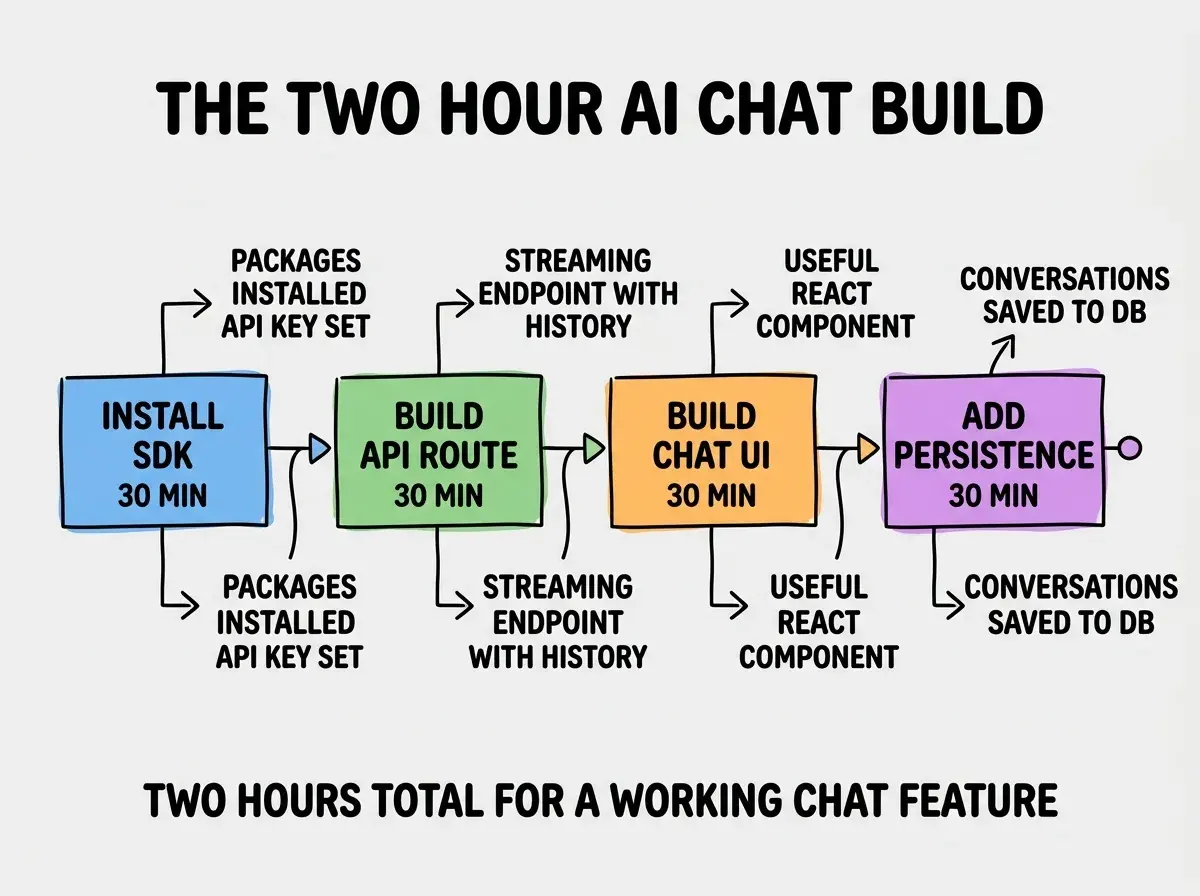
Part 3, build the chat UI. Use the useChat hook from the Vercel AI SDK to handle messages, streaming, and submission. Add Tailwind styling and you have a working chat in 50 lines of React.
Part 4, add conversation persistence. Save each user-AI conversation pair to your database (Supabase, PostgreSQL, whatever you use). Lets users return to past conversations and gives you data to improve the chat over time.
The Four Design Choices That Matter
The implementation is the easy part. The design choices are what separate useful AI chat from generic chatbots.
Choice 1, scope the chat. Use a system prompt that limits what the AI talks about. "You are an assistant for [your product]. Only answer questions about [your product]. If a question is outside your scope, politely redirect." This prevents the chat from confidently making things up about your product or wandering into off-topic territory.
Browse more AI feature build guides
Read more build articlesChoice 2, stream responses. Use streaming text rather than waiting for the complete response. Users see the first word within 200ms, which feels dramatically faster than waiting for the full response. The Vercel AI SDK handles this by default.
Choice 3, persist conversations. Save each conversation so users can return to it later. Reduces friction for repeat users and gives you a feedback channel: which conversations led to support tickets, which led to upgrades.
Choice 4, rate limit and cost cap. Add per-user rate limits (e.g., 50 messages per hour) and a global cost cap. Protects against bot abuse and surprise bills.
How to Keep Costs Under Control
AI chat costs scale with usage. Without controls, a viral moment or a misbehaving script can produce a four-figure surprise bill. Three controls prevent this in most cases.
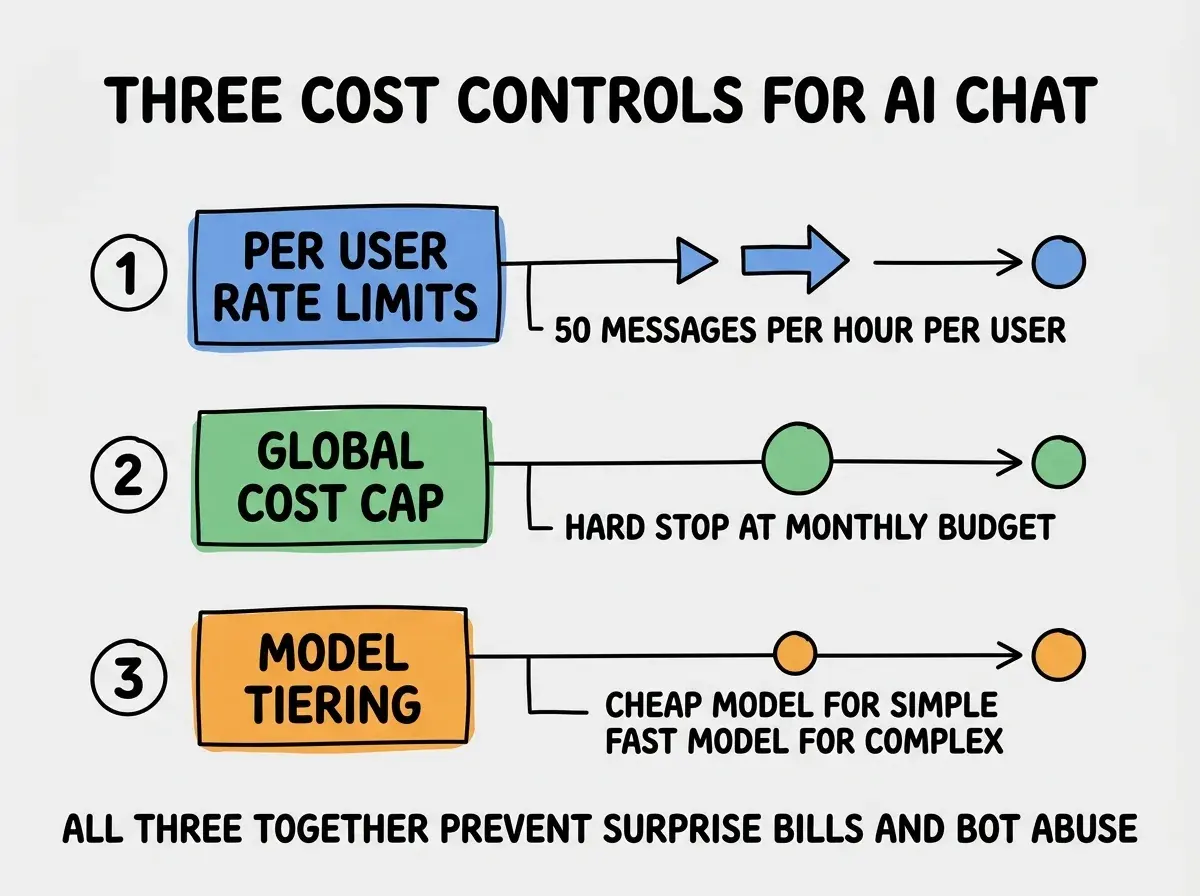
Control 1, per-user rate limits. Use Upstash Ratelimit or your existing rate limit infrastructure to cap messages per user per time window. 50 per hour is generous for legitimate users and catches bots quickly.
Control 2, global cost cap. Set a hard monthly budget on your Anthropic or OpenAI account. If usage exceeds the cap, the API returns an error and your chat goes to a "temporarily unavailable" state. Better than a surprise bill.
Control 3, model tiering. Use Haiku 4.5 (cheap, fast) for simple queries and Sonnet 4.6 (slower, smarter) only when needed. A simple classifier or even a length heuristic on the user's message can route to the right model.
The most damaging AI chat mistake is shipping with no scope at all. An open-ended chat that says "I am an AI assistant, ask me anything" invites users to test its limits, which they will. The result is screenshots of your chat saying weird things spread on social media and trust in your product erodes. Always scope the chat with a clear system prompt that defines what it talks about. The scope is itself a feature; users prefer focused tools to general ones in product contexts.
The other mistake is hiding the AI behind anthropomorphic personas. Naming your chatbot "Sarah" and giving it a stock photo backfires when users realize it is AI. Be transparent that it is an AI assistant; users in 2026 prefer honest AI to fake humans. The transparency builds trust rather than breaking it.
A useful pattern is to log every conversation (with user consent) and review the conversations weekly to find what users actually ask. Most teams find that 10 to 20 specific questions account for 80 percent of traffic, and tuning the system prompt to handle those questions specifically dramatically improves the perceived quality of the chat. The weekly review also surfaces opportunities to improve documentation; if users keep asking the same question, the answer probably belongs in the product itself.
What This Means For You
Adding AI chat to an existing product is one of the highest-leverage product additions you can ship in 2026. The build is small, the impact is real, and the patterns are settled enough to follow without inventing.
- If you're a founder: Ship AI chat in the next sprint. The conversion and retention lift typically pays back the engineering time in the first month.
- If you're changing careers: Building an AI chat feature is a great portfolio piece that demonstrates real product judgment, not just AI integration.
- If you're a student: Add AI chat to one of your existing projects. The skill transfers to almost every job in 2026.
Browse more AI feature build guides
Read more build articles