To add image generation to your app in 2026, choose between the four image generation use cases that drive engagement (user avatars and profile customization, content thumbnails and social cards, product visualization, creative brainstorming), pick a provider (Google Gemini Flash Image, OpenAI DALL-E 3, Midjourney API, or open-source via Replicate), implement content moderation through provider safety filters plus your own checks, and budget for per-image costs that range from $0.01 to $0.20 depending on quality and provider. The build takes 2 to 5 days for a basic integration.
This piece walks through the four use cases that drive engagement, the provider selection criteria, the content moderation patterns, and the four mistakes that turn image generation into liability sources.
Why Image Generation Is a Differentiating Feature
Image generation moved from novelty in 2022-2023 to expected feature in many product categories by 2026. Users now expect personalization options, generated thumbnails, AI-assisted creative tools. Apps without image generation feel dated for product categories where it has become standard.
The 2026 reality is that image generation costs have dropped dramatically (some providers now offer images for under $0.02 each), quality has improved across all major providers, and integration patterns have stabilized. The barriers that prevented widespread adoption are mostly gone.
A 2025 product analytics study of 600 SaaS apps that added image generation found a median engagement lift of 28 percent on features that incorporated user-generated images. The lift came primarily from the personalization effect: users who created custom images felt more ownership of the product. The 2x improvement on engagement KPIs justified the integration cost easily for most teams; image generation is now a positive ROI feature for most product categories.
The pattern to copy is the way photo filters became standard in social apps in the 2010s. Filters started as Instagram's differentiator; within five years they were table stakes for any photo-sharing app. Image generation in 2026 is following the same trajectory: differentiator in 2024, standard by 2026.
The Four Use Cases That Drive Engagement
Different product categories benefit from different image generation use cases. Four cover most apps.
Use case 1, user avatars and profile customization. Let users generate custom avatars from text descriptions. Highest emotional engagement; users love seeing themselves represented.
Use case 2, content thumbnails and social cards. Auto-generate thumbnails for user content, OG images for shared links. Reduces user friction; improves social sharing.
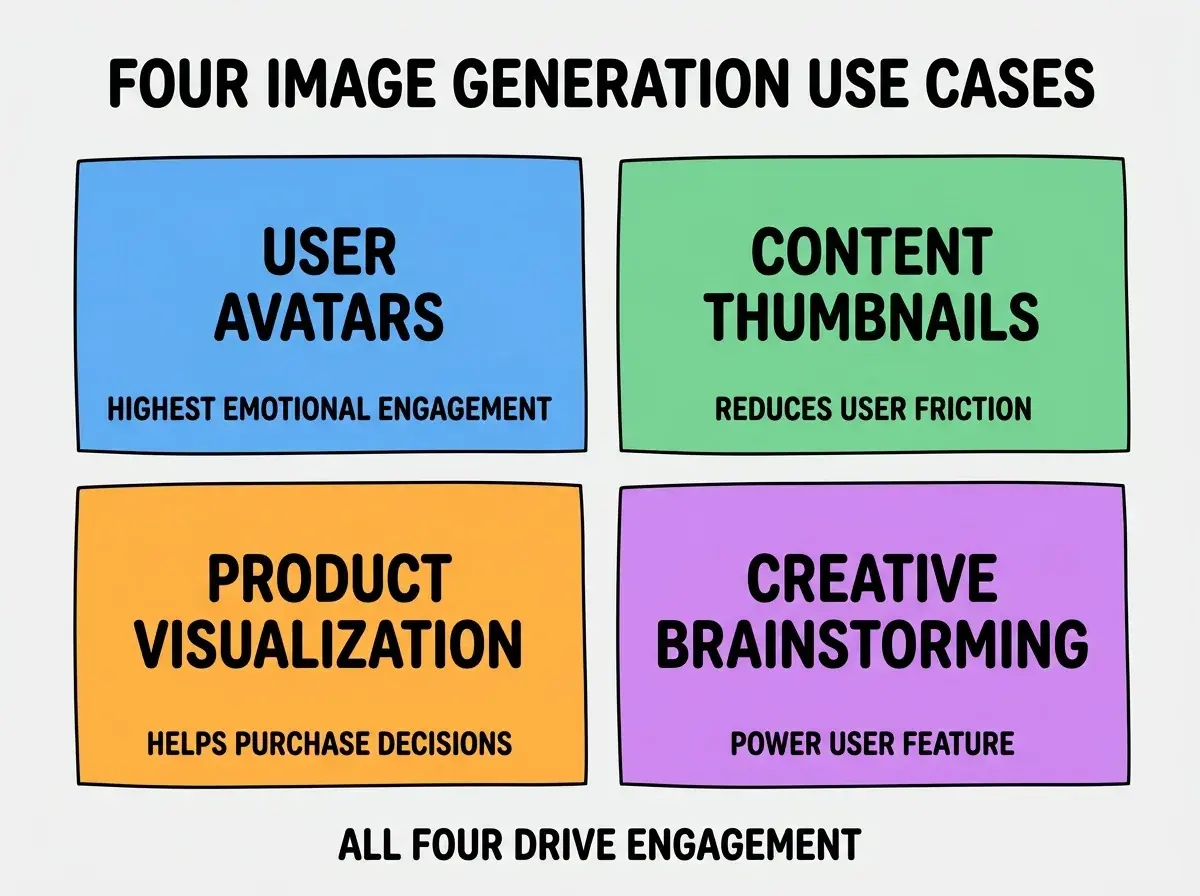
Use case 3, product visualization. E-commerce or marketplace apps generating product mockups in different colors, settings, configurations. Helps purchase decisions.
Use case 4, creative brainstorming. Tools where users generate inspiration images for their own work. Power user feature; smaller audience but higher engagement per user.
The Provider Selection Criteria
Different providers suit different use cases. Three criteria matter most.
Criterion 1, image quality vs cost. Midjourney highest quality, highest cost. DALL-E 3 high quality, mid-cost. Gemini Flash Image good quality, low cost. Replicate (Stable Diffusion) variable quality, lowest cost.
Browse more AI feature build guides
Read more build articlesCriterion 2, generation speed. Some providers respond in 1-3 seconds; others take 30-60 seconds. Speed matters for interactive use cases; slower providers work for background generation.
Criterion 3, content moderation strength. Some providers (DALL-E 3, Gemini) have strong built-in moderation. Others (raw Stable Diffusion) require you to build moderation. Match to your acceptable risk profile.
The Content Moderation Patterns
Image generation creates content moderation challenges. Three patterns handle most situations.
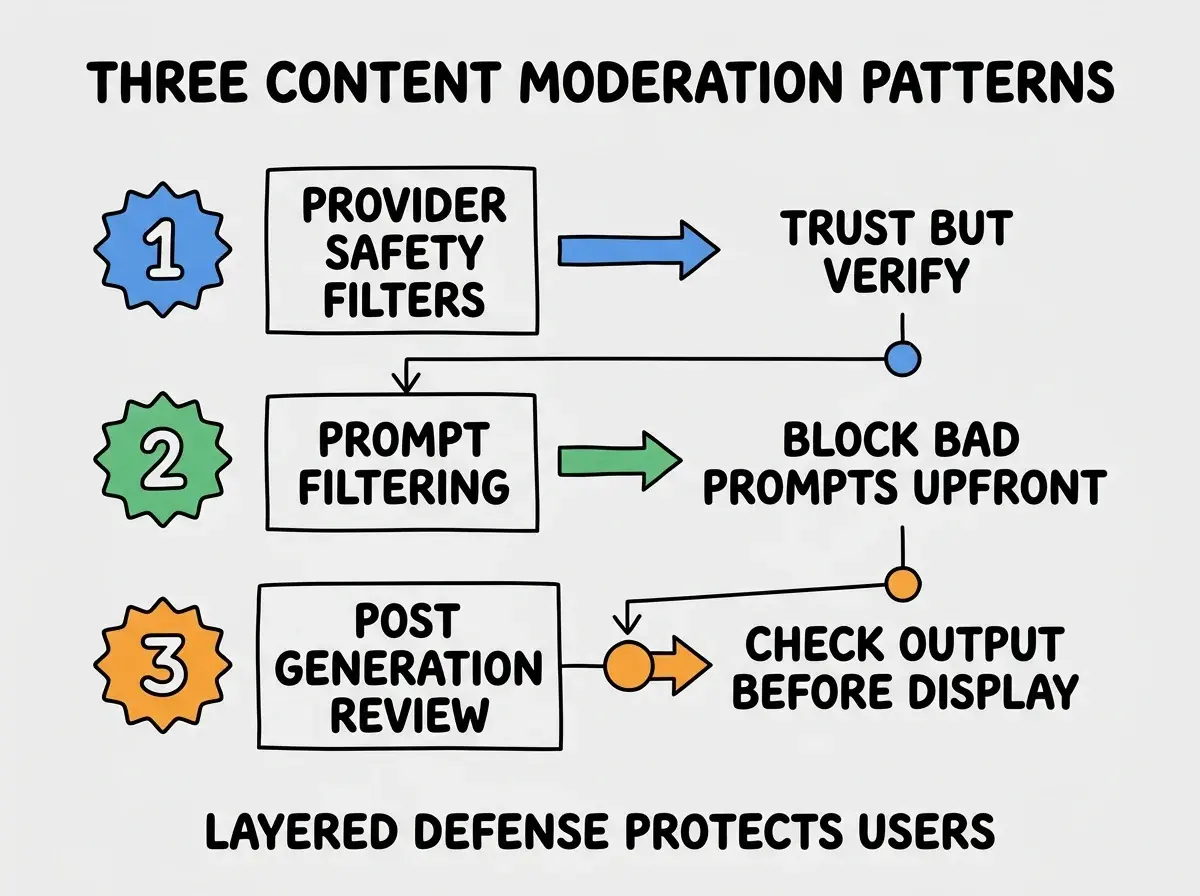
Pattern 1, rely on provider safety filters. All major providers have built-in content filtering. Trust them as the first line of defense; verify periodically that filters work as expected.
Pattern 2, prompt filtering. Block obviously problematic prompts before sending to the provider. Saves cost and adds defense in depth.
Pattern 3, post-generation review. For high-risk use cases (public sharing, child-facing content), review images before displaying. Can be human review or AI-based screening.
Cost Management Patterns
Image generation costs add up quickly. Three patterns control costs without limiting user experience.
Pattern 1, cache common requests. Many users generate similar images (avatars with common descriptors, thumbnails for popular topics). Caching catches repeats and saves cost.
Pattern 2, lower-quality fast tier and higher-quality slow tier. Default to faster, cheaper provider; let users opt into higher-quality for important uses. Tiered approach matches cost to value.
Pattern 3, generation budgets per user. Limit free-tier users to N generations per day. Drives upgrade to paid plans while keeping costs predictable. Generous limits initially; tighten if abused.
The combination keeps image generation costs aligned with the value it produces. Without cost management, image generation can become the largest line item in an app's infrastructure budget.
The most damaging image generation mistake is launching without considering content moderation, then dealing with abuse after the fact. Even with safety filters, some users will try to generate inappropriate content. Apps that get caught hosting AI-generated harmful content face significant reputation damage. The fix is to layer moderation from day one: provider filters plus prompt filtering plus post-generation review for high-risk surfaces. The 2x effort upfront prevents the 100x cleanup cost of a public incident. Treat content moderation as a feature, not as a footnote.
The other mistake is letting cost run unchecked. Image generation can produce surprise bills if usage spikes (viral feature, abuse, bug in the integration). Set provider-side budgets and alerts. Monitor cost-per-active-user weekly. Catch unexpected spikes early before they become significant.
Storage and Caching Patterns
Generated images need to be stored and served efficiently. Three patterns cover most needs.
Pattern 1, store generated images in object storage. S3, R2, or similar. Avoid storing in your application database. Reference by URL.
Pattern 2, CDN for serving. Put a CDN in front of the storage. Generated images get served fast globally. Reduces both latency and storage egress costs.
Pattern 3, deduplication for identical generations. Same prompt sometimes produces identical images (or near-identical). Hash-based deduplication can cut storage by 20-30 percent for popular prompts.
The combination produces an image generation pipeline that scales to thousands of generations per day without breaking the bank or slowing down user experience.
Prompt Engineering for Better Results
Image generation quality depends heavily on prompt quality. Three patterns produce better results.
Pattern A, structured prompts. Subject, style, composition, mood, technical parameters. Models respond better to structured prompts than to vague descriptions.
Pattern B, negative prompts where supported. Specify what NOT to include. Reduces unwanted elements in output. Significant quality improvement on supported providers.
Pattern C, prompt templates with user-fillable slots. "Professional headshot of [user description] in [setting], lighting [time of day], style [style preference]." Lets users contribute key details without writing full prompts.
The combination produces dramatically better results than letting users write raw prompts. Prompt engineering is the difference between "good demo" and "actually useful for users."
The investment in prompt engineering compounds across every image users generate. A well-crafted template that improves quality 30 percent affects every future generation; the work pays back across the entire user base for the lifetime of the feature, which makes it one of the highest-leverage investments in image generation features and one of the most undervalued by teams new to AI integration work.
What This Means For You
Image generation is now a viable feature for most product categories in 2026. The cost is manageable, the integration is straightforward, and the engagement lift is real.
- If you're a founder: Consider image generation if your product has any user-generated content or personalization. The engagement lift often justifies the cost.
- If you're changing careers into AI engineering: Building image generation features teaches provider integration, content moderation, and cost optimization. Useful skill set.
- If you're a student: Build image generation into a personal project. The visual nature makes for impressive portfolio demos.
Browse more AI feature build guides
Read more build articles