To safely migrate between services (hosting providers, databases, auth systems, payment processors) in 2026, follow the four-phase checklist that protects against data loss and downtime (pre-migration audit and backup, parallel-run setup, traffic cutover with monitoring, post-migration verification), test the rollback plan before you need it, accept that small data loss windows are sometimes unavoidable but should be minimized through careful planning, and document the migration thoroughly so future migrations build on the experience. Most service migrations now take days rather than weeks with AI assistance handling the configuration work.
This piece walks through the four pre-migration steps, the parallel-run pattern, the rollback plan that protects you, and the four mistakes that turn smooth migrations into incidents.
Why a Migration Checklist Matters Even for Small Apps
Service migrations (hosting, database, auth) seem simple until they go wrong. The blast radius can be significant: lost user data, extended downtime, broken integrations, customer trust damaged. Even small apps benefit from following a structured migration checklist because the cost of a botched migration is high relative to the project size.
The 2026 advantage is that migrations are dramatically faster than they used to be. AI handles configuration translation between services; managed services handle most of the operational complexity. The migration checklist focuses on the few high-stakes decisions that AI cannot make for you.
A 2025 Pingdom incident analysis of 800 service migrations across SaaS companies found that 73 percent of migration-related incidents could have been prevented by following a basic pre-migration checklist (backup verification, parallel-run testing, monitored cutover). The companies that consistently used checklists had 4.2x fewer migration incidents than companies that improvised each migration. Process beats heroics for service migrations.
The pattern to copy is the way pilots use pre-flight checklists. Even experienced pilots run the checklist every flight because the small chance of missing something has high consequences. Service migrations follow the same logic: the migration is routine, the checklist is overhead, the consequences of missing a step can be severe.
The Four Pre-Migration Steps
Each step has specific completion criteria and protects against specific risks.
Step 1, audit and backup. List everything that depends on the service being migrated (apps, integrations, automations). Take a verified backup of all data. Document current configuration.
Step 2, parallel-run setup. Set up the new service alongside the old one. Both running simultaneously. Test the new service with synthetic data and a subset of real workflows.
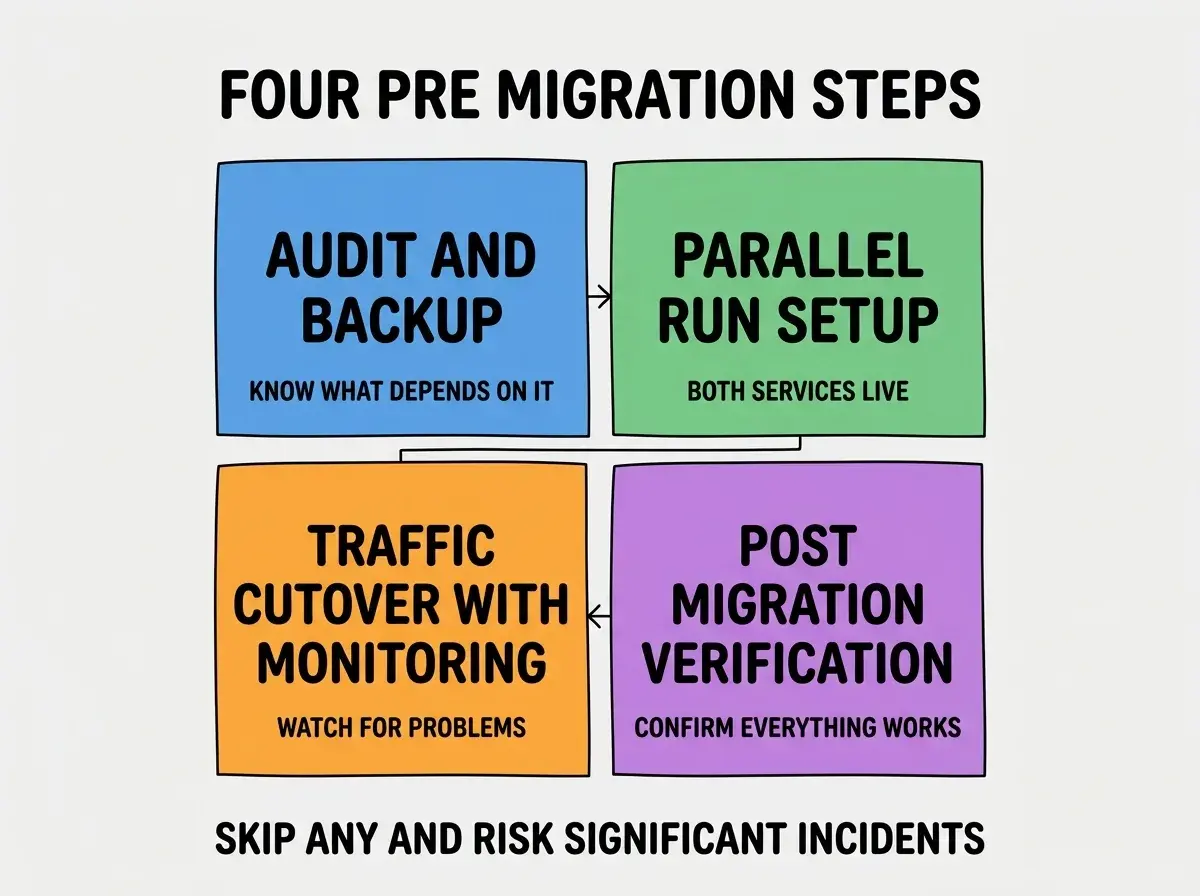
Step 3, traffic cutover with monitoring. Move traffic from old to new service. Monitor closely for the first few hours. Have rollback ready.
Step 4, post-migration verification. Confirm all dependent systems work with the new service. Spot-check data integrity. Update documentation.
The Parallel-Run Pattern
Parallel runs are the most powerful safety mechanism for risky migrations. Three patterns implement parallel runs.
Pattern 1, dual-write to both services. During parallel run, writes go to both old and new services. Lets you verify data ends up identical in both.
Browse more migration guides
Read more tools articlesPattern 2, percentage-based traffic routing. Route 1% of traffic to new service, then 10%, then 50%. Monitor each step. Rollback at any percentage if problems appear.
Pattern 3, shadow traffic. Send copies of production traffic to the new service without using its responses. Tests load and behavior without affecting users.
The Rollback Plan That Protects You
A rollback plan is what separates safe migrations from risky ones. Three components matter most.
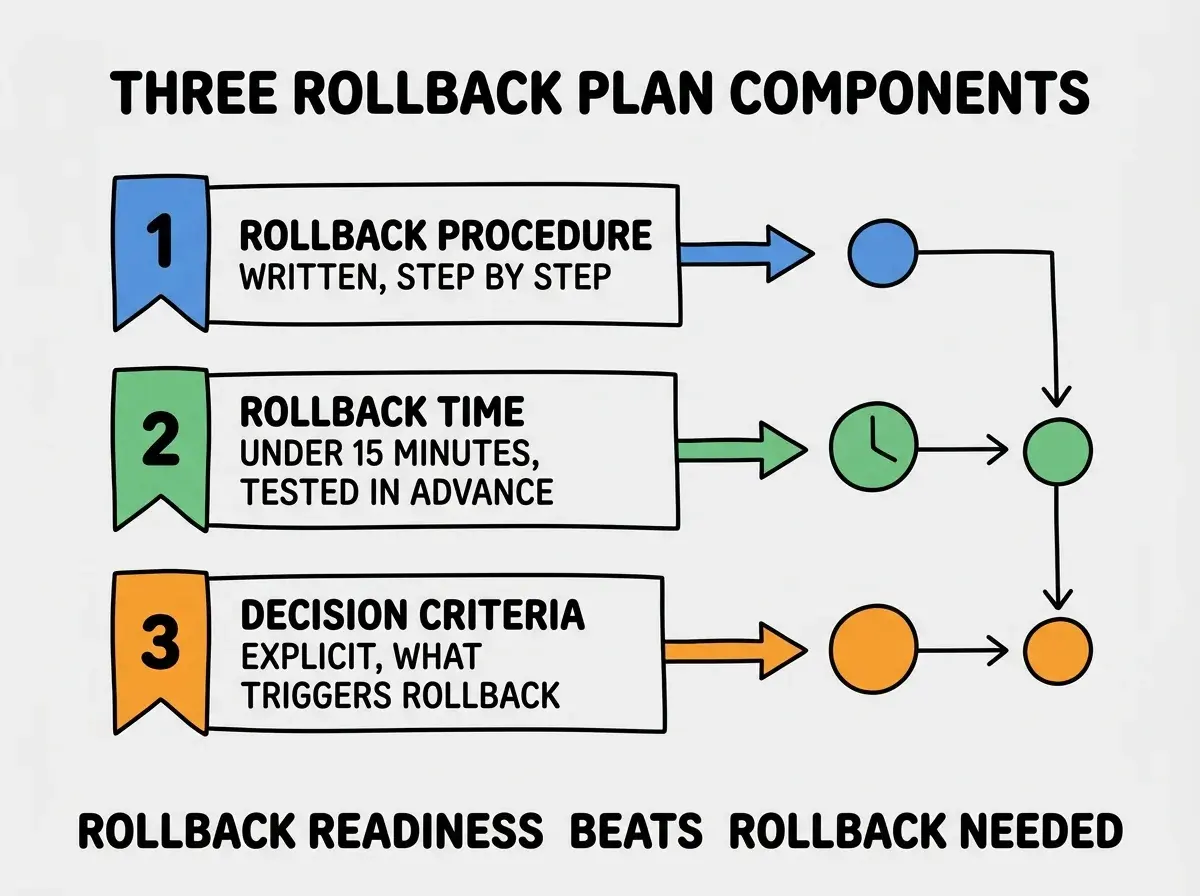
Component 1, written rollback procedure. Step-by-step instructions for reverting the migration. Available to anyone responding to an incident. Not just in someone's head.
Component 2, rollback time under 15 minutes. Test the rollback procedure before the migration to confirm it can complete in under 15 minutes. Longer rollbacks usually do not get used because the team hopes things will improve instead.
Component 3, explicit rollback criteria. Define upfront what triggers a rollback (error rate above X, latency above Y, user complaints above Z). Removes the "should we roll back" debate during an incident.
What to Watch During Cutover
Beyond automated monitoring, three things deserve close attention during cutover.
Watch 1, error rates by category. New errors that did not exist before are the most concerning signal. Existing errors continuing at similar rates are usually fine.
Watch 2, latency percentiles, especially p99. Average latency might look fine while p99 latency degrades dramatically. Watch the tails.
Watch 3, customer support channels. Customers often surface issues that monitoring misses. A spike in support tickets during cutover is a leading indicator.
The combination produces faster detection of cutover problems than monitoring alone. The fastest detection is what enables the fastest rollback.
The most damaging migration mistake is testing the rollback only theoretically. Teams write a rollback plan, never test it, then discover during an actual incident that the rollback does not work as expected. The fix is to do a "fire drill" rollback before the production migration: in staging, run through the rollback procedure end-to-end with a stopwatch. If the rollback takes longer than 15 minutes or has steps that do not work, fix the rollback before attempting the production migration. An untested rollback is no rollback at all.
The other mistake is migrating during the wrong part of the day or week. Friday afternoon migrations have caused more weekend incidents than any other timing pattern. The right migration time is Tuesday or Wednesday morning, when the team has full days available to respond to issues. Avoid Fridays, weekends, and holidays at all costs.
Documenting the Migration for Future Reference
After migration completes, three documentation patterns capture the value for future migrations.
Pattern 1, write a post-migration retro. What worked, what surprised the team, what would you do differently. The retro becomes the playbook for the next migration.
Pattern 2, save the rollback plan in the team wiki. Even though you did not need it, the rollback plan documents what the migration touched. Useful for future debugging.
Pattern 3, share lessons with the broader team. Lunch and learn or Slack thread on what the team learned. Spreads the institutional knowledge beyond the engineers who did the migration.
The combination ensures the next migration benefits from this one. Teams that treat each migration as a one-off learn the same lessons repeatedly; teams that document compound their migration capability over time.
When to Migrate vs When to Stay Put
Not every service migration is worth doing. Three signals indicate it is time to migrate.
Signal 1, vendor announces deprecation. Clearest signal. Vendor will eventually cut off the service; migration is required.
Signal 2, costs growing faster than usage. Some services have pricing models that get expensive at scale. If costs are growing faster than the value, alternative services may be more economical.
Signal 3, capability gaps blocking product work. When the current service cannot do something the product needs, migration becomes worthwhile despite the cost.
Without one of these signals, staying put is usually the right answer. Migrations are real work; "the new service is shinier" is not sufficient justification for the operational cost. The discipline of saying no to unnecessary migrations protects engineering time for work that produces actual customer value rather than for moving things around between providers.
What This Means For You
Service migrations are increasingly routine but still benefit from disciplined process. The checklist and rollback plan transform migrations from anxiety-inducing events into predictable operations.
- If you're a founder: Insist on the migration checklist for any service change. The 30-minute investment in process saves multi-hour incidents.
- If you're changing careers into ops or DevOps: Migration discipline is a senior-level capability. Practicing on small migrations builds the judgment needed for large ones.
- If you're a student: Even side-project migrations benefit from following the checklist. The discipline transfers to professional contexts.
Browse more migration guides
Read more tools articles