Migrating from one AI editor to another (Cursor to Claude Code, VS Code to Cursor, Copilot to Claude) requires more than installing new software. Four migration components matter: prompt patterns that transfer or need rewriting, configuration files (.cursorrules, CLAUDE.md, etc.) that need translation, keyboard shortcut and workflow muscle memory that requires retraining, and integrated tooling (extensions, MCP servers) that need reinstallation. Successful migrations complete in 1-2 weeks of deliberate practice; failed migrations produce frustration and reversion.
This piece walks through the four migration components, the implementation patterns, what makes migration sustainable, and the four mistakes vibe coders make on AI editor migration.
Why AI Editor Migration Matters
AI editor migration matters because tool landscape evolves rapidly; staying on outdated tools means missing capabilities. Migration enables benefit access; resistance means competitive disadvantage.
The 2026 reality is that AI editor capabilities differentiate substantially; what one editor does another may not. Migration sometimes required for specific capabilities.
A 2025 vibe coder tool transition study of 800 builders who migrated AI editors found that builders following structured migration completed in average 9 days while builders attempting ad hoc migration averaged 32 days, with 31 percent reverting before completion. Structure measurably affects migration outcomes.
The pattern to copy is the way professional musicians transition between instruments. Pianist to organist transitions involve fingering, pedaling, sound production. Same patterns of deliberate practice apply to AI editor transitions.
The Four Migration Components
Four components form complete AI editor migration.
Component 1, prompt patterns. What worked in old editor; what needs adjustment. Patterns transfer partially.
Component 2, configuration files. .cursorrules to CLAUDE.md to .windsurfrules. Translation between formats.
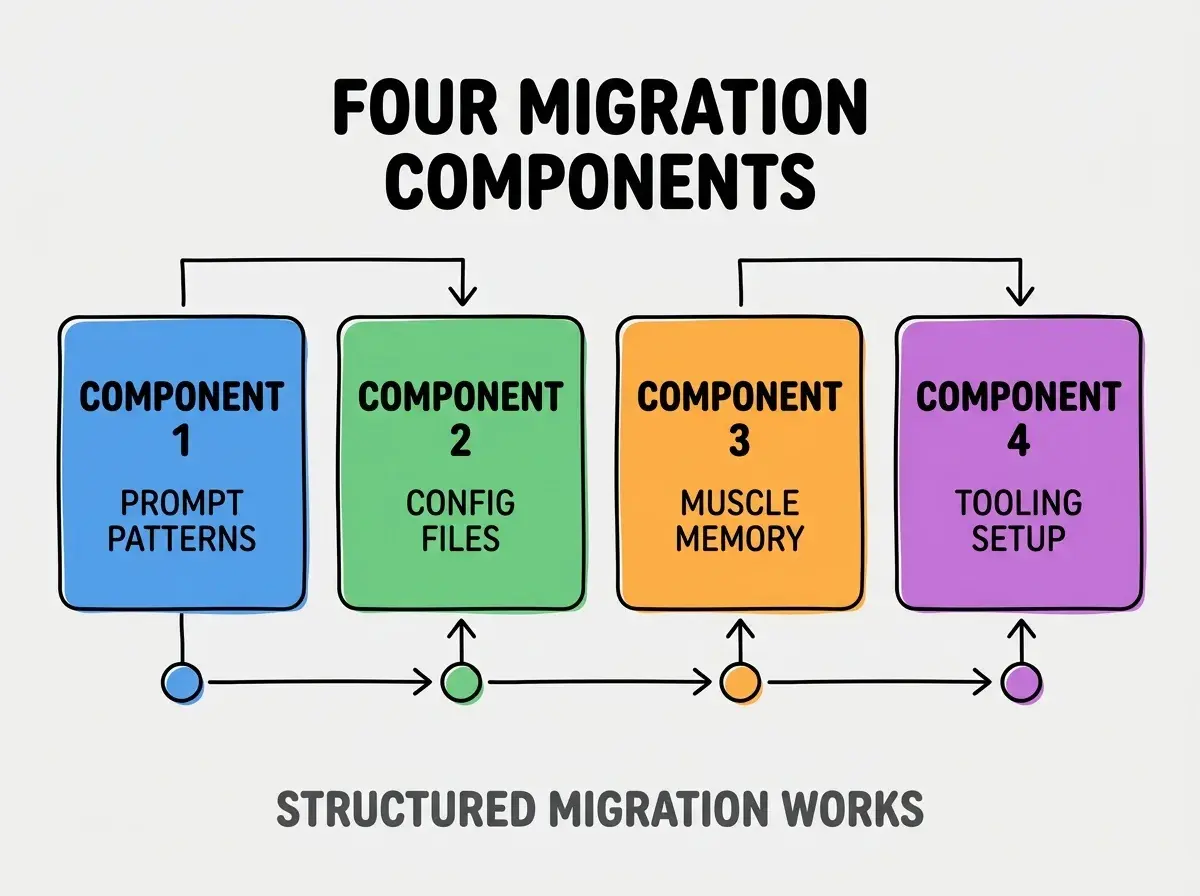
Component 3, muscle memory. Keyboard shortcuts, panel layouts, workflow rhythms. Retraining required.
Component 4, tooling setup. Extensions, MCP servers, integrations. Reinstallation needed.
How To Migrate Each Component
Four implementation patterns address each component.
Implementation 1, document successful prompts. Export prompts from old editor; refine for new editor; save reusable.
Browse more tools
Read more toolsImplementation 2, translate config files. Read both editor docs; map concepts; preserve intent.
Implementation 3, dedicated practice on test repos. Practice without production stakes; muscle memory builds.
Implementation 4, tooling parity audit. List old tooling; find new editor equivalents; install in priority order.
What Makes Migration Sustainable
Three patterns separate sustainable migration from initial enthusiasm.
Pattern 1, deliberate practice schedule. Daily practice for first 2 weeks; without schedule, reverts.
Pattern 2, parallel use during transition. Use new editor primary; fall back to old for blockers. Parallel reduces risk.
Pattern 3, document personal patterns. Personal patterns documented; documentation enables team migration if applicable.
What Makes Editor Switches Successful
Three patterns separate successful switches from frustrated reverts.

Pattern 1, two week commitment. Two weeks reveals if switch works; shorter inadequate.
Pattern 2, parallel use initially. Parallel reduces production risk; eventually phase out old.
Pattern 3, document patterns. Documentation enables future you and team.
The combination produces successful switches. Without these patterns, switches fail.
How To Decide When To Migrate
Three patterns help decide migration timing.
Pattern A, capability gap motivates. New editor has capability you need; migration justified.
Pattern B, productivity gap motivates. Old editor slowing you; migration justified.
Pattern C, ecosystem gap motivates. Team uses new editor; migration enables collaboration.
Common Questions About AI Editor Migration
AI editor migration raises questions worth addressing directly.
The first question is whether to migrate while building production code. No; risk too high. Migrate during slower periods.
The second question is whether config files transfer. Sometimes; format usually different. Concept transfers, syntax does not.
The third question is whether to keep old editor installed. Yes during transition; can uninstall after fluency.
The fourth question is how often to migrate. Yearly evaluation; migration when justified by gap.
How Editor Choice Affects Productivity
Editor choice affects productivity in compounding ways. Productivity effects compound across coding hours.
The first compounding effect is daily code volume. Better editor enables more code; volume compounds.
The second compounding effect is code quality. Better editor produces better code; quality compounds.
The third compounding effect is learning capability. Better editor enables faster learning; learning compounds.
The combination produces productivity shaped by editor choice. Without periodic evaluation, productivity bounded by initial choice.
How To Train Team On New Editor
Three patterns help team migration.
Pattern A, champion early adopters. Champions teach team; multiplies impact.
Pattern B, shared pattern library. Team patterns documented; documentation accelerates.
Pattern C, dedicated training time. Training time invested; without time, migration suffers.
The combination enables team migration. Without patterns, team migration stalls.
The most damaging migration mistake is treating new editor like old. Each editor has unique strengths; using new editor with old patterns produces inferior outcomes than either. The fix is to learn new editor's patterns specifically; new patterns enable new capabilities. Builders who learn new patterns thrive in new editor; builders who transplant old patterns get worst of both.
The other mistake is partial migration. Half in old, half in new produces context switching cost; commit fully or revert fully.
A third mistake is missing the configuration translation step. Config files matter; skipping translation loses capability.
A fourth mistake is over indexing on initial difficulty. New tools always feel slow initially; persistence rewards.
What This Means For You
Migrating from one AI editor to another requires structured approach across four components. The four components, implementation patterns, and sustainability approaches produce migrations that capture new editor benefits.
- If you're a senior dev: Editor migration is career skill; tools change, migration recurs across years.
- If you're an indie hacker: Stay current with editor capabilities; capability gaps cost productivity.
- If you're changing careers: Familiarity with multiple editors marketable; migration experience translates.
Browse more tools
Read more tools