Maintaining design quality when AI writes the code is the central problem for design teams in 2026, and the answer is not "review every screen by hand" or "let the AI ship whatever." It is a four-touchpoint system: codify the design system as constraints AI must follow, review the structural intent before generation, audit the rendered output before merge, and run weekly drift checks across the live product. Teams that follow this pattern keep their design quality bar high while still capturing most of the speed advantage AI tools provide. Teams that skip even one touchpoint usually see visible drift within 6 to 8 weeks.
This piece walks through the four touchpoints, the tooling that supports each, and the failure modes when a touchpoint is skipped. Most of the system is process rather than software, which is good news because the work transfers across team sizes from solo designers to enterprise design orgs without major changes.
Why Design Quality Drifts So Fast
The default behavior when AI writes UI code is fast accumulation of small inconsistencies. A button gets slightly different padding than the one shipped last week. A modal uses a different border radius than the system specifies. A heading uses an off-system font weight. Each individual change is small, but the cumulative effect is a product that no longer feels designed.
The reason this happens fast is that AI optimizes for "looks reasonable" rather than "matches the system." The AI does not know your design system unless you tell it, and even when you tell it, AI has a tendency to invent close-but-not-exact variations. The pattern is similar to how a junior developer might invent a slightly different naming convention each week. The fix is the same: explicit constraints and consistent review.
A 2025 Figma study of 50 design teams shipping AI-generated UI found that teams without a formal review process showed 23 percent design system drift after 8 weeks. Teams with a four-touchpoint review process showed 4 percent drift in the same period. The drift was not random; it was directly proportional to how often AI output was shipped without a designer in the loop.
The pattern to copy is the way commercial kitchens handle plating consistency. The chef does not personally plate every dish, but every plate goes through a quick line check before it goes out. The check takes 5 seconds and catches 90 percent of the inconsistencies. Without it, every cook plates slightly differently and the customer experience becomes uneven. AI-generated UI needs the same kind of line check.
The Four Review Touchpoints
Each touchpoint catches a different class of design issue. Implementing all four is the bar for teams that take design seriously. Implementing the first two is the minimum.
Touchpoint 1, codify constraints. The design system needs to exist in a form AI can actually use. This means token files, component snippets, and a spec document that lives in the same context the AI sees when generating. Vague guidelines like "use our brand colors" do not work; explicit token names and component examples do.
Touchpoint 2, review intent before generation. Before the AI generates anything, a designer or senior developer should review the intent of the change. This is a 5-minute check that confirms the change matches design system patterns and identifies any new components needed.
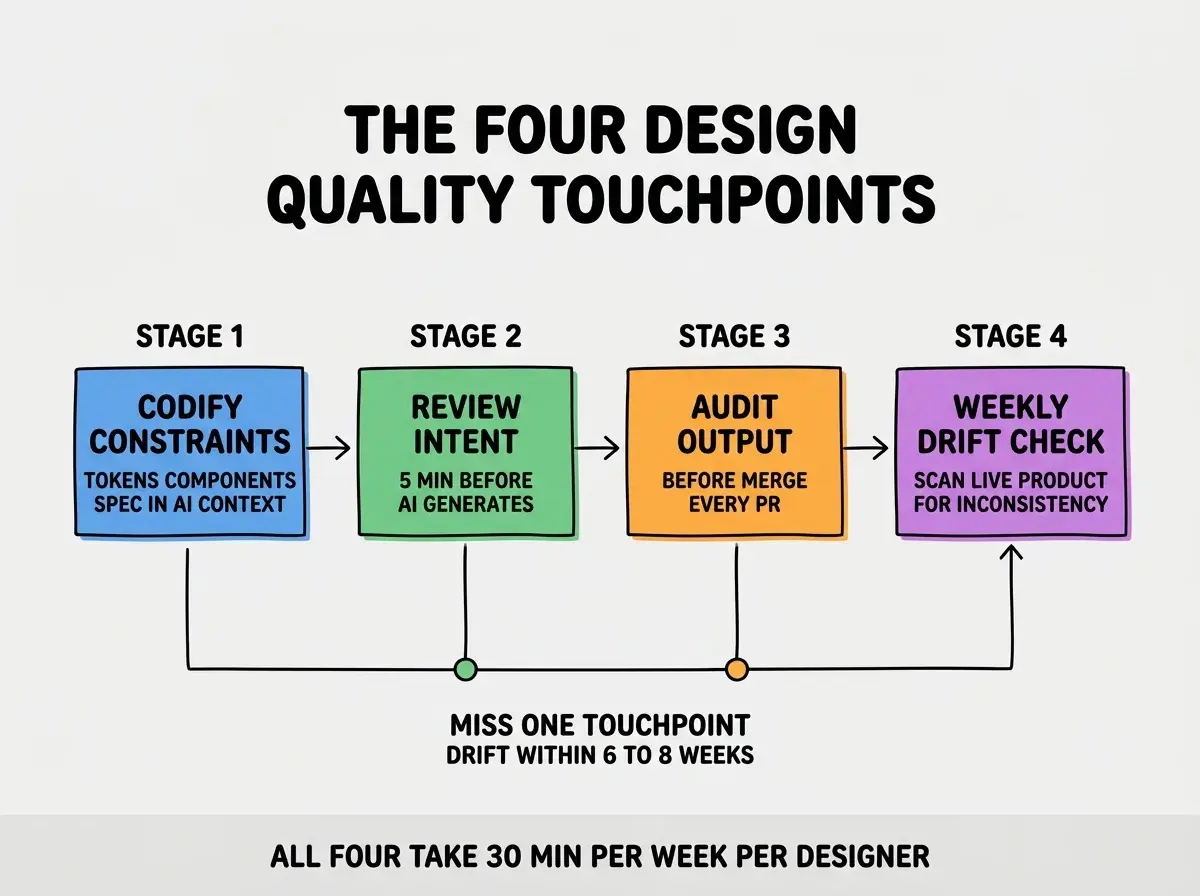
Touchpoint 3, audit output before merge. Every PR with UI changes gets a quick design audit. This is a 10-minute review that catches the inconsistencies AI introduced. Tools like Figma's MCP server, Storybook visual diff, or just side-by-side screenshots make this fast.
Touchpoint 4, weekly drift check. Once a week, scan the live product for accumulated drift. This catches the issues that slipped through individual PR reviews. Often surfaces 3 to 5 small fixes per week, all of which are easy if caught early.
How to Codify the Design System for AI
The first touchpoint is the most important and the most commonly skipped. AI cannot maintain a design system it cannot see.
The minimum codification is a markdown file in your repo that lists every design token (colors, spacing, font sizes, radii) by name with a brief description, plus 5 to 10 component examples showing the right way to use them. This file lives in the AI's context for every generation. Cursor and Claude Code can pin it as always-in-context.
Browse more design and tools guides
Read more tools articlesThe next level up is a Figma MCP server connected to your Cursor or Claude Code session, which lets the AI read live design tokens from Figma. This eliminates the drift between the design source and the generated code, and it is becoming standard for serious design teams in 2026.
Tooling That Makes the Workflow Sustainable
Each touchpoint has tooling that turns a manual process into a repeatable one. Investing in the tooling pays back within a few weeks.
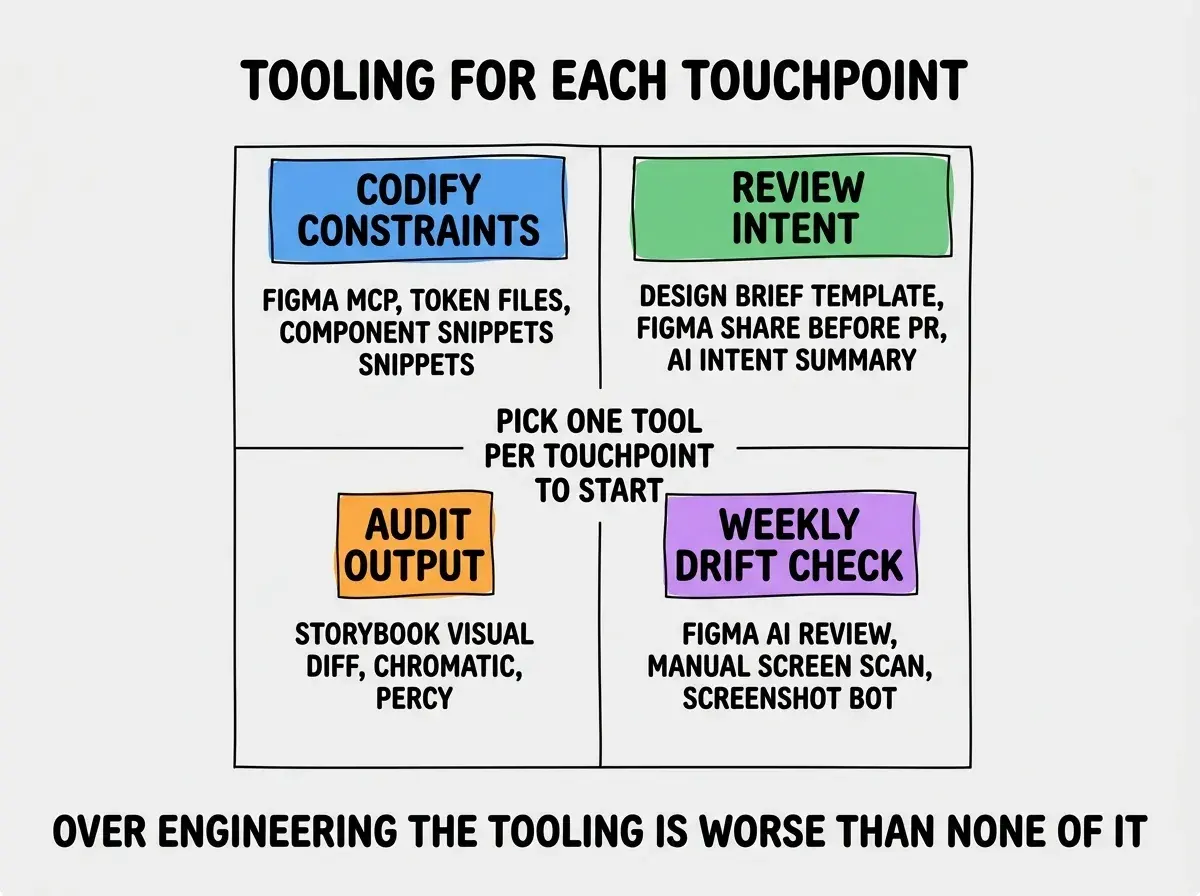
For codification, Figma MCP plus a tokens file is the modern stack. For intent review, a short design brief template plus a Figma frame shared before code generation works well. For output audit, Storybook with Chromatic or Percy for visual regression catches drift automatically. For weekly drift check, a manual scan of 10 random screens plus a tool like Figma's design review AI catches most accumulated issues.
The most damaging mistake teams make is treating design quality as the designer's job alone. When designers are the only ones reviewing UI, they become a bottleneck and the AI velocity advantage disappears. The right model is shared responsibility: developers learn to spot the most common drift patterns, designers focus on the harder judgment calls, and the tooling catches the obvious mechanical issues. This makes the design quality investment compound rather than scale linearly with team size.
The other mistake is over-engineering the workflow itself. Teams that build elaborate review pipelines often spend more time on the workflow than on the design. The minimum viable version is a markdown design system spec, a 5-minute intent check, a 10-minute PR audit, and a weekly drift scan. That is enough for most teams. Add complexity only when you hit a specific failure mode the basic workflow does not catch.
A useful self-check is to ask whether the workflow itself is producing better outcomes or just more meetings. If the design quality bar is rising and the team is not slowing down, the workflow is working. If quality is flat and the calendar is full of review sessions, the workflow has grown beyond its useful size. Trim it back to the four touchpoints and reinvest the time in actual design work.
What This Means For You
Maintaining design quality with AI is solvable, and the solution is mostly process rather than tooling. The teams that get this right ship faster than human-only teams while maintaining a higher quality bar.
- If you're a founder: Build the design system codification before you scale the team. Drift compounds, and catching it after 6 months is far harder than preventing it from week 1.
- If you're changing careers: Learning to review AI-generated UI is a high-value skill that is in short supply. Most designers are still figuring this out.
- If you're a student: Apply the four touchpoints to your own portfolio projects. The discipline is more impressive in interviews than the polish itself.
Browse more designer workflow guides
Read more tools articles