There is a moment every new vibe coder hits. You have a clear picture in your head of what you want to build. You can see the layout, the buttons, the way it should feel when someone uses it. You open your AI tool, type "build me a dashboard," and what comes back looks nothing like what you imagined. The AI did not fail you. The description did.
The gap between what you picture and what AI builds is a translation gap, not a capability gap. You have a rich, detailed mental image, and you handed the AI a stick-figure sketch of it. The AI did its best with what you gave it, which was almost nothing.
This is the most important skill in vibe coding, and it has nothing to do with code. It is the ability to describe what you want clearly enough that the AI builds something close on the first try. The skill is learnable, and it follows a simple pattern you can start using today.
The Restaurant Order That Explains Everything
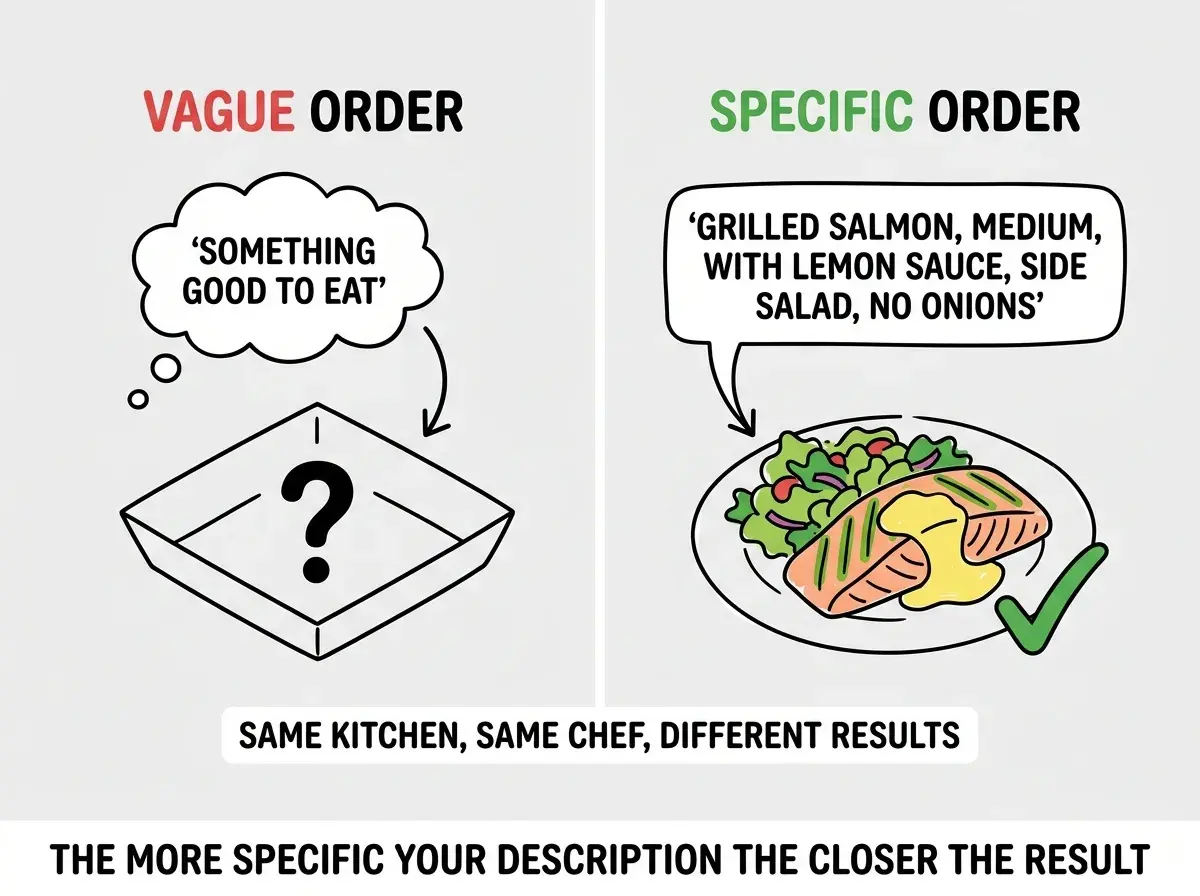
Think about ordering food at a restaurant. If you sit down and tell the server "bring me something good," you might get a steak when you wanted sushi. The server is a professional. The kitchen is excellent. But "something good" could mean a thousand different dishes.
Now imagine you say "I would like the grilled salmon, medium, with the rice instead of potatoes, and could you put the sauce on the side?" That takes ten seconds longer to say, and the dish that arrives is exactly what you wanted.
AI coding tools work the same way. The more specific your order, the closer the result matches what you had in mind. "Build me a landing page" is "bring me something good." You will get a landing page, but the AI's best guess will be wrong in dozens of small ways that add up to something that feels completely off.
The people who ship on the first try are not smarter. They have learned to place specific orders. And just like restaurant ordering, you do not need to know how the kitchen works. You just need to describe the dish.
The gap between what you picture and what AI builds is a translation gap, not a capability gap. AI coding tools can build almost anything you can describe. The skill is in the describing. Think of every prompt like a restaurant order: the more specific you are about what you want, the closer the result matches your vision.
Four Pieces That Make Any Description Work
Every good description breaks down into four pieces. You do not need a rigid template. Just make sure you cover these four areas, in whatever order feels natural.
What it does (function). Start with purpose. "A contact form that lets visitors send me a message" is function. "A dashboard that shows my monthly sales at a glance" is function. This gives the AI a reason for every decision it makes. Without function, the AI is decorating a room without knowing who lives there.
What it looks like (layout). Describe the visual arrangement. What is at the top, what is on the left, what is in the center? "A big headline at the top, three cards in a row underneath, and a signup form at the bottom" is layout. You do not need to speak in pixels or code. Describe it the way you would describe a magazine page to someone on the phone.
How it behaves (interactions). This is the piece most beginners forget. What happens when someone clicks a button? Does a form clear after submission? Do cards expand when tapped? Behavior is invisible until someone uses your app, and if you do not describe it, the AI fills in its own assumptions.
Who uses it (audience). Tell the AI who this is for. "Busy parents who need to find a babysitter quickly" leads to completely different design decisions than "enterprise managers reviewing quarterly reports." Audience shapes font size, color palette, tone, and complexity. Two words about your user can change a hundred decisions.
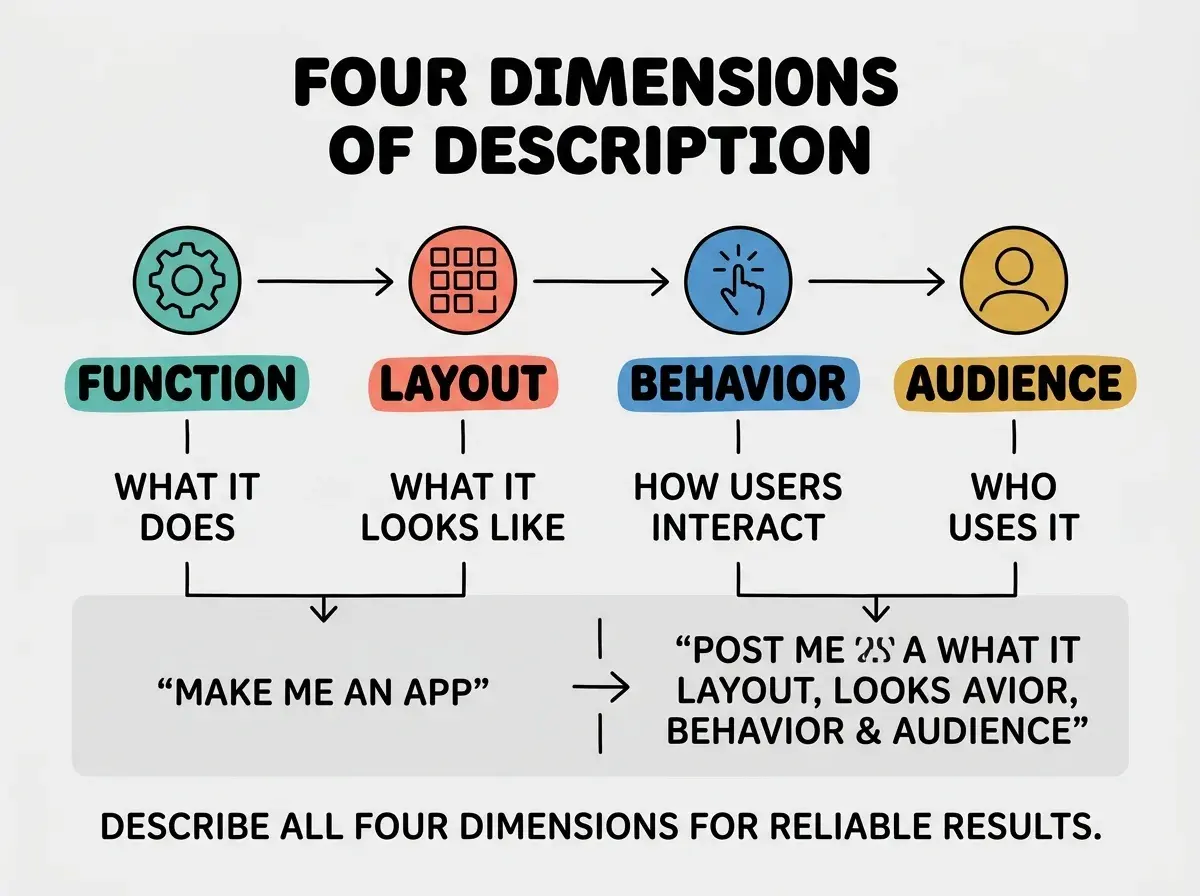
These four pieces work together. Function without layout gives you something that works but looks wrong. Layout without behavior gives you something pretty that does nothing. Anything without audience feels generic.
What Vague Descriptions Actually Sound Like
The tricky part is that vague descriptions feel specific when you are writing them. "Make it look professional" feels like direction. But professional according to whom? A law firm's website and a skateboard brand's website are both professional, and they look nothing alike.
Here are descriptions that sound helpful but give the AI nothing to work with. "Build a nice homepage." "Make the design clean." "Add some interactivity." "It should feel modern." Every one of these contains a subjective word that could mean a thousand things.
Now here is the same set, rewritten with concrete details. "Build a homepage with a full-width hero image, a two-sentence headline, and a green signup button centered below it." "White background, plenty of whitespace, one sans-serif font, no more than three colors." "When someone hovers over a card, it lifts up slightly with a shadow. When they click it, a detail panel opens on the right." "A form with three fields (name, email, message), inline validation that shows red text under empty fields, and a confirmation message that replaces the form after submission."
Thirty seconds longer to write. Ten to fifteen minutes of revision saved.
Build the skills that make AI tools actually work for you.
Start with the basicsBefore and After in Practice
Imagine you are a founder building a landing page for your new productivity app. Here is what most people write on day one.
"Build me a landing page for a productivity app."
The AI produces a generic page with "Welcome to ProductivityApp" as the headline, placeholder feature cards, and a footer. Technically a landing page. Useless because every decision was a guess.
Here is the same request using all four pieces.
"Build a landing page for a productivity app called FocusFlow, aimed at freelancers who juggle multiple clients (audience). Hero section with the headline 'Stop Losing Hours to Task Switching,' then three feature cards for Time Blocking, Client Dashboards, and Smart Reminders, then a pricing section with two tiers (function and layout). The CTA button should say 'Try It Free' and scroll smoothly to a signup form at the bottom. Feature cards should slightly enlarge on hover (behavior). Calm blue and white color palette with rounded corners on everything."
Same AI. The second description produces something you could show an investor. It took about ninety seconds to write.
Why "Who Uses It" Changes Everything
Most people skip the audience piece because it feels unrelated to the build. But audience might be the most powerful of the four pieces.
Tell the AI "build a settings page" and you get a generic form. Tell the AI "build a settings page for elderly users who are not comfortable with technology" and suddenly the font is larger, the buttons are bigger, the labels are clearer, and helpful descriptions appear under each option.
Tell the AI "build a checkout flow" and you get something functional. Tell the AI "build a checkout flow for impatient mobile users buying concert tickets" and you get a streamlined single-page checkout with minimal fields and a progress indicator.
Two sentences about your audience reshaped the entire output. The AI changed information architecture, interaction patterns, and visual hierarchy.
The Iteration Trick That Saves Hours
Even with a great description, the first result will not be perfect. The key is to iterate with the same specificity you used in your initial description.
"Make it better" sends the AI guessing. "Move the CTA button to the left side of the headline instead of below it, and change the background from white to a light gray gradient" gives the AI exactly one interpretation.
A useful pattern is keep, change, add. "Keep the layout and color scheme. Change the headline to something shorter. Add a testimonial quote between the feature cards and the pricing section." Three sentences, three clear actions, zero ambiguity.
Describing only what something looks like and forgetting to describe how it behaves. Layout is the most natural thing to describe because you can picture it. But behavior is what makes an app feel real. If you do not tell the AI what happens when buttons get clicked, forms get submitted, or items get selected, the AI will either skip those interactions or invent behaviors you did not want. Every description should include at least one sentence about what happens when a user interacts with the thing you are building.
This loop gets faster with practice. After a few sessions, you will naturally cover all four pieces without thinking about it. The framework becomes instinct, like placing a restaurant order without reading the whole menu.
Dig deeper
A few hand-picked sources if you want to go further.
What This Means For You
Describing what you want to build is the skill that determines whether AI tools feel magical or frustrating. It is not about learning code. It is about translating the picture in your head into words that leave no room for misinterpretation.
- If you are a founder building a product, this skill directly translates to faster iteration speed. Every feature you can describe clearly is a feature that ships faster. Write down function, layout, behavior, and audience before you open any AI tool. That two-minute exercise will save you twenty minutes of back-and-forth.
- If you are a career changer exploring AI tools, describing what you want built shows communication clarity and product thinking without requiring coding knowledge. Save your best descriptions alongside screenshots of what the AI produced. That collection becomes a portfolio piece.
- If you are a creative or marketer, you already have an advantage. You think visually, you understand audiences, and you write for a living. Those are exactly the skills that make AI descriptions effective. The four-piece framework gives you structure to channel skills you already have. Start with something small, like a landing page for your next campaign, and describe it the way you would brief a designer.
Take this skill into your first project and see the difference clear descriptions make.
Explore the blog