Retrospective edition for 2026-03-17. Researched and published September 9, 2026. Product details reflect documentation checked at publication unless explicitly identified as historical.
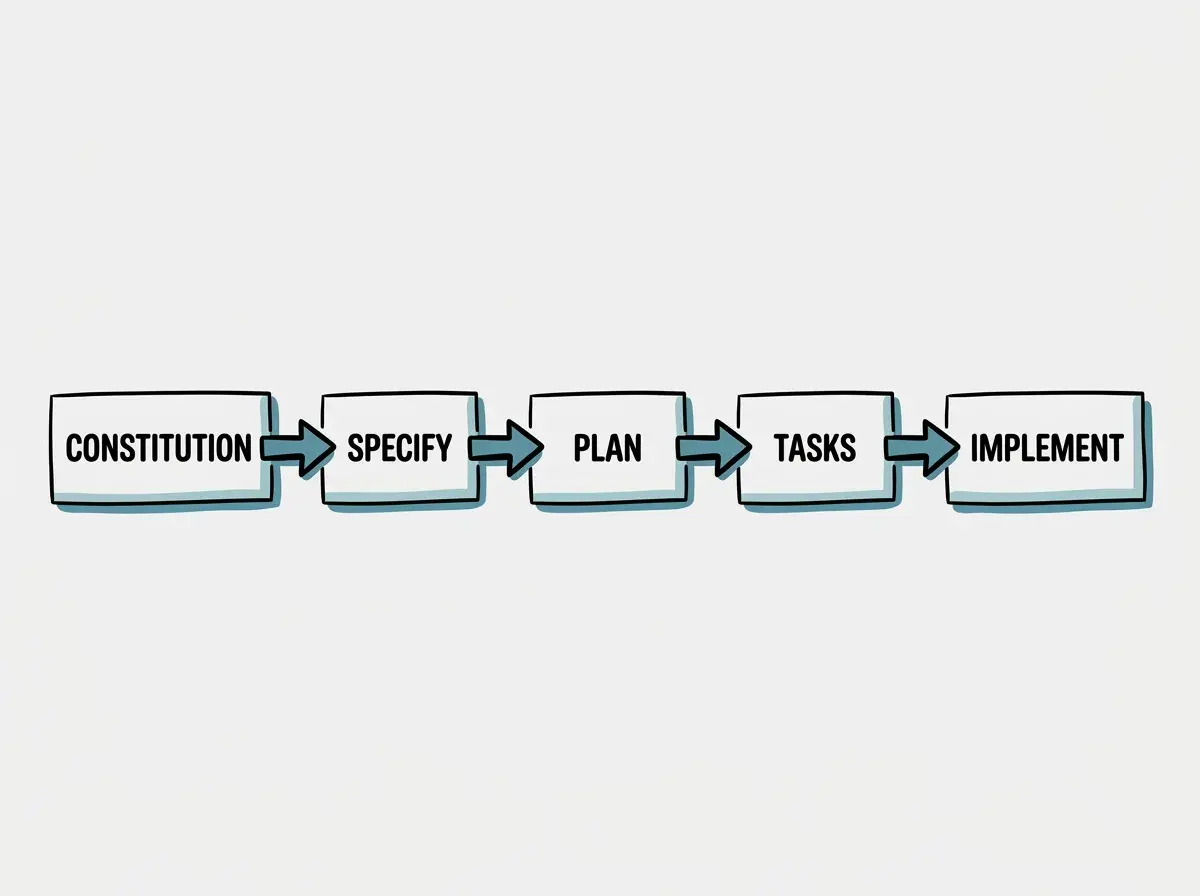
Building software with artificial intelligence requires more than just asking a chatbot to write a function. When teams attempt to generate entire features from a single prompt, they often encounter brittle code, misunderstood requirements, and architectural dead ends. The solution lies in breaking down the development lifecycle into discrete, verifiable steps. GitHub Spec Kit provides a spec-driven workflow that moves from constitution to specification, planning, task generation, and finally implementation. This structured approach creates opportunities for human developers to review of the product vision and technical architecture while leveraging agents for heavy lifting.
To understand how this works in practice, we will walk through a complete product cycle. We will design a fictional appointment waitlist system. This system needs to handle complex edge cases like concurrent claims when multiple users try to grab the same canceled slot, as well as expired offers when a user fails to respond in time. By using the GitHub Spec Kit command family, we can systematically translate these complex requirements into working, reviewed code.
Mastering the GitHub Spec Kit Agent Driven Workflow
Understanding the core commands and markdown artifacts that power the development cycle
The GitHub Spec Kit repository outlines a specific family of commands designed to guide agents through the software development lifecycle. According to the official documentation at official documentation, the workflow relies on five primary commands. These are /speckit.constitution, /speckit.specify, /speckit.plan, /speckit.tasks, and /speckit.implement. Each command serves a distinct purpose and generates specific markdown artifacts that developers must review and approve before moving to the next stage.
The process begins with the constitution, which establishes the overarching rules and context for the agent. Next, the specify command generates a spec.md file. This document focuses entirely on the product requirements, detailing what needs to be built without dictating how it should be built. Once the specification is approved, the plan command creates a plan.md file. This document translates the product requirements into technical architecture, database schemas, and API designs.
The separation of concerns between the specification and the plan is the most critical aspect of the Spec Kit workflow. By forcing the agent to define the product behavior before writing any technical implementation details, you can catch misunderstandings before they become implementation choices.
After the technical plan is solidified, the tasks command breaks the work down into a tasks.md file. Finally, the implement command executes those tasks. Because the GitHub Spec Kit repository changes frequently, it is highly recommended to pin your workflow to a reviewed release rather than tracking the main branch. This ensures that your agent commands behave consistently across your project lifecycle.
Defining the Project Rules with the Constitution Command
Establishing the foundational guidelines and boundaries for your AI coding assistant
Before writing any feature requirements, you must establish the ground rules for your project. The /speckit.constitution command allows you to define the coding standards, architectural preferences, and testing requirements that the agent must follow. This step is crucial for maintaining consistency across a large codebase. For our appointment waitlist system, the constitution might specify that all database interactions must use parameterized queries to prevent injection attacks, and that all business logic must be covered by unit tests.
The constitution is a persistent project artifact referenced by the workflow, not an independently enforced runtime policy. When the agent generates the technical plan or writes the implementation code, it will refer back to these foundational rules. If your team prefers a specific state management library or follows a particular naming convention, the constitution is the place to document those preferences.
A concise, applicable constitution can reduce repeated explanations during review. Instead of repeatedly correcting the agent on formatting or architectural choices, you give reviewers and agents an explicit reference. The constitution should be treated as a living document, updated whenever the team agrees on new engineering standards or discovers recurring issues in the agent generated code.
Writing the Waitlist Specification for Product Clarity
Focusing entirely on user behavior and acceptance criteria without technical details
With the constitution in place, we can move on to defining our feature. We invoke the /speckit.specify command to generate the spec.md artifact. For our appointment waitlist, we need to clearly articulate the user journey and the business rules. The specification must explicitly separate the product "what" from the technical "how". We do not mention database tables, API routes, or background workers in this document. Instead, we focus on what the user experiences and what the system must guarantee.
Our waitlist system has two critical acceptance criteria. First, it must handle concurrent claims gracefully. If a premium appointment slot opens up, multiple requests might arrive for an offer, including duplicate submissions. If two users attempt to claim the slot at the exact same millisecond, the system must award the appointment to exactly one valid claimant according to the documented ordering policy and clearly inform the unsuccessful claimant that the slot is no longer available.
Second, the system must manage expired offers. When a user is offered an open slot from the waitlist, the fictional product policy gives them fifteen minutes to confirm. If they do not confirm within that window, the offer expires, and the system must automatically offer the slot to the next person on the waitlist. The spec.md file will detail these scenarios using plain language and clear acceptance criteria, ensuring that the product manager and the engineering team share a unified understanding of the feature.
Explore clear explanations of AI coding tools, project context, and reliable development workflows.
Explore the blogThe review process for the spec.md file is crucial. Human developers must read through the generated specification to ensure no edge cases were missed. If the agent failed to account for what happens when the waitlist is empty, the human reviewer must update the markdown file before proceeding. Only when the spec.md perfectly reflects the desired product behavior should the team move forward.
Planning the Technical Architecture and Data Models
Translating product requirements into database schemas and system architecture
Once the product specification is approved, we use the /speckit.plan command to generate the plan.md artifact. This document bridges the gap between the product vision and the code. It outlines the technical approach required to satisfy the acceptance criteria defined in the specification. For our waitlist system, the technical plan must address the complexities of concurrency and time based state changes.
To handle the concurrent claims requirement, the plan.md might propose using a database transaction with a strict isolation level or an optimistic concurrency control mechanism using a version column. The plan should detail the schema and atomic claim operation needed, such as adding a claimed_at timestamp and a version integer to the appointments table.
For the expired offers requirement, the plan must design a reliable timeout mechanism. It might suggest implementing a background worker that polls for expired offers every minute, or it might propose using a scheduled job queue that delays a task for exactly fifteen minutes when an offer is created.
Never treat the generated technical plan as automatic truth. Agents can hallucinate APIs or propose overly complex architectures. Human engineers must rigorously review the plan.md file to ensure the proposed solutions align with the existing infrastructure and performance requirements.
The technical plan requires the most rigorous human review of the entire workflow. If the agent proposes a background worker infrastructure that your current hosting environment does not support, you must manually edit the plan.md file to specify a different approach, such as relying on a cron job or a webhook service. Whatever scheduling mechanism you select, check expiration in the claim transaction too. A delayed worker must not allow an expired offer to be claimed. Test simultaneous requests, duplicate retries, and the boundary at the expiration time.
Generating Tasks and Executing the Implementation
Breaking down the technical plan into manageable steps for final execution
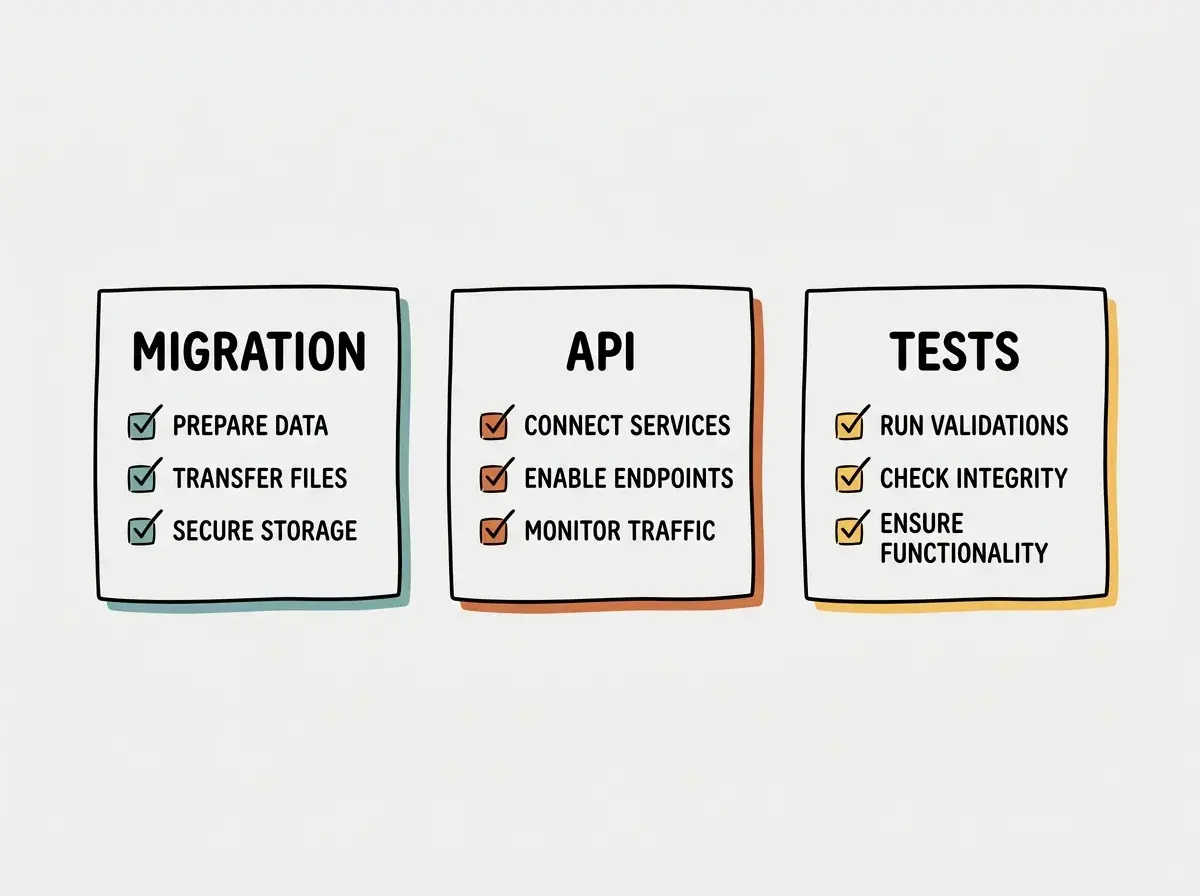
With a solid technical plan in place, we invoke the /speckit.tasks command. According to the template documentation at official documentation, this step produces a tasks.md file that breaks the work down into discrete steps with explicit dependencies and any safe parallel work. Each task should be small enough to be implemented and tested independently.
For our waitlist feature, the tasks might be divided into database migrations, core business logic, background job setup, and API endpoint creation. The first task would involve writing the SQL migration to add the necessary columns for concurrency control. The second task would implement the service layer logic for claiming a slot, ensuring the database transaction is handled correctly. Subsequent tasks would build the background worker for expired offers and finally the user facing API routes.
After reviewing and approving the task list, we use the /speckit.implement command to generate the actual code. The agent will read the constitution, the specification, the plan, and the task list to write the implementation. Because we have provided such rich, structured context, reviewers can trace the resulting code against explicit product and architectural decisions. The developer then reviews the generated code, runs the tests, and merges the pull request.
Deciding When to Skip the Full Spec Kit Workflow
Evaluating project scope to determine the appropriate level of process overhead
While the full Spec Kit workflow provides immense value for complex features, it is not always necessary for every code change. Teams must exercise judgment when deciding whether to invoke the entire suite of commands. A small bug fix or a minor copy change does not require a comprehensive specification and technical plan.
If a user reports that a button is misaligned on the waitlist confirmation page, running through the constitution, specify, plan, and tasks commands would introduce unnecessary overhead. In these cases, developers can bypass the heavy artifacts and interact with their coding agents directly to resolve the issue.
| Feature | Full Workflow | Direct Implementation |
|---|---|---|
| Best For | Complex features, new architectures, state changes | Small bugs, UI tweaks, typo fixes |
| Artifacts Generated | spec.md, plan.md, tasks.md | None |
| Review Overhead | High (Requires multiple approval stages) | Low (Standard code review) |
The full workflow shines when building features that involve complex state management, concurrent user interactions, or significant architectural changes. By forcing the team to slow down and define the requirements and technical approach upfront, the workflow can reveal design problems earlier; implementation tests and review still determine whether the result meets requirements.
Frequently Asked Questions
What this means for you
Adopting a structured, spec-driven workflow transforms how engineering teams interact with artificial intelligence. Instead of treating agents as black boxes that magically produce features, you treat them as junior developers who need clear instructions, architectural guidance, and rigorous review. By separating the product requirements from the technical implementation, you can check whether the software solves the user's problem.
The artifacts generated by GitHub Spec Kit serve as valuable documentation that lives alongside your code. The spec.md and plan.md files provide future developers with the context they need to understand why certain architectural decisions were made. As AI coding tools continue to evolve, the ability to clearly specify and plan software will become an increasingly critical skill for engineering teams.
Read more practical articles for choosing tools, reviewing changes, and shipping useful software.
Read more guides