To recover from AI mistakes using git, recognize the four undo scenarios that cover most situations (uncommitted changes you want to discard, committed changes not yet pushed, pushed changes that need reversal, and changes mixed with work you want to keep), see what command works for each scenario, and apply the recovery patterns that prevent additional damage during recovery. The undo capability matters because AI mistakes happen regularly and recovery skill determines work loss extent.
This piece walks through the four undo scenarios, the specific commands for each, the recovery patterns, and the four mistakes that compound AI damage.
Why Git Undo Skill Matters For AI Work
Git undo skill matters because AI mistakes require frequent reversal. The frequency matters; AI mistakes happen multiple times daily for active AI users.
The 2026 reality is that AI tools sometimes make changes that look correct but turn out wrong. Recognizing wrong changes and reversing them quickly determines how much time AI mistakes consume.
A 2025 developer productivity study found that developers proficient with git undo commands recovered from AI mistakes 4.2x faster than developers without undo proficiency. The recovery speed determines how much AI mistakes affect daily productivity.
The pattern to copy is the way photographers learn undo shortcuts. Photographers undo edits constantly; muscle memory matters more than understanding. Git undo follows similar pattern; muscle memory enables fast recovery that thinking about commands does not enable.
The Four Undo Scenarios
Four scenarios cover most AI mistake recovery situations.
Scenario 1, uncommitted changes you want to discard. AI made changes you have not committed; want all changes gone. Simple discard scenario.
Scenario 2, committed changes not yet pushed. AI changes committed locally; want commit gone. Local rollback scenario.
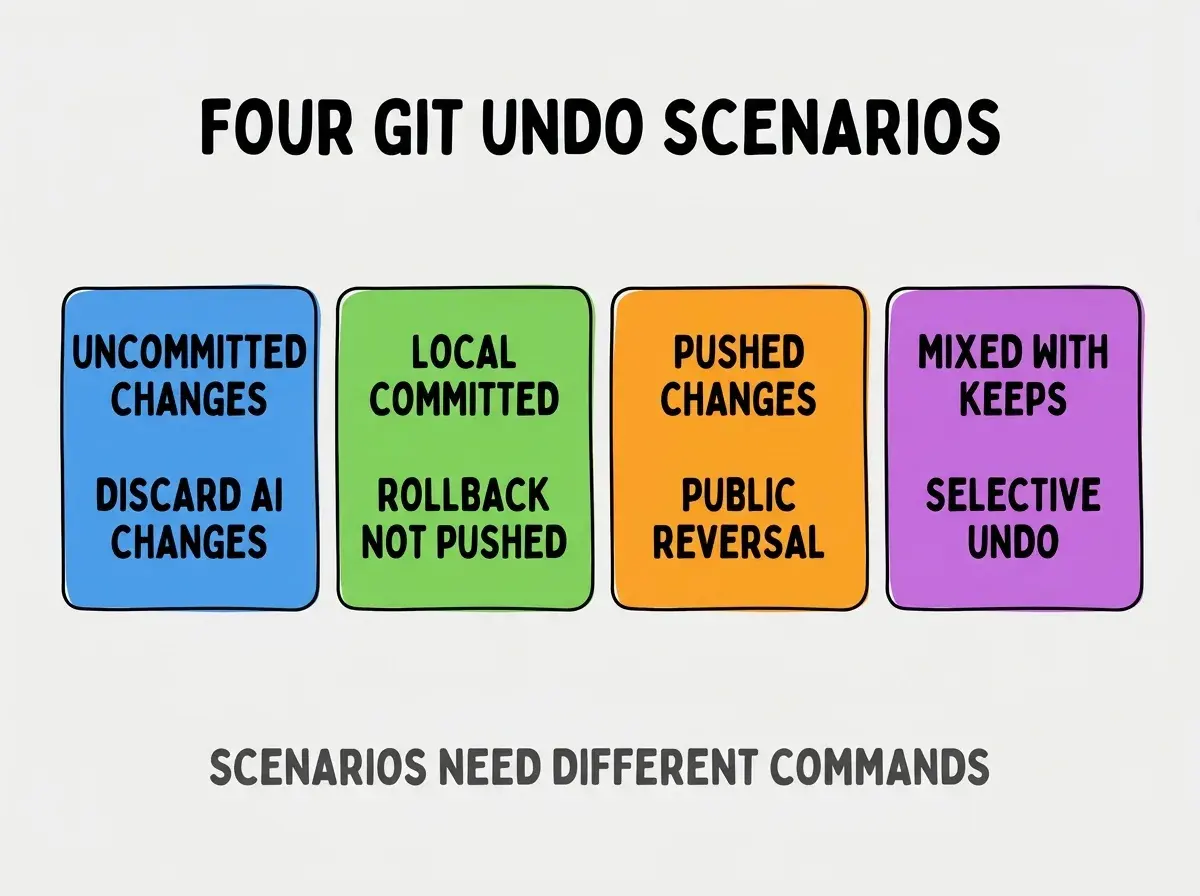
Scenario 3, pushed changes that need reversal. AI changes pushed to shared branch; need public reversal. Public rollback scenario.
Scenario 4, changes mixed with work you want to keep. Some AI changes good, some bad; want selective undo. Selective rollback scenario.
The Specific Commands For Each Scenario
Three command patterns handle most undo situations.
Pattern 1, git restore for uncommitted changes. git restore filename discards changes to specific file. git restore . discards all uncommitted changes.
Browse more ship articles
Read more shipPattern 2, git reset for committed but not pushed. git reset HEAD1 removes last commit keeping changes. git reset --hard HEAD1 removes commit and changes both.
Pattern 3, git revert for pushed changes. git revert commitsha creates new commit undoing previous commit. Revert preserves history while undoing changes.
The Recovery Patterns That Prevent Damage
Three patterns prevent additional damage during recovery.
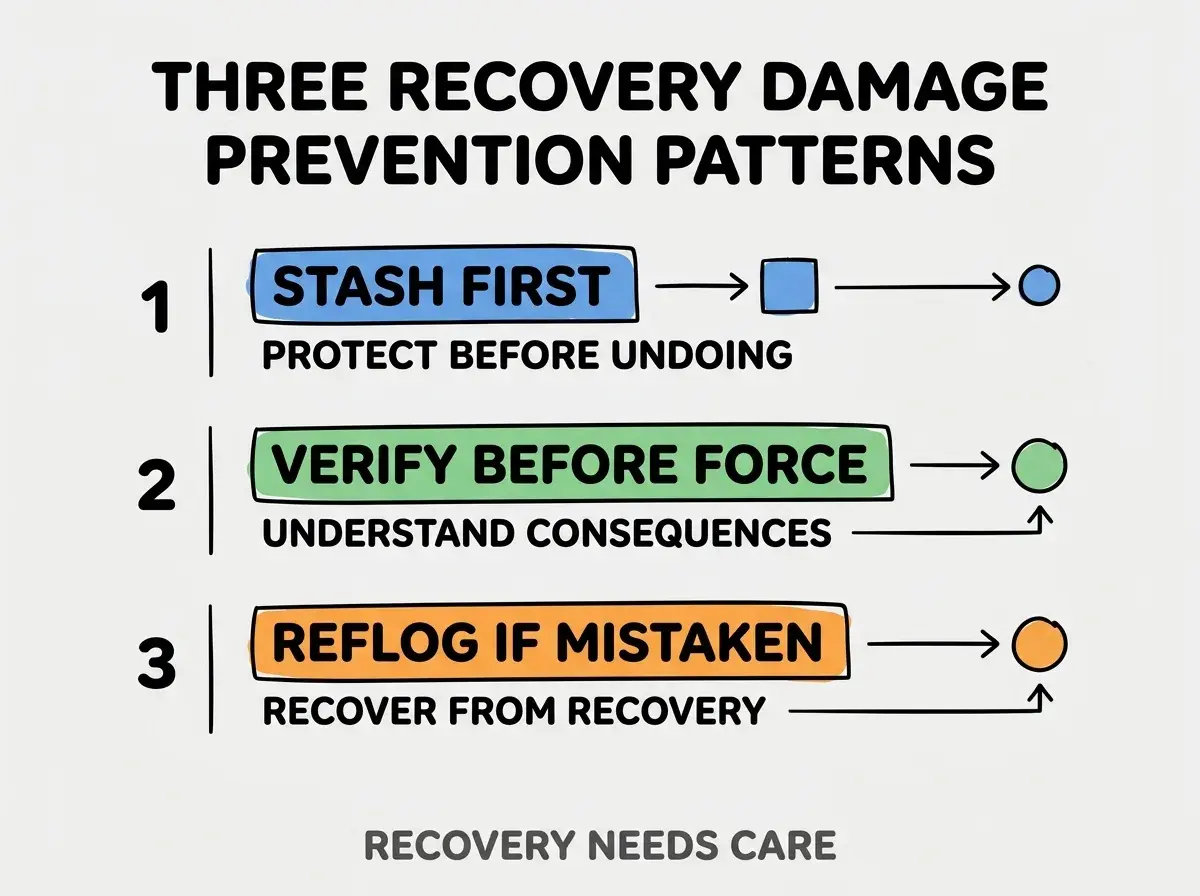
Pattern 1, stash uncommitted work before undoing. Stash protects work that undo might destroy. Without stash, undo can destroy work you wanted to keep.
Pattern 2, verify before force commands. Force commands like git push --force have permanent consequences. Without verification, force commands compound damage.
Pattern 3, use git reflog when undo went wrong. Reflog tracks all HEAD movements; recovers from recovery mistakes. Reflog often saves what other commands cannot.
What Makes Recovery Sustainable
Three patterns separate sustainable recovery from problematic patterns.
Pattern 1, build muscle memory through deliberate practice. Practice during low stakes situations builds memory for high stakes. Without practice, high stakes situations produce panic.
Pattern 2, understand command consequences before using. Force commands and reset hard have permanent consequences. Understanding prevents irreversible mistakes.
Pattern 3, treat recovery as normal not exceptional. Frequent recovery normalizes the practice. Without normalization, recovery feels like failure.
The combination produces recovery skill that scales with AI mistake frequency. Without these patterns, recovery becomes panic mode rather than routine.
How To Practice Git Undo Safely
Three practice patterns build undo skills without risk.
Pattern A, create practice repository for command learning. Practice repo enables experimentation without risk to real work. Without practice repo, learning happens during high stakes situations.
Pattern B, deliberately make and undo mistakes. Building reversal patterns through practice. Without deliberate practice, reversal stays unfamiliar.
Pattern C, review undo decisions afterward. What worked, what could have worked better. Review converts experience into skill.
The combination produces undo skill development. Without practice patterns, undo skills develop slowly through accidental experience.
The most damaging git undo mistake is using force commands when uncertain. Force commands have permanent consequences that careful commands avoid. The fix is to use careful commands first; switch to force only when you fully understand consequences. Developers who default to careful commands recover from mistakes safely; developers who default to force commands sometimes compound damage beyond recovery. Caution beats speed for irreversible operations.
The other mistake is not using git stash before risky undo. Stash protects work that undo might destroy. The fix is to stash reflexively before undo operations.
A third mistake is missing git reflog as recovery option. Reflog often saves what other commands cannot. The fix is to learn reflog as recovery resort.
A fourth mistake is treating force push as normal operation. Force push to shared branches affects everyone; rare cases justify, common cases do not.
How To Handle Specific AI Mistake Patterns
Three AI mistake patterns deserve specific recovery approaches.
Pattern A, AI rewrote file beyond requested changes. git restore file to discard, then re prompt with narrower scope. Restore preserves work in other files.
Pattern B, AI generated multiple commits with bad changes interspersed. Interactive rebase or selective revert. Selective approach preserves good commits while removing bad.
Pattern C, AI suggestion accepted then breaks tests. git reset HEAD if not pushed, git revert if pushed. Choose based on whether shared.
The combination produces approaches matched to AI mistake patterns. Without specific approaches, generic recovery often loses more than necessary.
How Git Undo Will Likely Evolve
Git undo capabilities will likely continue evolving as AI assistance grows.
The first likely evolution is AI assisted recovery suggestions. Tools that recommend specific undo commands based on situation. Recommendations reduce thinking burden during recovery.
The second likely evolution is integrated checkpoint systems beyond git. Comprehensive snapshots including AI context. Comprehensive snapshots enable richer recovery.
The third likely evolution is recovery practice tooling improving. Better tools for practicing without risk. Improvement enables faster skill development.
The combination suggests git undo will become more accessible. Developers learning skills now build foundation that remains valuable.
Common Questions About Git Undo
Git undo raises questions worth addressing directly.
The first question is whether git reset destroys work permanently. Hard reset destroys uncommitted work; soft reset preserves work in working directory. Choice matters dramatically.
The second question is whether to use git checkout or git restore for discard. Git restore is newer and clearer; both work. Restore preferred for new work.
The third question is whether reverting commits leaves traces. Yes; revert creates new commit recording the reversal. Traces enable understanding what happened.
The fourth question is when to use rebase versus revert for changing history. Rebase rewrites history (use only on local branches); revert creates new commits (safe for shared branches). Choice matters dramatically for shared work.
What This Means For You
Git undo proficiency determines AI mistake recovery speed. The four scenarios, command patterns, and recovery approaches produce framework for handling AI mistakes effectively.
- If you're a founder: Git undo skill prevents AI mistakes from becoming day losses. Build skills before mistakes force learning.
- If you're a career changer: Git undo is foundational skill that pays back across career. Practice early.
- If you're a student: Building git undo skills during learning prevents costly mistakes during projects. Foundation matters more than advanced features.
Browse more ship articles
Read more ship