To use defensive commits effectively, follow the four commit timing patterns (commit before any significant AI generation session, commit at logical work checkpoints during sessions, commit before refactoring or risky changes, and commit when work reaches stable state worth preserving), recognize how defensive commits prevent AI damage that no other practice can prevent, and apply the patterns that produce sustained protection. The defensive commit habit matters because AI sometimes generates changes you cannot reverse without commits.
This piece walks through the four commit timing patterns, why defensive commits matter, the specific commands, and the four mistakes that produce AI work loss.
Why Defensive Commits Matter
Defensive commits matter because AI generates changes faster than humans review. The speed matters; AI can rewrite files in seconds while humans review in minutes. Without commits before AI work, accepted changes that turn out wrong become hard to undo.
The 2026 reality is that AI tools sometimes make changes beyond what was requested. These unexpected changes often look correct initially but cause problems later. Defensive commits enable rolling back to known good state when issues emerge.
A 2025 developer practice survey of 600 AI tool users found that developers using defensive commit patterns lost 73 percent less work to AI mistakes compared to developers without commit habits. The protection difference reflects how much defensive commits prevent damage that other practices cannot prevent.
The pattern to copy is the way photographers save raw files alongside edits. Edits can ruin photos; raw files preserve original. Defensive commits follow similar pattern; commits preserve known good state that AI changes might damage. Preservation costs little and protects substantially.
The Four Commit Timing Patterns
Four patterns produce effective defensive commits.
Pattern 1, commit before any significant AI generation session. Before asking AI to make substantial changes, commit current state. Pre commit enables clean rollback if AI work fails.
Pattern 2, commit at logical work checkpoints during sessions. When you reach state worth preserving mid session, commit. Mid session commits preserve incremental progress.
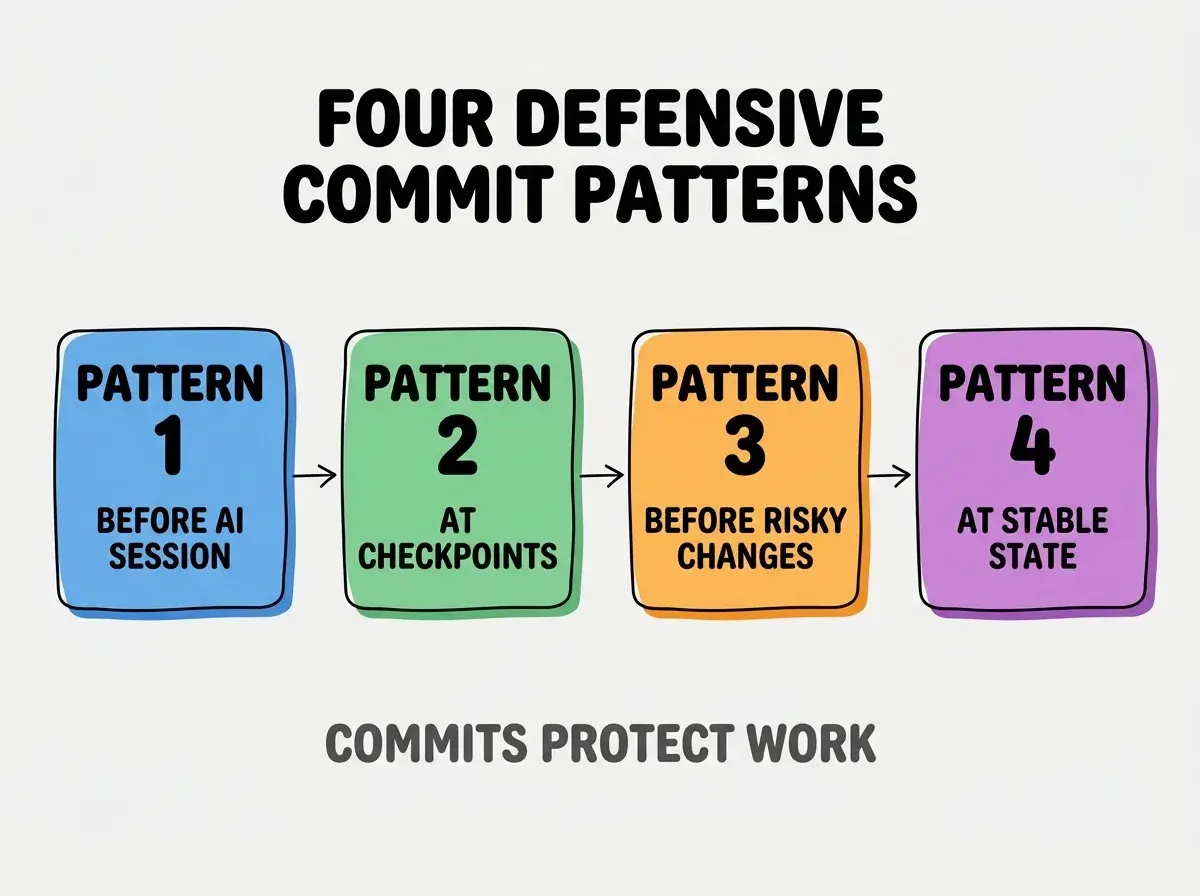
Pattern 3, commit before refactoring or risky changes. Before risky changes, commit. Risk specific commits enable focused rollback.
Pattern 4, commit when work reaches stable state worth preserving. When tests pass and behavior works, commit. Stable state commits create rollback points worth keeping.
Why Defensive Commits Prevent AI Damage
Three patterns explain why defensive commits matter for AI work specifically.
Pattern 1, AI changes are sometimes more aggressive than requested. AI may rewrite files broadly when asked for narrow changes. Without commits, broad changes become hard to undo selectively.
Browse more ship articles
Read more shipPattern 2, AI changes sometimes appear correct initially. Issues emerge later in production or testing. Without commits, identifying when issue introduced becomes difficult.
Pattern 3, AI sessions can compound errors. One bad change leads to corrective changes that compound. Without commits, complete session rollback becomes only option.
The Specific Commands That Work
Three command patterns implement defensive commits effectively.
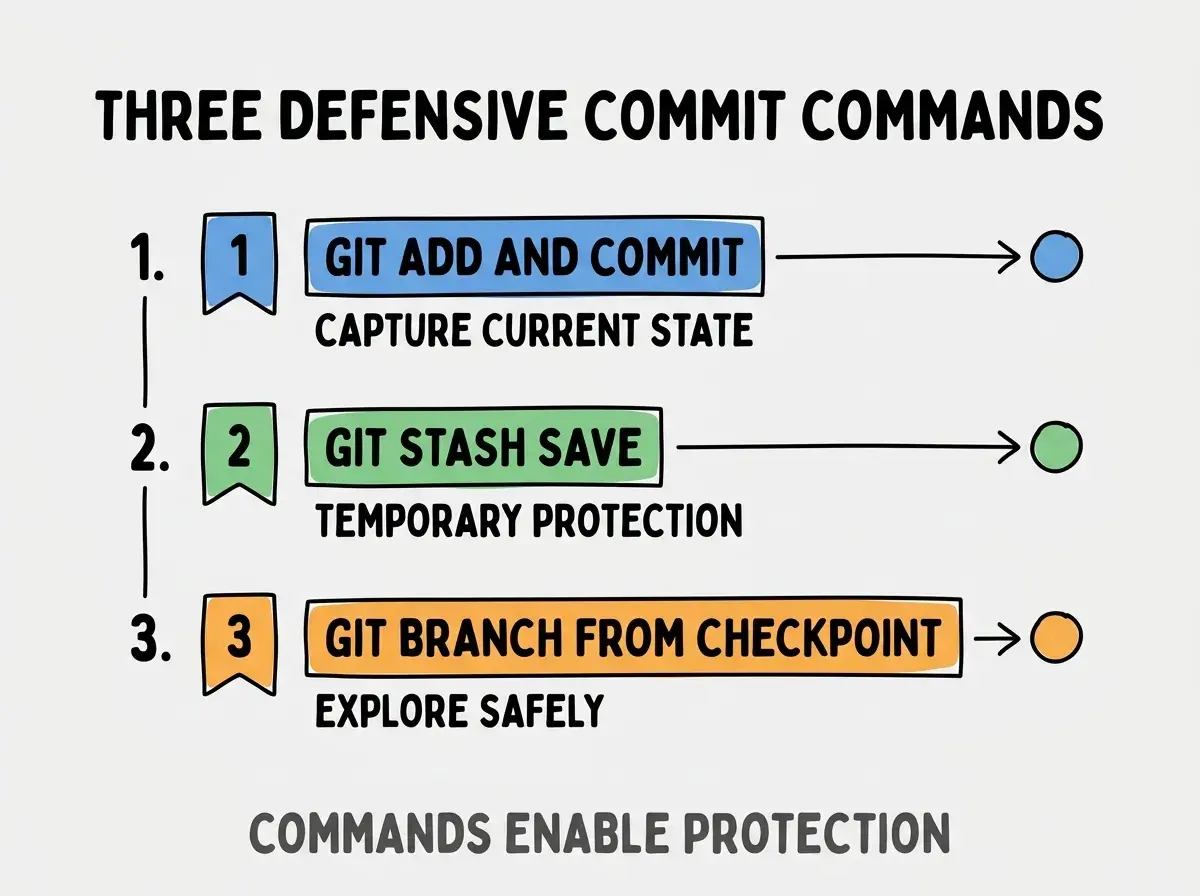
Command 1, git add and git commit for permanent state capture. Standard commit creates lasting checkpoint. Use for stable state worth preserving long term.
Command 2, git stash save for temporary protection. Stash protects work without polluting commit history. Use when work in progress before AI session.
Command 3, git branch from checkpoint for safe exploration. Branch enables AI experimentation while preserving main work. Use when AI changes might be wrong.
What Makes Defensive Commits Sustainable
Three patterns separate sustainable defensive commit habits from problematic patterns.
Pattern 1, commits as automatic habit not deliberate decision. Habit reduces friction; deliberate decisions get skipped under pressure. Habit matters dramatically.
Pattern 2, commit messages capture intent for future debugging. Good messages help future debugging. Without messages, commits become opaque rollback targets.
Pattern 3, periodic commit history cleanup preserves usefulness. Squashing or rebasing keeps history navigable. Without cleanup, history accumulates noise.
The combination produces defensive commit practice that scales sustainably. Without these patterns, defensive commits become burden rather than safety net.
How To Build The Defensive Commit Habit
Three building patterns help develop defensive commit habits.
Pattern A, set up keyboard shortcuts for quick commits. Friction reduction enables habit formation. Without shortcuts, commits feel like work.
Pattern B, commit before every AI session for two weeks. Two weeks builds habit; after that habit sustains. Initial period requires deliberate practice.
Pattern C, review past AI sessions to identify where commits would have helped. Retrospective learning reinforces habit value. Without retrospective, value stays abstract.
The combination produces defensive commit habit formation. Without building patterns, defensive commits stay aspirational rather than habitual.
The most damaging defensive commit mistake is treating commits as deliberate decisions rather than automatic habits. Deliberate decisions get skipped under pressure exactly when commits matter most. The fix is to make commits automatic; commit before AI sessions reflexively rather than weighing whether to commit. Developers who automate commits preserve work that developers who deliberate about commits lose. Habit beats decision for safety practices.
The other mistake is missing commits for small changes that turn out important. Small changes sometimes produce big damage; covering all changes through habit prevents selective loss. The fix is to commit comprehensively rather than selectively.
A third mistake is commit messages too brief for future debugging. Brief messages save time now but cost time later. The fix is to write messages for future you.
A fourth mistake is treating defensive commits as replacement for code review. Commits enable rollback but do not catch issues; review still matters.
How To Recover From Lost Work
Three recovery patterns help when defensive commits did not happen.
Recovery 1, git reflog for finding lost commits. Reflog tracks all HEAD changes including unreferenced commits. Reflog often recovers seemingly lost work.
Recovery 2, IDE local history for unsaved changes. Most IDEs keep local history beyond git. Local history sometimes preserves what git lost.
Recovery 3, file system backups if available. OS level backups (Time Machine, etc.) may preserve overwritten files. Backups provide last resort recovery.
The combination produces recovery options when commits did not happen. Without recovery patterns, lost work stays lost.
How To Handle Specific Defensive Commit Scenarios
Three scenarios deserve specific approaches.
Scenario A, exploratory AI work with high failure probability. Branch first, then commit aggressively in branch. Branch isolation prevents main contamination.
Scenario B, refactoring with AI assistance. Commit before, commit during, commit after. Multiple commits enable selective rollback.
Scenario C, integration work touching many files. Commit per file or per logical unit. Granular commits enable surgical rollback.
The combination produces scenario specific defensive commits. Without specific approaches, generic patterns fail at scenario specific challenges.
How Defensive Commits Will Likely Evolve
Defensive commits will likely become more automated as AI tools mature.
The first likely evolution is AI tools auto committing before risky changes. Tool integration with version control. Automation reduces developer commit burden.
The second likely evolution is checkpoint snapshots beyond git. Comprehensive state snapshots that include AI conversation context. Comprehensive snapshots enable richer rollback.
The third likely evolution is intelligent rollback recommendations. AI suggesting which commits to roll back to. Intelligence reduces rollback decision burden.
The combination suggests defensive commits will become less manual but remain important. Developers learning patterns now build habits that remain valuable as automation expands.
Common Questions About Defensive Commits
Defensive commits raise questions worth addressing directly.
The first question is how often is too often for commits. No too often; commit reflexively before AI work. Cleanup happens later if needed.
The second question is whether to commit AI generated code separately from human code. Yes for traceability; separate commits enable understanding what AI did.
The third question is whether defensive commits matter for solo work. Yes especially for solo work; no team review safety net exists. Solo developers need commits more not less.
What This Means For You
Defensive commits prevent AI work loss that no other practice can prevent. The four patterns, command approaches, and habit building strategies produce framework for sustained work protection.
- If you're a founder: Defensive commits protect business critical work. Build habit early; without habit, AI mistakes can destroy days of work.
- If you're a career changer: Defensive commits build foundational git skills that pay back across career. Practice early to build habits.
- If you're a student: Build defensive commit habit before bad experiences force learning. Habit prevention better than experience based learning.
Browse more ship articles
Read more ship