Frontend is everything your users see and interact with: buttons, text, images, forms, and animations. Backend is everything that happens behind the scenes: storing data, processing payments, checking passwords, and sending emails. Every app you have ever used has both halves working together, even if you only notice the frontend. When you vibe code with AI, understanding this split helps you describe what you want more precisely and diagnose problems faster when something breaks.
Most AI coding tools blur the line between frontend and backend because they generate both at once. You say "build me a signup form that saves users to a database" and the AI handles both halves. But when something goes wrong (and it will), knowing which half broke is the difference between a five-minute fix and hours of frustration.
Why the Frontend and Backend Split Matters
Imagine a restaurant. The dining room is the frontend: the decor, the menu, the table layout, the way the waiter greets you. The kitchen is the backend: the chefs, the ovens, the ingredient storage, the recipes. Customers interact with the dining room. The kitchen makes it all possible.
Now imagine something goes wrong. The food arrives cold. Is that a dining room problem or a kitchen problem? If the waiter took too long to pick it up, that is a frontend issue (the delivery layer). If the chef undercooked it, that is a backend issue (the processing layer). Knowing which side to investigate saves you from pointlessly rearranging the dining room when the real problem is in the kitchen.
When your vibe-coded app breaks, the first question to ask is: "Is this a frontend problem (something looks wrong) or a backend problem (something works wrong)?" This single question will cut your debugging time in half.
The same principle applies to every app. If a button does not look right, that is a frontend problem. If clicking the button does nothing, that might be either. If clicking the button shows an error about "failed to save," that is almost certainly a backend problem.
How the Frontend Works
The frontend is built with three core technologies, and AI uses all three when it generates code for you:
HTML defines the structure. It is the skeleton of your page: headings, paragraphs, buttons, images, forms. When you tell AI "add a signup form with name and email fields," it writes HTML to create those elements.
CSS controls the appearance. Colors, fonts, spacing, layouts, animations. When you say "make the button blue and center everything on the page," AI writes CSS to style the HTML elements.
JavaScript adds behavior. What happens when someone clicks a button, types in a field, or scrolls the page. When you say "show an error message if the email is invalid," AI writes JavaScript to make that happen.
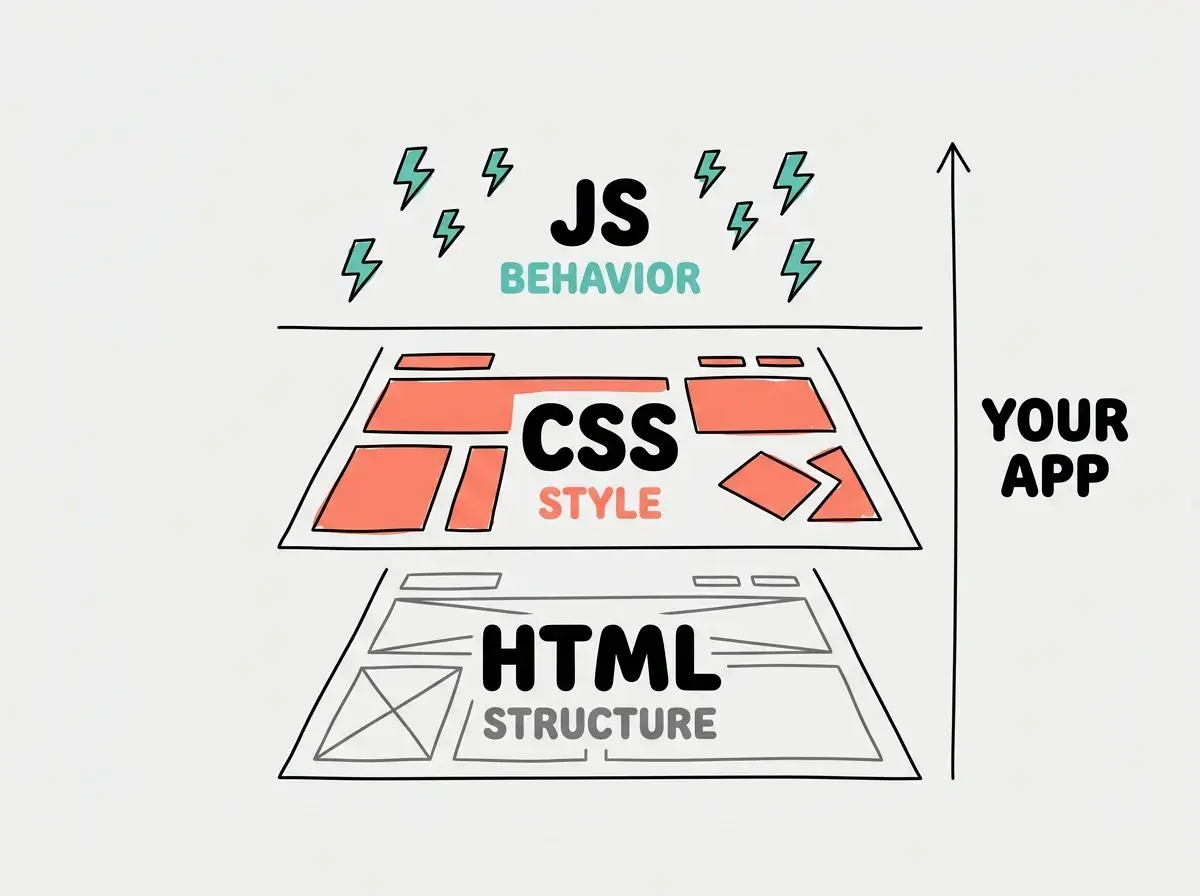
In modern vibe coding, you rarely deal with these individually. Frameworks like React and Next.js bundle them together, and tools like Tailwind CSS make styling easier. When AI generates a component for you, it typically produces a single file that combines structure, style, and behavior.
Build your first interactive interface with AI in under 30 minutes.
Try it nowHow the Backend Works
The backend is where your app's brain lives. It handles four main jobs:
Data storage. Your app needs to remember things: user accounts, posted comments, uploaded photos, purchase history. This data lives in a database on a server, and the backend manages reading from and writing to that database.
Business logic. The rules your app follows. "Free users can upload 5 photos. Premium users can upload unlimited." "Orders over $50 get free shipping." "New users get a welcome email." These rules live in backend code.
Authentication. Who is allowed to do what. The backend checks passwords, manages login sessions, and controls permissions. This is one of the most security-critical parts of any app.
External connections. Your app probably talks to other services: Stripe for payments, Resend for emails, Google for login, OpenAI for AI features. The backend manages these connections because they often require secret keys that should never be visible in the frontend.
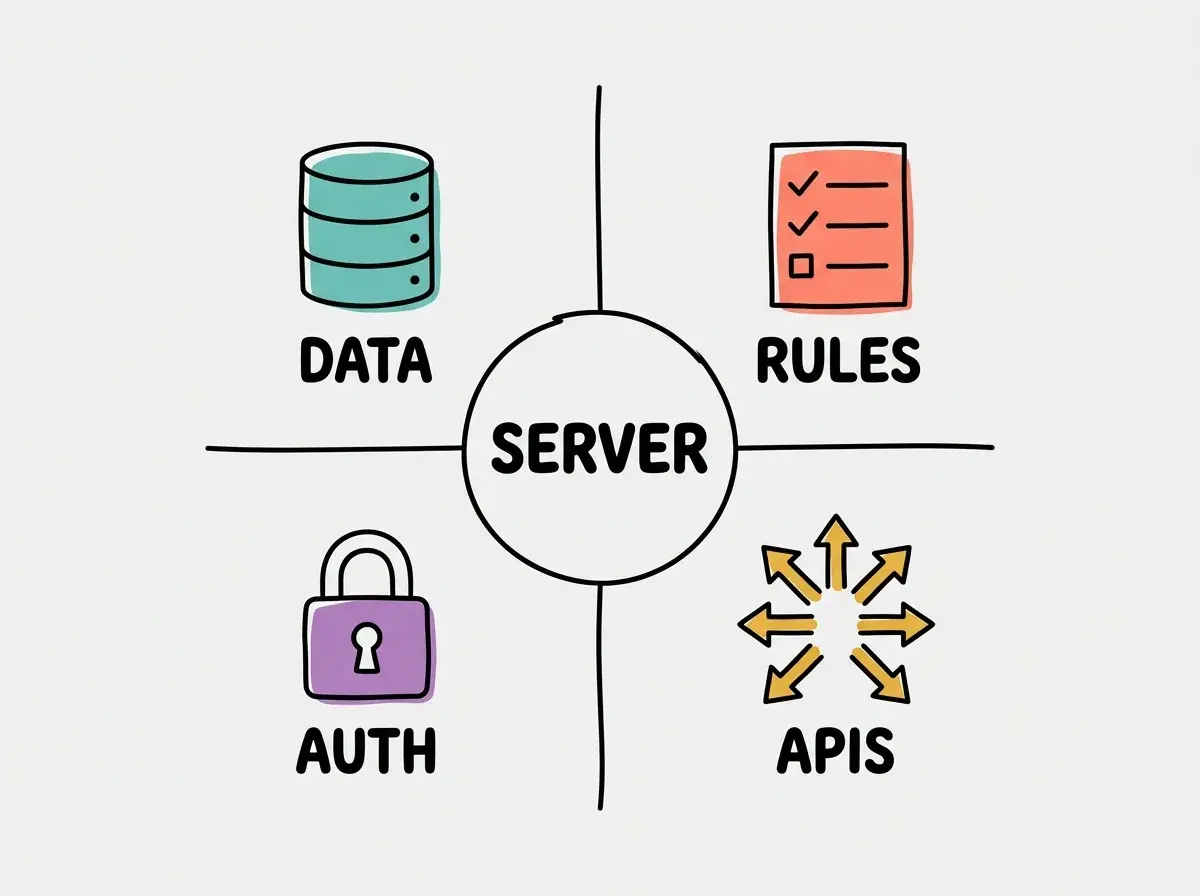
These external connections are where security matters most. Your backend holds API keys for services like Stripe, Resend, and OpenAI, and those keys must never leak to the frontend where anyone with browser dev tools could see them.
New vibe coders often put sensitive information (API keys, database passwords) in frontend code where anyone can see it. Always tell AI to "keep secrets on the backend" or "use environment variables." This is the most common security mistake in AI-generated code.
Is Frontend Dead With AI
This is one of the most popular questions in 2026, and the answer is a clear no. What is changing is how frontend code gets written, not whether it is needed.
AI tools are exceptionally good at generating frontend code. You describe a layout, AI builds it. You ask for a specific animation, AI writes the CSS. This means the mechanical work of translating a design into code is getting faster. But someone still needs to decide what the design should be, how the user flow should work, and what the experience should feel like.
If anything, frontend skills are becoming more valuable for vibe coders, not less. The people who understand what makes a good interface can guide AI to build better ones. The people who just say "make it look nice" end up with generic, forgettable apps.
44.2% of non-technical designers rate vibe coding tools favorably for generating UIs. The tools are getting better at the mechanical parts. The creative and strategic parts still need a human.
How Frontend and Backend Talk to Each Other
When you click "Sign Up" on a website, here is what happens in about half a second:
- The frontend collects your name, email, and password from the form
- The frontend sends that data to the backend via something called an API request
- The backend checks if the email is already taken
- The backend encrypts your password (never stored as plain text)
- The backend saves your account to the database
- The backend sends a response back: "Account created successfully"
- The frontend receives that response and shows you a welcome screen
Every interaction in every app follows this pattern: the frontend sends a request, the backend processes it, and sends back a response. When you understand this flow, you can describe what you want AI to build with much more precision.
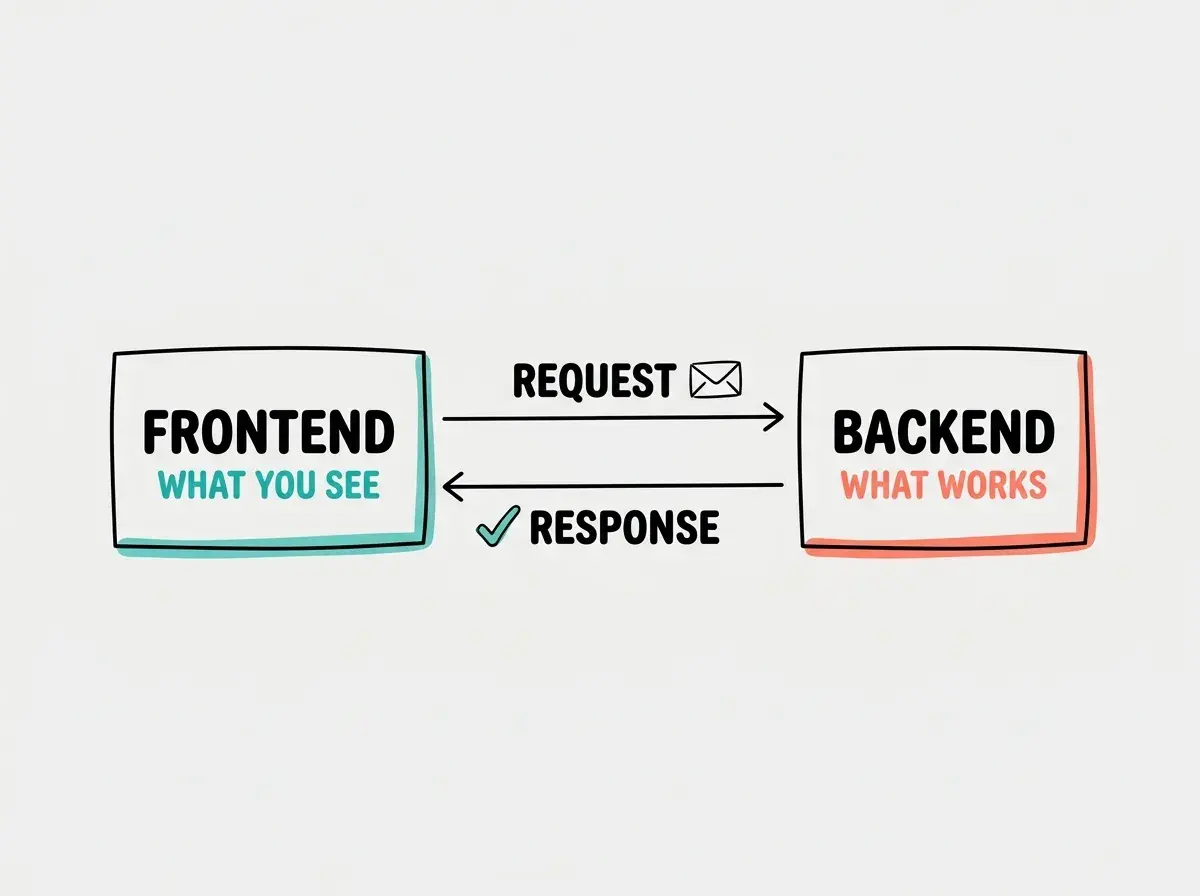
Instead of telling AI "build a signup form," you can say "build a signup form on the frontend that sends name, email, and password to a backend API endpoint, validates the email format, hashes the password, saves to the database, and returns a success or error message." That level of specificity produces dramatically better results.
Full-Stack and Where Vibe Coding Fits
When someone builds both the frontend and backend, that is called "full-stack development." Traditionally, this required deep expertise in multiple programming languages and frameworks. It was the domain of experienced developers.
Vibe coding has made full-stack development accessible to non-developers for the first time. AI tools generate both frontend and backend code from your descriptions. You don't need to know React, Node.js, or PostgreSQL. You describe what you want, and the AI builds across the full stack.
But here is the honest part: AI-generated full-stack apps have common weak spots. The frontend usually looks polished because AI is excellent at generating interfaces. The backend is where problems hide. Data validation might be incomplete. Security might be surface-level. Error handling might be minimal. These are the invisible parts that cause real problems when users start relying on your app.
When you prompt AI to build something, spend extra time describing backend requirements. "Make sure passwords are hashed," "validate all inputs on the server side," "handle the case where the database is unavailable." AI defaults to making the frontend pretty, and you need to push it to make the backend robust.
What This Means For You
Every app has a frontend (what users see) and a backend (what makes it work). AI builds both from your descriptions, but understanding the split helps you describe requirements more clearly, debug problems faster, and build more reliable software.
- If you're a founder: The backend is where your MVP's quality lives. A beautiful frontend with a weak backend will fail when real users arrive. When reviewing what AI builds, pay extra attention to the invisible parts: data storage, security, and error handling. Learn more about what a program is.
- If you're changing careers: Understanding frontend vs backend is one of the most valuable mental models in software. It applies to every project you will ever build. If you come from a visual background, you will have a natural advantage on the frontend side. Start with what code is to build the full picture.
- If you're a student: Experiment with both sides. Ask AI to build a frontend-only project (a personal portfolio), then a backend-focused project (an API that returns random quotes), then a full-stack project that combines both. Each teaches you different things about how software works.
Understanding APIs is the next step in seeing how apps connect.
Learn about APIs