A disaster recovery plan is the document that exists so the worst day at your company is a bad afternoon, not the end of your company. For a solo operator, the disaster scenarios are larger than they sound, a hosting provider bankruptcy, a billing dispute that locks you out of your account, a stolen laptop with the only copy of your production credentials, or an AI agent that drops the production database table. Without a plan, any of these can be terminal. With a plan, each is a multi-hour inconvenience.
This piece is the 12-item disaster recovery checklist I would hand to any solo builder running a paid SaaS. It is not exhaustive. It is the minimum viable set of preparations that turn the most common worst-case events into recoverable ones.
Why Solo Operators Need a Different Plan
Most disaster recovery guidance is written for companies with operations teams, secondary data centers, and people whose entire job is incident response. A solo operator has none of those. The plans those guides describe assume a level of redundancy that costs more than a small SaaS earns in a month.
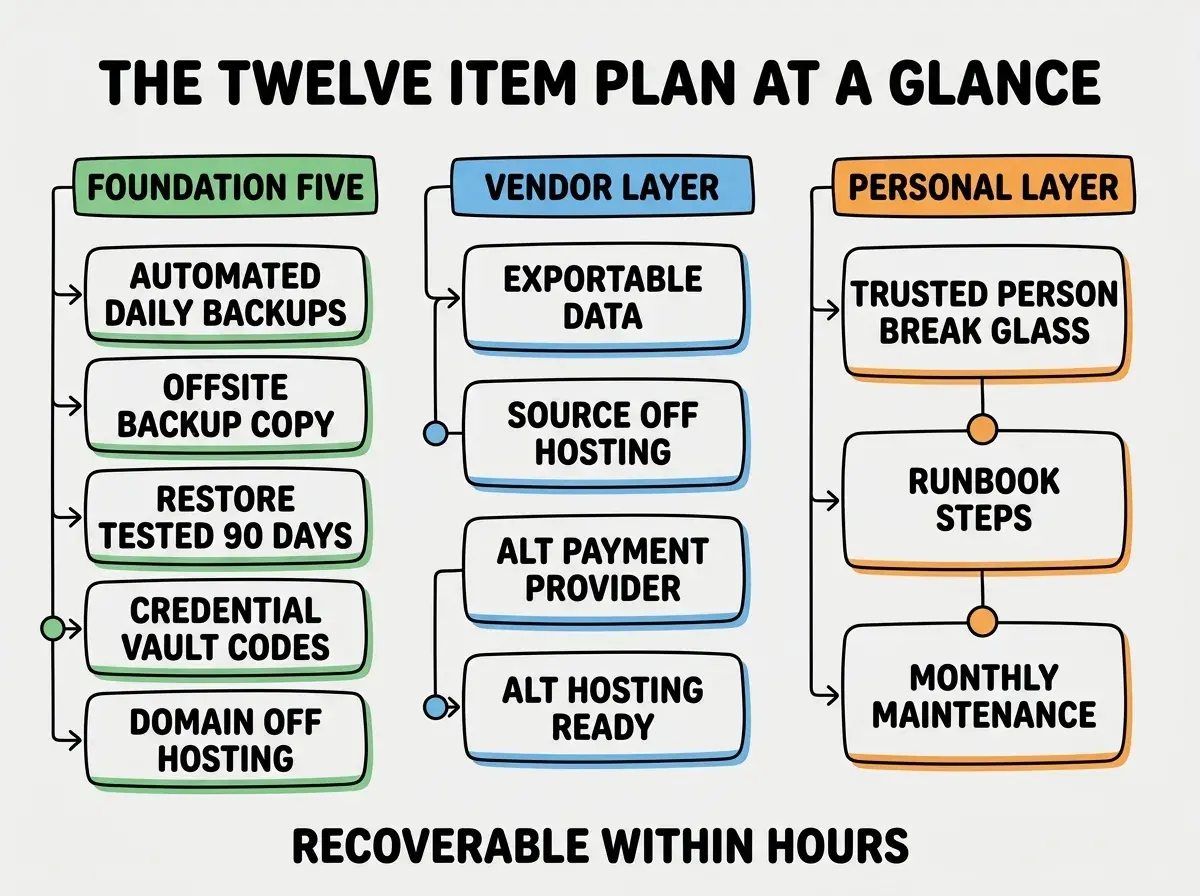
Solo operator disaster recovery is a different shape, you accept some downtime in exchange for a vastly cheaper plan. The goal is not zero downtime, the goal is recoverable from any single point of failure within hours, not days. That tradeoff is what makes the plan affordable, both in money and in maintenance time.
The 2024 IndieHackers operational survey found that 38% of small SaaS shutdowns cited "an unrecoverable operational event" as a contributing cause, including 9% citing a single hosting provider failure or account lockout. Most of those events were preventable with a one-page plan and 30 minutes of monthly maintenance.
The pattern to copy is the airplane checklist before takeoff. The pilot does not prevent every possible failure, the pilot prevents every preventable failure and ensures the plane can survive the rest. Your disaster recovery plan does the same, prevent the cheap-to-prevent failures and ensure you can recover from the rest.
The Foundation Five
These five items are the load-bearing parts of any disaster recovery plan. Without them, none of the higher-level items matter.
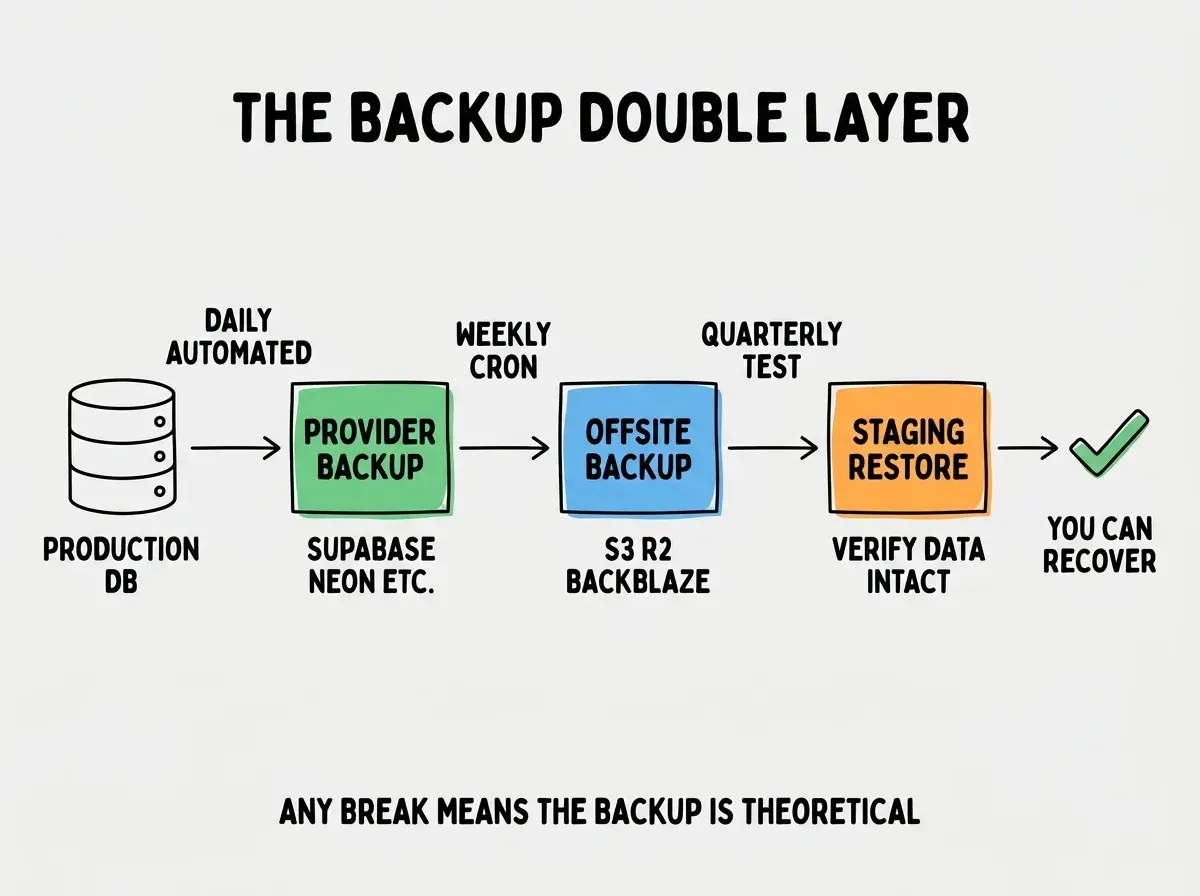
Item 1, automated daily database backups. Every managed database service (Supabase, PlanetScale, Neon, Turso) supports automated backups. Verify yours is enabled, verify the retention is at least 7 days, and verify you can actually access the backup files. The 30 second test, log into your database provider's UI, find the backups section, confirm a backup from the last 24 hours exists.
Item 2, off-site backup of those backups. A database backup that lives in the same provider as your database is one acquisition or one billing dispute away from being inaccessible. Set up a weekly export to a separate provider, S3, Cloudflare R2, or Backblaze. The cheapest workable setup is a GitHub Actions cron job that pulls the latest dump and uploads it to a different cloud.
Item 3, restore tested in the last 90 days. An untested backup is a hope, not a backup. Once a quarter, restore the most recent backup to a staging environment and verify the data is intact. Most builders skip this, then discover during an actual incident that their backups have been silently broken for months. The test takes about an hour the first time and 15 minutes after that.
Item 4, credential vault with offline recovery codes. Every account your business depends on, hosting, domain registrar, payment processor, email service, AI provider, should be in a password manager. Every account should have 2FA, and every 2FA recovery code should be printed and stored in a physical location separate from your laptop. A solo operator who loses access to their email account can be locked out of every other account that uses email recovery, that is a survivable failure only if the recovery codes exist.
Item 5, domain registrar separated from hosting. Your domain is the asset everything else points to. If your hosting provider also registers your domain and they freeze your account, you have lost both. Register the domain at a separate provider, ideally one that does not also host your app, Cloudflare Registrar and Porkbun are both cheap and reliable.
The Vendor Failure Layer
The next four items address the case where a single vendor disappears or locks you out. The pattern is portability, every dependency should have a documented escape route.
Item 6, exportable data formats. Every system that holds your data should let you export it. Stripe lets you download all customer and subscription data. Resend lets you download your contact list. Your database lets you dump SQL. Test the export quarterly, do not assume it will work in a crisis. Store the latest export with your off-site backup.
Item 7, source code on a non-hosting platform. GitHub is the safe default, GitLab and Bitbucket are reasonable alternatives. The point is that your source lives somewhere independent of your hosting provider. If Vercel disappears tomorrow, you can deploy the same code to Cloudflare Pages, Netlify, or Railway within an hour.
Read more operational guides for solo builders
Browse the grow categoryItem 8, alternative payment provider listed. If Stripe freezes your account, what happens to revenue. A documented alternative (Lemon Squeezy, Paddle, Braintree) with the integration sketched out, even if not actively wired up, turns a frozen-account event from a business-ending event into a 24-hour migration sprint. The most common reason Stripe freezes accounts is a sudden change in transaction patterns, exactly what happens when a launch goes well.
Item 9, alternative hosting deployment configured. Configure a second hosting provider for your app, pointed at the same source repo. You do not need to actively serve traffic from it, you just need the deployment to work on demand. Cloudflare Pages, Netlify, and Render all have generous free tiers that make this near-zero cost.
The Personal Layer
The last three items address risks that are personal to a solo operator but operational to the business.
Item 10, a trusted person with break-glass access. One person other than you should know how to access your business in an emergency. Put their contact information and the access procedure in a sealed envelope or a delayed-access password manager feature like 1Password's Family vault with break-glass. If you are hospitalized, your customers should still get support.
Item 11, a one-page runbook of recovery procedures. Write down the actual steps to recover from each scenario. "If hosting is down, deploy to backup provider, change DNS." "If database is corrupted, restore from latest off-site backup, run reconciliation script." Keep it in a markdown file in your repo and as a printed copy somewhere. During a real incident, your memory will not work the way you hope.
Item 12, monthly 30-minute maintenance window. Block 30 minutes once a month on your calendar to verify the plan still holds. Check backups exist, recovery codes are in place, vendor accounts are accessible, runbook reflects current architecture. Most plans rot silently because no one is checking. The maintenance window is what keeps the plan honest.
The most common disaster recovery failure is the plan that exists but has not been tested in 12 months. Architecture changes, vendors deprecate APIs, backups silently corrupt. A plan you have never executed is worth roughly 40% of what you think it is worth, the maintenance window closes that gap.
The total cost of this 12-item plan is usually under 30 dollars a month, mostly in off-site storage and a second hosting account on a free tier. The total time investment is about 4 hours to set up and 30 minutes a month to maintain. Compared to the cost of starting over, those numbers are absurdly cheap.
What This Means For You
Disaster recovery is one of those topics that feels unnecessary right up until the moment it is essential. The 12 items above are not a complete plan, they are the floor below which a solo operator should not run a real business.
- If you're a founder: Build this plan before you raise money. Investors who do due diligence ask about it, and "we have not thought about it" is a credibility hit you can avoid for the cost of an afternoon.
- If you're changing careers: Building a real disaster recovery plan for a personal project is the kind of operational thinking that distinguishes "engineer" from "engineer who can be trusted with production." Practice once on a personal project.
- If you're a student: Read public postmortems of small companies that lost their data, the ones from acquihires gone wrong or hosting bankruptcies. The patterns repeat. Most of the failures were preventable with this checklist.
Browse more reliability and operations guides for solo builders
Read more grow guides