When you DigitalOcean deploy app through their App Platform, you get a managed hosting experience that sits between the simplicity of Vercel and the full control of a VPS. With 92% of builders now using AI tools daily, the question is not whether to deploy your vibe-coded project but where. DigitalOcean is a strong answer that most people overlook.
The typical vibe coder trajectory goes something like this. You build something with Cursor or Claude Code, push it to Vercel or Netlify because that is what the tutorial said, and then one of two things happens. Either your app stays small and the free tier works fine, or it grows and you start getting bills that feel wrong for the traffic you are getting. DigitalOcean occupies the space where your project needs real infrastructure but you do not want to become a DevOps engineer to get it.
Why DigitalOcean Deserves a Look
DigitalOcean has been around since 2011, long before vibe coding existed. They built their reputation on Droplets, which are virtual private servers that developers manage themselves. But their App Platform, launched in 2020, is the product that matters for vibe coders. It is a managed platform-as-a-service that handles deployment, scaling, and HTTPS for you.
The pricing is what makes it interesting. App Platform starts at $5/mo for a basic app, and you get a clear, predictable bill. There is no bandwidth multiplier that spikes your costs when a post goes viral. No per-seat pricing that punishes you for having a co-founder. The Starter tier gives you 3 static sites for free, and the Basic tier at $5/mo includes 1 GB RAM and a shared CPU for running your backend.
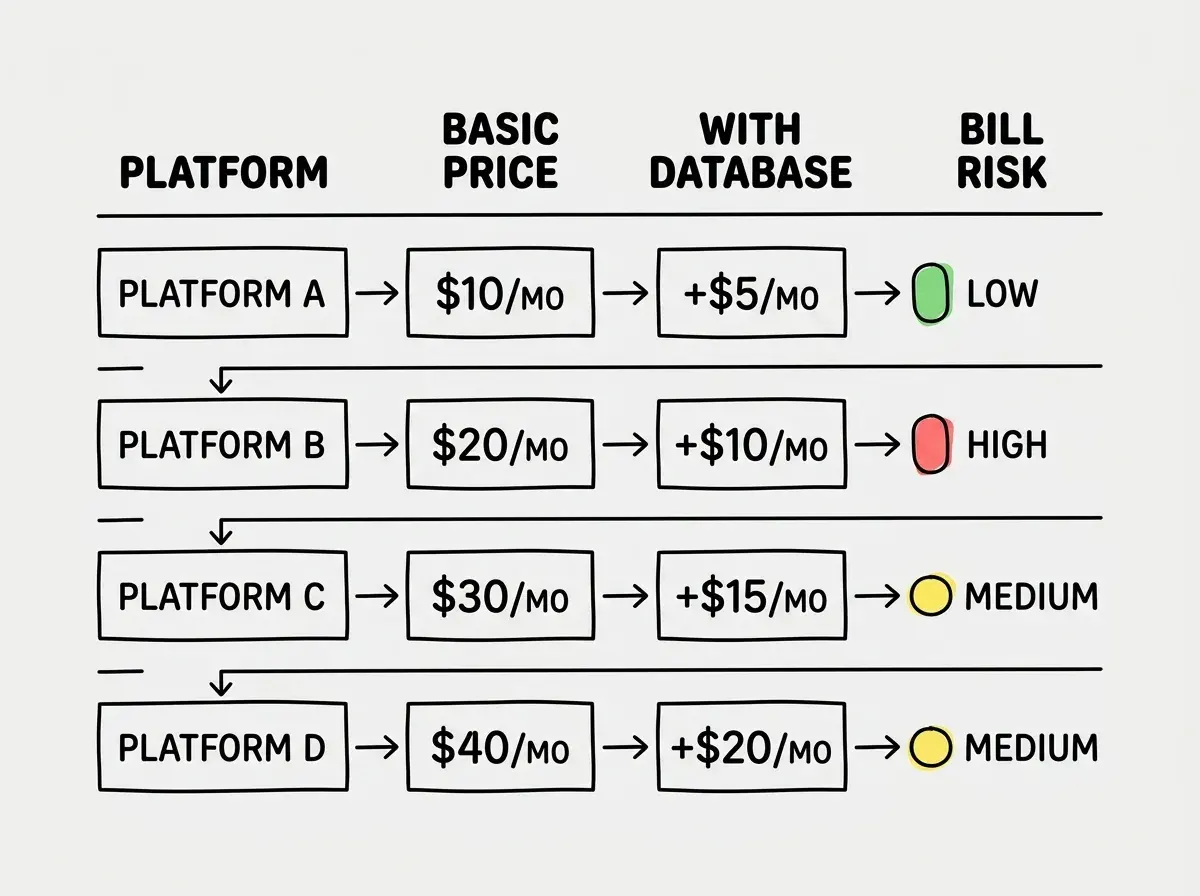
Compare that to Railway, where costs scale with usage and can be hard to predict, or Vercel, where a single serverless function getting hammered can generate a triple-digit bill overnight. DigitalOcean tells you what you will pay before you deploy.
DigitalOcean App Platform is not trying to be the fastest or the most developer-friendly platform. Its value proposition is predictable pricing and enough infrastructure flexibility to grow with your project. If your vibe-coded app needs a backend, a database, and reliable hosting without surprise bills, App Platform delivers all three under one roof for less than most alternatives.
App Platform vs Droplets
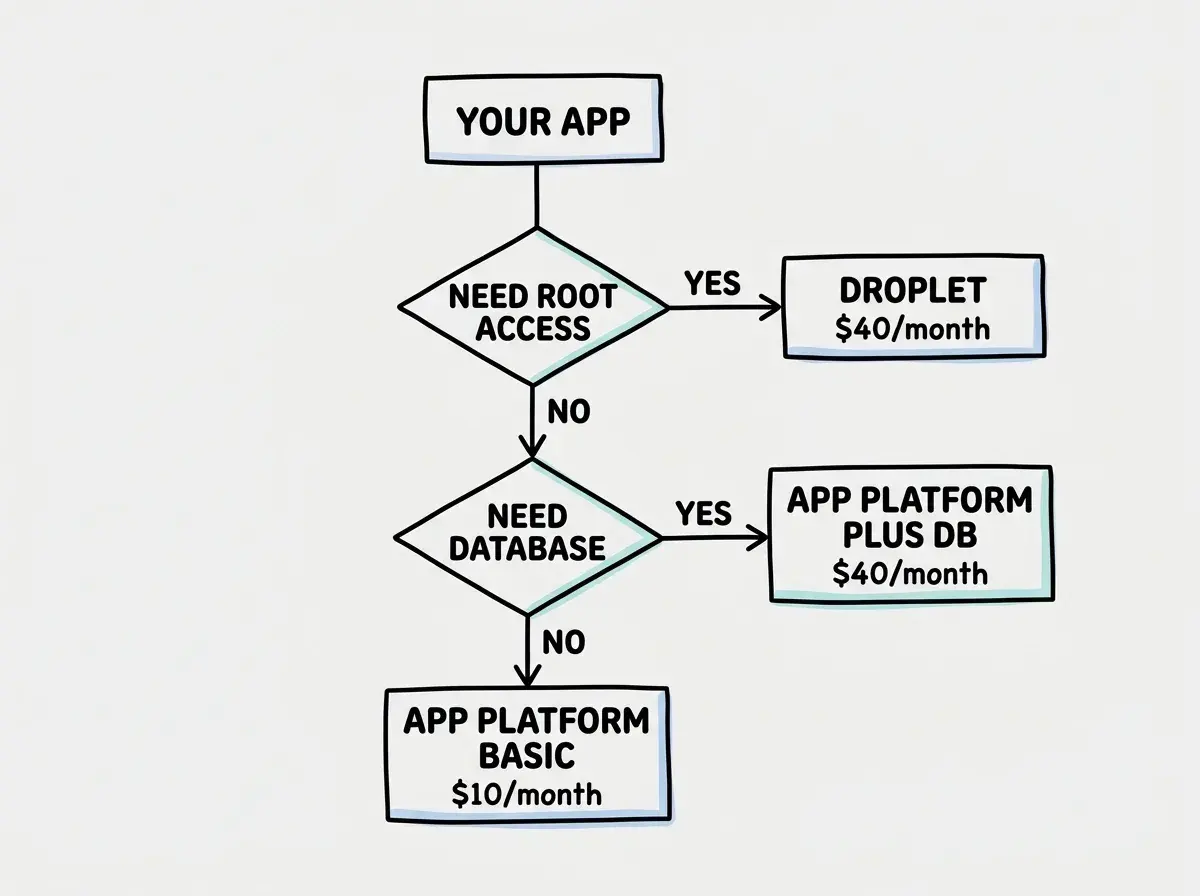
This is the first decision you need to make, and it is the one most people get wrong. Here is how to think about it.
App Platform is DigitalOcean's managed option. You connect your GitHub repo, choose a region, set your environment variables, and it handles the rest. Builds happen automatically on push. HTTPS is configured for you. Scaling is a slider in the dashboard. If your AI tool generated a Node.js backend, a Python API, or a static frontend, App Platform can deploy it without you writing a Dockerfile.
Droplets are virtual machines. You get root SSH access, you install your own dependencies, you configure nginx or caddy, you manage SSL certificates, you set up your own CI/CD pipeline. Total control, total responsibility.
For vibe-coded projects, App Platform is almost always the right starting point. The reason is simple. When you are building with AI tools, your time is better spent iterating on the product than configuring servers. Every hour you spend debugging an nginx config is an hour you could have spent building features with your AI tool.
The exception is when your project needs something App Platform cannot provide. Long-running background processes that exceed the 10-minute build timeout. Custom system-level dependencies. GPU access for ML inference. WebSocket connections that need to stay open for hours. In those cases, a Droplet at $6/mo gives you a 1 GB RAM server where you can install whatever you want.
Deploying to App Platform Step by Step
The process takes about five minutes if your project is already on GitHub.
1. Create an App. Go to the DigitalOcean dashboard, click "Create" then "Apps." Connect your GitHub account and select your repository. DigitalOcean auto-detects your framework and suggests build settings.
2. Review the detected settings. This is where you pay attention. App Platform will guess your build command and run command. For a Next.js app, it usually gets this right (npm run build and npm start). For a Python Flask app, it might need adjustment. Check that the HTTP port matches what your app actually listens on, because the default is 8080 and many AI-generated apps use 3000.
3. Set your environment variables. Click "Edit" on the environment variables section. Add every key from your .env file. Mark sensitive values like API keys as "encrypted" so they do not show up in logs or the dashboard after saving. This is a step that AI tools never handle for you, and it is the number one reason first deploys fail.
4. Choose your plan. Basic ($5/mo) works for most projects. Professional ($12/mo) adds horizontal scaling, dedicated CPU, and zero-downtime deploys. Start Basic, upgrade when you need to.
5. Pick a region. Choose the one closest to your users. If you are building for a US audience, New York or San Francisco. If you are not sure, New York (NYC) is a safe default.
6. Deploy. Click "Create Resources" and wait. First builds take 3-5 minutes. Subsequent pushes to your main branch trigger automatic rebuilds.
Learn the fundamentals before picking a platform.
Read the deployment guideAdding a Managed Database
This is where DigitalOcean pulls ahead of Vercel and Netlify entirely. Neither of those platforms offers managed databases. You end up using Supabase, PlanetScale, Neon, or some other third-party service and stitching it together yourself. DigitalOcean gives you managed PostgreSQL, MySQL, MongoDB, Redis, and Kafka right in the same dashboard, on the same network, with automatic backups.
Managed PostgreSQL starts at $15/mo for a 1 GB RAM, 10 GB storage instance. That is enough for most vibe-coded apps that are past the prototype stage. The database lives in the same data center as your App Platform deployment, so latency between your app and your database is under 1ms. Compare that to a setup where your app is on Vercel's edge network but your database is on Supabase in a different region, adding 50-100ms to every query.
To connect your managed database to your App Platform app, DigitalOcean provides a DATABASE_URL environment variable that you can reference directly. The connection uses private networking, so your database is not exposed to the public internet. This is a security win that most vibe coders do not think about but absolutely should.
Do not use an external database service when deploying to DigitalOcean App Platform. The added network latency and the extra bill from a third-party provider cancel out any convenience. DigitalOcean's managed databases are on the same private network as your app, which means faster queries, simpler configuration, and one dashboard for everything. The only reason to go external is if you need a database type DigitalOcean does not offer.
When DigitalOcean Beats the Alternatives
Over Vercel: When you need a backend that runs longer than 10 seconds, when you want a managed database alongside your app, or when predictable billing matters more than bleeding-edge DX. Vercel is still better for pure Next.js frontends, but the moment you need persistent backend processes, DigitalOcean makes more sense.
Over Railway: When you want to know exactly what your bill will be before you deploy. Railway's usage-based pricing is elegant but unpredictable. A background job that runs longer than expected or a traffic spike can double your bill. DigitalOcean's fixed-price tiers eliminate that anxiety.
Over Render: The two platforms are genuinely similar. Render's free tier is more generous for web services, but DigitalOcean's managed database offering is more mature and their Droplet escape hatch gives you options Render cannot match.
Over AWS/GCP: When you do not have a DevOps team and do not want to become one. AWS can do everything DigitalOcean can do and more, but the learning curve is measured in months. DigitalOcean's dashboard is something you can navigate on your first visit.
The Honest Downsides
DigitalOcean is not perfect, and pretending otherwise would waste your time.
The developer experience is mid. Vercel's deploy previews, instant rollbacks, and branch-based environments are years ahead. App Platform gives you automatic deploys and that is about it. No preview URLs for pull requests. No built-in analytics. The build logs are functional but not helpful when something goes wrong.
Edge computing is limited. Cloudflare Workers run in 300+ cities. Vercel Edge Functions run across their entire network. DigitalOcean deploys your app to one region. If your users are global, you will need to add a CDN yourself or accept higher latency for users far from your chosen data center.
The free tier is minimal. Three static sites with limited bandwidth. That is it. No free compute for dynamic apps. If you are just experimenting, Vercel or Render give you more room to play before opening your wallet.
See how every major platform stacks up for vibe-coded projects.
Read the full comparisonThe Upgrade Path
One of DigitalOcean's underrated strengths is the upgrade path. You start on App Platform at $5/mo. When you need more power, you scale up to Professional tier. When you need full control, you migrate to a Droplet and use their container registry to deploy Docker images. When you need a Kubernetes cluster, they have that too.
This matters because vibe-coded projects have unpredictable growth trajectories. You might build something in a weekend that gets 10,000 users in a month. Scaling from $5/mo to enterprise infrastructure without migrating providers removes a future headache.
What This Means For You
If your vibe-coded project needs more than a static frontend, if it has a backend API, a database, background jobs, or any combination of those, DigitalOcean is worth serious consideration. The pricing is honest, the managed database offering eliminates an entire category of third-party integration headaches, and App Platform is simple enough that your AI tool can generate the deployment configuration for you.
Start with App Platform. Add a managed database when you need persistence. Move to a Droplet if and when you outgrow the managed platform. That progression covers 90% of vibe-coded projects from prototype to production, and you will know exactly what you are paying at every step.