A designer building a Figma to code converter workflow connects design tools to code generation. Four conversion patterns work for different needs: Figma plugin extracting design tokens, Figma export generating React components, vision based AI converting screenshots, and design system mapping converting Figma to coded components. Each pattern has different fidelity and effort tradeoffs; combining patterns produces workflow that scales with team needs.
This tutorial walks through the four conversion patterns, the implementation approaches, what makes workflows reliable, and the four mistakes designers make on Figma to code conversion.
Why Figma To Code Workflows Matter
Figma to code workflows matter because designer engineer handoff is friction point in most teams. Workflows reduce friction; reduction speeds shipping.
The 2026 reality is that AI tools have made Figma to code conversion practical for many cases. Practical conversion changes designer engineer collaboration dynamics.
A 2025 design team productivity study of 200 design teams found that teams with Figma to code workflows shipped designs to production 56 percent faster than teams without workflows. Workflow investment measurably affects shipping velocity.
The pattern to copy is the way print designers used templates and grids to translate ideas to print. Templates reduced friction; reduction enabled volume. Figma to code conversion follows similar logic for digital.
The Four Conversion Patterns
Four patterns address different Figma to code conversion needs.
Pattern 1, Figma plugin extracting design tokens. Plugin reads design tokens (colors, typography, spacing); exports to code as variables.
Pattern 2, Figma export generating React components. Tools like Figma Dev Mode export design as starting code; designer or engineer refines.
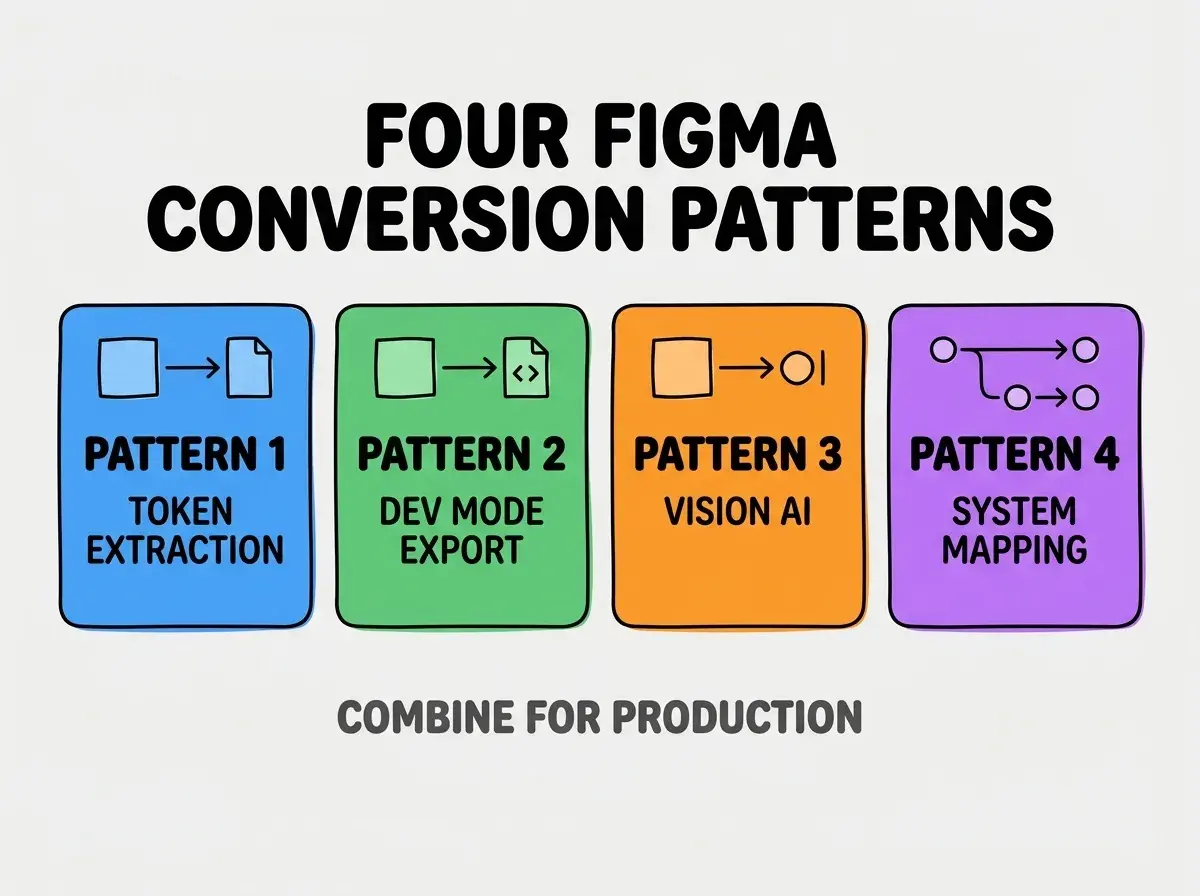
Pattern 3, vision based AI converting screenshots. Take screenshot of Figma design; AI generates code matching screenshot. Useful when no Figma access.
Pattern 4, design system mapping converting Figma to coded components. Mapping Figma components to coded components; updates flow bidirectionally.
How To Implement Each Pattern
Four implementation approaches address each conversion pattern.
Implementation 1, Figma plugin for tokens via Style Dictionary. Plugin exports tokens to JSON; Style Dictionary converts JSON to platform specific code.
Browse more build articles
Read more buildImplementation 2, Figma Dev Mode for component export. Dev Mode generates component code; integrate with codebase via copy paste or extension.
Implementation 3, AI vision tools for screenshot conversion. Tools like v0, Lovable accept screenshots; produce React components matching design.
Implementation 4, Specify or similar for design system mapping. Specialized tools maintain mapping between Figma and code; mapping enables sync.
What Makes Conversion Workflows Reliable
Three patterns separate reliable conversion from unreliable.
Pattern 1, design system foundation matters most. Mature design system makes conversion reliable; ad hoc designs fail conversion.
Pattern 2, designer engineer agreement on patterns. Both parties agree on conversion patterns; agreement reduces friction.
Pattern 3, iteration on conversion outputs. First conversion rarely perfect; iteration produces production code.
What Makes Figma Workflows Sustainable
Three patterns separate sustainable Figma workflows from one off scripts.
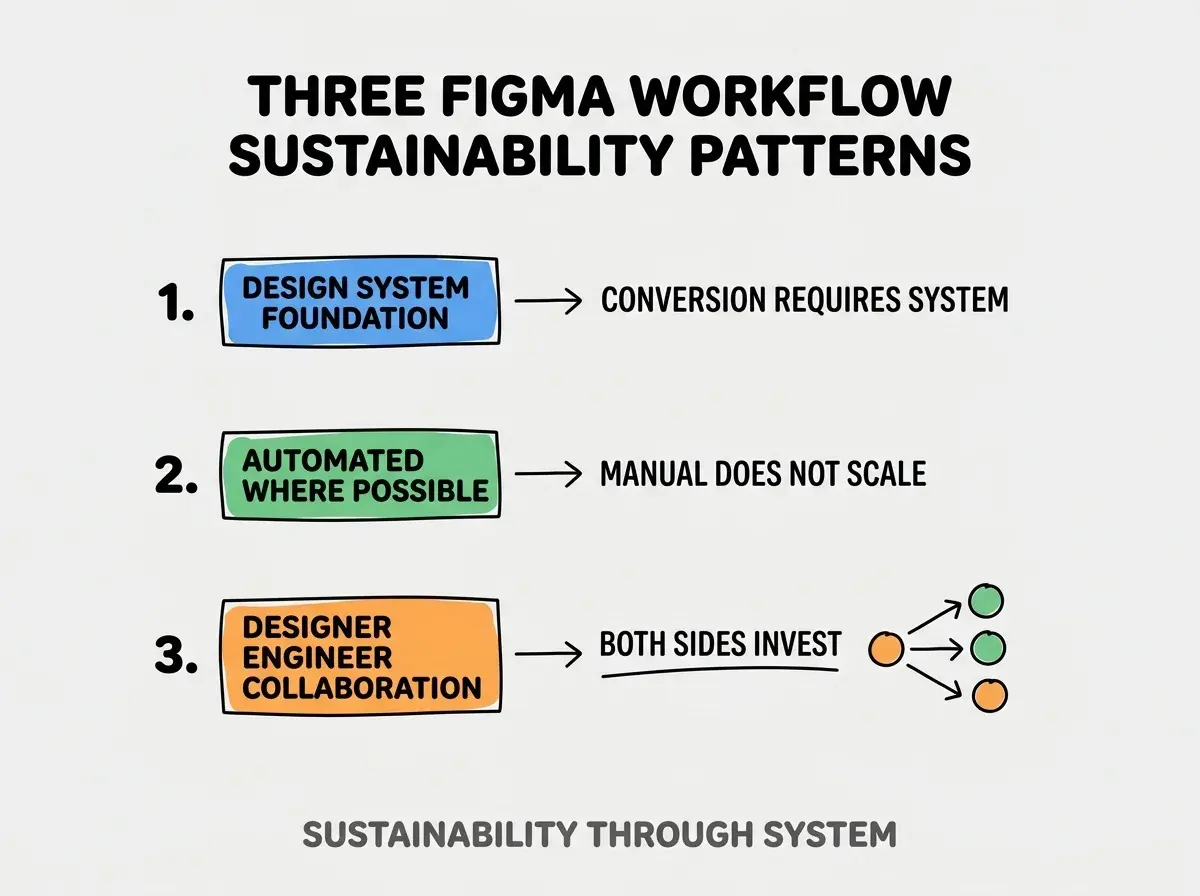
Pattern 1, design system foundation. Workflows require design system; without system, conversion produces ad hoc results.
Pattern 2, automated where possible. Manual conversion does not scale; automation enables volume.
Pattern 3, designer engineer collaboration on workflow. Both sides invest in workflow; investment produces working workflow.
The combination produces sustainable Figma workflows. Without these patterns, workflows fade.
How To Choose Conversion Pattern For Project
Three patterns guide pattern selection.
Pattern A, design system maturity determines pattern. Mature systems use mapping; ad hoc designs use vision AI.
Pattern B, team composition determines pattern. Designer heavy teams use Dev Mode; engineer heavy teams use vision AI.
Pattern C, conversion frequency determines pattern. High frequency justifies automation; low frequency uses manual.
Common Questions About Figma To Code
Figma to code workflows raise questions worth addressing directly.
The first question is whether AI conversion replaces design system work. No; AI conversion works better with design system, not without.
The second question is whether to use Figma Dev Mode or third party tools. Dev Mode for basic; third party for advanced. Both have place.
The third question is how to handle responsive design in conversion. Specify breakpoints in Figma; conversion respects breakpoints.
The fourth question is whether designers should produce production code. Sometimes; depends on team. Designer code with engineer review often works.
How Figma Workflows Affect Team Dynamics
Figma workflows affect team dynamics in compounding ways. Dynamic effects compound across team interactions.
The first compounding effect is shipping velocity. Faster handoff produces faster shipping; speed matters.
The second compounding effect is design fidelity. Designers see designs in code accurately; fidelity reduces design drift.
The third compounding effect is designer ownership. Designers feel ownership of shipped designs; ownership compounds engagement.
The combination produces team dynamics shaped by workflow quality. Without workflows, designer engineer friction remains.
How To Adopt Figma Workflows Progressively
Three adoption patterns help teams add Figma workflows.
Pattern A, start with design tokens. Tokens easiest conversion; success builds confidence.
Pattern B, add component export when system mature. Components require system; system maturity enables export.
Pattern C, add vision AI for one off cases. Vision AI for cases system does not cover.
The combination produces sustainable adoption. Without progression, comprehensive attempts overwhelm.
The most damaging Figma to code mistake is expecting AI conversion to produce production ready code without design system. AI conversion needs system to produce consistent output; without system, output varies wildly. The fix is to invest in design system before investing in conversion automation; system enables automation. Teams with design systems benefit dramatically from conversion; teams without struggle to make conversion useful.
The other mistake is missing the iteration step. First conversion rarely perfect; iteration required.
A third mistake is treating Figma as authoritative source. Figma describes intent; code is reality. Both matter.
A fourth mistake is over engineering conversion for one off projects. Match investment to project frequency.
What This Means For You
Designer built Figma to code converter workflows reduce designer engineer friction that slows most teams. The four patterns, implementation approaches, and adoption patterns produce workflows that compound shipping velocity.
- If you're a designer: Start with design token export; tokens easiest win. Build from there.
Browse more build articles
Read more build