Describing a bug to an AI tool is exactly like describing symptoms to a doctor. "My stomach hurts" gets you a shrug and a list of twenty possible conditions. "Sharp pain in my lower right abdomen that started after eating, worse when I press on it" gets you a diagnosis in minutes. The same principle applies every time you paste an error into Cursor, Claude, or any AI coding assistant. The quality of your bug report determines whether the AI fixes your problem on the first try or the fifth.
With 92% of developers now using AI tools daily, debugging with AI is the default workflow. But most people are terrible at it, not because they lack skill, but because nobody taught them how to describe bugs in a way that AI can act on.
Why Most Bug Descriptions Fail
Think about the last time you asked an AI to fix a bug. You probably said something like "the login page is broken" or "this button does not work." That is the equivalent of walking into a doctor's office and saying "I feel bad." The doctor has to start from zero, asking question after question, running tests that might not be relevant.
Your AI tool does the same thing. It guesses. It suggests fixes for problems you do not have. It changes code that was already working. The problem is not the AI. The problem is the information gap. A reproducible bug report bridges that gap by giving the AI everything it needs to understand the problem, locate the cause, and propose a targeted fix.
AI tools do not struggle with hard bugs. They struggle with poorly described bugs. A clear, reproducible bug report with specific symptoms, expected behavior, and relevant code context will get you a fix on the first try more often than you would expect. Five extra minutes of writing saves thirty minutes of back-and-forth.
This is why senior developers get dramatically better results from AI than beginners who paste error messages without context. It is about the quality of the input.
The Bug Report Template That Works
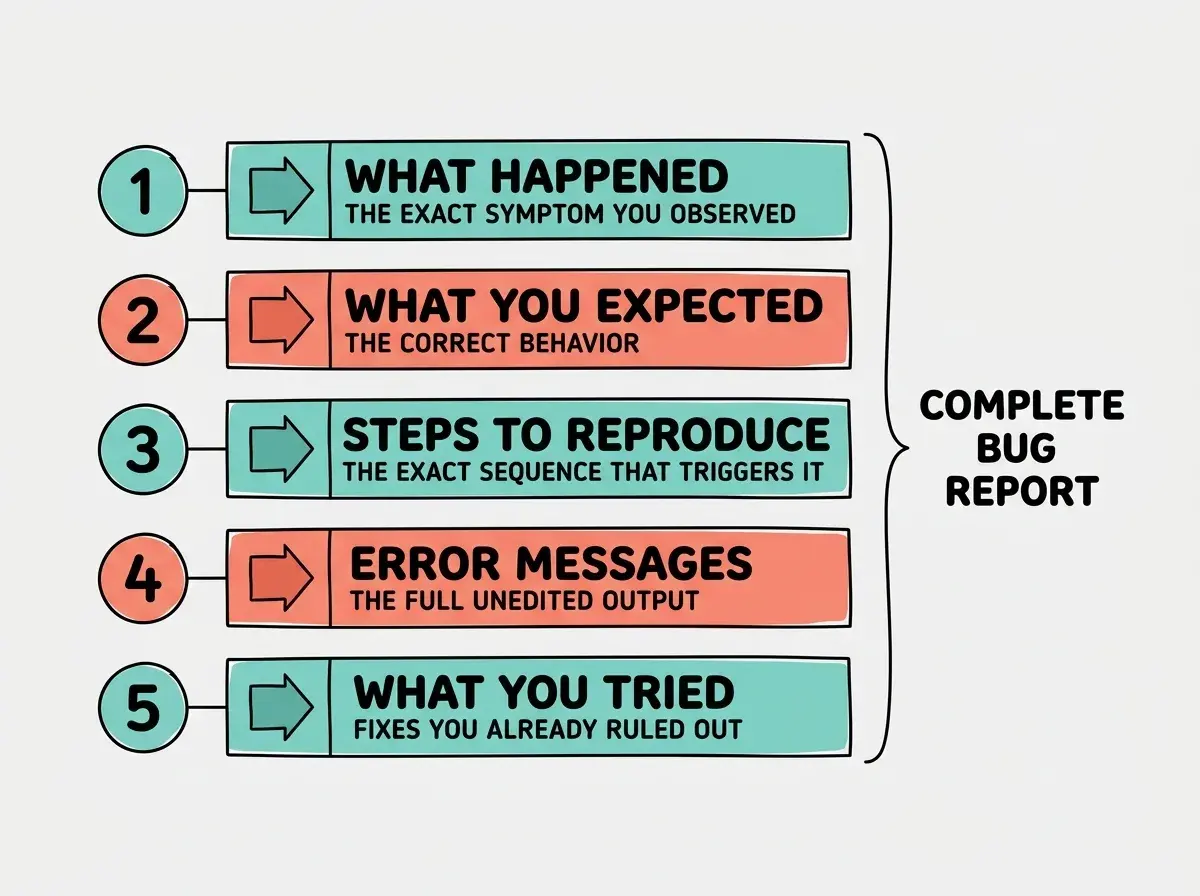
Just like a doctor follows a diagnostic checklist, your bug reports need a consistent structure. Here is the template that turns vague complaints into actionable reports.
What happened (the symptom)
Describe the exact behavior you observed. Not "it is broken" but "when I click the Submit button on the signup form, the page refreshes and the form data disappears without creating a user account." Think of this as telling the doctor where exactly it hurts. "My stomach hurts" becomes "sharp pain in my lower right abdomen." The more precise your symptom description, the fewer diagnostic questions the AI needs to ask.
What you expected (the healthy state)
Describe what should have happened instead. "Clicking Submit should send a POST request to /api/signup, create the user in the database, and redirect to the dashboard." This gives the AI the target. Without it, the AI might fix the symptom in a way that introduces a different problem, like preventing the refresh but also preventing the form submission.
Steps to reproduce (the trigger)
List the exact sequence of actions that causes the bug. Number them. "1. Open the signup page. 2. Fill in all three fields. 3. Click Submit. 4. Observe the page refresh." If the bug only happens under certain conditions, say so: "This only occurs when the email contains a plus sign, like user+test@example.com." This is the equivalent of telling the doctor "the pain started after eating spicy food and gets worse when I lie down." It narrows the search to the specific interaction path.
Error messages (the lab results)
Copy the exact error message, the full stack trace, and any relevant console output. Do not paraphrase. Do not say "there was some kind of type error." Paste the actual text. Error messages are lab results, objective data. A doctor would never accept "my blood test was kind of weird" and neither should your AI tool.
What you already tried (the medical history)
Tell the AI what fixes you have already attempted. "I tried adding event.preventDefault() to the form handler, but the page still refreshes. I also checked the API endpoint with curl." This prevents the AI from suggesting fixes you already ruled out.
Writing Descriptions That AI Can Act On
Having the template is step one. Writing each section in a way that AI can act on is step two.
AI tools work best with concrete, unambiguous language. "The styling is messed up" tells the AI nothing. "The header component overlaps the hero section by approximately 40 pixels on viewports narrower than 768px" tells the AI exactly what to look for. Think of the difference between telling a doctor "I have been feeling off lately" versus "I have had a headache every morning for the past week that lasts about two hours and responds to ibuprofen." One leads to guessing. The other leads to a diagnosis.
Use file paths and function names when you know them. Instead of "the thing that handles user creation," say "the createUser function in src/lib/auth.ts around line 45." AI tools navigate code by file paths and identifiers. The more precisely you point, the less searching they do.
Include the relevant state. If the bug depends on the user being logged in, or on a specific database record existing, or on a feature flag being enabled, say so. Bugs that depend on hidden state are the ones that make AI tools spin in circles.
Providing the Right Code Context
A common pitfall is providing either too little code or too much. The principle is the same as a doctor's visit. You want to show the relevant area, not your entire medical history from birth. If you have knee pain, the doctor examines your knee and maybe looks at an X-ray. They do not need your dental records.
Include the file where the bug manifests, any files that the buggy code imports or calls, and relevant configuration if the bug might be setup-related. A good rule of thumb is to provide the "call chain," the path from user action to the point where things go wrong. If your signup form calls handleSubmit which calls an API route which calls a database function, include all three files. Skip your CSS reset, unrelated utilities, and components on different pages.
Dumping your entire codebase into the AI's context and saying "something is broken, find it." This is the equivalent of asking a doctor for a full-body scan because something feels off. AI tools perform dramatically better with focused context. Three relevant files with a clear problem description will outperform fifty files with a vague one, every single time.
When you are unsure which files are relevant, start with the component where the bug is visible and work backward. Follow the imports. If the signup form imports useAuth from a hooks file, include it. If useAuth calls an API endpoint, include that too. Stop when you reach code that works independently of the buggy feature.
The Minimum Reproducible Example
The gold standard of reproducible bug reports for AI is the minimum reproducible example, the smallest possible version of your code that still triggers the bug.
Think of it as an isolated diagnostic test. Instead of running every test in the hospital, the doctor identifies the one that will confirm or rule out the diagnosis. Creating a minimum reproducible example forces you to identify what is essential to the bug and what is incidental. Sometimes the act of stripping away unrelated code reveals the bug on its own.
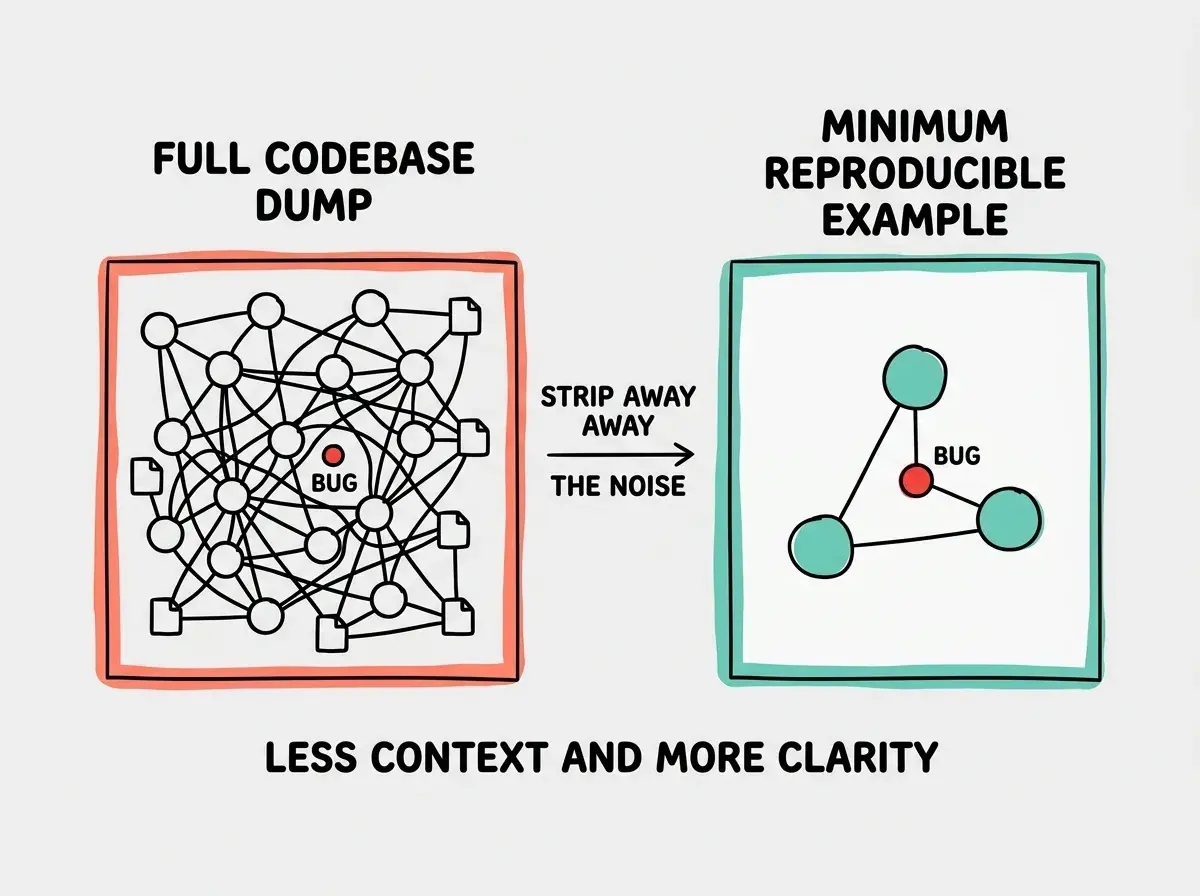
For AI tools specifically, minimum reproducible examples fit within context windows without wasting tokens on irrelevant code. A 50-line reproduction will get a better fix than a 5,000-line dump every time.
To create one, start with the buggy feature in isolation. Remove unrelated imports, simplify data to hardcoded values, and strip out styling. If the bug persists, you have your minimum reproducible example. If it disappears, add things back one at a time until it reappears, and you have likely found the cause.
Apply this bug report template the next time your AI tool goes in circles.
Explore more tutorialsPutting It All Together
Here is what a complete bug report looks like in practice, following the doctor's visit approach of precise symptoms and focused evidence.
"In my Next.js app, the signup form at src/app/signup/page.tsx refreshes the page when submitted instead of creating a user. Expected: clicking Submit calls the createUser server action in src/app/actions/auth.ts, creates a row in the users table, and redirects to /dashboard. Steps: fill in all fields, click Submit. Console shows 'TypeError: Cannot read properties of undefined (reading email)' at auth.ts line 23. I already verified the form data is correct by logging it before the server action call. The issue started after I added Zod validation. Here are the three relevant files..."
That report gives the AI a precise symptom, the expected healthy state, reproduction steps, the error message, what you already tried, and focused context (three files, not thirty). One shot, one fix.
What This Means For You
Writing reproducible bug reports is a force multiplier for anyone using AI tools. It is the difference between five minutes on a fix and an hour in circles.
- If you are a founder shipping a product: Every hour debugging is an hour not spent on growth or talking to users. A disciplined bug report template cuts debugging time dramatically. Train your team on it, because anyone can describe symptoms clearly with the right structure.
- If you are a senior developer using AI as a partner: You already know how to write bug reports for humans. The shift for AI is providing more explicit context and less assumed knowledge. AI does not know your codebase conventions or recent changes unless you tell it. Treat it like a contractor who has never seen your codebase.
- If you are an indie hacker building solo: You are both developer and QA, which means bug reports go straight from your brain to AI. Build the habit of writing them down anyway. The act of structuring your thoughts will help you solve bugs faster, and the template ensures you give the AI what it needs on the first try.
Learn the workflows and techniques that turn AI tools into reliable building partners.
Browse all guides