The repository-wide instruction file for GitHub Copilot is .github/copilot-instructions.md. Put stable project guidance there so compatible Copilot experiences can use it when working in the repository. Start with accurate build commands, architecture boundaries, and validation steps; keep task-specific requests in the conversation or issue being worked on.
Retrospective edition for March 19, 2026. Researched and published September 9, 2026. Product behavior below reflects documentation checked at publication; feature support varies by Copilot surface and version.
The path matters. A file called copilot-instructions.md in the repository root may be readable as an ordinary document, but it is not the documented location for repository-wide custom instructions. This is a configuration convention, so an almost-correct filename can create a completely different experience.
What belongs in the repository file
Treat the file as a route card for a delivery driver. The driver knows how to drive. They need the correct entrance, the unloading restriction, and the person who signs for the delivery. Your coding assistant similarly needs project facts it cannot safely infer from a generic programming example.
In a small application, useful guidance might identify the package manager, explain that database access goes through an existing repository module, and name the checks required before handing off a change. In a monorepo, it might explain how to locate the affected workspace and which shared packages need validation after a dependency changes.
GitHub's repository instructions documentation describes repository-wide files, path-specific instruction files, and agent instructions. It also cautions through its support references that availability depends on the Copilot feature. Do not assume behavior observed in one interface applies unchanged to another.
Start small enough to review. Ten verified project facts are more useful than a hundred untested suggestions. If a rule restates what your formatter already enforces, it probably deserves less attention than an undocumented integration-test prerequisite.
The instruction file should shorten the path to a correct change. Give Copilot the commands, locations, and boundaries that are specific to your repository, then verify the resulting behavior.
Before writing any commands, open your package scripts or build configuration. Never turn a familiar-looking command into project policy without checking that it exists.
Create a useful first version
Create the .github directory if your project does not already have it, then add copilot-instructions.md. Commit the file with the project so changes can receive ordinary code review. The following original template describes a fictional subscription service; replace its paths and scripts with your own verified equivalents.
# Working in this repository

## Project facts
- The service manages subscriptions and billing events.
- src/domain contains business rules.
- src/http translates requests into domain operations.
- src/adapters contains external service integrations.

## Local workflow
- Use the Node version declared by the repository.
- Install dependencies with npm ci.
- Run npm run test:unit for domain logic changes.
- Run npm run typecheck for TypeScript changes.
- Follow docs/integration-tests.md before running integration tests.

## Change boundaries
- Reuse the existing money representation in src/domain/money.ts.
- Keep provider-specific request formats inside src/adapters.
- Preserve idempotency handling for incoming billing events.
- Do not edit generated API clients directly.

## Review handoff
- Explain the behavior changed, including failure cases.
- Report checks actually completed and any missing prerequisites.
Notice the emphasis on boundaries that affect correctness. “Preserve idempotency handling” matters because a repeated billing event should not create a second side effect. “Use excellent architecture” is too vague to guide that implementation decision.
Also notice what is absent: passwords, temporary production identifiers, copied customer records, and an entire product roadmap. None belongs in a committed instruction file. Use sanitized examples and point to the approved setup process when credentials are needed.
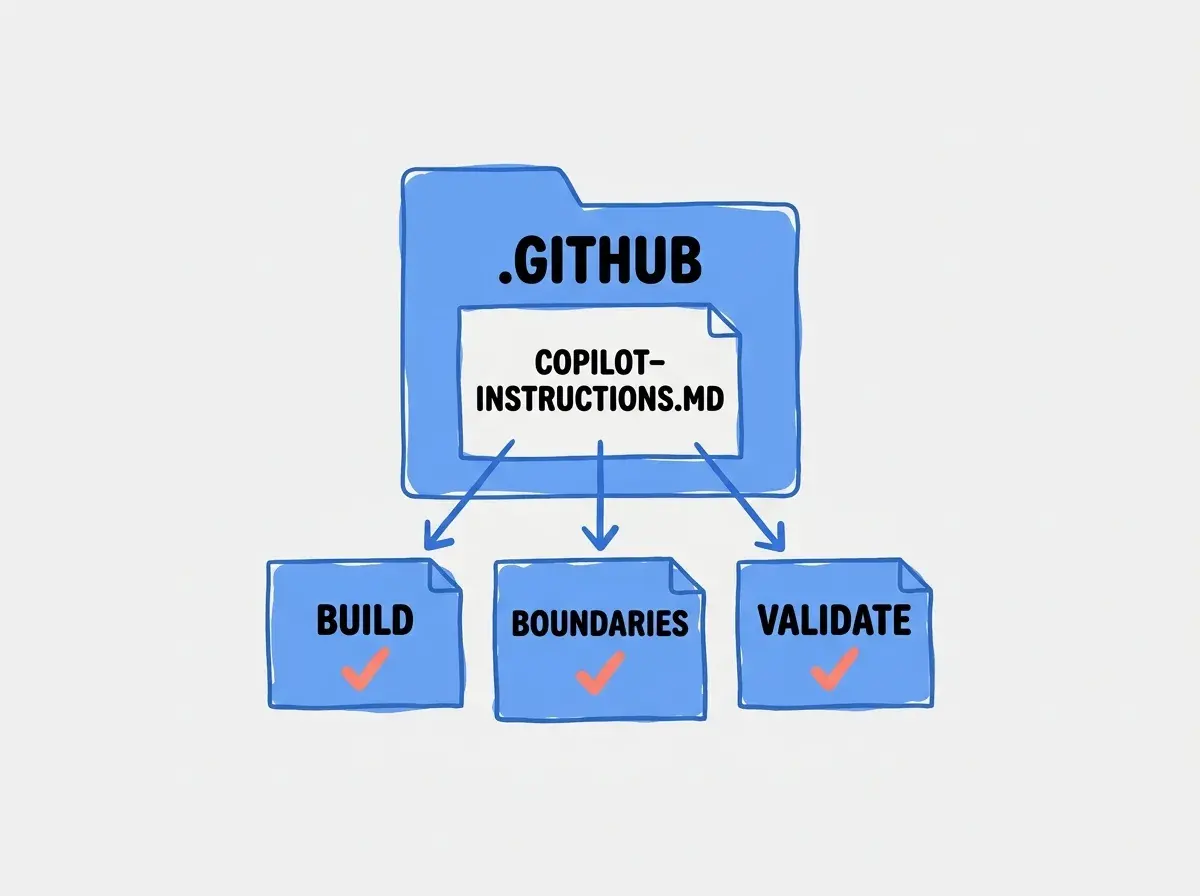
A useful first version can be short. You can add a rule later when a real review reveals missing context. That produces a document grounded in the repository rather than a speculative list of everything an agent might ever do wrong.
Add scoped instructions when the work differs
Frontend accessibility conventions should not drown out a database migration task. GitHub documents path-specific files beneath .github/instructions, using filenames ending in .instructions.md. Matching path-specific guidance can be used alongside the repository-wide file. The exact support matrix still depends on the Copilot experience.
Here is an illustrative scoped file for UI work:
---
applyTo: "src/components/**/*.tsx"
---

# Component changes
- Reuse the existing Button and Field components.
- Preserve a programmatic label for every form control.
- Include keyboard behavior when adding a new interactive control.
- Check the component's existing test before introducing a new pattern.
Save that example as .github/instructions/components.instructions.md. The applyTo value is a path pattern, so confirm that it matches your repository. If components live under apps/web, the example's pattern does not magically discover them.
For VS Code, consult its custom instructions documentation for how instruction files are discovered and applied in the installed version. Instructions, reusable prompt files, and custom agents serve different purposes. Keep durable repository standards in instructions and a repeatable task recipe in the appropriate workflow mechanism.
Resolve overlap before it becomes a mystery
Suppose the repository file says to use the shared request wrapper, while a component-specific file says to use raw fetch everywhere. The model must now resolve a contradiction that your team could have removed in advance. Adding another sentence saying “follow all rules” cannot make incompatible instructions consistent.
Make broad rules describe the default and scoped rules describe genuine exceptions. Better still, reference the same established implementation when both layers discuss the same concern. If the request wrapper is mandatory, the component file can explain how to call it rather than inventing a competing policy.
Explore practical guides to context files, project conventions, and dependable AI-assisted changes.
Explore the blogBefore adding AGENTS.md or another tool-specific file, decide where shared policy lives. Several compatible entry points can be useful; several independent copies of the same policy are expensive to maintain.
Check whether the instructions are used
Begin with a fresh conversation in the intended repository. Ask Copilot to identify the relevant instructions and explain how it would validate a small change. If the interface exposes references or context details, inspect them. Compare the reported file and guidance with the actual repository content.
Then use a small disposable task. For the fictional billing service, ask for an input validation change near the domain layer. Check whether Copilot uses the existing money representation, keeps provider details out of the domain module, and runs the named checks when available.
The important evidence is the diff and command output. A statement that instructions were followed is useful context, but it is not a substitute for observing the work. If a requested check fails because a fixture service is unavailable, the correct report should identify that limitation.
Try an out-of-scope file too. A component-only rule should not accidentally become a requirement for every Markdown document. This negative check is easy to overlook, but it helps reveal overly broad path patterns and instructions that belong in a more precise location.
Record the client version and surface with your observations. “Worked in VS Code chat” is a narrower and more useful statement than “Copilot always follows this.” It gives the next reviewer enough information to reproduce the result.
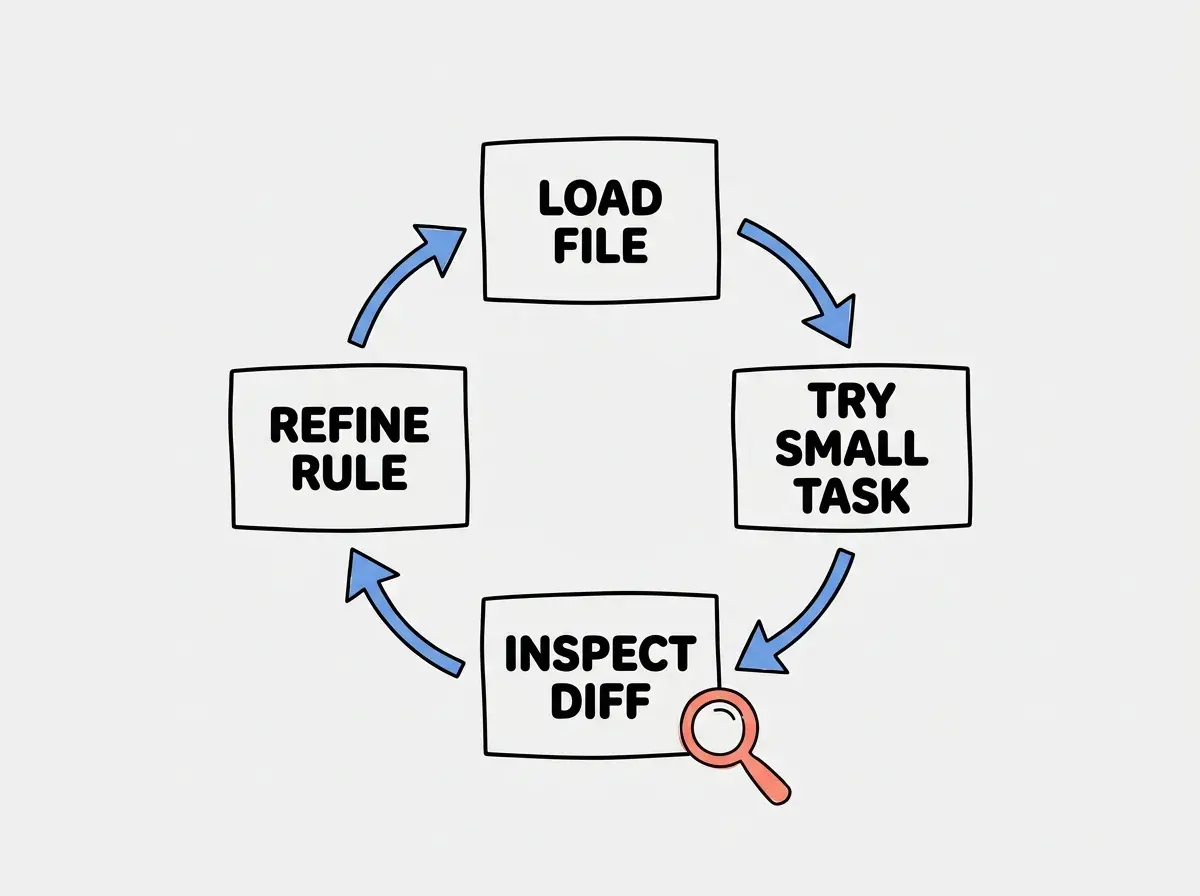
Keep this exercise proportional. You need a clear signal that the guidance reaches the task and changes the result, not a large benchmark suite for every wording edit.
Assuming one successful chat proves the file governs every Copilot feature. Check the surface you actually use, its instruction settings, and the relevant feature support before relying on a rule.
If a rule is critical to correctness, enforce it in code or validation as well. An idempotency test protects billing behavior even when an assistant overlooks a written reminder.
Troubleshoot in a sensible order
Check the path and filename first. Then confirm that the correct repository is open and the file is present in the context used by the feature. For hosted work, an uncommitted local file is not the same as a file available in the remote repository.
Next inspect activation and support. A rule that works in one environment may require a setting or may not be supported in another. Check the product documentation for that surface rather than adding increasingly forceful language to the instruction text.
Finally inspect the content itself. Long contradictory files make success harder to interpret. Remove stale commands, split unrelated scope, and replace vague preferences with a concrete trigger and action. If the assistant followed the instruction but still produced a bug, improve the relevant tests or task specification instead of blaming discovery.
Keep the guidance current
Review instructions when you change a package script, move a directory, or replace an integration. Make the documentation edit in the same pull request as the code change so a reviewer can compare them. A command that used to work can be especially misleading because it looks familiar and authoritative.
Assign ownership to the team that owns the affected package. A root policy can describe shared validation, while a scoped file records the local exception. Remove exceptions when the reason for them disappears, and keep temporary migration notes in a dated task document rather than permanent instructions.
Questions from teams adopting instructions
These distinctions help keep the file useful as more people and tools contribute to the same repository.
What this means for you
If you work alone, begin with the command or convention you repeat most often. If you review a team's pull requests, identify the two recurring mistakes caused by missing repository context. If you are learning, use the file to practice writing requirements whose effects you can observe.
A good instruction file helps the next contributor make a better first decision. Keep its commands accurate, its scope understandable, and its claims about completed checks honest.
Find more examples of instructions and workflows that make AI coding easier to review.
Read more guides