Many developers find themselves frustrated by the opaque nature of modern AI coding assistants. When you use a proprietary service, you often have little insight into which model processes your code, how your context is chunked, or where your proprietary data travels. Continue addresses these concerns directly by offering an open-source alternative for VSCode and JetBrains that puts configuration entirely in your hands. This documentation-based review examines how Continue allows you to orchestrate different models for different tasks, helping you maintain operational ownership over your development environment.
Retrospective edition for 2026-03-14. Researched and published September 9, 2026. Product details reflect documentation checked at publication unless explicitly identified as historical.
Continue operates as an extension within your integrated development environment. According to the Continue GitHub repository, it provides a framework where you can connect supported model providers and compatible endpoints. This flexibility is powerful, but it requires a solid understanding of how the tool categorizes different AI tasks. Instead of a monolithic approach where one model does everything, Continue supports assigning models to roles based on their strengths. One model may serve multiple compatible roles.
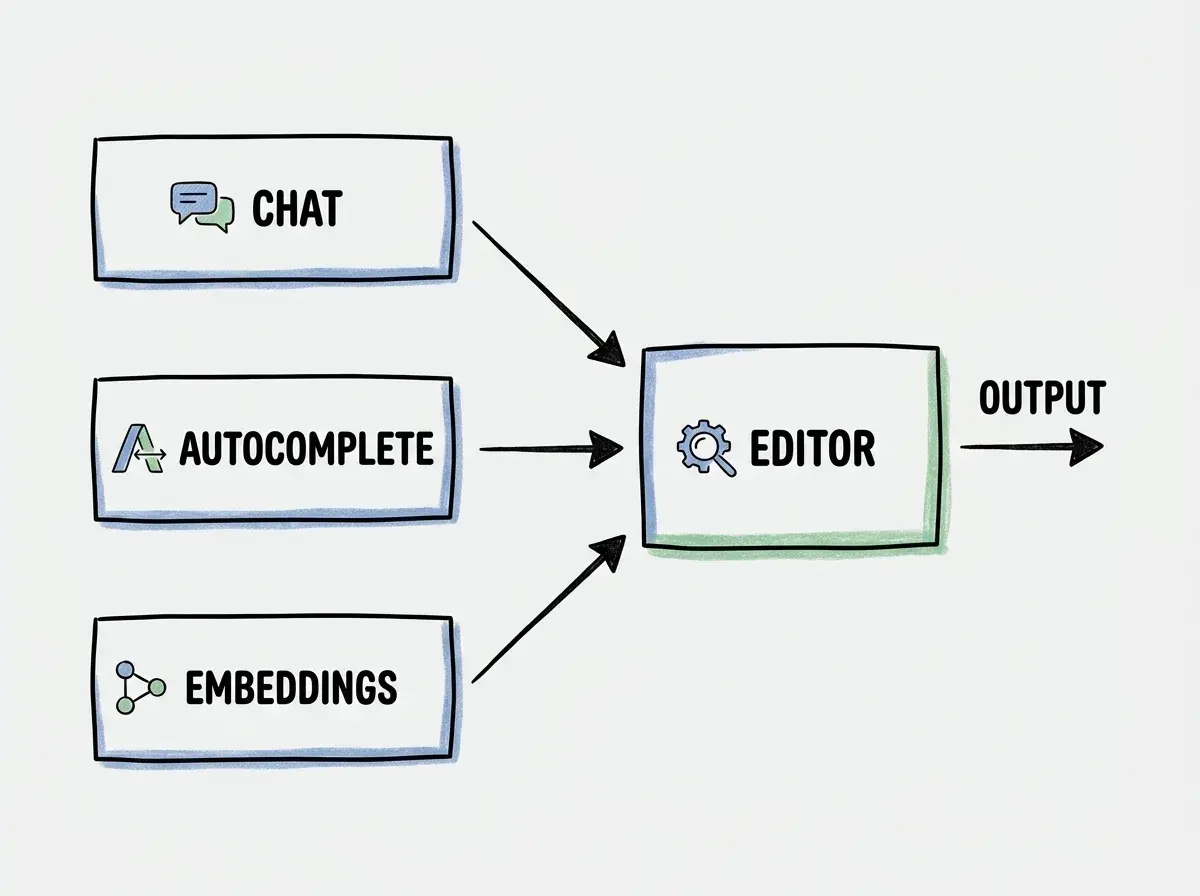
The architecture of Continue relies heavily on this separation of concerns. You are not just picking a single AI provider; you are building a custom stack tailored to your hardware capabilities and privacy requirements. This modularity is what sets it apart from locked-in ecosystems, giving you the freedom to swap out components as new open-weight models are released or as your team's security policies evolve.
Understanding Three Useful Model Roles in Continue
The configuration reference also lists roles such as edit, apply, rerank, and summarize. This review concentrates on chat, autocomplete, and embeddings; they are not an exhaustive role list.
To effectively configure Continue, you must first understand three useful roles that models play within the ecosystem. The first role is the chat model. This is the model you interact with in the sidebar. It handles complex reasoning tasks, answers questions about your codebase, and helps you brainstorm architectural decisions. Because chat interactions require deep reasoning and context synthesis, developers typically route these requests to the most capable models available, whether those are large local models or powerful hosted APIs.
The second role is the autocomplete model. This model operates continuously in the background, predicting your next keystrokes and suggesting code completions as you type. Speed is the most critical factor here. An autocomplete model must respond in milliseconds to be useful; otherwise, it disrupts your typing flow. Therefore, developers usually rely on smaller, highly optimized models for this task, often running them locally to eliminate network latency.
The third role is the embeddings model. This model does not generate code or text. Instead, it converts your codebase into mathematical vectors. These vectors allow Continue to perform semantic searches, finding relevant code snippets to provide as context to the chat model when you ask a question. The embeddings model is foundational for the retrieval-augmented generation pipeline that makes the assistant aware of your specific project structure.
Do not assume that using Continue automatically makes all your requests local and private. While the extension itself runs locally, routing your chat or autocomplete requests to a third-party hosted API means your code is still leaving your machine. For a local-only workflow, audit every configured provider, context source, tool, telemetry setting, and network connection. Local inference alone does not establish a complete privacy boundary.
Managing Your Setup with the YAML Configuration File
Control in Continue is centralized in a single configuration file. Historically, developers used a JSON format, but the Continue documentation notes that config.json is deprecated. The modern standard is config.yaml. This shift to YAML makes the configuration significantly easier to read and maintain, especially when dealing with complex routing rules and multiple model providers.
In your config.yaml, you define model entries and assign supported roles. You specify the provider, the model name, and any necessary API keys or local endpoint URLs. This declarative approach means your entire AI assistant setup can be version-controlled and shared across your team. If a new developer joins, they can simply drop the team's standard config.yaml into their environment and use the approved structure after configuring their own credentials and endpoints. Keep secrets out of the shared file.
The configuration file also allows you to define custom commands and context providers. Context providers are particularly powerful because they dictate how Continue gathers information before sending a prompt to the chat model. You can configure it to read specific files, pull in terminal output, or even query external documentation. This level of customization helps provide relevant context, whose completeness and accuracy still need review.
| Feature | Local Models | Hosted APIs |
|---|---|---|
| Data Privacy | Inference can stay local; audit all other connections | Subject to provider privacy policies |
| Latency | Zero network latency, depends on hardware | Network latency plus inference time |
| Reasoning Capability | Limited by local VRAM and compute | Access to state-of-the-art massive models |
| Operational Cost | Upfront hardware investment, electricity | Pay per token or monthly subscription |
When you open the configuration file, you are essentially acting as the systems administrator for your own AI assistant. You must weigh the tradeoffs of each provider you include. A common pattern is to configure a lightweight local model for autocomplete to ensure snappy performance, while configuring a larger hosted model for chat to handle complex refactoring tasks. Measure this hybrid approach against an all-local or hosted baseline.
Explore clear explanations of AI coding tools, project context, and reliable development workflows.
Explore the blogEvaluating Local Models Against Hosted API Providers
The most significant decision you will make when configuring Continue is choosing between local models and hosted APIs. This decision hinges on a concept known as operational ownership. When you use a hosted API, you are outsourcing the operational burden. The provider handles the hardware, the scaling, and the model updates. You simply pay for the tokens you consume. However, this convenience comes at the cost of privacy and control. You are trusting a third party with your proprietary source code.
Running models locally flips this dynamic. Local inference can keep model requests on your workstation and avoid a hosted inference subscription. Other extensions, tools, context providers, and telemetry may still send data elsewhere. However, you assume full operational ownership. You are responsible for ensuring your machine has sufficient RAM and GPU VRAM to run the models effectively. You must manage the local inference server and keep the model weights updated. For many developers working on sensitive enterprise applications, this tradeoff is entirely acceptable, if not mandatory.
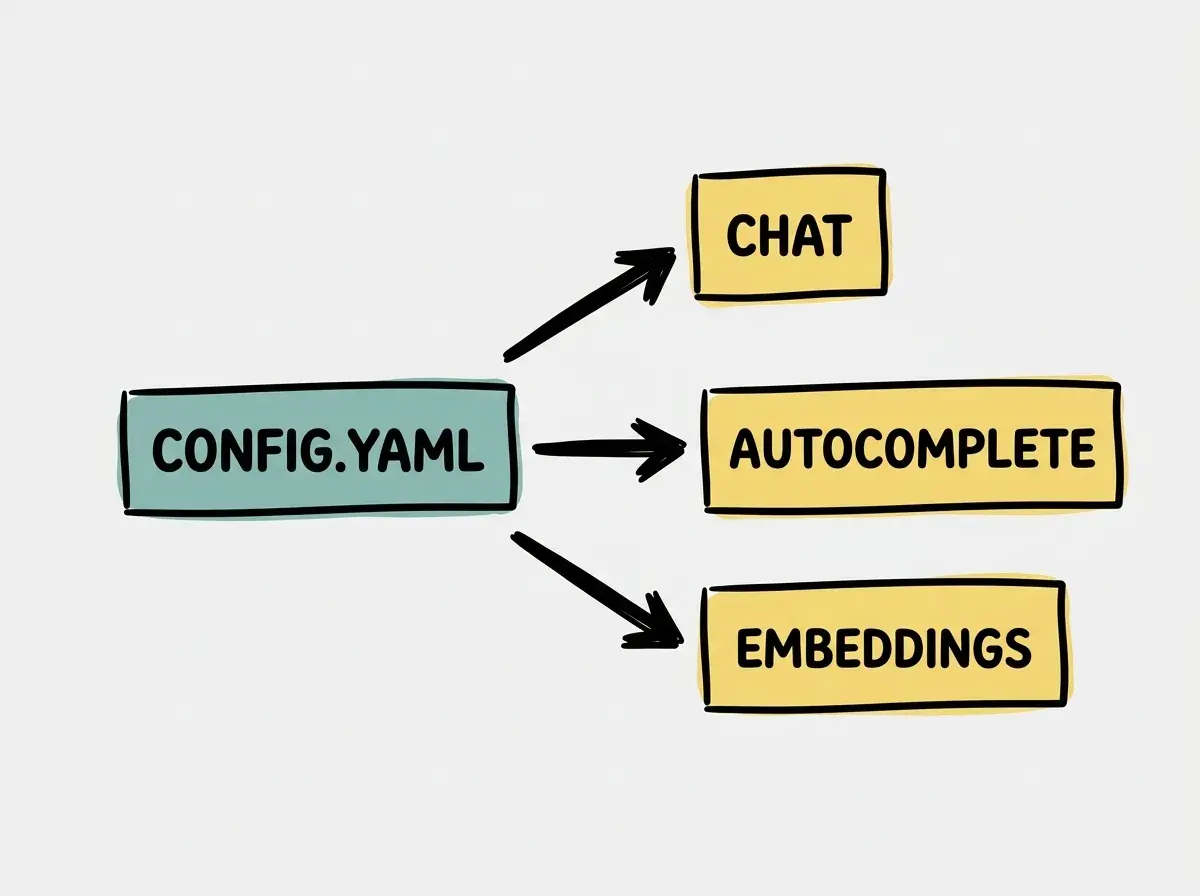
It is important to recognize that local models are generally smaller and less capable than the massive models run by major API providers. While a local model might excel at boilerplate generation or simple autocomplete, it might struggle with complex architectural reasoning or large-scale refactoring. This is why Continue's ability to mix and match providers is so valuable. You are not forced into an all-or-nothing decision.
A Practical Test Matrix for Evaluating Your Setup
To determine if your Continue configuration is effective, you should evaluate it against a structured test matrix. Relying on vague impressions is insufficient when you are responsible for your own tooling. A rigorous evaluation helps you identify bottlenecks and adjust your config.yaml accordingly. We propose a three-task matrix designed to stress-test the chat, autocomplete, and embeddings roles independently.
The first task evaluates boilerplate generation. Create a new file and write a comment describing a standard data structure or utility function. Observe how quickly and accurately the autocomplete model fills in the implementation. If the suggestions are slow, you may need to switch to a smaller model or lower the quantization level if running locally. If the suggestions are fast but incorrect, you might need a slightly larger model for the autocomplete role.
The second task focuses on legacy code refactoring. Highlight a complex, poorly documented function in your codebase and ask the chat model to refactor it for better readability and performance. This tests the reasoning capabilities of your configured chat model. Evaluate whether the model understands the underlying logic and whether it introduces any subtle bugs during the refactoring process. If the model struggles, you may need to route chat requests to a more capable provider.
The third task tests codebase context retrieval. Ask the chat model a question that requires knowledge of multiple files across your project, such as "How is authentication handled in the API routes?" This evaluates the effectiveness of your embeddings model and the retrieval-augmented generation pipeline. Generic or fabricated answers can indicate missing retrieval context, inadequate reasoning, or an ambiguous question. Inspect the supplied context before deciding which component failed. You may need to re-index your codebase or configure a different embeddings provider in your YAML file.
Effective use of Continue requires continuous tuning. Do not expect your first configuration to be perfect. Use a structured test matrix to evaluate your models, and adjust your YAML file based on practical performance rather than theoretical benchmarks.
By systematically working through these tasks, you transition from a passive consumer of AI tools to an active manager of your development environment. You learn exactly where your chosen models excel and where they fall short, allowing you to refine your workflow and boost your productivity safely.
Frequently Asked Questions About Continue Workflows
What This Means for Your Daily Development Workflow
Adopting Continue fundamentally changes your relationship with AI coding assistants. Instead of accepting a one-size-fits-all solution, you are empowered to build a tool that respects your privacy boundaries and hardware constraints. The transition from config.json to config.yaml makes this orchestration more accessible, allowing you to cleanly separate the roles of chat, autocomplete, and embeddings.
By understanding the tradeoffs between local operational ownership and hosted API convenience, you can design a hybrid setup that maximizes both speed and capability. The key to success is rigorous evaluation. By applying a structured test matrix to your configuration, you can check whether your AI assistant is accelerating your workflow rather than introducing friction. Control requires effort, but for developers who value privacy and precision, the investment in configuring Continue is well worth the return.
Read more practical articles for choosing tools, reviewing changes, and shipping useful software.
Read more guides