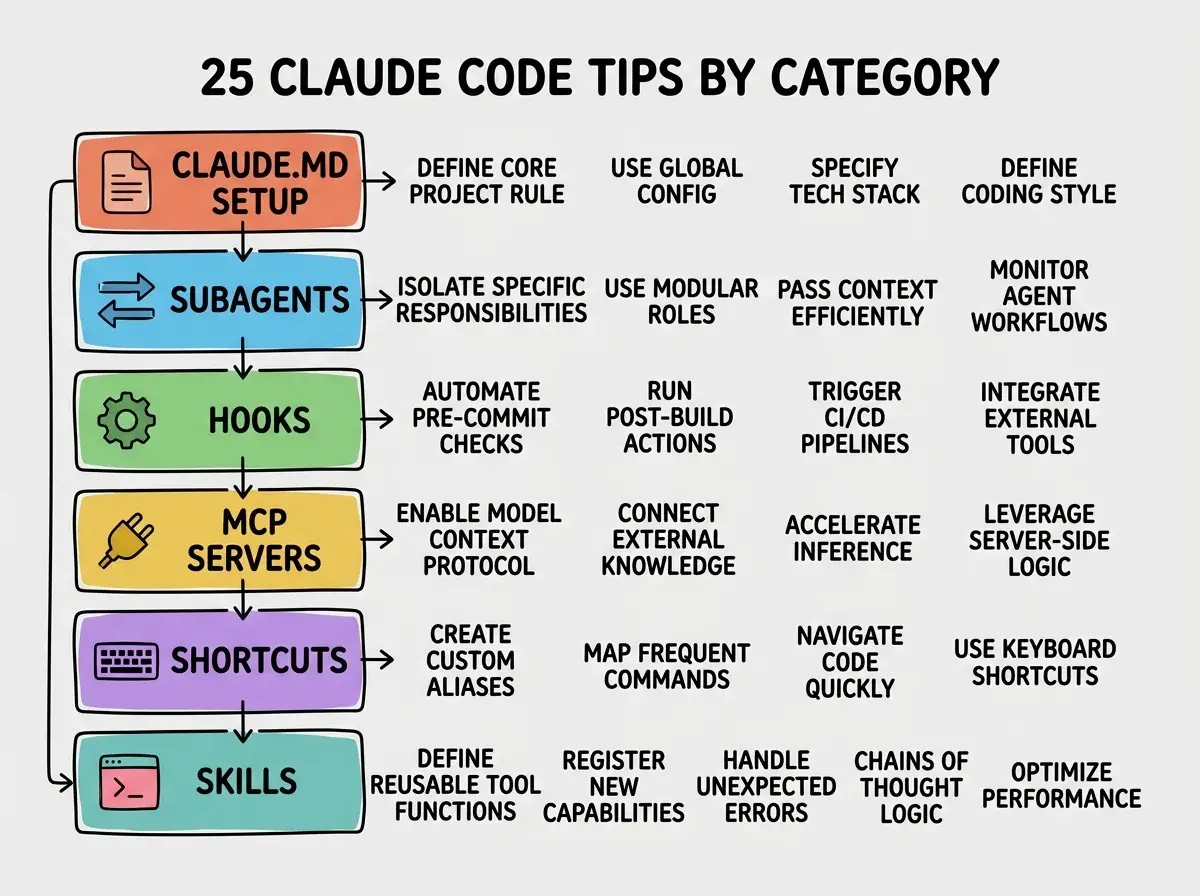
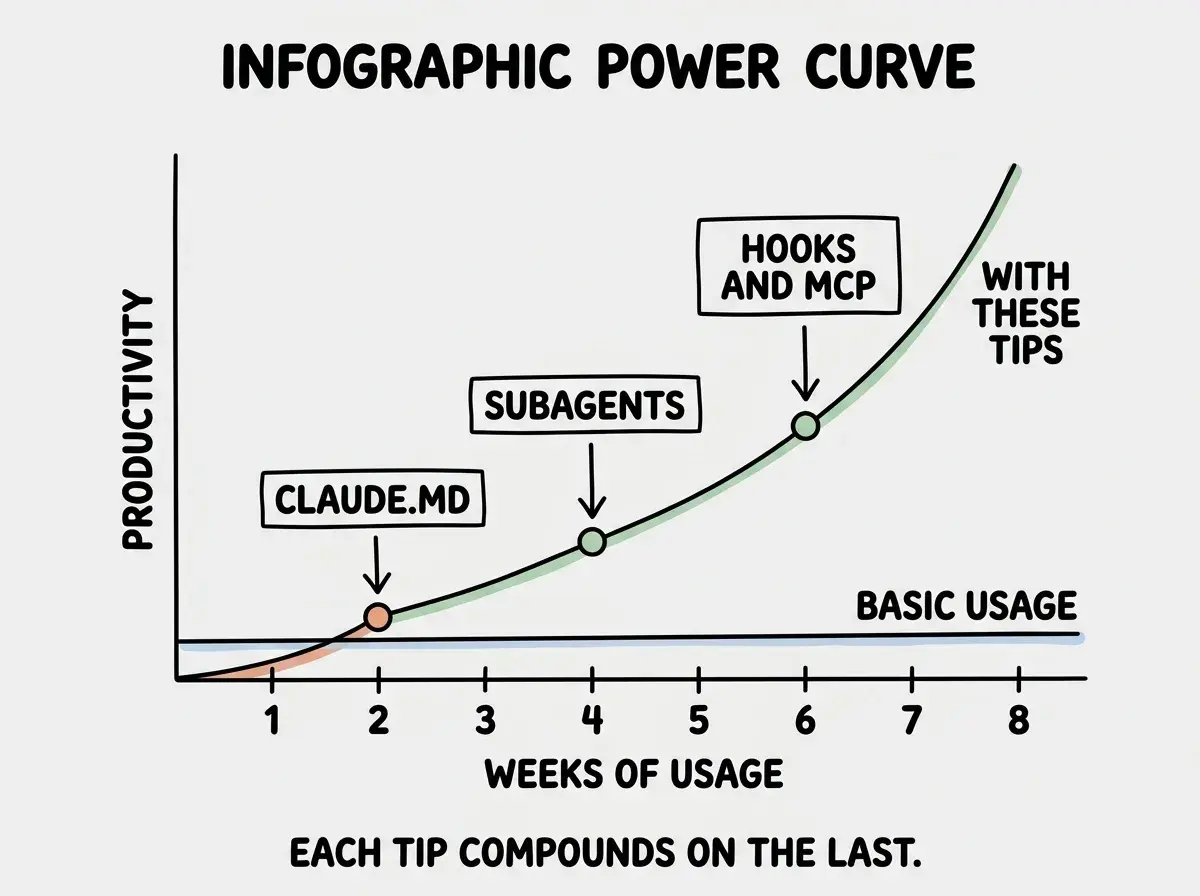
Most Claude Code users learn the basics, run a few prompts, and assume they have seen everything. They have not. The gap between a casual user and a power user is enormous, and it comes down to roughly 25 features and workflow patterns that never surface in the getting-started docs. These claude code tips compound like keyboard shortcuts in a code editor. Each one saves a small amount of time, but together they reshape how fast you work.
I run Claude Code daily as the backbone of this blog's content and deployment pipeline. Along the way I discovered features that are not obvious, not well-documented, and not used by most people I talk to. This is that list.
CLAUDE.md and Project Setup
The CLAUDE.md file is the single most impactful thing you can configure, and almost everyone writes a bad one. Here is how to make yours actually useful.
1. Use three tiers of CLAUDE.md files. Most people create one file in the project root and stop. But Claude Code reads CLAUDE.md files at three levels: your home directory (~/.claude/CLAUDE.md), your project root, and any subdirectory you are working in. Put global preferences (coding style, preferred languages, formatting rules) at the home level. Put project-specific architecture and constraints at the root level. Put module-specific context in subdirectories. Claude Code merges all three automatically.
2. Write constraints, not descriptions. A CLAUDE.md that says "This is a Next.js app using Tailwind" tells Claude Code almost nothing useful. Instead, write constraints: "Never use fs at runtime because this deploys to Cloudflare Workers." "Always use server components unless client interactivity is required." "Use motion/react, not framer-motion." Constraints prevent mistakes. Descriptions just take up context window.
3. Add a Commands section. List the commands Claude Code should use for building, testing, linting, and deploying. npm run dev, npm run build, npm run test. When Claude Code knows your exact commands, it runs them correctly on the first try instead of guessing.
4. Include file path conventions. Tell Claude Code where things live. "API routes go in app/api/. Blog content lives in content/blog/{slug}/index.mdx. Shared components are in components/ui/." This eliminates the exploration phase where Claude Code reads half your project tree trying to figure out your structure.
A well-structured CLAUDE.md with constraints, commands, and file paths eliminates 60-80% of the "wrong first attempt" cycles that waste tokens and time. Developers who invest thirty minutes in their CLAUDE.md report that Claude Code feels like a different, significantly better tool.
5. Use .claude/settings.json for behavioral config. Beyond CLAUDE.md, you can configure which commands Claude Code is allowed to run without asking permission. Add your test runner, linter, and build command to the allowlist so Claude Code can execute them autonomously during a task instead of pausing to ask you each time.
Subagents and Parallel Work
This is where Claude Code pulls away from every other AI coding tool, and most people have no idea these features exist.
6. Use the /agents slash command for parallel tasks. When a task involves multiple independent subtasks, Claude Code can spawn subagents that work in parallel. Need to update tests, refactor a module, and update docs simultaneously? Each gets dispatched to a separate subagent. The results merge back into your main session.
7. Headless mode for scripted automation. Run Claude Code with claude -p "your prompt here" to execute a single prompt without entering the interactive session. This is incredibly powerful for CI/CD pipelines, git hooks, and batch operations. You can script Claude Code the same way you script any CLI tool.
8. Pipe content directly into Claude Code. Use cat file.txt | claude -p "summarize this" or git diff | claude -p "write a commit message for these changes". Piping lets you feed context from any command directly into a prompt. This turns Claude Code into a composable Unix tool that plays well with your existing workflow.
9. Chain prompts with the SDK. The Claude Code SDK lets you chain multiple invocations programmatically. Build a review pipeline that analyzes code quality, fixes the issues found, then verifies the fixes. Each invocation gets fresh context while building on the previous output.
Multi-clauding? Use /rename [label] to name each terminal session.
Hooks and Automation
Hooks let you run custom code before or after Claude Code takes specific actions. This is one of the least-known features.
10. Pre-commit hooks that run automatically. Configure a hook that runs your linter or formatter every time Claude Code is about to create a commit. It catches issues before they land, and Claude Code sees the output if something fails. No more committing unformatted code.
11. Post-file-edit hooks for live feedback. Set up a hook that runs TypeScript type-checking after every file edit. Claude Code gets immediate feedback on type errors and fixes them in the same turn, before moving on to the next file.
12. Notification hooks for long-running tasks. When Claude Code finishes a task that took several minutes, trigger a system notification, a Slack message, or a sound. This lets you context-switch safely while Claude Code works.
13. Custom validation hooks. Write a hook that enforces your team's specific rules. "Every new React component must have a corresponding test file." "Every API route must include rate limiting." The hook checks after each file creation and surfaces violations immediately.
Explore more tips, tutorials, and honest comparisons for every major AI coding tool.
Browse all tool guidesMCP Servers
Model Context Protocol servers extend what Claude Code can access and interact with. Think of them as plugins that give Claude Code new capabilities beyond reading files and running commands.
14. Connect to your database with an MCP server. Install a Postgres or SQLite MCP server and Claude Code can query your database directly. Ask it to "find all users who signed up last week but never completed onboarding" and it writes and runs the SQL query, then uses the results to inform its next action. This is transformative for debugging data issues.
15. Use the GitHub MCP server for PR workflows. Claude Code can read PR comments, review code, and post responses directly through the GitHub MCP server. Ask it to review an open PR against your coding standards and it reads the diff, applies your CLAUDE.md rules, and posts structured review comments.
16. Browser MCP servers for visual testing. Connect a browser automation MCP server and Claude Code can screenshot your running application, compare against expectations, and flag visual regressions. This closes the loop between code changes and their visual impact.
17. Build custom MCP servers for your team's tools. MCP is an open protocol. If your team uses an internal API or proprietary tool, write a lightweight MCP server that exposes those capabilities to Claude Code. A Jira MCP server for reading tickets. A Figma MCP server for referencing designs. The extension surface here is genuinely wide open.
Keyboard Shortcuts and Interface
These are the small things that compound over dozens of daily interactions.
18. Escape to cancel, then Escape again to revert. If Claude Code is in the middle of generating a response that is going in the wrong direction, hit Escape to stop it. You can then adjust your prompt without waiting for it to finish. This saves significant time when you realize your instruction was unclear three seconds in.
19. Use /compact to shrink context. When your session gets long and Claude Code starts losing track of earlier context, run /compact. This summarizes the conversation so far and frees up context window for new work. Use it every 20-30 exchanges in a long session, or whenever you notice Claude Code repeating questions you already answered.
20. Use /clear to reset completely. Sometimes a session gets so tangled that compacting is not enough. /clear wipes the conversation entirely and gives you a fresh start while keeping your CLAUDE.md context. A fresh session with a clear prompt often outperforms a long, muddled conversation.
Model Selection With /model and /fast
21. Switch models mid-session with /model. You do not have to pick one model and stick with it. Use /model to switch between Claude Sonnet and Opus within the same session. Start a complex architectural task with Opus for the planning phase, then switch to Sonnet for the straightforward implementation work. This optimizes both quality and cost in a single session.
22. Use Shift+Tab to toggle /fast mode. When you need a quick answer or a simple edit, hit Shift+Tab to toggle into fast mode (Haiku). It responds in milliseconds for things like "what is the config file for Tailwind v4?" or "rename this variable across the file." Toggle back when you need deeper reasoning.
Running every prompt on the most expensive model. Developers who switch to Haiku for simple questions and Sonnet for implementation save 40-60% on their monthly API costs without any noticeable quality drop for routine tasks. Reserve Opus for genuinely complex architectural decisions and difficult debugging sessions.
23. Check costs with /cost. Run /cost at any point to see how many tokens and dollars the current session has consumed. Make this a habit so you develop intuition for what types of prompts are expensive versus cheap. Multi-file refactors that read twenty files cost meaningfully more than focused single-file edits.
Plan Mode is the most slept-on feature in Claude Code. It dramatically improves your one-shot success rate. Fewer iterations, less hand-holding, better final results. Shift + Tab twice to try it.
Skills and Slash Commands
24. Build custom slash commands for repeating workflows. If you do the same multi-step task regularly (deploy, run tests, generate a changelog), create a custom skill in .claude/skills/. Skills are markdown files that define a prompt template and instructions. Instead of typing out a complex prompt every time, you type /deploy or /run-tests and Claude Code executes the full workflow. This blog uses custom skills for generating posts, publishing, image generation, and deployment.
If you do something more than once a day, turn it into a slash command or skill. Slash commands live in .claude/commands/. I use /commit-push-pr dozens of times every day.
25. Chain skills into full pipelines. Skills can reference other skills. Build a /ship command that runs /test, then /lint, then /build, then /deploy in sequence. If any step fails, Claude Code stops and shows you the error. This turns Claude Code into a programmable automation layer for your entire workflow.
What This Means For You
These 25 claude code tips are not theoretical. Every one is something I use in production, and every one saves measurable time.
- If you are a senior developer: Focus on CLAUDE.md structure, hooks, and model switching first. These three areas reduce wasted cycles and optimize cost. The subagent and MCP features are where things get genuinely exciting for complex projects, letting Claude Code operate as a semi-autonomous teammate rather than a fancy autocomplete.
- If you are an indie hacker shipping fast: Custom skills and headless mode are your highest leverage. Build a
/shipcommand that handles your entire deployment pipeline. Useclaude -pin CI for automated code review, changelog generation, and release notes. The time you invest in automation pays back every single deploy. - If you are evaluating Claude Code versus alternatives: These tips represent the ceiling of what is possible, not the floor. Most users never discover subagents, hooks, or MCP servers. If the basic experience felt underwhelming, revisit it with a proper CLAUDE.md and a few of these patterns. The tool is significantly more capable than a first impression suggests.
Tutorials, comparisons, and workflow guides for every major AI development tool.
Explore the guides