To understand the case study of a designer shipping a full app from Figma mockups using AI tools, recognize the four-phase journey she navigated (refining mockups for AI consumption, scaffolding the app from mockup-to-code AI tools, polishing the implementation with iterative AI assistance, and shipping with deployment patterns designers traditionally outsource), see what design-trained perspective brought that pure engineers might have missed, and consider how the patterns apply to designers contemplating similar transitions. The case study shows how designer skills compound with AI tools to produce shipped products faster than either skill set alone.
This piece walks through the four phases, the design-engineering combination patterns, the specific tools that worked, and the four mistakes designers make when attempting similar transitions.
Why Designer-to-Builder Transitions Matter
Designers have always understood user experience deeply but historically relied on engineers to ship. AI tools change the math; designers can increasingly ship the products they design without intermediary engineering. The combination of design judgment plus AI execution produces products with better UX than typical engineer-built work.
The 2026 reality is that designer-to-builder transitions are accelerating. Designers who develop AI tool fluency unlock new career paths and product opportunities; the case study documents one specific journey worth studying.
A 2025 Figma users survey of 1,200 designers found that 34 percent had shipped production code using AI tools in the previous year, up from 8 percent in 2023. The rate of designer-to-builder transitions has accelerated substantially; the case study patterns are increasingly common rather than exceptional.
The pattern to copy is the way photographers transitioned from amateur to professional through digital tools. Digital cameras lowered the entry barrier; many photographers who could not afford film learning costs became professionals. AI tools play similar role for designers; the entry barrier to shipping is lower, and the unique design perspective produces products that look and feel better than typical engineering output.
The Four-Phase Journey
Four phases characterized the designer's journey from mockup to shipped app.
Phase 1, refining mockups for AI consumption. Cleaning up Figma files, organizing components clearly, naming layers descriptively. AI tools work better with well-organized mockups; the prep work paid back in better generated code.
Phase 2, scaffolding from mockup-to-code AI tools. Using tools like v0 or specialized Figma-to-code AI to generate initial component structure. Got 70 percent of the static UI for free; refinement came in the next phase.
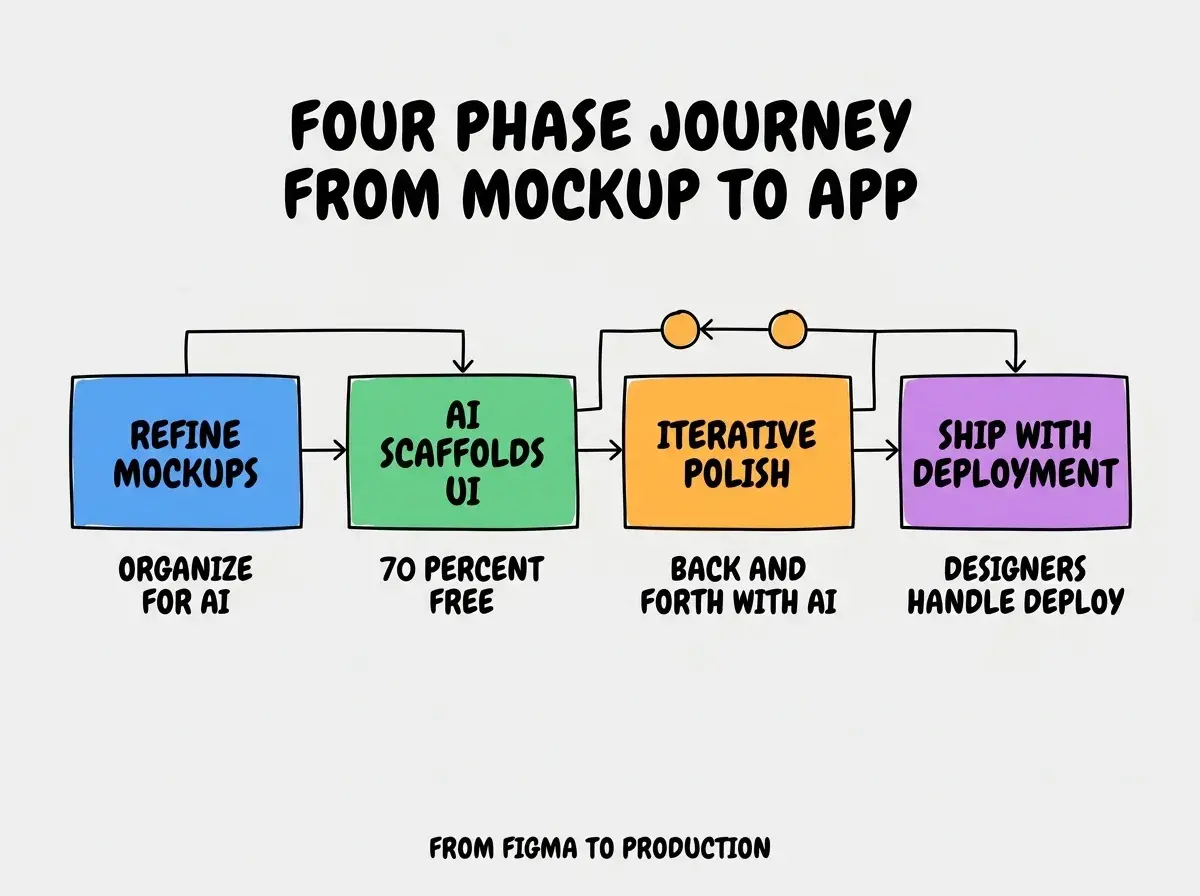
Phase 3, iterative polish with AI assistance. Back-and-forth with AI to refine specific components, add interactivity, integrate state. The designer's eye for detail caught issues that pure-engineering review would have missed.
Phase 4, shipping with deployment patterns. Vercel deployment, custom domain, basic monitoring. The deployment work that designers traditionally outsourced; learning it was part of the transition.
What Design-Trained Perspective Brought
Three patterns from design background produced better outcomes than typical engineering approaches.
Pattern 1, attention to micro-interactions and animations. Designers notice when buttons feel sluggish or transitions feel wrong. The attention produces UX polish that engineering-led work often misses.
Browse more case studies
Read more pulse articlesPattern 2, color and contrast precision. Design eye catches accessibility issues, brand inconsistencies, visual hierarchy problems immediately. Engineering tools detect some of these; designer eye catches more.
Pattern 3, empty state and edge case design. Designers think through what happens when data is missing, lists are empty, errors occur. Engineers often skip these states; designers fill them in naturally.
The Specific Tools That Worked
Three tools combined effectively for the designer's workflow.
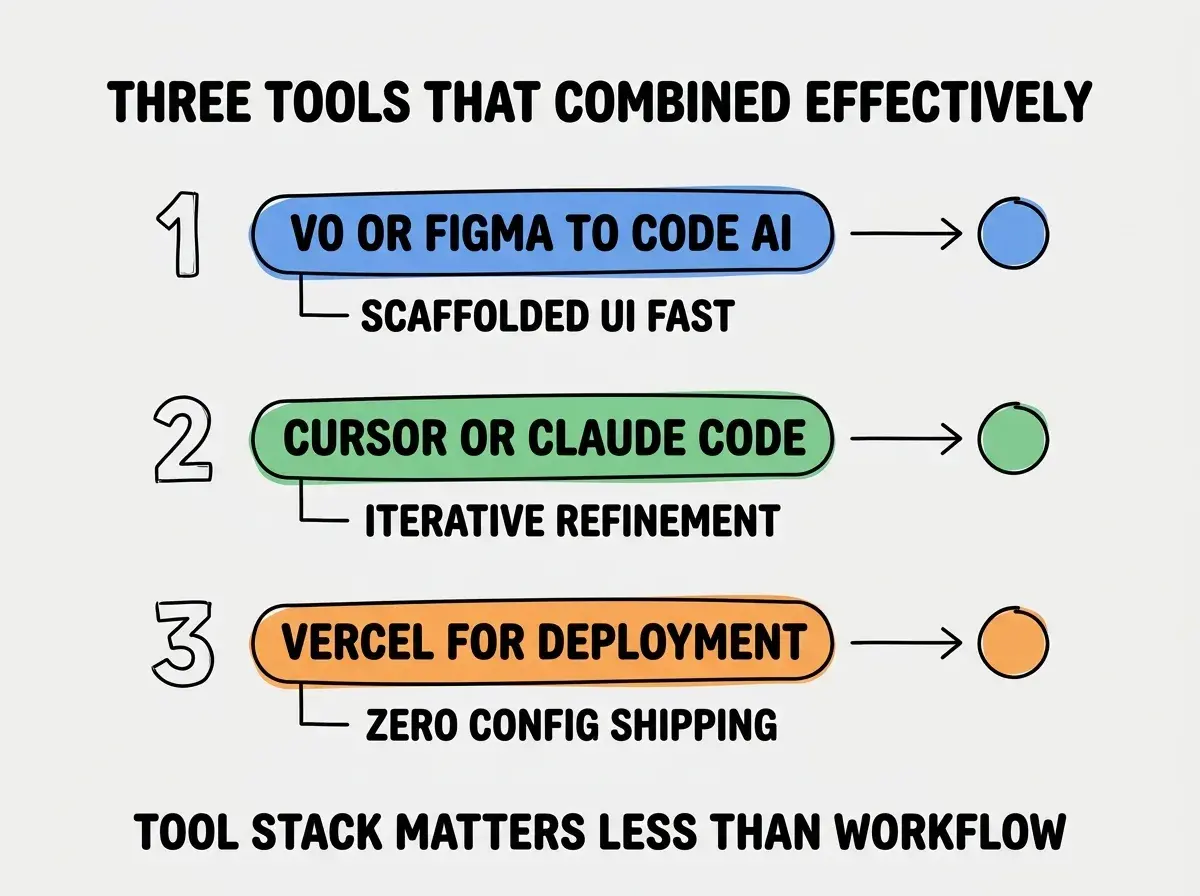
Tool 1, v0 or specialized Figma-to-code AI. Starting point for component generation. Saved hours of typing standard UI code.
Tool 2, Cursor or Claude Code for refinement. Iterative back-and-forth as features grew. Conversational AI for design intent matched designer's working style.
Tool 3, Vercel for deployment. Zero-config deployment from Git. Designers do not need to learn DevOps to ship; the tooling abstracts the complexity.
What Engineering Skills the Designer Had to Learn
Three engineering concepts the designer specifically needed to learn deserve study.
Concept 1, state management basics. Understanding why some data needs to persist across page loads while other data does not. AI tools handle implementation; understanding the concept allows useful prompting.
Concept 2, async data flows. API calls return at unpredictable times; UI needs to handle loading, success, and error states. The mental model differs from synchronous design thinking.
Concept 3, database schema thinking. What gets stored, what gets calculated, what relationships matter. Even when AI generates schemas, the designer needed enough understanding to evaluate.
The combination produced engineering literacy that complemented design expertise. Without these basics, designers using AI tools sometimes hit walls that better fundamentals would have avoided.
How Other Designers Can Apply These Lessons
Three application patterns help designers attempt similar transitions.
Pattern A, start with a project you genuinely want. Personal motivation sustains learning through difficult moments. Pick something you would use yourself; the engagement compounds.
Pattern B, accept that learning curve is real. Even with AI tools, the first few weeks involve real friction. Plan for the friction rather than expecting smooth progress; the friction is part of the learning.
Pattern C, share progress publicly. Designer communities (Designer News, Twitter design Twitter) welcome transition stories. The sharing builds reputation and accelerates learning through community feedback.
The combination produces successful designer-to-builder transitions. Without these patterns, designers sometimes attempt transitions, hit early friction, and abandon attempts that would have succeeded with sustained effort.
The most damaging designer transition mistake is trying to ship without learning enough engineering fundamentals. AI tools handle a lot but not everything; designers who skip fundamentals get stuck on issues AI cannot resolve. The fix is to invest in basic engineering knowledge alongside AI tool skill; understanding HTTP, basic database concepts, and deployment pipelines makes the AI tools far more useful. Foundation plus AI is dramatically more powerful than AI alone for designers shipping production work.
The other mistake is comparing your output to engineer-built work on engineering criteria. Designer-built apps often look better and have better UX while having different code structure than engineer-built apps. The fix is to celebrate the unique strengths of designer perspective rather than trying to mimic engineer aesthetics. Different paths produce different but valid outcomes.
A third mistake is abandoning Figma after starting to ship code. Some designers stop using their primary skill once they can ship; the design quality drops as a result. The fix is to maintain Figma as the design source of truth; code implements what Figma designs, even after you can write code yourself. The discipline preserves the design strength that differentiates designer-builders.
What This Means For You
The designer-to-builder transition is increasingly viable in 2026. The four phases, design-perspective patterns, and tool combinations produce successful transitions for committed designers.
- If you're a designer: Try the transition with one project you genuinely want to build. The transition becomes career-changing if it works; the cost is one project worth of effort.
- If you're a founder: Designer-builder hybrids are increasingly valuable. Hire them when the design work matters; they often produce better outcomes than engineer-only teams for design-heavy products.
- If you're a student: Consider design and AI tool fluency as complementary skills. The combination is increasingly valued and produces unique career paths.
Browse more designer case studies
Read more pulse articles